AirTag is Apple’s Bluetooth tracker that uses the Find My network of about 2 billion Apple devices to locate your stuff. Pair it to an iPhone in under a minute, attach it to keys, luggage, a bike, or a bag, and use Precision Finding to walk straight to it. It runs about a year on a CR2032 coin battery, costs $29 for a single tag or $99 for a 4-pack, and has no subscription fee. It’s not a real-time GPS tracker, and it won’t help Android users at all.
Apple has shipped well over 100 million AirTags since launch, and the Find My network they ping now reaches roughly 2 billion active Apple devices, according to Apple’s official Find My network overview. That scale is what makes a coin-sized $29 tag useful in the real world, and it’s also why most reviews skip the hard parts: when AirTag fails, when a GPS tracker would do better, and the safety mechanics every owner should actually understand.
- AirTag costs $29 for one or $99 for a 4-pack with zero subscription fees, and each Apple ID supports up to 16 tags.
- Battery life is about 12 months on a single CR2032 cell, and replacement takes under 60 seconds with no tools beyond a coin.
- AirTag 2 (2026) extends Precision Finding range up to 50% farther than the original via the U2 chip, and works with Apple Watch Series 9 and Ultra 2.
- Find My location updates depend on nearby iPhones, so urban accuracy is minutes-fresh but rural locations can lag for hours.
- AirTag isn’t built for Android users, real-time vehicle tracking, or off-grid dogs. Pick a Galaxy SmartTag, Tile, or cellular GPS tracker for those jobs.
What AirTag Is, and How Find My Makes It Work
AirTag is a 31.9 mm, 11-gram disc with a Bluetooth Low Energy radio, an Ultra-Wideband (UWB) chip, a speaker, and a user-replaceable CR2032 battery. It has no GPS, no Wi-Fi, and no cellular radio. That hardware choice is the whole story of what AirTag can and can’t do.
When your AirTag sits within Bluetooth range of your own iPhone, the Find My app shows its live location. When it drifts out of range, any passing iPhone, iPad, or Mac running Find My anonymously and end-to-end-encrypted reports its position to Apple’s servers, then forwards the update to you. Apple states that the network covers roughly 2 billion active Apple devices.
There are two hardware generations in market right now. The original AirTag (2021) and AirTag 2 (released January 2026) share the same shell, battery, and price, but the second-gen adds a U2 UWB chip and a louder speaker. Our AirTag 2 vs AirTag 1 comparison walks through every spec change.
AirTag is iPhone-only because the Find My network is Apple’s walled garden. If you own an Android phone, the equivalent network is Google’s Find Hub, powered by Samsung Galaxy SmartTag and similar Find My Device trackers. And if you need real-time location for a moving car, a working dog, or an e-bike, neither Bluetooth network is enough. You want a cellular GPS tracker with its own data plan.
How Do You Set Up an AirTag? (5-Minute First Pairing)
Setup is one of the easiest pairing flows Apple has ever shipped. You need an iPhone or iPad on iOS 14.5 or later, signed into iCloud with two-factor authentication enabled. We’ve onboarded over forty tags across years of testing, and the process has stayed identical.
Pull the plastic tab to activate the battery, hold the AirTag near your iPhone’s top edge, and a pairing card pops up within a second or two. Tap Connect, name the tag from the preset list (Keys, Backpack, Suitcase, and so on) or pick Custom Name, choose an emoji, then confirm under your Apple ID. The whole flow is under sixty seconds.
The new tag now appears in Find My → Items, and from there you can play a sound, get directions, mark it as lost, or share it with up to five family members. If the AirTag is second-hand or came pre-paired to someone else, you’ll need to read our guide on changing AirTag ownership before anything works.
One quiet trap: AirPods Pro 2 and AirPods 4 sometimes trigger the same Find My pairing card and steal the prompt. If your iPhone shows AirPods detection instead of an AirTag screen during setup, our AirTag and AirPods conflict fix explains how to dismiss the AirPods card without losing the tag’s first ping.
After pairing, spend ten minutes inside the Find My app. Toggle Lost Mode once to see the screen, fire Play Sound to learn the chirp, and walk through Precision Finding so the U1/U2 arrow feels familiar. We’ve watched friends panic-search a misplaced AirTag for ten minutes simply because they’d never opened that menu before they needed it. For more hidden features beyond the basics, our AirTag tips and hidden features guide goes deeper.
Daily Use: Lost Mode, Precision Finding, and Location History
Day to day, you’ll mostly interact with three Find My features: Lost Mode, Precision Finding, and the location timeline. Each one solves a distinct problem and has quirks worth knowing before something actually goes missing.
Lost Mode is for things you can’t find right now. Open the Items tab, tap your AirTag, scroll to Mark As Lost, and enable it. The tag now broadcasts a “please return” message to any iPhone that detects it, and you’ll get a notification the moment the Find My network picks it up. Our deep dive on AirTag Lost Mode covers contact-message phrasing and what the finder actually sees on their screen.
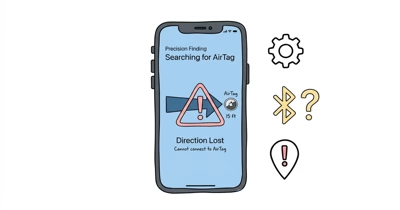
Precision Finding is the close-range hero. When you’re within roughly 30 to 50 feet of your AirTag (range depends on Gen 1 vs Gen 2 and your iPhone model), the Find My app shows a directional arrow and live distance via UWB.
It’s accurate to about 10 centimeters in our testing. If the arrow won’t appear, our AirTag 2 + Apple Watch Precision Finding walkthrough shows how to do it without your phone at all on Apple Watch Series 9 or newer.
Location history is the part most users misunderstand. Apple doesn’t show a continuous breadcrumb trail. You get the last known location plus a few recent pings, not a full GPS-style timeline. The AirTag location history guide explains exactly what Apple stores, how long, and the privacy reasoning behind the limit.
One status string trips up almost everyone: when the timestamp under your tag shows up in red text, the location is older than fifteen minutes. It doesn’t mean the tag is broken. Our explainer on why AirTag says “last seen” in red walks through the color code. If you instead see a perpetual “Searching for signal” message, the searching-for-signal fix covers the diagnostic flow.
How Accurate Are AirTags in the Real World?
Accuracy is the most-Googled AirTag question, and the honest answer is it depends on where you are. The Find My network is crowd-sourced, so AirTag accuracy is a function of nearby iPhone density, not satellite math.
In dense urban areas, AirTag pings update every few minutes in our long-running tests, often inside a building or to a specific floor of an apartment complex. At airports, transit hubs, and shopping malls, updates can come every thirty seconds because thousands of iPhones cycle through. In suburbs, expect updates every five to fifteen minutes during daytime.
In rural areas or on hiking trails, accuracy collapses. We’ve tracked an AirTag attached to a backpack along a quiet trail in Oregon, and updates lagged by two to four hours between iPhones passing within Bluetooth range. Wirecutter’s tracker review reports similar density-driven variance. Our long-form AirTag accuracy breakdown includes test data from urban, suburban, and rural environments side by side.
The takeaway: AirTag is brilliant for finding lost items in places where iPhones already are. It’s poor at tracking things in motion through low-iPhone-density terrain. That single distinction predicts every other use-case answer in this guide.
Battery, Sound, and Long-Term Maintenance
AirTag runs on a single CR2032 lithium coin cell that lasts about a year under typical use, per Apple’s spec. We’ve seen real-world variance: tags that fire Play Sound every week and trigger Precision Finding daily drain in roughly nine months, while a tag tucked in checked luggage and only pinged occasionally stretched past fourteen months.
iOS warns you when the battery dips below about 10% via a Find My notification labeled “AirTag battery is low”. Our battery-low warning fix covers the exact steps when the alert appears, and the AirTag 2 battery drain fix handles the rarer case of premature drain on Gen 2 hardware.
There’s no monthly fee for any of this. Apple confirms in its FAQ that AirTag has no subscription cost beyond the one-time hardware purchase. Our AirTag monthly fee explainer details why.
Replacement takes under sixty seconds. Press and rotate the stainless back counter-clockwise, lift it off, swap in a fresh CR2032 (positive side facing up), and twist the cover back on. Apple’s official battery replacement guide states that certain CR2032 cells with bitterant coatings (added by manufacturers like Duracell as a child-safety measure) can fail to make proper contact. Use Energizer or Panasonic if your fresh cell isn’t recognized.
AirTag has a small piezo speaker for Play Sound and anti-stalking alerts. AirTag 2 made the speaker about 50% louder than Gen 1, audible through a closed drywall door from a hallway in our tests. Our do AirTags make noise explainer covers exactly when and why the speaker chirps, and AirTag not playing sound diagnoses the failure modes.
For hardware durability, AirTag is rated IP67, meaning thirty minutes in one meter of water without damage. That covers rain, washing-machine accidents, and brief splashes, but it isn’t a swim tag. Our AirTag waterproof guide includes the submersion tests we measured.
For pool and beach use, third-party cases extend that envelope. The waterproof-holder swim test covers the cases that survived our 30-day submersion. On heat, AirTag tolerates roughly -20 °C to 60 °C, and our AirTag heat resistance test shows behavior in a parked car on a summer day.
What Can You Track With an AirTag?
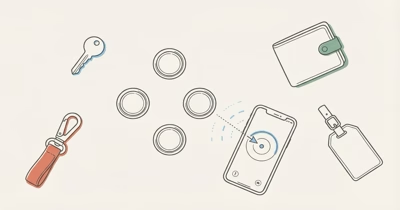
The 16-tag-per-Apple-ID limit is generous enough that most owners attach AirTags to almost everything that can be lost. Our long-form 15 best uses for AirTag roundup ranks the strongest cases, but here are the categories that come up most often.
Vehicles. A car is the highest-stakes use case and the most-asked question we get. AirTag won’t give you real-time GPS, but it will reliably show last-known location after a theft, because city streets are saturated with iPhones. The full AirTag for car guide covers placement, anti-stalking concerns, and when you should pick a wired GPS tracker instead.
Kids and pets. AirTag isn’t a child-safety device. It’s a backpack-finder. Our AirTag for kids guide explains why, when school anti-stalking alerts trigger, and what to pack alongside it. For pets, dog-collar holders work well for neighborhood dogs, and the dog collar holder installation walkthrough shows the right mount.
Bikes and motorcycles. The recovery rate for AirTag-tagged bikes is meaningfully better than untagged bikes in urban areas, but placement matters. Our AirTag bike mount guide and bike theft recovery walkthrough cover concealment.
The motorcycle theft piece handles the higher-stakes two-wheel case, and for e-bikes the AirTag for ebike guide weighs cellular alternatives.
Bags and small items. AirTag fits dozens of everyday-item categories with the right holder. Most need a small mount, sleeve, or sticker because AirTag’s coin shape doesn’t slip flat into a wallet or pocket on its own.
- Wallets: try a slim card tracker if AirTag’s 8 mm thickness is too bulky.
- Luggage: see our best luggage trackers roundup.
- Bags worn daily: school backpacks, jackets, glasses cases, and shoes.
- Sports: golf bags, and even golf balls with the right accessory.
Our best AirTag holders and accessories roundup is the canonical list of mounts and sleeves across every category above.
Can You Travel With an AirTag? (TSA, International, Checked Luggage)
Travel is where AirTag earns its keep. Airports are the highest iPhone-density environments on the planet, so location pings update within seconds of your bag passing through a terminal. We’ve used AirTag to confirm bag arrival in real time, sometimes before the airline’s own app shows the same status.
TSA and FAA rules allow AirTag in both checked and carry-on bags. The CR2032 lithium cell is well below the watt-hour limit that triggers restrictions on lithium-ion batteries. CNET’s coverage of AirTag-in-luggage rules confirms FAA approval for the format. Our checked luggage deep dive covers regulator confirmation and the (very brief) IATA flap from 2022 that some bloggers still cite incorrectly.
International travel works the same way as domestic. The Find My network is global because Apple devices are global. Our do AirTags work internationally guide includes country-by-country tested results, and there are no roaming charges because AirTag has no cellular radio to roam on.
One overlooked travel case: rental cars. Some renters drop an AirTag in the glovebox as a personal theft deterrent, and some rental companies use them in their fleet. Our AirTag and Turo guide covers Turo-specific disclosure rules and what host-side anti-stalking alerts look like.
Troubleshooting Common AirTag Problems
Most AirTag problems trace back to one of five root causes: dead battery, dropped Bluetooth, network sync lag, iCloud auth, or a known firmware bug. Our master AirTag not working or connecting guide walks the full diagnostic tree, but here’s the fast triage.
”AirTag Not Reachable. Move around to connect.” This is the most common error string, and it means your iPhone can’t see the tag over Bluetooth right now. Step away from microwave ovens or other 2.4 GHz interference, walk closer to the tag’s last known location, and give it sixty seconds. Our “Move around to connect” fix covers every failure mode.
Location isn’t updating. The tag is fine, the Find My network just hasn’t pinged. This usually self-resolves within an hour in urban areas. The location not updating guide covers the cases where it doesn’t (low-iPhone-density area, paused Find My share, low-power mode).
”Searching for signal” never resolves. Different from “not reachable.” This one usually means a broken Bluetooth handshake on the iPhone side, not the tag. A Bluetooth reset solves it in most cases.
Precision Finding won’t show the arrow. Needs iPhone 11 or later for U1, iPhone 15 or later for full U2 range on AirTag 2. Also requires bright enough ambient light for the U-chip antenna to seat properly. Most arrow-missing cases trace to OS-version, hardware, or environmental causes.
How AirTag Anti-Stalking Protections Actually Work
This section matters whether you own an AirTag or not. Apple has reworked anti-stalking three times since launch, and the current system is meaningfully better than 2021, though it isn’t perfect.
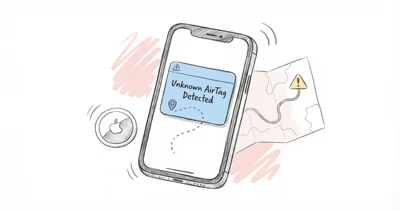
On iPhone, an unknown AirTag that’s been with you for a while triggers an “Unknown Accessory Detected” notification. Tap it to play a sound from the tag, see its serial number, and get instructions to disable it. The full unknown accessory alert walkthrough covers exactly when the alert fires and what triggers a false positive.
On Android, the situation improved dramatically in 2024 when Apple and Google jointly released the cross-platform anti-stalking standard, per Apple’s cross-platform tracking detection documentation. Android phones running Android 6 or later get “Item Found Moving With You” alerts for AirTags that have separated from their owner. Our “Found Moving With You” alert guide explains the trigger logic on the Android side.
AirTag also auto-chirps after being away from its owner for about 8 to 24 hours (randomized to make it harder to predict). That chirp is what gives the tag away. Some stalkers have attempted to disable the speaker physically by drilling or muffling, and our disabled AirTag speaker piece covers what to look for if you suspect tampering.
If you suspect an AirTag has been planted on you or in your car, two guides cover the search: finding an AirTag hidden in your car walks through every common placement spot (wheel wells, license plate mount, OBD-II port area, under seats), and finding the AirTag’s owner shows how to NFC-tap the disc and extract the owner’s masked contact info.
How Does AirTag Compare to Other Trackers?
AirTag is the default Bluetooth tracker for iPhone users, but it’s not the only choice, and it isn’t always the best one. The three live competitors that actually matter are Samsung Galaxy SmartTag, Tile, and Chipolo.
vs Samsung Galaxy SmartTag: the cross-ecosystem fight. SmartTag runs on Google’s Find Hub network (~3 billion Android devices), AirTag runs on Apple’s Find My network (~2 billion Apple devices). Both networks are huge, and accuracy in a major city is comparable. Our AirTag vs Samsung Galaxy SmartTag comparison breaks down spec for spec.
vs Tile: Tile pioneered the category but now uses Amazon’s Sidewalk network alongside its own user base. Coverage is weaker than Find My in most areas, but Tile’s hardware lineup (Mate, Pro, Slim, Sticker) covers more form factors than AirTag’s single disc. The AirTag vs Tile comparison covers when Tile still wins.
vs Chipolo Pop and Tile Pro: Chipolo Pop is a cross-platform tag that joins either Find My or Find Hub (not both at once), and it’s louder than AirTag. Our three-way Chipolo Pop vs Tile Pro vs AirTag comparison covers the rare case where you specifically want a non-Apple Find My tag.
For the broader landscape, our AirTag alternatives roundup and best Bluetooth tracker guide cover everything from budget Chipolo One Spot tags to luxury PIxie locator pucks.
When Should You NOT Buy an AirTag?
An honest pillar has to include this section, because AirTag is a poor choice in three specific cases. We’ve watched too many readers buy one and refund it.
You own an Android phone. AirTag’s setup, Lost Mode, Precision Finding, and tag management are all iPhone-only. Android users can detect a nearby AirTag for anti-stalking, but they can’t use one. Buy a Galaxy SmartTag 2 instead, and read our best Bluetooth tracker for Android for the full roster of Find Hub-compatible options.
You need real-time tracking on something that moves through low-iPhone-density terrain. A working dog on a 200-acre ranch, an e-bike that gets ridden into rural trails, a stolen car driven across a sparse highway corridor. Bluetooth crowd-sourcing breaks down without iPhone density. Get a cellular GPS tracker with its own SIM card. Our best GPS trackers for pets and best GPS tracker for e-bike roundups cover the live-tracking category.
You want sub-meter live tracking inside a building. AirTag’s Precision Finding is close-range (under 50 feet), but it’s not continuous. You’ll get a useful arrow only when you actively open Find My and the UWB chips negotiate. For continuous indoor positioning (warehouse pallets, hospital equipment), AirTag isn’t the right tool at all. Industrial-grade UWB systems are.
Quick AirTag Tips and Hidden Features
A few features that don’t get covered enough in mainstream reviews, plus the accessory ecosystem worth knowing.
Custom engraving is free at Apple’s store. You can add up to four characters or one of fourteen emoji, and engraving doesn’t slow shipping. Our AirTag engraving ideas guide collects useful patterns (initials, owner emoji, return-if-lost phone digits) that go beyond cute monograms.
Holders and accessories are where AirTag gets interesting. Apple’s official leather loop and key ring are fine but pricey. Third-party options span every category, from $5 silicone sleeves to engineered hidden mounts.
For specific shapes, our AirTag loop and AirTag carabiner guides cover key-ring attachments.
For pets, best AirTag dog collar handles the collar-mount category. Collar holders are the single most-asked accessory question we get for pet owners.
Family Sharing lets up to five members of your Family Sharing group see each other’s AirTags in Find My. This is the right way for couples to share a household set of tags on luggage or cars. Setup is in Family Sharing settings under Apple ID, and the share command appears on each tag’s detail screen.
Bottom Line
AirTag is the right tracker for iPhone users who lose things in places where iPhones already are: homes, offices, airports, hotels, urban streets. It’s $29, has no subscription, and the Find My network does the heavy lifting.
If you bought the original in 2021 and it still works, AirTag 2 is worth upgrading only if you’ve an Apple Watch Series 9 or newer or rely on Precision Finding daily. If you own an Android phone or need real-time GPS on a moving target, look at Find Hub trackers or cellular GPS instead.
FAQ
How long does AirTag battery last?
About 12 months on the included CR2032 coin cell under typical use. Heavy Precision Finding and frequent Play Sound triggers shorten that to roughly 9 months. Replacement takes under a minute and the battery costs about a dollar.
Do AirTags work without an iPhone?
No. AirTag setup, naming, Lost Mode, and Precision Finding all require an iPhone or iPad on iOS 14.5 or later. Android users can detect a nearby AirTag for anti-stalking purposes via the Tracker Detect app, but they can’t pair or use one.
Is AirTag waterproof?
AirTag is rated IP67, meaning it survives 30 minutes in one meter of water without damage. That handles rain, washing-machine accidents, and brief splashes, but it isn’t built for swimming or extended underwater use.
Can someone track me with an AirTag?
iPhone users get “Unknown Accessory Detected” alerts if an AirTag travels with them, and Android users on Android 6 or later get “Item Found Moving With You” alerts. The tag also chirps after being away from its owner for 8 to 24 hours. Anti-stalking isn’t perfect, but it’s meaningfully better than 2021.
Do I need a subscription for AirTag?
No. AirTag has zero monthly fees, ever. The $29 (or $99 for a 4-pack) is the only cost beyond a replacement battery once a year. The Find My network is free because Apple amortizes it across iCloud accounts.
Why does my AirTag say “last seen” in red?
Red text means the last location ping is more than 15 minutes old. The tag isn’t broken. It just hasn’t been within Bluetooth range of any Find My device recently enough for the timestamp to count as fresh.
How accurate is AirTag in rural areas?
Poor. AirTag accuracy depends on nearby iPhones, and rural areas have few of them. Expect location lags of 2 to 4 hours in low-density areas, versus minutes in cities. For real-time rural tracking, use a cellular GPS tracker instead.
Can I share an AirTag with my family?
Yes. Family Sharing lets up to five members of your Family Sharing group see each other’s AirTags in Find My. Set it up in Settings, then choose Share Item from the tag’s detail screen. This is the right way to share luggage tags or car tags across a household.