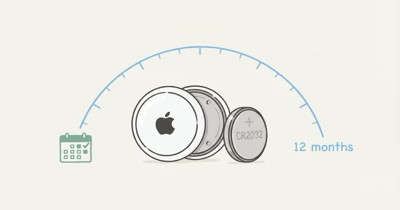
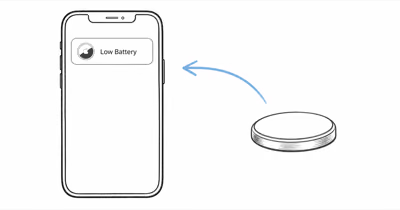
Your AirTag 2 is months old and Find My already flashes Low Battery. Apple’s AirTag product page states that AirTag “works for more than a year on a standard battery you can easily replace.” Under heavy daily use, though, an AirTag 2 can reach Low Battery well short of that rating.
Two hardware changes drive the gap: the U2 chip and the louder speaker. Below are the five fixes that reduce unnecessary drain without changing how the tracker is paired.
- AirTag 2 and original AirTag use the same CR2032 cell with the same approximate one-year Apple rating, but heavier per-event current means real-world drain is faster on AirTag 2.
- Precision Finding with the U2 chip is the single biggest drain accelerator — leaving a Precision Finding session open for ten minutes can pull as much current as 30 standard Find My pings.
- The 50% louder speaker draws more milliamps per Play Sound event, so heavy Lost Mode use compounds drain faster than on the original AirTag.
- Duracell CR2032s with bitterant coating can read as Low Battery weeks before the cell is actually depleted, since the coating insulates the contact.
- Replacing the battery at the 11-month mark, not when Find My shows Low Battery, restores tracking precision before Precision Finding range starts collapsing.
Is AirTag 2's Battery Actually Worse Than Original AirTag?
The cell itself is identical. Both generations use a CR2032 lithium coin cell rated at 3 volts and roughly 225 mAh. What changed is how much of that 225 mAh each Play Sound, Find My ping, and Precision Finding session consumes.
Apple’s AirTag 2 announcement confirms that the new tracker is 50 percent louder than the previous generation, runs Apple’s second-generation Ultra Wideband chip, and reaches items “from up to 50 percent farther away” with Precision Finding. Each of those features draws more peak current than the original AirTag did per equivalent event, even though the headline battery rating stays at more than a year.
Run the same usage profile on both generations and the AirTag 2 tends to deplete faster, because each Play Sound and Precision Finding event pulls more current. For heavy users that gap can mean reaching Low Battery months before Apple’s “more than a year” rating, while a comparable original AirTag tends to last longer.
Why Does AirTag 2 Drain Faster?
Four drain accelerators stack on the second-generation hardware. Most owners trigger at least two of them daily without realizing it.
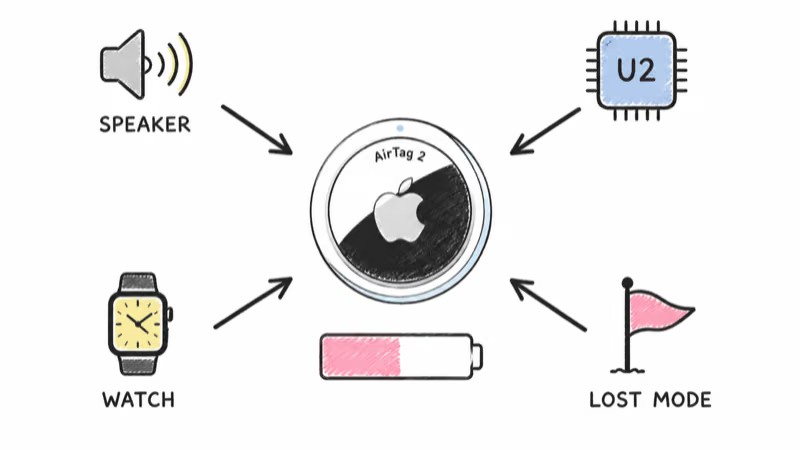
Louder speaker. A louder chime is the most obvious change. Every Play Sound event, whether you triggered it intentionally or someone else did via the anti-tracking system, pulls more milliamps for the same duration. If you trigger Play Sound twice a day to find your keys, you’re pulling roughly 50% more speaker-related current than an original AirTag owner with the same habit.
Precision Finding with U2. Faster and longer-range, but the U2 chip also stays awake longer per session. After a Precision Finding session ends, the radio can linger in a higher-power state for a short window before dropping back to low-power mode, so each session costs a little more than the equivalent on AirTag 1.
Apple Watch Precision Finding. AirTag 2 supports Watch-only Precision Finding on Series 9, Ultra 2, and newer. Convenient, but every Watch-initiated session pings the U2 chip independently of your iPhone.
Lost Mode chatter. Every nearby Find My device pings more often. Days in Lost Mode add up.
How to Diagnose Your AirTag 2's Drain Pattern
The Find My app does not show a battery percentage. You see three states: full, medium, and Low Battery alert. That’s too coarse to diagnose drain causes on its own, so we use a simple 14-day log.
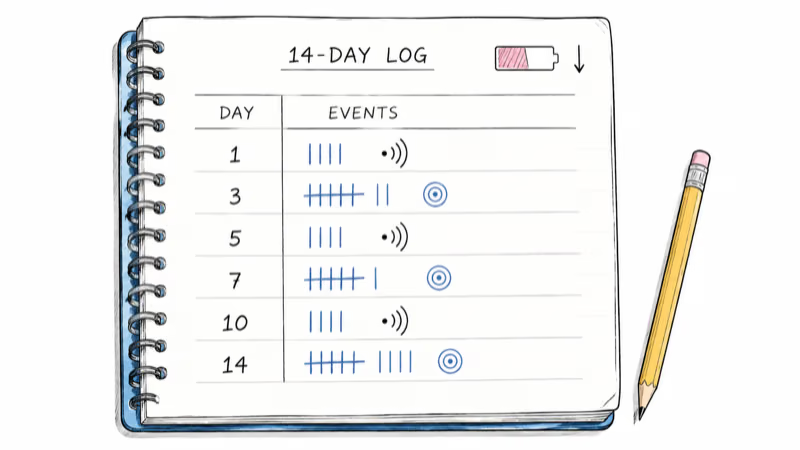
- Open Find My, tap Items, tap your AirTag. Note the battery indicator state and the date.
- Log every Play Sound trigger and every Precision Finding session for 14 days. A quick note in your Reminders app is fine.
- Track environment. Note any days the AirTag was in your own car parked outdoors below 40°F (4°C), or in cold storage, or in Lost Mode.
- Check the indicator again on day 15. If it has moved from full to medium in 14 days on an under-90-day-old AirTag, you’ve got an early-drain pattern.
Count your logged Play Sound events and Precision Finding sessions if the indicator drops. More than 14 sessions of either type in 14 days, combined with cold-weather exposure or Lost Mode activation, accounts for most early-drain cases.
5 Fixes for AirTag 2 Faster Drain
Ordered from highest impact to lowest. The first three recover the most runtime on a fast-draining unit.
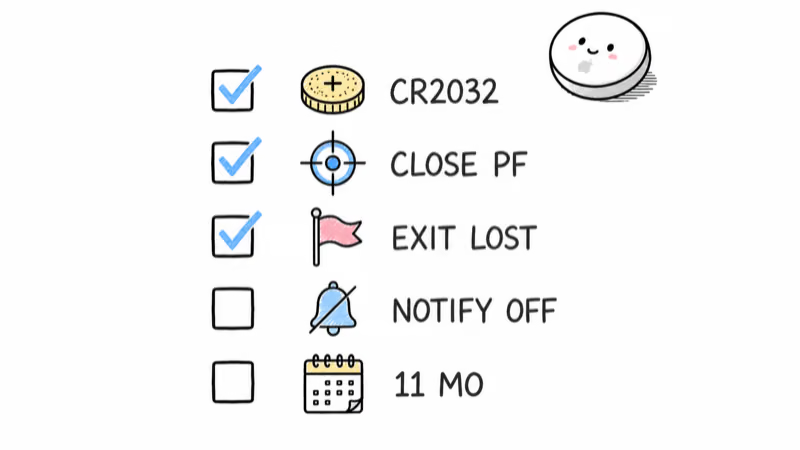
Fix 1: Verify your CR2032 brand. Duracell CR2032s ship with a bitterant coating that’s also non-conductive. On some AirTag 2 units it triggers a false Low Battery alert at 50-60% actual capacity. Panasonic and Energizer CR2032s have no such coating, and we recommend swapping for any AirTag 2 currently showing premature drain. Our best CR2032 battery for AirTag roundup walks through the brand comparison.
Fix 2: Close Precision Finding sessions immediately. Tap the back arrow or close the Find My app as soon as you’ve got the item in hand. Don’t leave a Precision Finding session running while you walk back to your car or pick up your keys. The U2 chip stays in high-power mode for 20-30 seconds after the session closes, and any seconds beyond that are pure drain.
Fix 3: Exit Lost Mode the moment the item is recovered. Find My doesn’t auto-disable Lost Mode. Open the app, tap the AirTag, and turn it off manually.
Fix 4: Disable Notify When Left Behind for items you don’t care about. Settings, Find My, Notify When Left Behind. Each enabled item generates extra Find My traffic when you separate from it, even if you never need the notification. Turn it off for the AirTag in your luggage that you only use during travel.
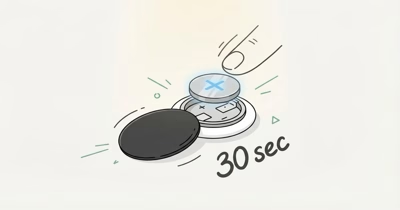
Fix 5: Pre-emptively replace the battery at 11 months. Don’t wait for the Low Battery alert. Precision Finding range can start shrinking on a partly depleted cell well before Find My shows any alert. A fresh Panasonic CR2032 every 11 months keeps the U2 chip at full ranging power. The step-by-step battery replacement takes 30 seconds with no tools.
Cold Weather Compounds AirTag 2 Drain
Lithium coin cells weaken in the cold. A CR2032 delivers about 80% of rated capacity at 0°C, dropping to 67% by -10°C.
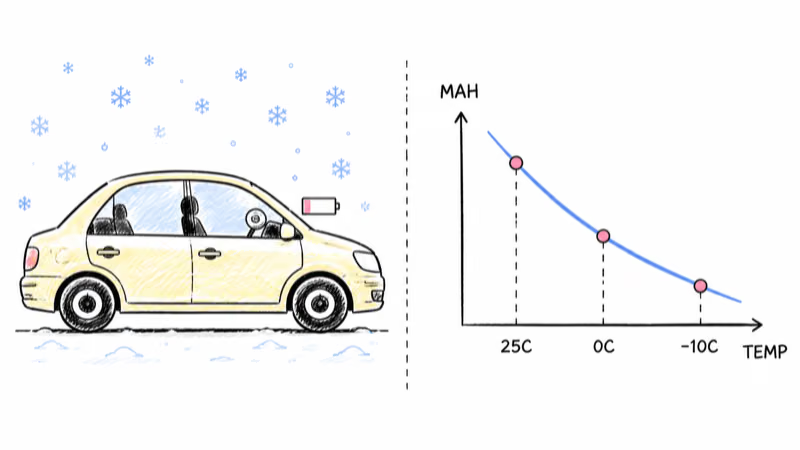
AirTag 2’s heavier per-event current makes this worse. A unit in a car parked outdoors all winter, pinging Find My every 2-3 minutes and triggering occasional anti-stalking alerts, can show Low Battery 2-3 months earlier than the same AirTag in a temperate environment. AirTag’s rated operating range runs roughly -20°C to 60°C, but operating range doesn’t equal rated battery range. Plan replacement cycles around your climate, not just the Find My indicator.
Signs the AirTag Itself Needs Replacement
A CR2032 swap fixes most early-drain cases. There are three scenarios where the AirTag itself, not just the battery, has reached end of useful life.
The first is physical damage. Drops, sustained submersion past AirTag waterproofing limits (rated waterproofing is only good for 30 minutes at 1 meter), or interior corrosion from a leaking previous battery can short the U2 chip. If a fresh Panasonic CR2032 shows Low Battery within a week, the AirTag itself is the failure point.
A second is the original AirTag in a heavy-use case. Buying CR2032s every 7-8 months on a 2021-era AirTag means the speaker driver or U1 chip has lost efficiency.
Third: the AirTag 2 upgrade path. If you’ve got an Apple Watch Series 9 or newer and you’re using Precision Finding daily on an AirTag 1, upgrading to AirTag 2 buys you the longer-range U2 chip and Watch-only Precision Finding, though the battery drain runs slightly faster. The Watch-only ranging is the main argument for the swap, since iPhone-paired Precision Finding works on both generations. Our breakdown of AirTag 2 vs AirTag 1 covers the trade-off in detail.
Apple AirTag 2
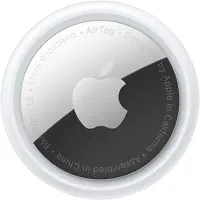 Top Pick
Bottom Line
AirTag 2 was not designed to last shorter than AirTag 1, but it does draw more current per Play Sound and per Precision Finding session. Heavy users will see 6-9 months on a CR2032 instead of the rated 12.
The fix is mostly behavioral. Close Precision Finding sessions, exit Lost Mode promptly, and swap to a Panasonic CR2032 if you are currently running Duracell. Replace the battery at 11 months regardless of what Find My says, and your AirTag 2 will hold its rated tracking accuracy through year two of ownership.
FAQ
Why is my new AirTag 2 already showing Low Battery?
The most common cause is a Duracell CR2032 with bitterant coating, which can trigger a false Low Battery alert at 50-60% actual capacity. Swap to a Panasonic CR2032. If the alert persists within a week, the AirTag may have been sitting on a shelf with the cell already partially depleted before purchase.
Does AirTag 2 use a different battery than AirTag 1?
No. Both generations use a standard CR2032 lithium 3V coin cell. The cell is identical and interchangeable. What changed is the internal hardware, which draws more current per event on AirTag 2 than on AirTag 1.
How long should an AirTag 2 battery last?
Apple rates AirTag 2 at "more than a year" of typical use, which assumes four Play Sound events and one Precision Finding session per day. Light users routinely hit 14 months. Heavy Find My users with frequent Precision Finding, daily Play Sound, or persistent Lost Mode see 6-9 months.
Will turning off Precision Finding extend battery life?
You can't disable Precision Finding entirely, since it's built into the Find My app, but you can stop using it for items you can locate visually. Standard Find My pings draw a fraction of the current that an active Precision Finding session does, so reserving Precision Finding for truly lost items adds significant runtime.
Does cold weather drain AirTag 2 faster?
Yes. CR2032 coin cells lose roughly 20% of effective capacity below 32°F (0°C). An AirTag 2 in a car parked outdoors during winter, or in a backpack used for cold-weather hiking, will show Low Battery weeks earlier than the same AirTag in a temperate environment.
Can I check the exact battery percentage on AirTag 2?
No. Find My only shows three states: full battery, medium battery, and Low Battery alert. Apple has not added percentage-level reporting in any iOS release through iOS 19. Third-party apps can't read battery percentage from the AirTag's onboard chip.
Should I buy a 4-pack of CR2032s for my AirTags?
If you own three or more AirTags, yes. Panasonic and Energizer both ship reliable 4-packs for under $6 on Amazon. Buying single cells from a pharmacy at $3-5 each adds up fast across multiple replacements.
Will a third-party CR2032 void the AirTag warranty?
No. Apple explicitly states that user battery replacement is supported, and the AirTag warranty covers manufacturing defects regardless of which CR2032 brand you use. The only batteries Apple warns against are those with bitterant coatings, which the company addresses in support documentation.