The Low Battery message is a replacement signal, not a percentage gauge or a promised countdown.
- Confirm the label in Find My. Open Items, select the AirTag, and look for Low Battery under its name.
- Replace instead of estimating. Don’t turn an unpublished voltage threshold or anecdotal number of weeks into a guarantee.
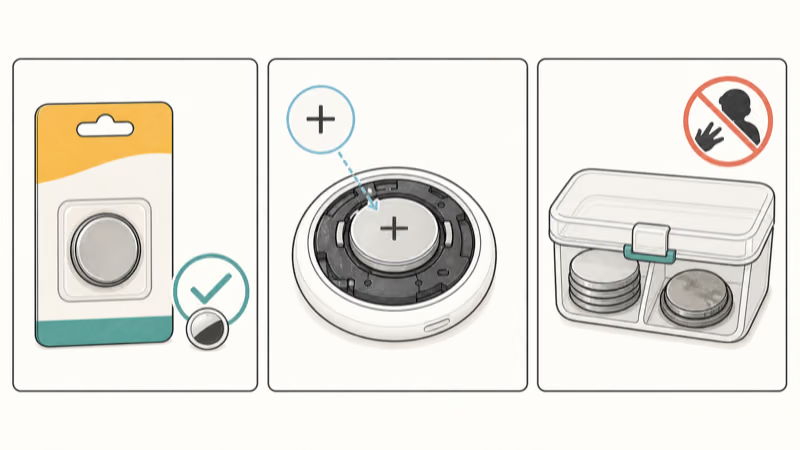
- Use a compatible CR2032. Install the lithium 3V coin cell positive-side up and listen for the connection sound.
- Keep the safety coating intact. Apple recommends bitterant-coated batteries to discourage ingestion while noting that some may not work; choose compatible packaging rather than modifying a cell.
- Escalate damaged hardware. Stop if the cover, contacts, or enclosure are visibly damaged or if compatible batteries repeatedly fail; forcing parts can turn a battery issue into enclosure damage.
Confirm the Warning in Find My
According to Apple’s current battery guide, a low-battery notification appears on the iPhone. You can also open Find My, tap Items, select the AirTag, and look for Low Battery under the item’s name.
That is the supported decision point. Don’t wait for an invented percentage or a fixed number of remaining days. Coin-cell performance varies with usage, environmental conditions, battery manufacturer, and other factors, which Apple lists in the original AirTag specifications.
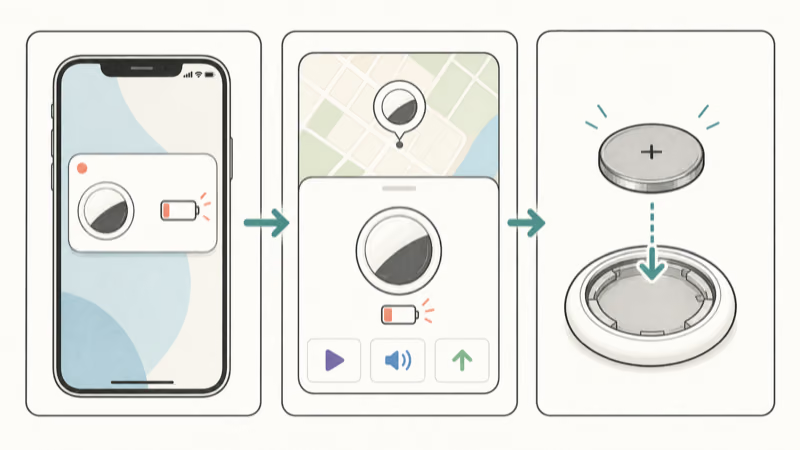
Confirm the state inside Find My before opening the AirTag. For a missing or offline item, use the connection checklist instead.
Why Is There No Reliable Voltage Countdown?
Apple’s support pages don’t state that the warning begins at a specific voltage. They also don’t promise that every AirTag will run for a set number of weeks after the alert. A multimeter reading outside the assembled device can’t reproduce the AirTag’s complete load, contact, temperature, firmware, and measurement conditions.
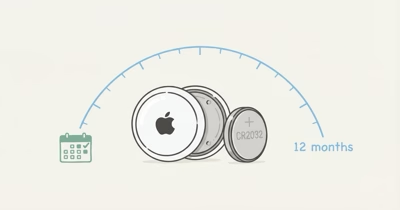
Apple’s original AirTag specifications report battery-life testing based on four Play Sound events and one Precision Finding event per day, then warn that actual results vary. That concrete test pattern still doesn’t establish a public Low Battery voltage or a universal post-warning countdown.
For that reason, this guide doesn’t use claims such as:
- a universal 2.6-volt warning threshold;
- a 2.5-volt operating cutoff;
- four to eight guaranteed weeks after the first alert;
- a fixed cold-weather voltage drop;
- a brand-specific false-alarm rate.
Those numbers aren’t a substitute for device-specific instructions. Confirm the Low Battery label and replace the cell correctly.
Replace the CR2032 Correctly
Both AirTag generations use a user-replaceable CR2032. According to Apple’s battery guide, the current procedure is:
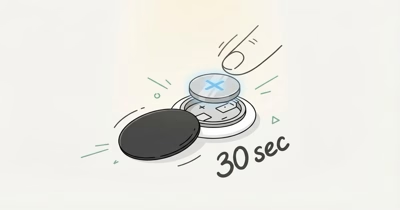
- Press the polished stainless steel cover and rotate it counterclockwise until it stops.
- Remove the cover and old battery.
- Insert a new CR2032 lithium 3V coin battery with the positive side facing up.
- Listen for the sound that confirms the battery is connected.
- Align the three cover tabs with the three AirTag slots.
- Press the cover and rotate it clockwise until it stops.
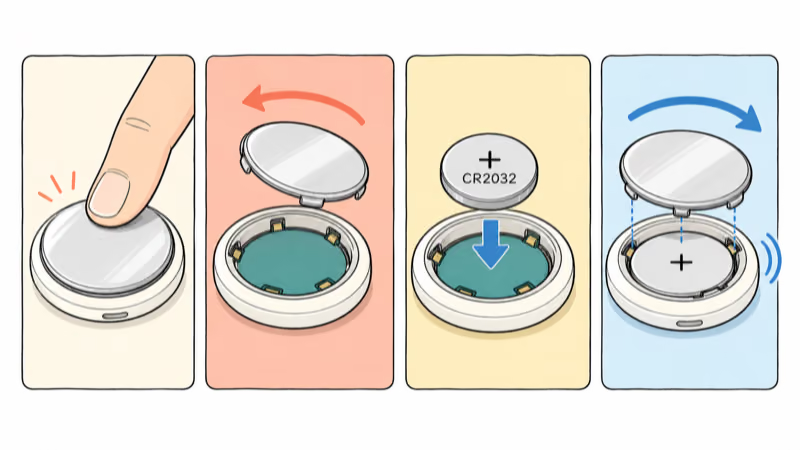
The connection sound checks that the newly installed cell made contact. It doesn’t require removing the AirTag from the owner’s account or performing the separate five-sound factory-reset sequence.
Use the detailed battery guide for cover alignment. Keep every loose part away from small children.
Choose Compatibility Without Removing a Safety Coating
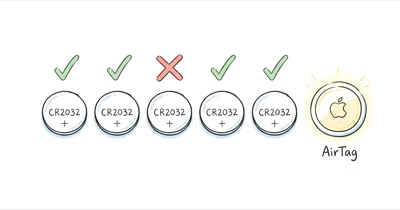
According to Apple’s May 2026 battery guidance, a bitterant-coated CR2032 helps discourage accidental ingestion, and shoppers should look for packaging that states Compatible with Apple AirTag. The same guidance notes that some bitterant-coated CR2032 batteries might not work with AirTag or other battery-powered products.
That combination matters. It doesn’t mean you should scrape, sand, wipe off, peel, or chemically strip a coating. It means you should choose packaging that states compatibility. If one new cell produces no connection sound, verify orientation and try another compatible package rather than modifying the battery.
Button and coin batteries can cause severe injury if swallowed or inserted into the body. Keep new and used cells out of reach of children and seek immediate medical attention if ingestion is suspected.
What If Low Battery Remains After Replacement?
Give Find My a chance to reconnect after the new cell makes its connection sound, then check the item again. If the label remains, work through a small, reversible checklist:
- Confirm that the positive side faces up.
- Confirm that the battery package states AirTag compatibility.
- Remove and reinstall the cell once, without bending the contacts.
- Align and lock all three cover tabs.
- Quit and reopen Find My, then restart the iPhone if the status hasn’t refreshed.
Don’t use the alert alone to declare a failed voltage reference, corroded spring, defective radio, or firmware bug. If multiple compatible batteries make a connection sound but Find My repeatedly returns to Low Battery, contact Apple Support with the device and battery details.
Visible corrosion, deformed contacts, a binding cover, or a failed seal are stop signals. A battery swap can’t repair those conditions.
Battery Replacement vs. Replacing the AirTag
The battery is the normal service part, so a Low Battery warning by itself isn’t a reason to replace the tracker. Replace the CR2032 first and verify the connection sound.
Consider support or device replacement only after compatible batteries repeatedly fail, the cover won’t lock, contacts are visibly damaged, or the enclosure no longer seals correctly. Apple’s AirTag 2 specifications describe feature upgrades, but those aren’t a substitute for first checking the serviceable battery.
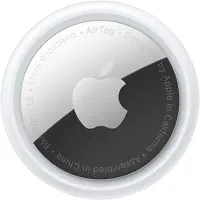
The product option is shown for confirmed hardware replacement, not as the first response to a routine battery warning.
Bottom Line
Use the Low Battery label as Apple’s replacement cue. Install a compatible CR2032 positive-side up, listen for the connection sound, and lock the cover correctly. Don’t promise a voltage threshold, battery percentage, or number of remaining weeks that Apple doesn’t publish.
If a new cell fails, check orientation and compatible packaging without removing a safety coating. Repeated failure with multiple compatible cells belongs with Apple Support, especially when contacts or the enclosure show visible damage.
FAQ
How does Find My show that an AirTag battery is low?
Your iPhone can display a low-battery notification. In Find My, open Items and select the AirTag; Apple says Low Battery appears under the item’s name when replacement is needed.
How long will an AirTag work after the Low Battery warning?
Apple doesn’t publish a guaranteed remaining-runtime window. Replace the CR2032 when the notification and Low Battery label appear rather than relying on a fixed number of weeks.
What voltage triggers the AirTag Low Battery warning?
Apple doesn’t publish a device-specific trigger voltage in its current support guidance. A standalone multimeter reading can’t reproduce all assembled-device conditions, so use the Find My label as the replacement cue.
Why does a new CR2032 not work in my AirTag?
Check that the positive side faces up and listen for the connection sound. Apple notes that some bitterant-coated CR2032 cells might not work, so choose packaging that states compatibility with Apple AirTag.
Should I remove the bitterant coating from an AirTag battery?
No. Don’t scrape, sand, peel, or chemically remove a child-safety coating. Choose another CR2032 package that states AirTag compatibility and keep all coin cells away from children.
Does Find My show an exact AirTag battery percentage?
Apple’s current instructions describe a Low Battery label and notification, not a precise percentage gauge. Treat the label as the action signal and replace the cell correctly.
When should I replace the AirTag instead of its battery?
Replace the battery first. Contact Apple Support when multiple compatible cells fail, the cover won’t lock, the contacts are visibly damaged, or the enclosure no longer seals correctly.