It’s one of the most common questions after a theft or a delayed bag: can I see where my AirTag has been? The expectation makes sense, since it’s called a tracker. But the answer is no, and not in a “they’ll add it later” way.
AirTag location history simply doesn’t exist, and understanding why matters a lot if you’re deciding whether to buy one or trying to figure out what to do after something goes wrong. Let’s go through what Find My actually shows, why Apple designed it this way, and what your real options are.
- Find My provides a current or last-known item location, not a user-facing route or movement timeline.
- Apple says location data and location history aren’t physically stored inside AirTag. That statement is about the device itself; it’s not a published server-retention policy.
- The Tag Timelines app ($4.99/month) is the only real workaround — it logs AirTag positions going forward, but can’t recover any data from before installation.
- GPS trackers like Bouncie ($9.65/month) and LandAirSea 54 ($9.95/month) store full route history via 4G LTE — the right tool if route data or vehicle tracking is the actual need.
- AirTag 2 extends Precision Finding by up to 50%, but Apple still documents item location rather than a route-history feature.
What Find My Actually Shows for AirTag Location History
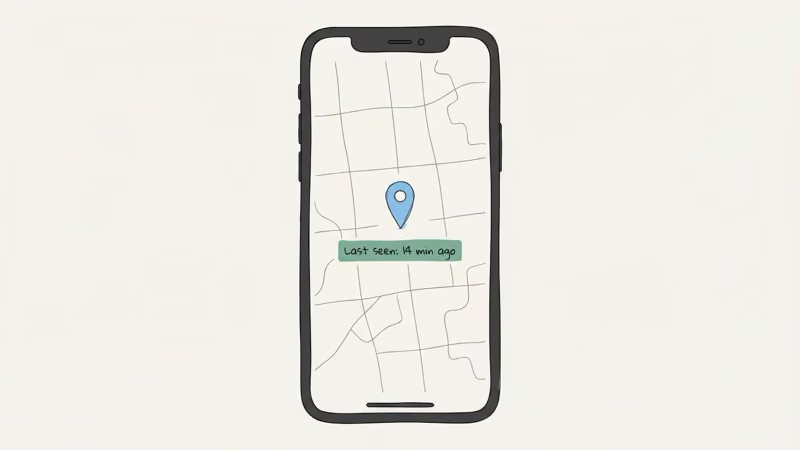
Apple’s Find My app announced this design from launch: open Find My, tap your AirTag, and you’ll see exactly one location: the last known position. One pin. One timestamp. That’s the complete picture.
This hasn’t changed with the 2026 hardware. In its AirTag 2 announcement, Apple announced that second-generation Precision Finding reaches items up to 50% farther away than the original. Apple didn’t announce a route or history feature.
Specifically, Find My shows:
- A single map pin — where an Apple device last detected your AirTag’s Bluetooth signal
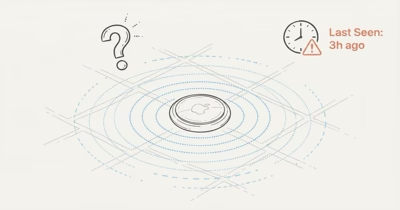
- A timestamp — “Last seen: 14 minutes ago” or “Last seen: Yesterday at 3:42 PM”
- An approximate address — the closest street address or place name
- Precision Finding (longer range on AirTag 2) — directional arrows and distance when you’re physically nearby
What it does not show:
- A route or trail between locations
- A list of previous positions
- Any timestamps beyond the most recent one
- Speed, direction, or distance traveled
- Historical records of any kind
Apple’s Find My security documentation states that the system rotates Bluetooth public keys roughly every 15 minutes to prevent a persistent identifier from being used to track the broadcasting device. That protects relay privacy; it doesn’t by itself establish how long Apple retains an owner’s location reports.
Why There’s No AirTag Location History: The Privacy Design
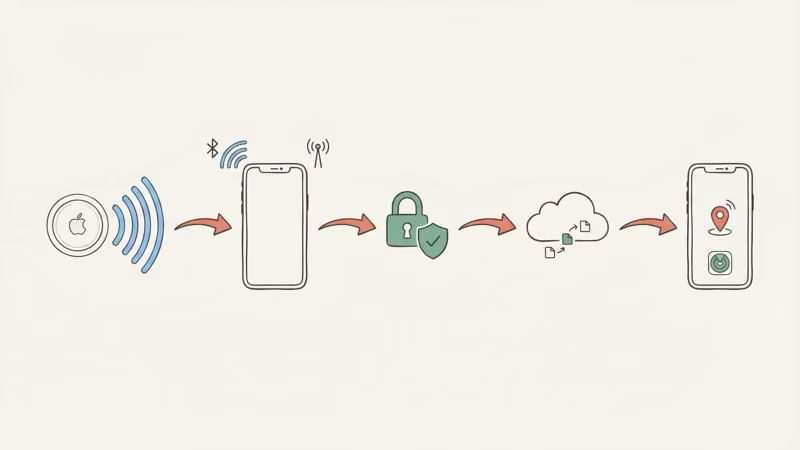
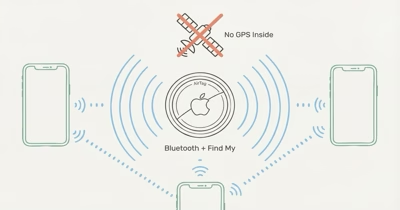
AirTag broadcasts a Bluetooth signal that nearby Find My network devices can detect and relay. Apple’s security documentation says those reports use public-key encryption so only the owner can decrypt the reported location, while the identity of the assisting device is not logged.
Apple’s original AirTag announcement makes one narrower storage promise: no location data or location history is physically stored inside AirTag. Someone else’s Apple device can relay a report without revealing that helper’s identity to the AirTag owner.
In the owner-facing product, Apple’s Find My item guide documents locating an item on the map and using nearby-finding actions. It does not provide a route-playback or location-timeline control.
That’s not a limitation of storage or processing power — it’s the point. Apple built Find My this way so it couldn’t be used for covert long-term surveillance.
The practical trade-off for owners is clear: Find My is useful for a current or last-known location, but its documented interface doesn’t let you reconstruct a journey. Apple’s public pages checked here don’t justify a broader claim about server retention.
This limitation is consistent across every use case: Find My only ever shows a single current pin, never a trail. For most AirTag tasks, finding lost keys or locating a misplaced bag, that’s all you need.
The “last seen” pin reflects the most recent network ping, which is usually accurate to within a short distance outdoors. You just need to know where it’s now, and the mismatch only shows up when people expect something AirTag was never designed to do.
What “Last Seen” Actually Means (and Why It Can Mislead You)
The “Last seen X minutes ago” label does a lot of work and doesn’t always mean what you’d hope.
A location update happens when any Apple device passes within Bluetooth range of your AirTag, roughly 100 to 120 meters under normal conditions. In dense urban areas (offices, airports, city streets), iPhones are everywhere and updates can come in every few minutes. In rural areas, or anywhere Apple device traffic is sparse, updates might come hours apart. Or not at all for a day.
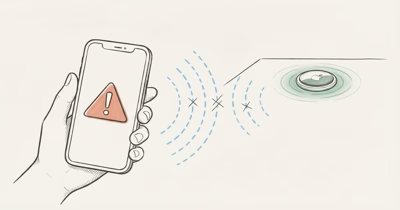
Here’s the situation that frustrates people most: someone takes your bag and drives out of a populated area, and your AirTag might not get a fresh ping for hours. That “last seen” pin could be showing you exactly where the theft happened, not where the bag currently is.
I’ve had this happen with a bag left at a rural trailhead — the pin showed the parking lot the whole time, not because the bag hadn’t moved, but because no iPhones passed for four hours.
It’s the single most common complaint about AirTag — not a bug, just a fundamental limitation of how the network works. See why AirTag location isn’t updating for a full breakdown of what’s happening when the timestamp goes stale.
Two visual states worth knowing. If the timestamp turns red in Find My, the last detection is older than roughly 24 hours. AirTag Last Seen in red explains that threshold and what to do next. If Find My shows “Searching…” with no pin at all, that’s a different problem entirely; AirTag searching for signal covers the distinction.
AirTag 2 (2026): Does the New Model Add Location History?
Apple released AirTag 2 in early 2026 with a second-generation Ultra Wideband chip that extends Precision Finding range to up to 50% farther than the original AirTag. It’s also IP67 water resistant, louder for audio finding, and requires iOS 26 or later according to its specification page.
None of that adds a documented location-history feature. AirTag 2 improves finding range and sound, but Apple still describes it as a Find My item locator rather than a GPS route recorder.
The 50% figure applies to Precision Finding, the nearby directional experience. It should not be read as a promise of more frequent Find My network updates or historical logging.
Can You See AirTag Location History Any Other Way?

A few workarounds have been tried. Here’s an honest look at each.
Tag Timelines: The Only Real Workaround
Tag Timelines is an iOS app built specifically around this gap. It runs in the background and periodically polls your AirTag’s current location through Find My, then logs each reading to build a timeline over time. It shows routes, stop history, and timestamps: essentially the history Apple doesn’t provide. I installed it on my own setup and the route logs are useful for daily-carry items, though the gaps widen overnight in quiet neighborhoods.
The catch is that it only logs readings collected after installation. It can’t reconstruct readings that the app itself didn’t capture.
Its update frequency depends on you leaving the app running and your AirTag getting regular pings from the Find My network. In dense areas it works reasonably well, while rural or low-traffic zones can produce gaps hours wide.
Premium tier is $4.99/month for up to 2 tags. It’s a legitimate solution, just not a perfect one. Apple’s Find My privacy overview explains what location data Apple does and doesn’t store.
iOS Shortcuts Automation
Some technically inclined users set up a Shortcuts automation that reads the current AirTag location from Find My at set intervals and logs it to a spreadsheet or Notes. It’s the same concept as Tag Timelines but manual to build and less reliable. Shortcuts background tasks don’t run as consistently as an actual app. Worth trying if you’re comfortable with Shortcuts, but it’s not plug-and-play.
Manual Screenshot Log
Screenshot the Find My map every hour. That’s it. Tedious, not useful in emergencies, but it costs nothing and requires zero setup.
Requesting Data from Apple
Find My does not give the owner a route-history export. Apple’s 2022 AirTag safety update says Apple may provide available account details in response to a valid law-enforcement request; it does not publish a guarantee that no server-side location data exists. For a theft or safety case, preserve what Find My currently shows and follow law-enforcement or legal guidance rather than assuming what Apple can produce.
The Bottom Line on Workarounds
Tag Timelines is worth installing if you want location history going forward. Everything else is a patch on a system not designed to support it. For reliable route history (vehicle tracking, theft recovery, fleet monitoring), you need a GPS tracker, not a workaround.
When You Need Location History: GPS Trackers That Actually Record Routes
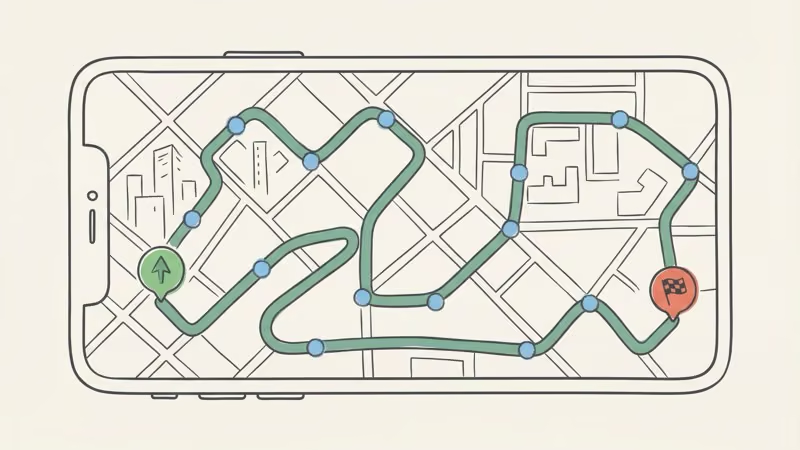
GPS trackers use 4G LTE to push coordinates every few seconds to a cloud server. That server stores every update. You get a full route you can replay with timestamps at every stop: consistent, independent of nearby iPhones, and available for anything from a car tracked across the state to a package tracked across the country.
That’s a fundamentally different product from AirTag. It does cost money to run: a monthly subscription, typically $9–30/month.
Bouncie — Best for Vehicles
Bouncie plugs into the OBD-II port under your dashboard and costs $9.65/month — among the lowest subscription prices in this category. Every trip is logged automatically: full route, speed, hard-braking events, trip start and end times. You can replay any drive in the app. Geofence alerts fire when the car leaves a zone you define.
It’s always powered by the car, so there’s no battery to manage. The downside is that OBD-II limits it to cars and trucks; it won’t work on equipment, trailers, or anything without that port. For vehicles, though, it’s the obvious choice.
Bouncie GPS Tracker
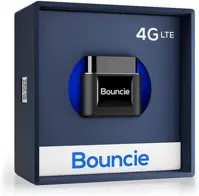
- Full route history — replay every trip
- Real-time location every 60 seconds
- Speed, hard-braking, and geofence alerts
- Low GPS subscription: $9.65/month
- Always powered by the car (no charging)
- OBD-II port required — cars and trucks only
- Monthly subscription (~$116/year)
- Visible port plug could be spotted
LandAirSea 54 — Best for Assets and Non-Vehicle Use
No OBD-II port? The LandAirSea 54 attaches with a strong built-in magnet to any metal surface — trailers, equipment, boats, cargo containers. It provides full route history and geofence alerts in 200+ countries.
Battery runs 1–2 weeks per charge; an optional hardwire kit makes it permanently powered. At $9.95/month it’s a dollar fifty more than Bouncie, but the flexibility to place it anywhere makes it the better pick for anything that isn’t a passenger vehicle. Apple’s Find My item guide documents map-based locating actions, not route playback.
LandAirSea 54
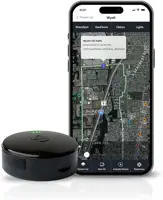
- Full route history and stop log
- No OBD-II port needed — magnetic, attaches anywhere
- IP67 waterproof for outdoor use
- Works globally in 200+ countries
- Geofence alerts with instant notifications
- Battery lasts 1–2 weeks (needs regular charging)
- Monthly subscription required (~$9.95/month)
- Slightly bulkier than AirTag
For a full breakdown of when AirTag makes sense versus when GPS wins, see the AirTag vs GPS tracker comparison. The short version: AirTag is great for everyday items where you just need a current location. GPS trackers are for anything where the route matters: vehicles, fleet assets, theft recovery where a path is actual evidence.
AirTag vs GPS Tracker: Location History Side-by-Side
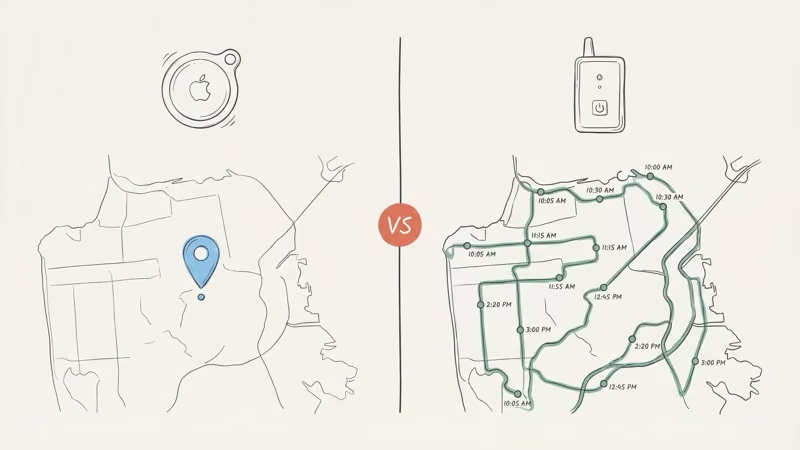
| Feature | Apple AirTag 2 | GPS Tracker (Bouncie / LandAirSea 54) |
|---|---|---|
| Location History | ✗ None — last known location only | ✓ Full route log — every position stored |
| Route Playback | ✗ No | ✓ Yes — replay any trip |
| Real-Time Tracking | ✗ No — crowd-sourced, sporadic updates | ✓ Yes — every 5–60 seconds |
| Update Frequency | ⚠ Varies — depends on nearby iPhones | ✓ Consistent — cellular, independent |
| Speed / Trip Data | ✗ No | ✓ Yes — speed, braking, distance |
| Geofence Alerts | ⚠ Limited — Separation Alert only | ✓ Custom zones with instant notification |
| Works Without Nearby iPhones | ✗ No — requires Apple device to relay | ✓ Yes — cellular, works anywhere |
| Device Cost | $29 (1-pack) | $29–$79 |
| Monthly Fee | $0 — no subscription ever | $9.65/month (required) |
| 2-Year Total Cost | $29 | $221–$275 |
The $0/month thing is real and it matters. For keys, wallets, bags, and luggage, AirTag is hard to beat at that price with no subscription. The best uses for AirTag guide breaks down 15 scenarios where it works well and three where it consistently falls short. Location-history-dependent use cases are firmly in that second group.
One other thing: even when AirTag does report a location, it’s a crowd-sourced Bluetooth estimate, not a GPS coordinate. How accurate are AirTags breaks down what precision actually looks like in urban, suburban, and rural settings. The accuracy gap between dense and rural environments is bigger than most people expect.
Common Scenarios: What AirTag Can and Can’t Do
Theft Recovery: Will AirTag Show Where My Stolen Item Went?
Maybe. AirTag can tell you where your item currently is (or was, recently) if the thief is moving through an area with iPhone traffic, and that can be enough for police to recover something.
What it can’t do is show the route, so it’s not useful as evidence of movement. It’s just a current location to act on.
For vehicle theft specifically, police investigators want route data, timing, and potentially speed evidence. AirTag can’t provide any of that, though a hardwired GPS tracker under the dashboard can.
Also worth noting: a thief who knows about AirTag can sweep for it. The AirTag moving with you alert exists precisely for unwanted-tracking detection — see the guide to finding a hidden AirTag in your car for both sides of that topic.
Teen or Fleet Monitoring: Can I Use AirTag to Track Driving?
No. You’d see occasional location pins, but no route, no speed, no timing data. Bouncie is purpose-built for exactly this use case. For anyone serious about monitoring a vehicle’s movements, a real-time GPS tracker is the only option that captures the journey, not just snapshots.
Lost Luggage: Does AirTag Work at Airports?
Pretty well, actually. Airports are iPhone-dense environments, so updates come in frequently, usually every few minutes once your bag is on the ground.
You’ll see where it’s now, which is usually enough to track down a misdirected bag. What you won’t get is a replay of where it went in the baggage system — that’s fine for most situations.
The Bottom Line
Find My doesn’t offer AirTag route playback or a user-facing location timeline. Apple also says location history isn’t physically stored inside the AirTag itself; its public pages checked here don’t make the same categorical statement about server retention.
For everyday items (keys, bags, luggage), AirTag is still one of the best trackers you can buy: no subscription, works in 185+ countries, and the Precision Finding on AirTag 2 is impressive.
For anything where the route matters, vehicle tracking, theft investigation, fleet monitoring, you need a GPS tracker. Tag Timelines is worth installing if you want forward-looking history from your existing AirTag, but it’s a workaround, not a fix. Buy the right tool for the job.
Frequently Asked Questions
Does AirTag save location history?
AirTag doesn’t provide a user-facing route history. Find My presents a current or last-known location, and Apple says location history isn’t physically stored inside AirTag. Apple doesn’t make the same server-retention promise in the sources checked for this article.
Can I see where my AirTag has been in the last 24 hours?
No 24-hour timeline or movement log is available in Find My. A separate app can log readings it collects after installation, but it can’t reconstruct readings it never captured.
Will Apple add location history in a future update?
Apple has not announced an AirTag route-history feature. Future product behavior can change, so base a purchase on the current Find My interface; use a GPS tracker if stored routes are a requirement today.
Can police access AirTag location history?
Find My doesn’t give owners a route-history export. Apple says it may provide available account details in response to a valid law-enforcement request, but the cited public page doesn’t define all data Apple may hold. Preserve the current Find My screen and follow law-enforcement or legal guidance for a specific case.
How do I check when my AirTag last updated?
Open Find My, tap Items, tap your AirTag. The “Last seen” label under the map pin shows when an Apple device last detected it. If that timestamp is hours or days old, it means no Apple device has passed near your AirTag since then. If the location is refreshing but the pin looks wrong, that’s a different problem. AirTag location not updating covers the most common causes.
Is there any way to make AirTag update location more often?
Not directly. Find My network updates depend on a nearby participating Apple device detecting the AirTag; the owner can’t force a remote refresh. AirTag 2’s up-to-50% figure is for the owner’s nearby Precision Finding session, not a promise of longer relay range or more frequent network updates.
Can AirTag track a car’s route?
No. AirTag shows where your car is right now (or was, recently). It shows nothing about the route taken, speed, or timing. For actual vehicle route tracking, you need a GPS tracker like Bouncie — a dedicated cellular device that logs the full route as the car moves.