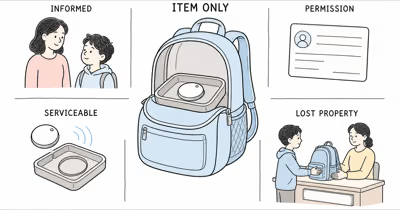
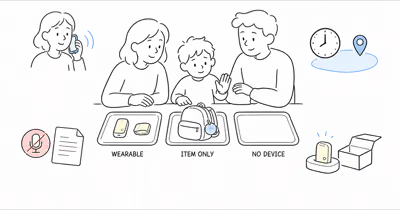
Apple describes AirTag 2 as an item finder designed exclusively for objects, not people or pets. A point for a backpack can help find the backpack; it can’t prove where a child is, whether the bag is still with them, or whether anyone is safe.
The previous version crossed that boundary. Its hidden-wear, fixed-price, alert-workaround, legal, school, and default-tracker advice is removed.
- Use AirTag only for an agreed item. A backpack, instrument case, or luggage job is different from locating a child.
- A Find My point is conditional item data. It depends on nearby network devices, time, signal, power, settings, delivery, and the tag remaining with the item.
- Sharing isn’t a universal child-account solution. Apple’s current guide says an AirTag can’t be shared with a child account.
- Unwanted-tracker alerts are safety features. Current iPhone, iPad, and compatible Android systems can warn when an unknown tracker moves with someone.
- A missing-child response is human and official. Don’t wait for another item update before contacting the applicable authorities.
Is AirTag a Child Tracker?
No. Apple defines AirTag as an object tracker.
According to Apple’s current AirTag 2 announcement, the device is designed exclusively for tracking objects, not people or pets. It uses Bluetooth and the crowdsourced Find My network to report an approximate location for the item when a participating Apple device detects it.
AirTag has no GPS receiver that reports directly to a caregiver, no cellular connection, no child phone number, no approved-contact calls or messages, no SOS button, no geofence, and no monitoring or dispatch service. It isn’t a substitute for supervision, school procedures, a communication plan, an emergency system, or a missing-child response.
Use AirTag only for your own agreed item. Never hide it on a child or defeat its speaker or alerts.
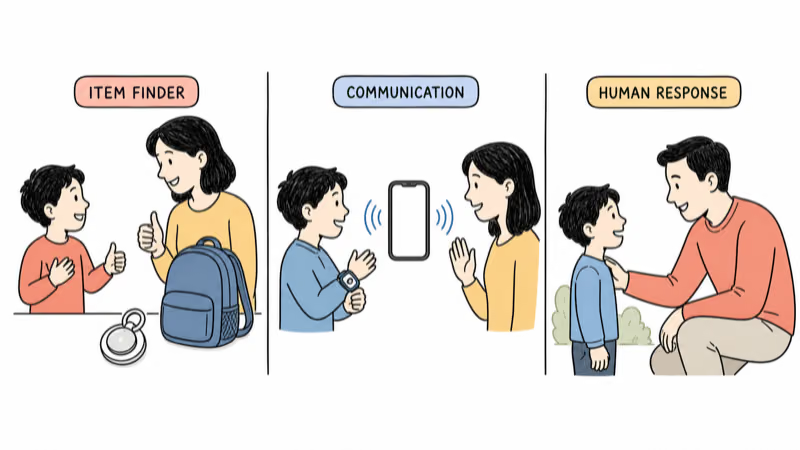
Define the Family Job Before Pairing Anything
Write whether the job belongs to an item or to a child.
“Find the backpack if it’s left on a bus” is an item-recovery job. “Let our child call two approved adults after practice” is a communication job. “Alert caregivers and follow a documented response when a consented wearable leaves a care-setting boundary” is a specialized location-and-response job.
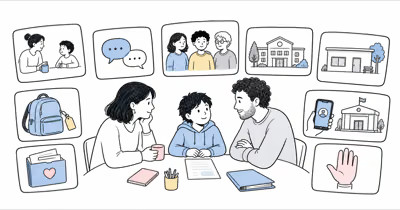
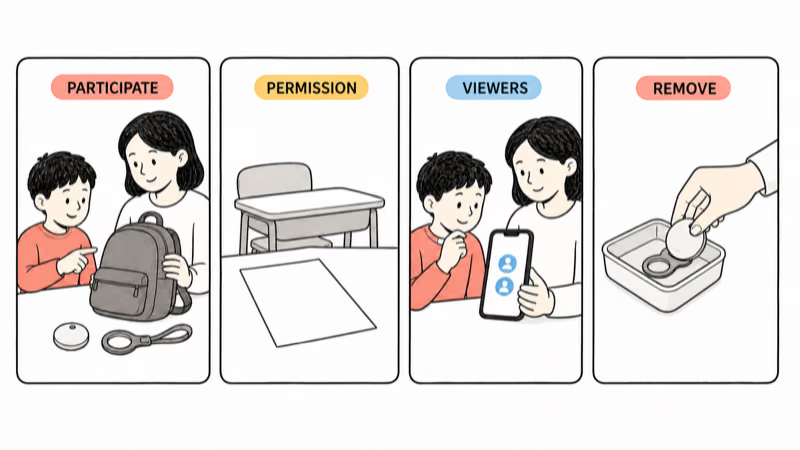
For an item job, name the owner, child participant, viewers, school or care-setting permission, attachment, review frequency, sharing rules, response to alerts, review date, and removal plan. A parent or guardian should act only for their own child or with the necessary legal authority, consent, and setting permission.
For communication, compare managed kids smartwatches; for broader response needs, use the kids location guide.
What Does an AirTag Location Actually Mean?
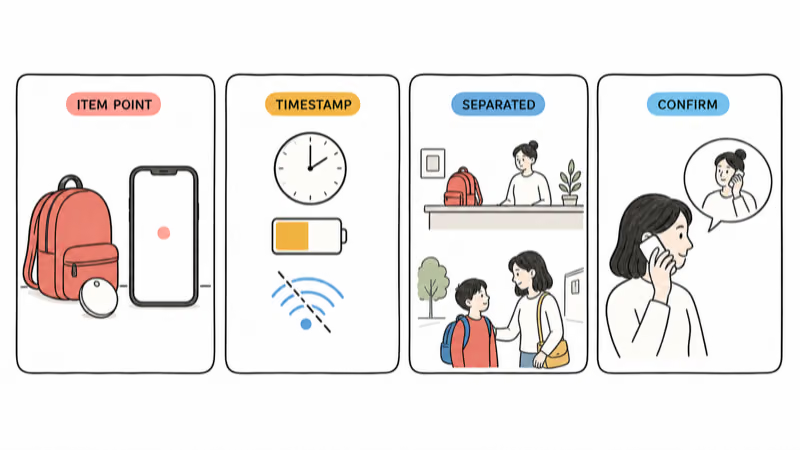
It describes an observation of the item, with a timestamp.
When AirTag is away from its owner’s iPhone, a nearby Find My network device may detect its changing Bluetooth identifier and privately relay an approximate location. Update timing can vary with nearby devices, buildings, transport, signal conditions, power, software, account settings, and delivery.
Precision Finding is a close-range item tool on supported devices. It doesn’t create a continuous route or remote child GPS service.
The backpack can be left in a classroom, bus, vehicle, locker, office, friend’s home, or lost-and-found while the child is elsewhere. Read the timestamp and item state, then confirm context with the child, school, transport provider, caregiver, or another responsible adult.
Transparent Setup for an Agreed Backpack
Make the item use transparent and reversible.
Involve the child in naming the backpack and choosing an ordinary, secure attachment inside the family’s own bag. The purpose is to recover the item, not to conceal a tracker on the child. Keep the device and loose coin-cell battery inaccessible to small children, and follow Apple’s current battery, closure, cleaning, sound, and accessory instructions.
Obtain setting permission. Explain the viewers, check times, point response, objection path, and removal date to the child.
Test the item in normal conditions: paired owner account, sound, close-range finding on a supported device, a separated-bag scenario, a stale timestamp, a lost companion phone, account recovery, and removal. Don’t stage a false emergency or leave an unattended bag where it creates another safety problem.
AirTag Sharing and Child Account Limits
Not every Apple Account is eligible.
Apple states that an owner can share AirTag with up to 5 borrowers in addition to the owner in its current sharing guide, but the item can’t be shared with a child account. It also requires supported software, iCloud, two-factor authentication, and iCloud Keychain.
That means “put everyone in Family Sharing” isn’t an automatic setup or alert fix. Confirm the actual account type, software, invitation, accepted access, and current Apple instructions. Share only with adults who need item-recovery access, and remove them when the purpose ends.
AirTag sharing gives eligible borrowers continuing item access. Share Item Location is temporary third-party recovery access; neither shares a child’s location.
Unwanted-Tracker Alerts Are Safety Features
Treat the alert or sound as designed safety behavior.
According to Apple’s current unwanted-tracking guidance, trackers shouldn’t be used on people or property without consent.
If the family recognizes the tag as an agreed backpack item, follow the current on-screen information, confirm the owner and sharing state, and correct the setup. If the child, staff member, driver, caregiver, or anyone else doesn’t recognize it, don’t dismiss, suppress, or coach around the alert.
Follow the device guidance to identify or disable an unknown tracker when safe. Preserve relevant information and contact local law enforcement if someone feels at risk. Never disable unwanted-tracker protections to make child tracking less visible.
School and Care-Setting Boundaries
There is no universal permission.
The old article’s unsupported “12 districts” survey, search-law claim, and advice to reframe the tracker to get around an objection are removed. Ask the actual school, camp, transport provider, club, or care setting about item trackers, personal property, battery devices, alerts, sounds, location access, and emergency procedures.
A rule permitting an AirTag in a backpack doesn’t authorize viewing a child’s location, tracking staff or other children, using the map for attendance or discipline, or bypassing pickup and release procedures. If the setting objects, remove the tag or use an approved plan.
An item point never replaces attendance, pickup lists, bus procedures, responsible adults, or the child’s communication method.
When the Backpack Point Looks Wrong or Stale
Verify context before drawing a conclusion.
Check the timestamp, whether the tag is still paired, battery and account status, whether the backpack has been separated from the child, and whether Find My labels the observation as current or last known. Request one appropriate refresh or close-range search when available.
Then contact the child, school, transport provider, caregiver, venue, or lost-and-found through the agreed channel. Don’t infer a room, route, person, intent, supervision, or danger from the point alone, and don’t confront a stranger or enter private property based on an item map.
For lost items, use ordinary recovery procedures and the AirTag Lost Mode guide. Follow transport-provider rules for delayed bags.
What If the Child Is Missing or in Immediate Danger?
Use the applicable official response immediately.
In the United States, the National Center for Missing & Exploited Children says to contact local law enforcement immediately, then report the case to NCMEC. Follow local instructions in other countries and regions.
Tell responders that the point belongs to the backpack and may be stale or separated from the child.
Don’t wait for another update, drive toward a point alone, confront anyone, enter private property, or treat Precision Finding as a rescue plan. The official response, nearby responsible adults, and verified child communication take priority over consumer item data.
Run a Reversible Item-Only Trial
Test recovery value without expanding the purpose.
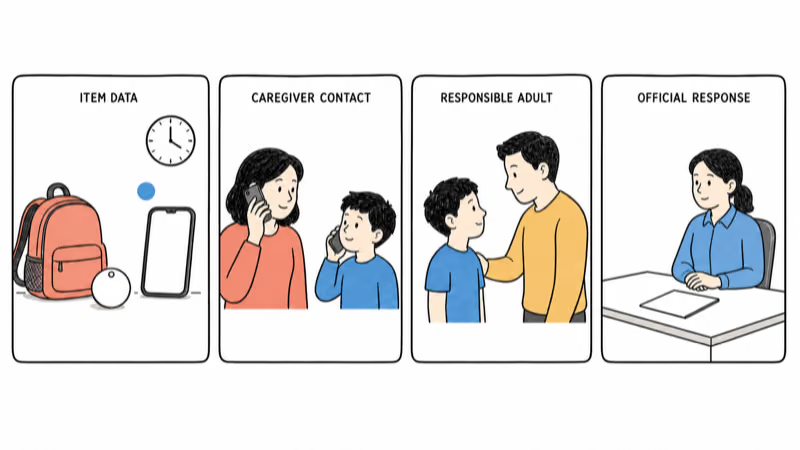
Write the item job, child participation, setting permission, viewers, check frequency, alert response, review date, and stop conditions. Test a normal school or activity day, bag separation, stale observation, sound, supported close-range finding, lost phone, account recovery, viewer removal, battery handling, and tag removal.
Stop for objection, setting refusal, repeated alerts, separation, excessive viewers, or any use of item data as proof of safety.
When the purpose ends, stop sharing, remove the tag, unpair or reset it through current Apple instructions if transferring ownership, and delete any notes or screenshots that no longer serve the agreed item-recovery purpose.
Bottom Line
AirTag 2 can be useful for recovering an agreed backpack. It isn’t a child tracker, communication watch, SOS device, geofence service, or missing-child response system.
Keep the item boundary visible: involve the child, obtain setting permission, limit viewers, respect unwanted-tracker protections, interpret every point as conditional item data, and remove the tag when the purpose ends. The current AirTag 2 review covers the item-finder hardware without turning it into a people-tracking tool.
FAQ
Can AirTag track a child in real time?
No. AirTag is an item finder without direct GPS reporting or cellular service. Find My observations depend on nearby network devices and can be delayed. A backpack point may also be separated from the child.
Is it appropriate to hide an AirTag on a child?
No. Don't hide a tag in clothing, shoes, wearables, or on the child. Use AirTag only for your own agreed item, with child participation, necessary authority, setting permission, limited viewers, and a removal plan.
Can an AirTag be shared with a child account?
Apple's current sharing guide says no. Eligible owners can share an AirTag with up to five borrowers in addition to themselves, but not with a child account. Confirm current account and software requirements.
Will Family Sharing automatically stop unwanted-tracker alerts?
No universal automatic rule should be assumed. Apple documents item sharing, child-account restrictions, and alert controls for some borrowed items. Confirm the exact current account, invitation, software, and alert behavior instead of trying to suppress protections.
Are AirTags allowed in schools?
There is no universal rule. Ask the actual school or care setting about item trackers, alerts, sounds, location access, personal property, and emergency procedures. Remove the tag if the setting refuses it.
What does an AirTag point prove?
It shows a timestamped observation of the item under current Find My conditions. It doesn't prove the child's room, route, supervision, intent, or safety, and the backpack may be somewhere else.
Should a family wait for an AirTag update when a child is missing?
No. Use the applicable official missing-child or emergency response immediately. Tell responders about the backpack tag if requested, but state that its point may be stale and belongs to the item.