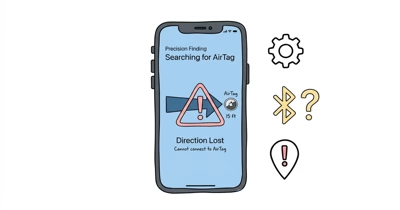
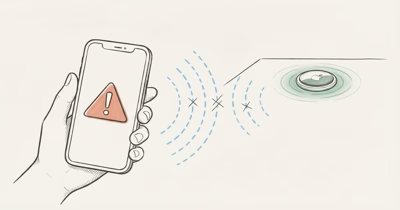
A map location doesn’t prove a live nearby connection. Find My can show a network-supplied location while Play Sound is unavailable.
- Missing button means unavailable now. Apple’s current iPhone guide says you won’t see Play Sound when a sound can’t be played.
- Test close to the AirTag. A nearby test removes uncertain walls, floors, bags, and stale map updates from the first diagnosis.
- Use a compatible CR2032. Install it positive-side up and listen for the connection sound before judging the speaker.
- Don’t rely on a queued replay. Apple’s current instructions don’t promise that an old request will automatically play later.
- Escalate without inventing a diagnosis. Continued silence after a nearby test and compatible battery is a reason to contact Apple Support, not proof of one specific internal failure.
What Is Find My Telling You?
Apple separates locating an item from playing a sound. According to Apple’s current iPhone guide, the map location and timestamp update through the Find My network, while Play Sound is a nearby action whose button isn’t shown when sound can’t be played.
| Find My state | What it establishes | Next step |
|---|---|---|
| Play Sound is visible | The action is currently offered for this item | Run one nearby test and listen |
| Play Sound is missing | Sound can’t currently be played from this screen | Move toward the item or its last-known location |
| Only a map location or timestamp is visible | The network located the item at that time | Don’t treat the map dot as a live speaker test |
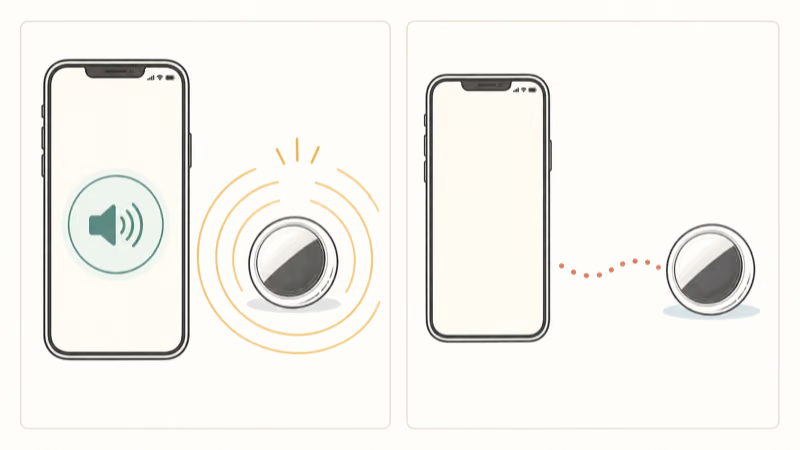
Don’t attach a precise number of feet to this check. Apple doesn’t publish one universal indoor Play Sound distance.
Run the Nearby Sound Test
Take the iPhone to the AirTag rather than testing from another room. Open Find My, tap Items, select the AirTag, and tap Play Sound if the control appears. Apple says the sound stops automatically, or you can tap Stop Sound first.
If the AirTag sounds, the speaker completed the nearby test. If the control disappears or never appears, keep the issue in the availability lane rather than declaring a speaker failure. Use the map and timestamp to get closer, or turn on Notify When Found when the item can’t be located.
If the control appears and the nearby AirTag remains silent, continue in this order:
- Confirm that you selected the correct item in Find My.
- Quit and reopen Find My, then repeat one nearby test.
- Restart the iPhone and make sure iOS is current according to Apple’s normal update guidance.
- Check the AirTag battery and its connection sound.
- Contact Apple Support if a compatible battery and repeated nearby tests don’t restore sound.
These reversible steps keep ownership state intact while you separate local connection and power symptoms.
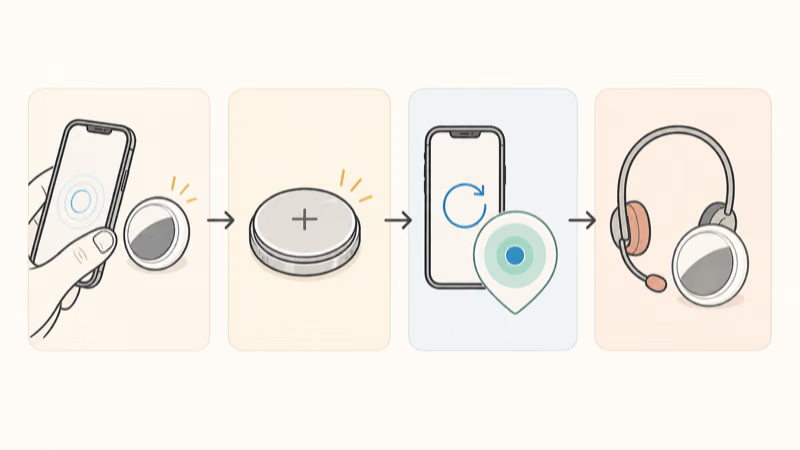
Check the Battery Without Guessing at Voltage
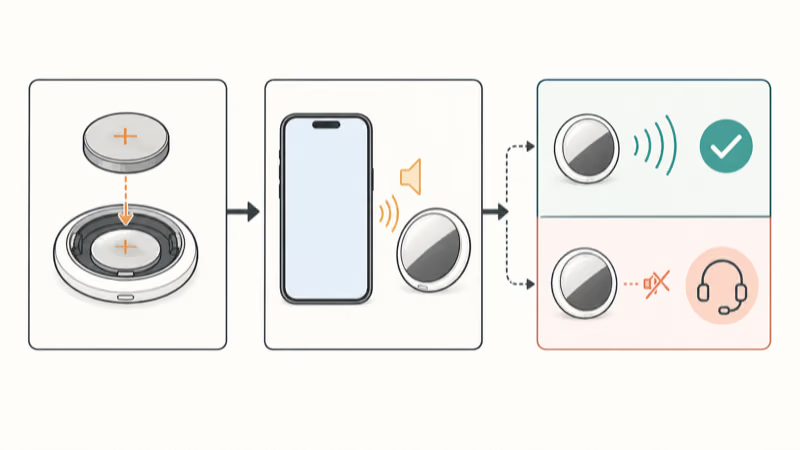
Both AirTag generations use a user-replaceable CR2032. According to Apple’s battery replacement guide, you install a new CR2032 lithium 3V coin cell with the positive side facing up, and the AirTag makes a sound when the battery connects.
Apple’s original specifications report testing with four Play Sound events and one Precision Finding event daily, but say actual results vary.
That connection sound is useful because it checks electrical contact before you return to Find My. If there is no connection sound, remove and reinstall the cell once, confirm orientation, and check the package. Apple recommends looking for packaging that states compatibility with AirTag and notes that some bitterant-coated CR2032 batteries might not work.
Don’t scrape, sand, peel, or chemically remove a child-safety coating. Apple now recommends bitterant-coated batteries to help discourage ingestion while also warning that compatibility varies. Choose compatible packaging instead of modifying a battery.
Use the battery replacement guide for cover alignment. Keep every loose part away from small children.
When Is a Silent AirTag a Support Case?
A silent result after one nearby test isn’t enough to identify a damaged speaker. The app state, phone software, battery contact, and selected item still need to be separated. Even after those checks, a website can’t inspect the internal speaker or circuit remotely.
Use this practical boundary:
- A connection sound and a successful Play Sound test mean the speaker produced audio.
- No connection sound points first to power, orientation, or battery compatibility.
- A connection sound followed by repeated nearby silence is a support case, not a proven DIY repair diagnosis.
- Visible corrosion, a cover that won’t lock, or an enclosure that no longer seals is also a reason to stop and contact support.
Don’t open the enclosure or improvise a speaker repair. Those actions sit outside Apple’s battery procedure.
AirTag 2 and the Sound Test
The second-generation AirTag is easier to hear, but the troubleshooting order stays the same. Apple found that a 50 percent louder updated design is audible from up to twice as far, while an updated Bluetooth chip expands the range at which items can be located.
Those are generation-level improvements, not proof that an original AirTag is faulty because it sounds quieter. They also don’t create one fixed indoor distance for every room, bag, wall, or phone. Test the device you own beside the iPhone before comparing generations.
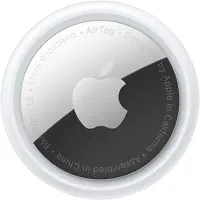
Replacing the tracker should come after the battery and nearby test. If sound is your only symptom, don’t use an upgrade instead of checking the action.
What Not to Do
- Don’t wait for an undocumented old request to play automatically later.
- Don’t use a fixed range number as proof that the AirTag should be reachable.
- Don’t remove the AirTag from your Apple Account as the first troubleshooting step.
- Don’t promise that force-quitting Find My fixes a known percentage of cases.
- Don’t diagnose moisture, corrosion, or a failed speaker solely from quiet or missing audio.
- Don’t modify a CR2032 coating or improvise an internal speaker repair.
If location is stale, use the location update guide. For directional-finding failures, use the separate Precision Finding path; the two tests aren’t interchangeable.
Bottom Line
Let Find My choose the first branch. A missing Play Sound button means the action is unavailable now, so move toward the item rather than assuming an automatic queue. If the button appears, test beside the AirTag, then verify a compatible CR2032 positive-side up and listen for the battery connection sound.
Repeated silence after those checks belongs with Apple Support. It doesn’t justify a fixed-distance claim, a voltage diagnosis, or an internal repair instruction.
FAQ
Why don’t I see the Play Sound button for my AirTag?
Apple says the Play Sound button isn’t shown when a sound can’t currently be played. Move toward the AirTag or its last-known location, then open Find My and check the item again.
What should I do if Play Sound appears but the AirTag stays silent?
Test with the iPhone beside the AirTag, then quit and reopen Find My and restart the iPhone. If it remains silent, install a compatible CR2032 positive-side up and confirm that the AirTag makes the battery connection sound.
Does a map location mean the AirTag is close enough to play a sound?
No. Find My can show a location and timestamp supplied through the wider network. Use the presence of the Play Sound control and a nearby test rather than treating the map dot as proof of a live local connection.
Can a low AirTag battery prevent sound?
A battery or contact problem can prevent normal operation. Replace the cell with a compatible CR2032 positive-side up and listen for the connection sound instead of relying on an unpublished voltage threshold.
Is AirTag 2 louder than the original AirTag?
Yes. Apple says the second-generation AirTag is substantially louder and can be heard from farther away. That doesn’t create one guaranteed indoor Play Sound distance or prove that every quieter original AirTag is faulty.
Should I remove and re-add an AirTag that won’t play sound?
Not as the first step. Check Play Sound availability, run a nearby test, restart the app and iPhone, and verify the battery before changing ownership or pairing state.
When should I contact Apple Support about a silent AirTag?
Contact support when a compatible battery makes its connection sound but repeated nearby Play Sound tests remain silent, or when the cover, contacts, or enclosure show visible damage. Those symptoms can’t prove one internal failure remotely.