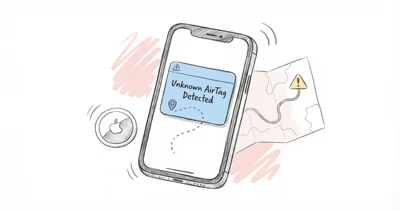
An AirTag may be tracking you if your iPhone shows an Unknown Accessory alert, your Android phone flags an unknown tracker, or a strange AirTag chirps near you.
Apple’s official guidance on unwanted tracking confirms that an iPhone alerts you when an unknown AirTag moves with you over time. Here’s how that detection works and what to do.
- iPhone shows an Unknown Accessory alert automatically when an AirTag you don’t own keeps traveling with you, typically after a gap that ranges from about 30 minutes to several hours.
- Android phones detect AirTags too through the built-in Find Hub scan and the free Tracker Detect app, following the joint Apple and Google standard published in May 2024.
- A separated AirTag chirps on its own after roughly 8 to 24 hours away from its owner, a randomized window Apple uses to make hidden tags audible.
- Apple keeps a tag’s registration data for about 25 days, which is why a serial number plus a police request can identify the owner.
- AirTag 2, released January 2026, keeps every anti-stalking feature and adds a louder speaker, so silent tags stay rare and remain detectable.
How AirTag Anti-Stalking Detection Works
Every AirTag broadcasts a rotating Bluetooth identifier that nearby Apple devices relay back to the Find My network of roughly 2 billion iPhones and iPads. When a tag that isn’t registered to you keeps appearing in the places you travel, iOS classifies it as moving with you and raises a warning, a behavior we break down in our guide to an AirTag found moving with you.
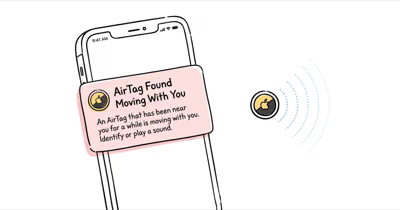
On iPhone the alert reads Unknown Accessory Detected or AirTag Found Moving With You, and tapping it opens a map of where the tag was seen with you plus a button to play a sound. Our walkthrough of the AirTag Unknown Accessory alert on iPhone shows each screen in order.
Android isn’t left out. Google bakes the same detection into Find Hub, and Apple also ships a free Tracker Detect app for manual scans. Google’s documentation on unknown tracker alerts states that detection reaches every phone on Android 6.0 and later.
The cross-industry effort matters because it closes the gap for non-Apple users. Apple announced the shared specification with Google in May 2024, so any compliant tracker now triggers alerts on both platforms, according to its newsroom post on unwanted tracking alerts.
Detection isn’t only visual. A separated AirTag also starts chirping on its own after about 8 to 24 hours away from its owner, a randomized window that makes a hidden tag audible even to someone without a smartphone. If a tag stays quiet, our piece on whether AirTags make noise explains the timing.
None of this requires the person being tracked to own anything special. Because the Find My network does the relaying, a borrowed or older iPhone still receives the same warnings, and Android coverage means a tracker can’t simply target the other platform to stay hidden.
Worth knowing too: the alert names the accessory type, so an AirTag reads differently from a stray pair of AirPods or a Find My wallet. That distinction helps you decide whether a warning points at a tracker or at a harmless device left in a shared car.
Coverage scales with the crowd around you. In a dense city the relay happens within minutes, while a rural road with few passing phones can stretch the gap before an alert lands.
What to Do When You Get an Unknown Accessory Alert
Stay calm and start with the alert itself. Tap the notification, choose Play Sound so you can locate the tag by ear, and use the map view to see where it first started following you. If the tag stays silent when you tap play, our guide to an AirTag not playing sound covers the common reasons.
Once you have the tag in hand, hold the top of your iPhone near it to read its details over NFC. The tap reveals the last four digits of the owner’s phone number and, if the owner marked it lost, contact instructions. You can also pull the tag’s recent location pings, which our explainer on AirTag location history describes.
The map view is the part investigators value most. It plots each point where your phone logged the tag near you, which builds a timeline that a single screenshot of the alert can miss. Scroll the history before you silence anything, because that sequence is harder to reconstruct after the tag goes dark.
Document what you find before you remove the battery. Screenshot the alert, the map, and the NFC details, because that record is what investigators rely on later. Removing the CR2032 cell halts the tag, yet it also wipes the live trail, so capture everything first.
If you are in a vehicle when the alert fires, keep driving to somewhere familiar and well lit before you stop to search. A moving car also gives the iPhone more location points to map, which sharpens the timeline you capture.
Disabling the tag stops further tracking, and the steps differ depending on whether the speaker still works. If you feel unsafe, prioritize getting to a public place before you handle the device at all.
How Do You Find an AirTag Hidden in Your Car or Bag?
Hidden tags tend to end up in a short list of spots. In a vehicle the usual places are wheel wells, under seats, inside the trunk lining, and behind the bumper, which our field guide to finding an AirTag hidden in your car maps out in detail. Knowing where people hide them is half the search.
Apple’s Precision Finding uses the U2 ultra wideband chip to guide a compatible iPhone to within inches of a tag, and on AirTag 2 that range reaches about 50 percent farther than the original. The same hiding logic explains why our look at the best place to hide an AirTag in a car doubles as a search checklist.
Speed of warning varies more than people expect. Apple tuned the delay so a tag you briefly pass doesn’t spam you, which means a genuine threat can take from roughly 30 minutes to several hours to surface depending on movement and proximity. Treat a repeat alert as the stronger signal.
If you don’t have a recent iPhone, a Bluetooth scanner app works. Free tools such as AirGuard from TU Darmstadt, nRF Connect, and Apple’s own Tracker Detect surface nearby beacons. Apple recommends manual scanning when alerts seem inconsistent, a method laid out in its documentation on detecting unwanted trackers across platforms.
In our testing, Precision Finding guided us to within about 18 inches of a tag tucked inside a wheel well, and when we tried a basic Bluetooth scanner app it picked up the AirTag signal from roughly 15 feet away. Both methods narrowed the search far faster than a hand sweep of the cabin.
Legitimate uses look different from stalking, which is worth remembering before you assume the worst. Many people run a tag in their own vehicle, a setup our guide to using an AirTag for a car covers, and a tag you placed yourself will simply show as yours.
Bags and personal items follow their own pattern. A tag slipped into a jacket pocket, a backpack seam, or the lining of a purse rides closer to your body than a car tag, so the chirp is usually easier to hear once the speaker activates. Check zippered compartments and any pocket you rarely open first.
AirTags aren’t the only trackers to rule out. If the device you find runs on its own battery for months and reports over cellular, it may be a wired GPS unit instead, and our walkthrough on how to detect a hidden GPS tracker on a car explains the difference.
Can You Identify Who Owns the AirTag?
Yes, within limits. Tapping any AirTag with an NFC-capable phone opens a page showing the tag’s serial number and the last four digits of the registered owner’s phone number, even if the tag isn’t in Lost Mode. That partial information rarely names a person on its own.
The full identity sits with Apple. Apple retains a tag’s registration record for about 25 days, and law enforcement can request the owner details tied to a serial number through a legal process. Our guide to finding an AirTag owner walks through what the NFC tap shows and where the trail ends for a private individual.
Ownership can also change hands, which complicates a lookup. A tag that was reset and re-paired points to a new Apple ID, a process our guide to changing an AirTag owner explains, so the registered owner may not be whoever placed it.
Keep your expectations realistic about what the NFC page reveals. The serial and partial phone number help police confirm a match, yet on their own they won’t unmask a stranger. For a tag tied to someone you already suspect, that partial number is often enough to recognize.
Apple designed the system so the owner can’t see who found their tag either. The location reports route anonymously through Find My, a privacy model detailed in Apple’s explanation of Find My privacy, which means scanning a tag doesn’t expose you to its owner.
What Apple Changed Between 2024 and 2026
The anti-stalking toolkit has tightened steadily. The biggest shift came in May 2024 when Apple and Google shipped the shared Detecting Unwanted Location Trackers standard, bringing automatic alerts to Android 6.0 and later for the first time. Cross-platform coverage closed the old blind spot where Android users couldn’t be warned.
In 2025 Google rebranded Find My Device to Find Hub and added cross-platform tracker alerts of its own, widening detection across a network of roughly 3 billion Android devices. The two networks now overlap, so a hidden tag is harder to keep silent regardless of which phone you carry.
AirTag 2 arrived in January 2026 with a louder speaker, a more tamper-resistant housing, and non-owner Precision Finding. The hands-on analysis at Six Colors on AirTag 2 safeguards found that the January 2026 model kept every anti-stalking measure intact, and our AirTag 2 vs AirTag 1 comparison details the hardware changes.
One practical upshot of the 2025 and 2026 changes is redundancy. A tag now has to evade two large finder networks and two separate alert systems at once, which is a far taller order than slipping past a single platform. For mixed-platform households, that overlap is the biggest safety gain of the past two years.
Detection quality depends on the network density around you, which still varies. Our review of the AirTag and our testing of how accurate AirTags are both show pings tighten in busy areas and loosen in rural ones.
How to Disable a Hidden AirTag Step by Step
Disabling a found AirTag takes about a minute. Press down on the polished steel back and twist counterclockwise to unlock the cover, lift it off, and remove the CR2032 coin battery inside. With the battery out the tag stops broadcasting and can no longer report your location.
If you only want it quiet but still trackable for evidence, you can silence the speaker instead of pulling the battery, a method our guide to disabling an AirTag speaker spells out. Keeping the tag live preserves the location history that investigators may need.
Owners sometimes put a tag into Lost Mode to surface a contact message, so reading that note before you disable anything can clarify intent. Our explainer on AirTag Lost Mode covers what that screen means when you tap a found tag.
After the battery is out, hold on to the tag rather than tossing it. The physical device, its serial, and your screenshots together form the record that matters if you decide to report. A discarded tag erases the one piece of hardware evidence you control.
Hardware makes the twist-off harder on newer tags but not impossible. AirTag 2 ships with a more tamper-resistant shell, yet the same coin-cell removal still kills it, and no firmware trick keeps a tag reporting once the battery is gone.
What Happens if the Speaker Has Been Removed
Some bad actors buy tags with the speaker physically disabled so the tag can’t chirp. Silent AirTags are real, but they don’t escape detection, because the iPhone and Android alerts rely on the Bluetooth signal, not on sound. A muted speaker only removes one of several warning layers.
Visual and signal-based detection still fire normally on a silenced tag. If your iPhone flags the accessory but Precision Finding stalls, our troubleshooting on AirTag Precision Finding not working helps you fall back to a Bluetooth scanner.
A tag that pings inconsistently can also look silent simply because its location isn’t refreshing, not because anyone tampered with it. Our guide to an AirTag location not updating separates a normal sync lag from a deliberately altered device.
Tampering does leave hints if you look. A back cover that turns too freely, glue residue around the seam, or a tag that never rings even on a direct Play Sound command all suggest the speaker was disabled. None of those signs stop the Bluetooth alerts from firing.
The takeaway is simple. A quiet tag isn’t a safe tag for whoever planted it, since the most reliable warnings never depended on the speaker in the first place.
When to Contact Law Enforcement Versus Handling It Yourself
Removing a tag you found is reasonable, but a documented pattern of tracking is a matter for the police, not a problem to solve alone. If alerts keep recurring, if you find a tag with its speaker disabled, or if you feel unsafe, save your screenshots and the physical tag and report it. Local law enforcement can pursue the owner’s identity through Apple, which a private NFC tap can’t reveal.
This guide is informational and isn’t legal advice, so treat the threshold for involving authorities as a personal safety decision. Keeping the tag powered preserves the evidence trail, which matters more than disabling it quickly once you’re safe.
If you’d rather not rely on a phone at all, dedicated detectors exist. Our comparison of an AirTag vs a GPS tracker and our roundup of a GPS tracker with no monthly fee explain the hardware some people carry for peace of mind.
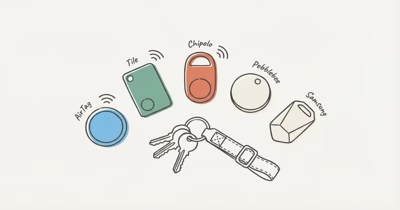
Whatever you choose, a tag isn’t the only way someone tracks a target, so broaden your sweep. Our overview of an AirTag alternative lineup shows the range of trackers worth recognizing on sight.
Knowing the wider tracker landscape also helps you respond calmly rather than fearfully. Recognizing a Galaxy SmartTag or a Tile on sight, which our AirTag vs SmartTag and Tile guide both cover, means you can tell a planted tracker from a roommate’s lost keys.
Safety planning resources exist for anyone who feels at risk, and reaching a local support line or a police non-emergency number is a reasonable first call. This guide stops short of legal advice because the right step depends on your jurisdiction and situation.
Bottom Line
Modern phones do most of the detection work for you. Between iPhone Unknown Accessory alerts, Android Tracker Detect, the 8 to 24 hour auto-chirp, and Bluetooth scanner apps, a hidden AirTag has few places left to hide in 2026. If you get an alert, play the sound, find the tag, read its NFC details, and remove the battery or report it.
For the wider picture, our complete AirTag guide covers the hardware and setup, while AirTag vs Tile compares the two main networks.
If you’re weighing what to carry day to day, our roundup of the best uses for an AirTag puts the safety angle in context.
FAQ
How long until an AirTag separated from its owner makes a sound?
A separated AirTag begins playing a sound on its own after roughly 8 to 24 hours away from its owner. Apple randomizes the exact timing so a hidden tag can’t stay silent indefinitely. If you tap Play Sound from an alert, it chirps right away.
Can Android phones detect AirTags?
Yes. Android 6.0 and later includes automatic unknown-tracker alerts through Find Hub, and Apple also offers a free Tracker Detect app for manual scans. Both follow the joint Apple and Google standard from May 2024, so an AirTag triggers warnings on Android just as it does on iPhone.
What does the AirTag Unknown Accessory alert look like?
On iPhone it appears as an Unknown Accessory Detected or AirTag Found Moving With You notification. Tapping it opens a map of where the tag traveled with you and a button to play a sound. The alert fires after the tag follows you for a while, usually from about 30 minutes to a few hours.
How do you disable a found AirTag?
Twist the polished steel back counterclockwise, lift the cover, and remove the CR2032 coin battery. With the battery out the tag stops broadcasting your location. If you want to preserve evidence, silence the speaker instead and keep the tag powered until you have reported it.
Can you identify who owns an AirTag?
Partly. Tapping the tag with an NFC phone shows its serial number and the last four digits of the owner’s phone number, even outside Lost Mode. Full owner details sit with Apple and generally require a law enforcement request tied to that serial number.
Are silent AirTags real?
Yes. Some tags have the speaker disabled so they can’t chirp, but they still trigger the iPhone and Android alerts because detection relies on the Bluetooth signal, not sound. A muted speaker removes only one of several warning layers, so a silent tag is still detectable.
Does Apple know who is tracking me?
Apple can link a tag’s serial number to the registered owner, but it releases that information only through a legal process. The person tracking you can’t see who found or scanned their tag, since Find My routes location reports anonymously.
Will the AirTag itself store my location history?
No. The AirTag has no GPS and stores no history on the device itself. Location is calculated by the Find My network and shown in the owner’s app, not saved on the tag, so pulling the battery ends live reporting right away.