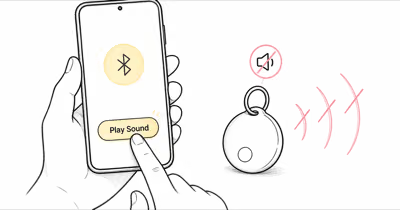
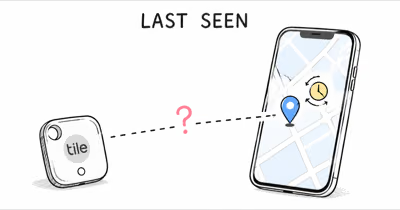
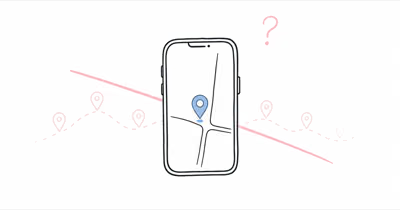
Google's Find Hub network spans over a billion Android devices, but the way location refreshes get to your screen still depends on a chain of permissions and background services that Android can break silently. Google confirms that location updates require the host phone to be online and at least one nearby Android device to relay a Bluetooth ping. Break either link, and the map sits on the last known pin for hours.
- Find Hub needs at least one nearby Android device on Bluetooth to refresh a tag's location; sparse-density areas (rural roads, parking decks) can stall updates for hours.
- Android's battery optimizer kills Find Hub background scanning on Samsung, OnePlus, and Xiaomi phones by default; turning off optimization for Find Hub is the most common fix.
- The phone-level Find your offline devices setting must be With network in all areas for quiet-area coverage; the default only joins the network in busy places.
- Moto Tag 2 reports through Find Hub when nearby Android phones relay it, per Motorola's product page.
- Find Hub's satellite feature only shares a supported Pixel phone's own location; a stranded tag still needs a passing Android phone before it can update.
Why Find Hub Tracker Location Stops Updating: 6 Causes
The first thing to understand: a Find Hub tracker doesn't refresh on its own. It waits for any compatible Android phone to walk past, listen for its Bluetooth advertisement, and forward the encrypted location ping to Google. When updates stall, one of the six links below is the problem.
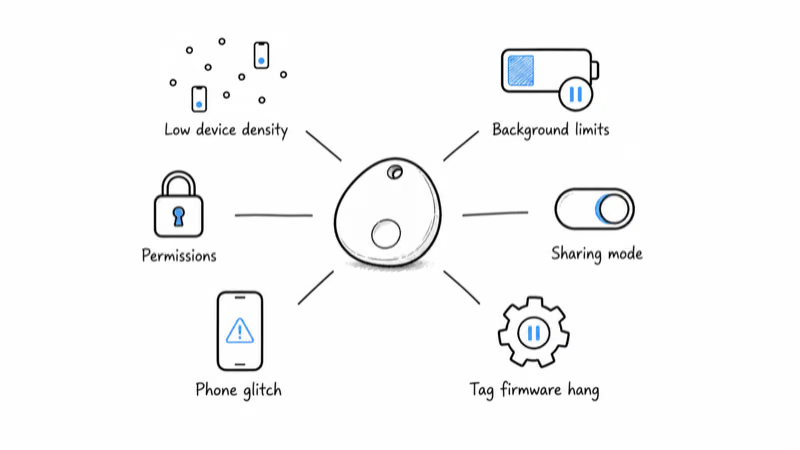
1. Sparse Network Density
Find Hub still depends on physical Android devices walking by. In rural areas, multi-level parking decks, or basements, no Android phone may pass within Bluetooth range for hours. The map sits on the last pin until someone with a compatible Android walks close enough.
A Find Hub tracker stalls where there are no nearby Android phones to relay its location: a rural cabin can sit stale until the tag gets close to a busier area again. Find Hub draws on a network of over a billion Android devices, but density is still a regional phenomenon. 9to5Google reported that Google renamed Find My Device to Find Hub in 2025.
2. Android Battery Optimization Killing Find Hub
This is the single biggest source of stalled updates on Samsung, OnePlus, Xiaomi, and Honor phones. Android's battery optimizer puts background apps to sleep aggressively, and Find Hub's scanning service is a frequent target. The symptom: your own phone never relays its own tag's location even when the tag is in your pocket.
Open Settings, search for Battery optimization, find Find Hub (or "Find My Device" on phones running Android 14 or earlier), and switch it to Unrestricted or Don't optimize. The change applies immediately; force-stop the app once after, then reopen it.
3. Location or Bluetooth Permissions Revoked
Find Hub needs three permissions to keep working: Location (precise, not approximate), Nearby Devices (Bluetooth scanning), and the new background-scan toggle Google added in Android 15. If any of the three is set to Ask Every Time or Off, updates pause until you re-grant them.
The trap on Pixel and Samsung phones running Android 14 or newer: a routine OS update sometimes downgrades Location from Always to While Using, which kills Find Hub's background scanning silently. Re-check after every monthly system update.
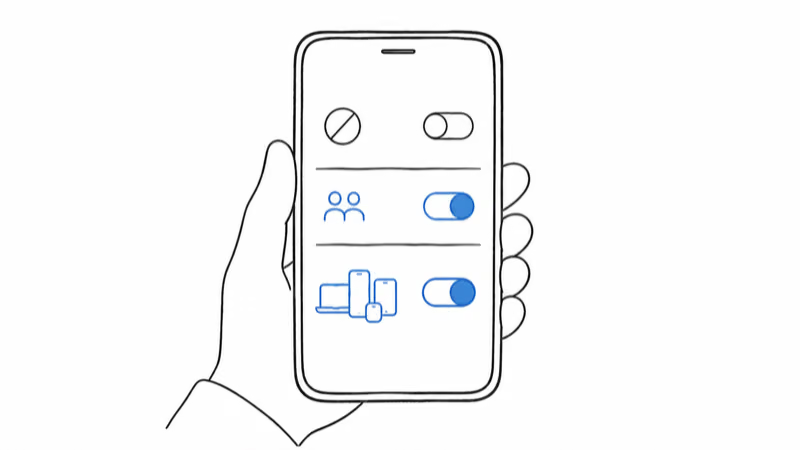
4. Offline-Finding Network Mode on Off or the Busy-Places Default
Find Hub's crowd relay is controlled by a phone-level setting, not a per-tag toggle. Under Settings, Google, Find Hub, the Find your offline devices option has four modes: Off, Without network, With network in high-traffic areas only, and With network in all areas. Most phones ship on the high-traffic default.
Pick With network in all areas for the best coverage; the busy-places default thins relays on quiet streets, and Off removes your phone from the network entirely. Our Find Hub offline finding settings guide walks through what each mode changes and the privacy trade-offs.
5. Phone-Side Network or Account Glitch
The Find Hub app uses the host phone's data connection to fetch the latest tag location from Google's servers. If your phone is on a flaky cellular connection, in airplane mode, or signed out of your Google account in the background, the map shows stale data even when the tag is pinging fine.
Force-stop the Find Hub app, toggle airplane mode on then off, and reopen Find Hub. A fresh pull from Google's servers usually arrives within a minute, and a force-stop clears most stalls on the first try.
6. Tag-Side Firmware Hang
Trackers don't crash often, but they do. A Moto Tag 2 or Chipolo Pop can get stuck in a state where it advertises Bluetooth but refuses to acknowledge the encrypted handshake that Find Hub uses to register a relay. The symptom: no updates for 24 hours even in a dense urban area.
The fix is a battery yank (Moto Tag 2 and Chipolo Pop both use CR2032 cells) or a full power cycle (Pebblebee Clip 5: hold the cover button about 12 seconds for a factory reset). Re-pair if necessary, or follow our Find Hub reset guide for the brand-by-brand steps.
How Do You Fix a Find Hub Tracker That Won't Update?
Work through these steps in order. The first three resolve the most common stalls across Moto Tag 2, Chipolo Pop, and Pebblebee Clip 5 in mixed environments.
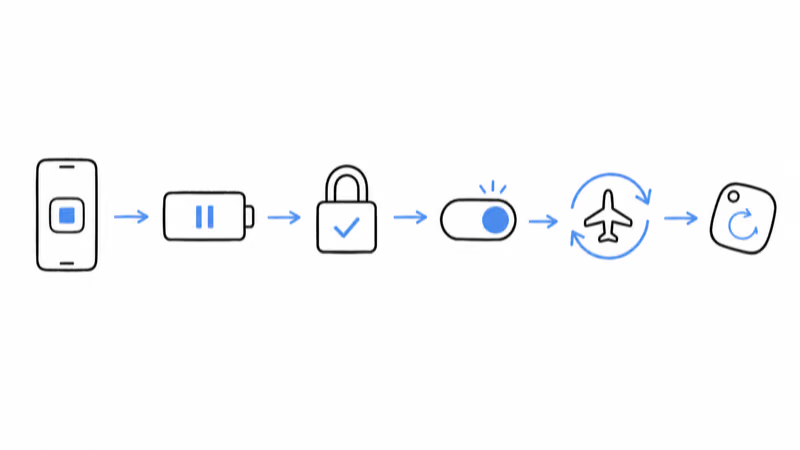
- Force-stop and reopen Find Hub. Settings > Apps > Find Hub > Force stop. Reopen the app to force a fresh server pull.
- Turn off battery optimization for Find Hub. Settings > Apps > Find Hub > Battery > Unrestricted (or Don't optimize on Pixel).
- Re-grant Location and Nearby Devices permissions. Set Location to Always (not While Using) and Nearby Devices to Allowed.
- Confirm the network mode covers all areas. Under Settings, Google, Find Hub, set Find your offline devices to With network in all areas.
- Toggle airplane mode and reopen. Forces a fresh server pull. Pair this with a Wi-Fi reconnect on flaky cellular.
- Reset the tag. Yank the CR2032 (Moto Tag 2, Chipolo Pop) or factory-reset the Pebblebee Clip 5. Re-pair in Find Hub.
- Move the tag. If you're in a rural or basement area with no foot traffic, the only fix is more nearby phones. Wait or relocate.
What Is Network Density and Why Does It Matter?
Network density is the number of Find Hub-compatible Android phones passing within Bluetooth range of your tag over a given hour. Tile and Apple both depend on the same concept, but Google's network has the largest absolute pool of eligible phones -- any Android 9+ device with Google Play services -- though the default setting joins the network only in busy places, so actual participation is smaller than the install base.
The catch: not every Android user keeps their phone's Bluetooth on continuously, and Find Hub respects each phone's user-controlled network mode. Find Hub coverage tends to feel denser in major US cities and patchier in rural Europe and Asia, where Android ownership patterns differ. Tom's Guide's coverage of the network launch explains how the crowd-sourced relay works.
If your tag is in a low-density area for a long stretch, the map staying still is normal behavior, not a fault. The map updates once a compatible Android walks close again. For a deeper comparison of Find Hub vs Apple's network coverage, see our Find Hub vs Find My comparison.
Android Background Limits and Bluetooth Power Saving
Android battery optimizers are aggressive on three vendors in particular: Samsung's Device Care, OnePlus' Phone Manager, and Xiaomi's MIUI Security. Each can put Find Hub to sleep after the screen locks, which kills the relay function for your own tags and any nearby tags that depend on your phone for a ping.
The fix is per-vendor:
- Samsung: Settings > Apps > Find Hub > Battery > Unrestricted. Also disable "Put unused apps to sleep" globally if Find Hub keeps reverting.
- OnePlus: Settings > Battery > Battery optimization > Find Hub > Don't optimize.
- Xiaomi / MIUI: Settings > Apps > Find Hub > Battery saver > No restrictions. Also enable Autostart for Find Hub under MIUI's security app.
- Pixel: Generally not affected, but check Battery > Adaptive Battery > Restricted apps and confirm Find Hub isn't on the list.
If your phone is also a relay node for someone else's tag (any compatible Android can be), turning off battery optimization helps the broader network too. Google's battery management help confirms that the Unrestricted setting takes effect immediately without a reboot.
Per-Brand Quirks: Moto Tag 2, Chipolo Pop, Pebblebee
Find Hub tags don't all behave identically. Each manufacturer adds firmware quirks on top of Google's reference implementation, and those quirks show up first when location updates stall.
Motorola's Moto Tag 2 product page states that the tag uses Bluetooth 6.0 plus UWB. Its Bluetooth 6.0 radio plus UWB help with close-range recovery after a stall.
Chipolo Pop on Find Hub mode behaves like a crowd-relay Bluetooth tracker: refreshes depend on nearby compatible phones. The Pop's louder speaker and the firmware's Bluetooth advertising help, but Pop owners who switched from Find My to Find Hub sometimes forget their phone's network mode still sits on the busy-places default.
Pebblebee Clip 5 ships with Left Behind on by default, and a Left Behind chirp confirms that the tag-to-phone connection is alive. If the tag isn't chirping when you walk away, the Bluetooth link itself is broken, which is a different problem from the location relay. Our Find Hub-compatible trackers roundup covers all three plus the Pebblebee Card 5 across battery, range, and relay reliability.
Satellite and Airline Features in Find Hub
Find Hub's satellite addition is a location-sharing feature, not a tag relay. On supported Pixel phones (9 series and newer), you can send a one-time ping of your own position to existing sharing contacts when there's no cell coverage. A stranded tag still can't report through satellite; it waits for a passing Android phone.
The airline integration matters for travelers: in March 2026, Google's Find Hub airline partnerships launched with more than ten carriers, letting a passenger share a tag's location with airline staff through an encrypted link that expires after seven days. If your tag won't update inside a terminal while your phone sits on airport Wi-Fi, complete the captive-portal sign-in first; an unauthenticated portal can block app traffic, and switching to cellular is the cleaner test.
For Apple-side coverage of the same problem space, our AirTag location outdated guide walks through the Find My equivalent of the same six failure modes.
Bottom Line
If your Find Hub tracker won't update, force-stop the Find Hub app first. If that doesn't pull a fresh ping, the next two most likely causes are Android battery optimization sleeping the app and a phone network mode left on Off or the busy-places default.
If none of the above clears the stall, you're probably in a low-density area. Wait for foot traffic or relocate the tag to a busier spot. Hardware faults are rare; permission and background-service issues account for the bulk of stuck-pin reports.
Frequently Asked Questions
Why is my Find Hub tracker stuck on the same location?
The most common cause is that no Find Hub-compatible Android phone has passed within Bluetooth range of the tag since the last update. Less common but more fixable: Android battery optimization put the Find Hub app to sleep, location permission got downgraded from Always to While Using during an OS update, or the phone's offline-finding network mode is on Off or the busy-places default. Work through those four checks before suspecting a hardware fault.
How often does a Find Hub tracker update its location?
In dense urban areas with constant foot traffic, updates can be frequent because nearby Android phones keep relaying the tag. In suburban areas with sporadic foot traffic, updates are less predictable. In rural or low-density areas, hours can pass between updates. The tag relies entirely on nearby Android phones to relay its ping to Google.
Does Find Hub need my phone to be turned on to track other tags?
Yes for your own tags: your phone must be online and signed into your Google account to display the latest location. For relaying other people's tags (the network function), your Android phone needs Bluetooth on and the Find your offline devices setting on a with-network mode. Both relay and self-tracking are handled by the same background service, and both stop when Android's battery optimizer puts the app to sleep.
Which Find Hub network mode should my phone use?
Find Hub's relay coverage is a phone-level choice, not a per-tag one. The Find your offline devices setting offers four modes: Off, Without network, With network in high-traffic areas only, and With network in all areas. With network in all areas gives a lost tag the best chance of a quick relay; the high-traffic default can leave quiet streets stale.
Will Find Hub work without an internet connection?
Not for fetching location updates. The Find Hub app needs an internet connection to pull the latest encrypted location from Google's servers, even though the Bluetooth relay between tags and phones happens locally. If your phone is on cellular with no data, in airplane mode, or stuck behind a captive Wi-Fi portal, the map shows stale data. Toggle airplane mode off, switch to cellular, or reconnect to a working Wi-Fi network to clear the stall.
How do I turn off battery optimization for Find Hub on Samsung?
Open Settings, tap Apps, find Find Hub, tap Battery, and choose Unrestricted. Also open Device Care, tap Battery, scroll to Background usage limits, and remove Find Hub from the "Sleeping apps" and "Deep sleeping apps" lists. Samsung's optimizer can re-add apps to these lists after major updates, so re-check after each monthly patch. The Unrestricted setting takes effect immediately without a reboot.
Can satellite relay refresh my Find Hub tag without nearby Android phones?
No. Find Hub's satellite feature is location sharing from a supported Pixel phone (9 series or newer), sending the phone owner's position to existing contacts when there's no cell coverage. A tag with no Android phone nearby stays silent until one passes, on Find Hub and Apple Find My alike.
My Find Hub tracker location won't update inside an airport. Why?
Two likely causes: the terminal's Wi-Fi captive portal is blocking Find Hub's background traffic, or the dense Bluetooth environment is causing the tag's advertisement to get drowned out. Switch your phone from Wi-Fi to cellular and force-stop the Find Hub app. Several airlines added Find Hub tag support to lost-luggage workflows in late 2025, so confirm your tag is paired and shared correctly before reporting it missing at the desk.