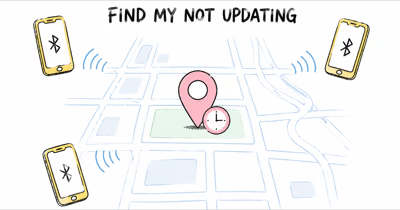
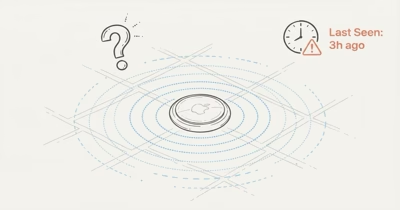
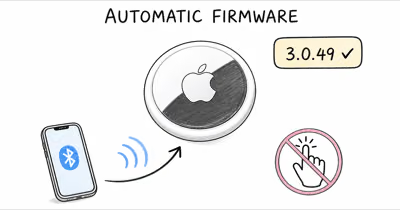
Your AirTag's location goes stale when no Apple device passes within Bluetooth range to relay its signal. Most fixes are about network density around your tag, not your AirTag itself. A 15-minute lag in a city is normal; a 3-day lag in a rural area is also expected; anything past 7 days usually means the tag has moved indoors, the battery is dead, or the AirTag has stopped working.
Seeing “Last seen 2 days ago” on an AirTag location isn’t always a sign that something is broken. It usually means no iPhone or iPad has passed close enough to relay a fresh ping. This article walks through what counts as a normal delay, the five common reasons a location can get stuck, and the actions that reliably force an update.
- AirTag doesn’t have GPS — it reports its last location only when a nearby Apple device passes within Bluetooth range
- Normal staleness varies by environment — under 15 minutes in dense cities, 1 to 24 hours in suburbs, hours to days in rural areas
- Apple’s Find My network spans over 1 billion devices, but coverage is uneven across regions and times of day
- Five common causes of stuck location: network dead zone, dying battery, background refresh disabled, hardware failure, or the tag has moved indoors with no passing Apple devices
- After several days without an update, treat the tag as likely dead or unrecoverable and plan for a replacement
How AirTag Updates Its Location
AirTag is a Bluetooth Low Energy beacon, not a GPS tracker. It broadcasts a short anonymous identifier every few seconds. Any iPhone, iPad, or Mac that passes within Bluetooth range detects the signal, encrypts a location estimate, and relays it through Apple’s Find My service to the owner’s device. Your AirTag has no radio of its own that reaches Apple directly; it depends entirely on someone else’s device being nearby.
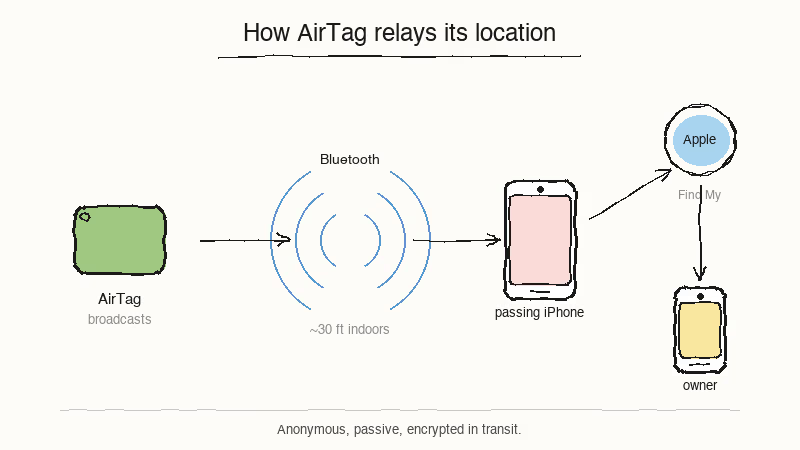
Apple states that over 1 billion devices participate in the Find My relay on its Find My page. That’s why AirTag works as well as it does in urban environments.
Scale alone doesn’t guarantee coverage.
The catch is coverage isn’t uniform; the network is dense where iPhone users are dense. That’s why the same AirTag that updates every few minutes in midtown Manhattan can sit quiet for three days on a rural trail. For the deeper architectural story, our does AirTag have GPS explainer covers why Apple chose this design over cellular tracking.
Relays flow in one direction only.
Your AirTag has no idea whether anyone received its signal; it just keeps broadcasting on its schedule. When the Find My app shows a stale timestamp, it’s displaying the last location Apple’s servers actually received, not the last time your AirTag transmitted.
The Normal Range of AirTag Staleness
Before you start troubleshooting, check whether your “outdated” location is actually outside the normal range. Because AirTag relies on nearby iPhones, update gaps vary wildly by location, from under a minute in busy public spaces to over 12 hours in a quiet suburban garage. Both of those are working correctly.
Here’s a rough map of what to expect.
| Environment | Typical update gap | When to worry |
|---|---|---|
| Dense urban (Manhattan, SF, downtown Chicago) | Under 15 min | Over 2 hours |
| Suburban (residential neighborhood, daytime) | 15-60 min | Over 12 hours |
| Suburban (at night, few people out) | 1-8 hours | Over 24 hours |
| Rural (farm roads, small towns) | Hours to days | Over 3 days |
| Trail, park, wilderness | Hours to days, sometimes longer | Over 3 days |
| Inside garage, basement, vault | Often never updates | Treat as expected, not broken |
The biggest source of confusion is suburban overnight staleness. Most residential neighborhoods go quiet between midnight and 6 a.m., because the only active Apple devices are in houses, not on sidewalks. An AirTag left in a parked car will often show the same location for 6-8 hours overnight, then start updating again by mid-morning. That’s working as designed.
Why Is Your AirTag Location Stuck?
When an AirTag location truly isn’t refreshing, five causes account for almost every case. Diagnose them in this order:
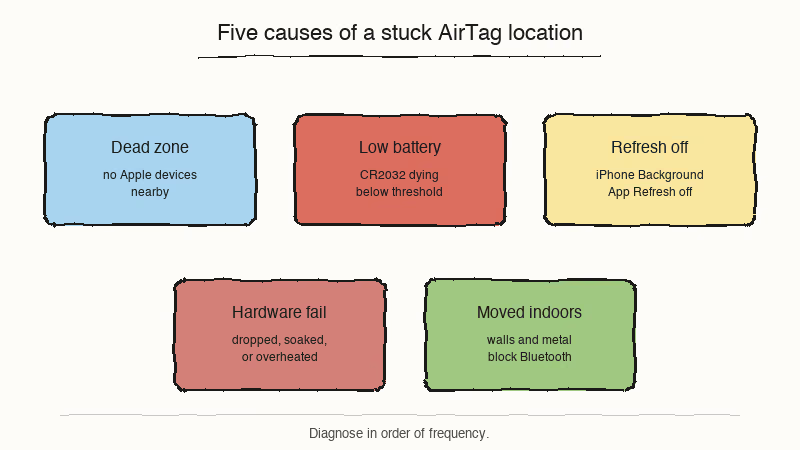
- Network dead zone. Your tag is somewhere no Apple device passes. Rural areas, locked warehouses, marine storage lots, and basements of older buildings all qualify. Fix: wait for movement, or walk the area yourself with an iPhone.
- Battery is dying. Apple’s AirTag tech specs page confirms that the CR2032 cell is rated for more than 1 year of battery life, and Find My shows a low-battery warning before it dies. Once voltage drops below a threshold, transmit strength weakens and relays slow down noticeably.
- Background App Refresh disabled. Your iPhone needs Background App Refresh on for Find My specifically. If it’s off, your phone can’t process relays. Open Settings, scroll to Find My, confirm the toggle is on.
- Hardware failure. A drop onto concrete, a run through the washing machine, or extended heat can kill the Bluetooth radio. Once the internal antenna or battery contacts are damaged, the unit stops transmitting entirely, so it never relays a fresh location no matter how many iPhones pass by.
- The tag moved indoors. An AirTag updating normally in a car goes silent the moment the car is parked in a garage. Concrete, metal, and insulation attenuate Bluetooth signals. This is the most common cause of sudden staleness after hours of normal operation.
How to Force an AirTag Location Update
You can’t push an AirTag to report from a distance, but you can influence the probability of a relay happening soon. Four actions in order of effort:
- Walk toward the last known location with an iPhone. Once you get within Bluetooth range of the tag, your phone itself can become the relay. According to the Bluetooth SIG technical brief on Bluetooth Low Energy range, indoor range varies heavily with walls, interference, antenna design, and transmit power, so walking the perimeter of a small building usually gives your phone the best chance to hear the beacon.
- Use Precision Finding once you’re close. If your iPhone is an iPhone 11 or newer, the UWB directional arrow kicks in at close indoor range. Our Precision Finding troubleshooting article covers this subsystem; note that Precision Finding and last-seen staleness are two different problems that can happen independently.
- Turn on Lost Mode. Enabling Lost Mode doesn’t change how often the AirTag transmits, but it flags the tag in Find My so any passing device prioritizes relaying it. For a tag truly out of your reach, this is the best tool Apple provides.
- Check Background App Refresh and Location Services on your phone. These two toggles govern whether your own iPhone participates in the Find My network. Even if your tag is working fine, a misconfigured phone can show a stale view of where it actually is.
When Should You Actually Worry?
After you’ve ruled out environmental causes, the duration of the staleness is the best indicator of what’s actually wrong.
Think of it as a triage ladder.
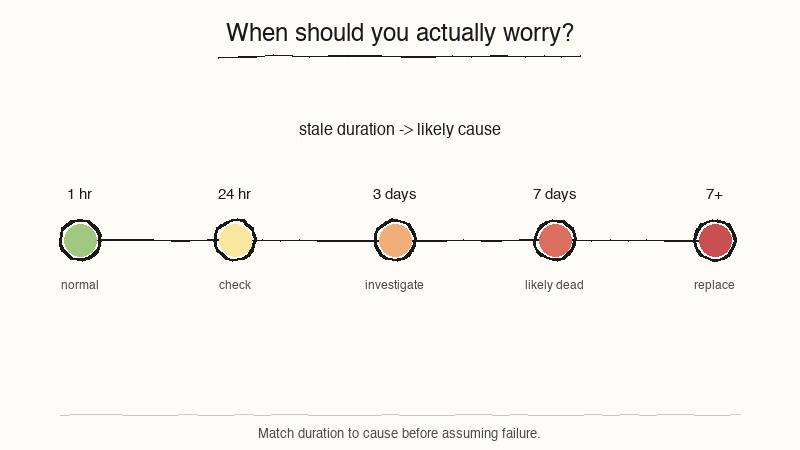
- Under 1 hour: completely normal, even in dense cities. Don’t touch anything.
- 1 to 24 hours: still normal for suburbs, especially overnight. Walk the area with your phone if you want a fresh ping, but there’s usually nothing to fix.
- 1 to 3 days: probably normal in rural or low-density areas. Also normal for an item stored inside a garage, basement, or remote building. Worth checking Background App Refresh on your phone.
- 3 to 7 days: investigate. Turn on Lost Mode, walk near the last known location, and check whether the low-battery notification has appeared in the Find My app.
- Over 7 days: the tag is likely dead, lost, or reported by another user as an unknown accessory. At this point, treat the AirTag as a replacement candidate and, if the item it was attached to is valuable, consider whether your tracking strategy should expand beyond AirTag. For readers whose needs include real-time tracking (escape-prone pets, high-value vehicles), a GPS tracker is a better fit; see our AirTag alternatives guide for the broader field.
Battery vs Network: Telling Them Apart
The fastest way to distinguish a dying-battery problem from a network problem is to look for the AirTag low-battery notification itself. Apple’s Find My app surfaces it in two places: on the tag’s detail screen, and as a system notification on your lock screen. If you see it, replace the CR2032 immediately; transmit reliability falls off fast in the final weeks.
If there’s no low-battery notification but the tag still seems stuck, it’s almost always a network issue, not a hardware issue. Our how accurate are AirTags article covers the flip side of this — how close the reported location usually is to the truth, which is a separate reliability dimension from freshness.
One more quick test saves time.
If a second AirTag in the same household is updating normally while this one sits stuck, the issue is almost certainly this specific tag, not your phone or your network. The same logic applies to other Find My trackers — see the Chipolo CARD Spot version of this issue if a wallet card is the one going stale.
Bottom Line
A stale AirTag location usually isn’t a sign of failure. It’s the expected behavior of a passive Bluetooth relay network that depends on the density of Apple devices around your tag. Check the environment and duration before you assume hardware failure. If the staleness is over 7 days with no low-battery warning, plan for a replacement.
FAQ
How often is an AirTag supposed to update?
There's no fixed schedule. AirTag broadcasts a Bluetooth identifier every few seconds, but it only reports a new location when an Apple device passes close enough to hear that beacon. In dense urban areas updates often arrive every few minutes; in rural areas or inside buildings, gaps of hours or even days are normal.
Why does my AirTag show a location from days ago?
The most common reason is that no iPhone or iPad has passed close enough to the tag to relay a fresh ping. This happens frequently in garages, rural roads, marine slips, and quiet suburban streets overnight. Before assuming the AirTag is broken, walk the area with your phone to force an update.
Does AirTag update if no iPhones are near it?
No. AirTag has no cellular, Wi-Fi, or GPS radio of its own. Apple's documentation states that the tag depends entirely on nearby Apple devices to relay its location. If no one passes within Bluetooth range, the last-seen timestamp stops moving until someone does.
How do I force an AirTag to refresh its location?
You can't trigger a report on demand, but you can make one likely by walking toward the last known location with an iPhone in hand. Once you're close enough for Bluetooth, your own phone can relay the tag. Turning on Lost Mode also flags the tag so that any passing Apple device prioritizes it.
How do I tell if my AirTag battery is dead?
Open the Find My app and tap the tag's name. A low-battery warning appears on the detail screen before the CR2032 cell dies. If the warning is visible, swap the battery. If there's no warning but the location is still stuck, the problem is almost always network-related, not hardware.
Does Lost Mode speed up location updates?
Lost Mode doesn't change how often your tag transmits. What it does change is how passing Apple devices handle the signal: they prioritize relaying a Lost-Mode tag so you receive a notification the moment a fresh location comes through. For a truly lost AirTag, this is the most useful tool Apple provides.
Why does one of my AirTags update but another one is stuck?
Usually it's location, not the tag. Two AirTags in the same household can sit in very different coverage environments -- one in a car that travels through busy streets, one in a coat pocket hanging in a closet. If both tags are in the same room and one still lags, try swapping their positions for a day. If the lag follows the tag, you probably have a failing unit.