Tags in the app but not the Find Hub web page are usually a rollout gap: the dashboard added phones and earbuds first, tags later. Confirm both clients share one Google account.
The Find Hub web page and Android app are separate clients that gain features on different schedules. According to Google’s official Find Hub help center, the web view began with phones and earbuds, with broader tracker support arriving in stages.
- The Find Hub web page rolled out device support in stages — Google phones and earbuds first, third-party Bluetooth tags weeks to months later, so a tag in the app may not be on the web yet.
- Both clients must use the exact same Google account — signing the browser into a secondary account hides every tag, even if 1 character of the email differs.
- A few device classes reliably appear on the web today — Pixel and Galaxy phones, Pixel Buds and Galaxy Buds, and a growing subset of certified tags like Chipolo and Moto Tag.
- A hard browser refresh plus re-login clears many “0 trackers on web” cases — the dashboard caches the device list aggressively.
- If a tag is missing on the web after 2 sign-in checks, the app remains the full-feature client — the web page is a convenience view, not a replacement.
Why Do My Tags Show in the App but Not the Web?
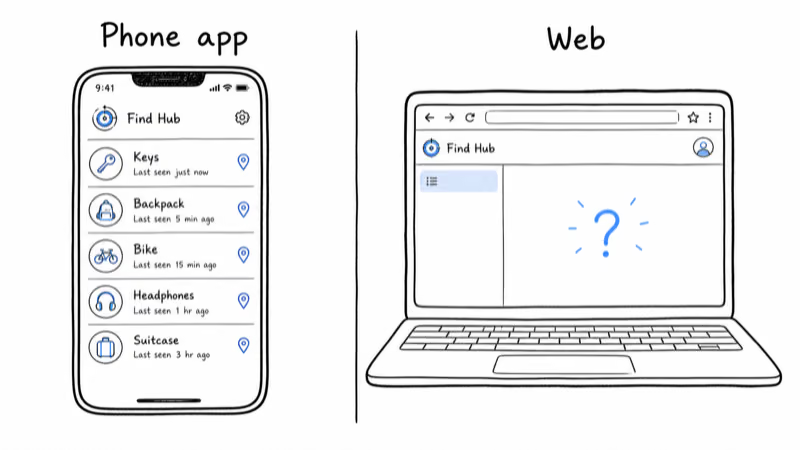
The Find Hub app on Android and the Find Hub page in a browser are built as two distinct clients. They read from the same Google account, but they ship features independently, and the web page has historically lagged the app. When a tag is visible on your phone and absent in the browser, the cause is one of the four below.
1. Staggered Web Rollout
Google launched the web experience around devices it controls end to end: Pixel and Galaxy phones, then Pixel Buds and Galaxy Buds. Support for third-party Bluetooth tags arrived later, in waves. Reddit’s Chipolo community has tracked this gap, with users reporting that their Chipolo POP tags show in the app but not the web view for weeks after pairing.
If your tag is a recent purchase or a less common brand, a rollout gap is the most likely explanation, and there’s no setting to force it forward. Older, longer-certified devices tend to surface on the web before newer ones, which matches the phased pattern Google reported when it announced the staged web expansion.
2. Account Mismatch Between Clients
Your phone is almost certainly signed into your primary Google account by default. A browser, especially on a shared or work computer, often defaults to a different account in the multi-account switcher. The web page only renders devices tied to the account it’s currently viewing, so a single wrong account shows an empty or partial list. This is the fastest thing to rule out and the most common silent cause.
3. Aggressive Web Caching
The browser dashboard caches your device roster to load fast, and that cache can hold a stale list that predates your newest tag. A normal page reload doesn’t always invalidate it. A hard refresh, a sign-out and sign-in cycle, or opening the page in a private window forces a clean fetch and frequently surfaces a tag that was hiding behind a cached list.
4. Unsupported Tracker on Web
Some tags are certified for the Find Hub network in the app but aren’t yet enabled for the web client. Certification and web-surfacing are separate gates inside Google’s rollout. A tag can be fully functional for relaying location through nearby Android phones while still being invisible in the browser because that device class hasn’t been switched on for web yet.
Which Find Hub Trackers Work on the Web?
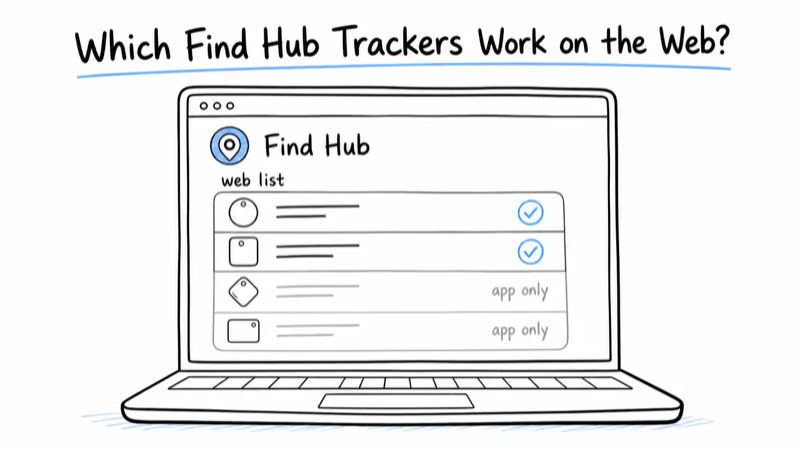
Web visibility is narrower than app visibility, and it changes month to month as Google expands the dashboard. As of mid-2026, three device groups appear reliably in the browser, with a fourth group still catching up.
Google and Samsung phones were the first devices supported on the web and remain the most reliable. A Pixel or Galaxy phone signed into your account shows up immediately, with full ring-and-locate controls.
Pixel Buds and Galaxy Buds followed phones onto the web page and behave the same way. If your earbuds appear but your tag doesn’t, that’s a textbook rollout-gap signature rather than an account problem.
Certified third-party tags such as the Chipolo POP and Moto Tag are the newest additions and the least consistent. Some users see them on the web within days of an account being enabled; others wait weeks. Reddit’s Chipolo forum found that owners were still comparing region and account flags in October 2024, which points to a phased server-side rollout rather than a broken tag.
Pet tags and niche brands are the slowest to reach the browser. If you rely on the web view for a pet collar tag, plan to use the app as the primary client for now. Our guide to Find Hub compatible trackers lists which certified tags exist and how each one joins the network, which is the first thing to confirm before expecting web support.
Sign-In and Account Checks to Run First
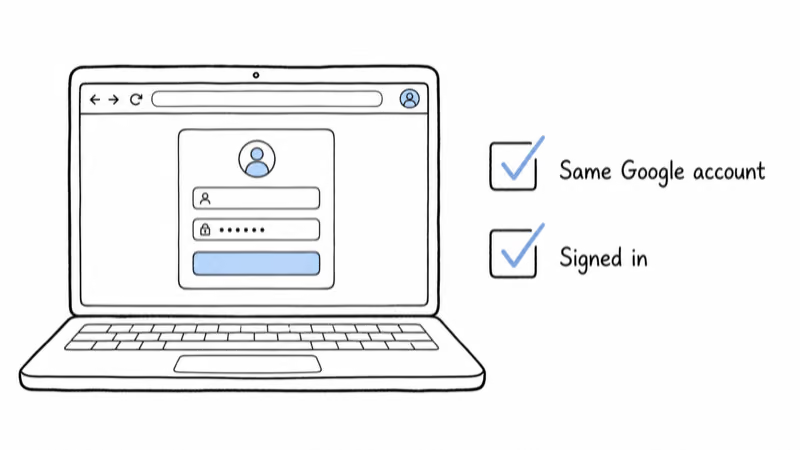
Because account mismatch is the fastest fixable cause, work through these checks before assuming a rollout gap.
1. On your phone, open the Find Hub app and tap your profile picture in the top corner. Note the exact email address shown as the active account.
2. In your browser, open the Find Hub page and check the account avatar in the top-right. If it differs by even one character from the app’s account, use the account switcher to select the matching account.
3. If both already match, sign out of the web page completely, close the tab, reopen it, and sign back in. This clears the cached device list and forces a fresh fetch from Google’s servers.
4. Try a private or incognito window as a clean-slate test. If your tag appears there but not in your normal window, the issue is a stale session or cache in your regular profile, not the tag itself.
If a tag is mapped to your account but its last location never refreshes anywhere, the problem is upstream of the web-versus-app question. Our walkthrough on a Find Hub location history not populating covers why the timeline can sit empty even when the device is listed, which is a different failure than a missing tag.
Working Around a Missing Web Entry
If you’ve confirmed the accounts match and the tag simply isn’t enabled for the web yet, no toggle will speed up Google’s rollout. The practical move is to treat the app as your full-feature client and the web page as a bonus.
The Android app does everything the web page does and more: live location, ring, directions, and sharing controls. Nothing about a missing web entry limits the tag’s actual tracking, which runs entirely through the nearby-Android relay network regardless of which client you open.
Confirm Your Tag’s Relay Settings
It’s also worth confirming your tag’s relay settings are correct so the location it reports is accurate in both clients. A tag set to a restrictive sharing mode or with background scanning disabled can look fine in the app but report stale data. Our breakdown of the Find Hub offline finding settings explains which toggles control how widely your tag is relayed, which matters far more for accuracy than web visibility does.
A more permissive sharing mode can improve relay frequency, which is the single biggest accuracy lever once a tag is paired correctly.
Where the Find Hub Network Goes From Here
Google’s reach gives the web page room to grow. The relay network behind your tag can be strong even where the browser view lags. As that footprint expands, more tag classes get switched on for the web, so a tag missing today often surfaces on its own later.
If you’re still deciding which ecosystem to commit to, the broader Google Find Hub network hub collects the setup, compatibility, and troubleshooting guides in one place, including which dual-network tags hedge across both Google and Apple.
Bottom Line
A tag that lives in the Find Hub app but not the web page is rarely broken. Check that both clients are signed into the identical Google account, then hard-refresh or re-login the browser to clear a stale device cache. Those two steps resolve most cases.
If the tag still won’t surface, you’re almost certainly waiting on Google’s phased web rollout, which reached phones and earbuds first and is still expanding to third-party tags. Use the app as your primary client meanwhile; it loses none of the tag’s tracking ability, and web support tends to arrive on its own within weeks.
Frequently Asked Questions
Why does my tag show in the Find Hub app but not the web?
The most common reason is Google’s phased web rollout. The Find Hub web page added phones and earbuds first, with third-party Bluetooth tags following weeks or months later, so a recently paired or less common tag may simply not be enabled for the browser yet. The next most likely cause is an account mismatch, where your browser is signed into a different Google account than your phone. Confirm both clients use the identical account before assuming the tag is faulty.
Do the Find Hub app and web page use the same account?
They can, but they don’t automatically. Your phone defaults to its primary Google account, while a browser may default to whichever account you last used, especially on shared or work computers. The web page only displays devices tied to the account it’s currently viewing, so a one-character difference in the email hides every tag. Always cross-check the active account in the app against the avatar in the top-right of the web page.
Which devices appear on the Find Hub web page?
As of mid-2026, three groups appear reliably: Pixel and Galaxy phones, Pixel Buds and Galaxy Buds, and a growing subset of certified third-party tags such as the Chipolo POP and Moto Tag. Pet collar tags and niche brands are the slowest to reach the browser. If your earbuds show but your tag does not, that is a rollout gap rather than an account problem.
How do I force my tag to show on the Find Hub web page?
You can’t force Google’s web rollout forward; there is no user setting that enables an unsupported device class. What you can do is rule out the fixable causes: confirm the browser and app share one Google account, sign out and back in to clear the cached device list, and test in a private window. If the tag appears in incognito but not your normal window, the cause was a stale session, not the rollout.
Is the Find Hub web page a full replacement for the app?
No. The web page is a convenience view that gained features after the Android app and still lags it. The app remains the full-feature client for live location, ring, directions, and sharing controls. A tag missing from the web loses none of its actual tracking ability, because location relaying runs through the nearby-Android network regardless of which client you open.
Does a missing web entry affect my tag’s tracking accuracy?
No. Web visibility and tracking accuracy are unrelated. Your tag’s location depends on nearby compatible Android phones relaying its Bluetooth ping to Google, plus its own sharing-mode and background-scan settings. A tag can be perfectly accurate in the app while invisible in the browser. If accuracy itself is poor, check the offline finding and sharing toggles rather than the web client.
Why is the web page showing zero trackers at all?
A completely empty web list usually means an account mismatch or a stale cached session rather than a rollout gap. Sign out of the web page fully, close the tab, reopen it, and sign in with the exact account your phone uses. Many “zero trackers on web” cases clear after this re-login because the dashboard caches the device roster aggressively and a normal refresh doesn’t always invalidate it.
Will my Chipolo or Moto tag eventually appear on the web?
For certified tags, yes, in most regions. Google’s web rollout for third-party tags is a phased server-side flag that reaches accounts in waves, so timing varies by region and account rather than by device. Owners on the Chipolo community have documented tags surfacing on the web anywhere from a few days to several weeks after the app. Use the app in the meantime and re-check the web page weekly.