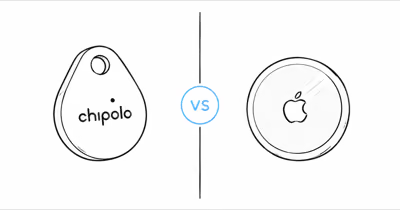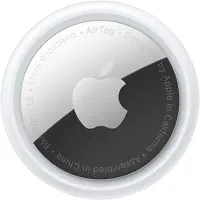
Google rebranded Find My Device to Find Hub in May 2025, and the update was more than cosmetic.
Satellite location sharing, airline luggage partnerships, and UWB support landed in the same year. Apple countered with AirTag 2 and its U2 chip. As of March 2026, these two tracking networks are closer in capability than ever, but they still have very different strengths across network size, precision finding, satellite reach, and airline integration.
- Apple Find My has over a billion active devices — that is larger than many Android-based networks, making it more reliable in rural and international areas.
- Neither network gives a tracker its own satellite link — satellite location sharing on both sides is a phone feature (Pixel 9+, iPhone 14+), so an out-of-range tag still waits for a passing phone.
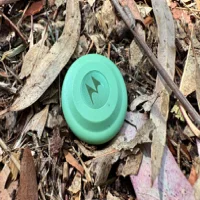
- Find Hub now supports UWB precision finding via Moto Tag — closing the accuracy gap with AirTag 2’s U2 chip, though device support remains limited.
- Dual-network trackers like Chipolo Pop ($29) and Pebblebee Clip 5 ($35) work on both networks, so you don’t have to choose permanently. See our full dual-network tracker roundup for all five picks.
- Both Apple and Google enforce DULT cross-platform unwanted tracking alerts — stalking protection works regardless of which phone you carry.
Find My vs Find Hub: What Changed in 2026?
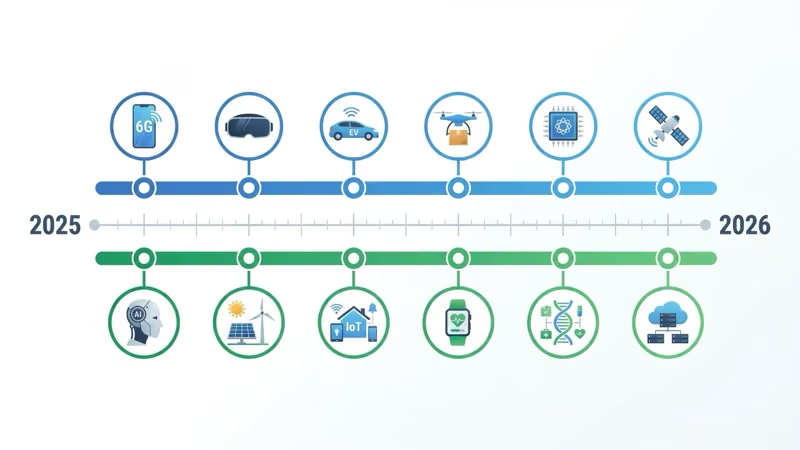
The tracker market shifted fast between mid-2025 and early 2026. Here is the timeline that matters.
TechCrunch’s coverage of the Find Hub launch reported that Google renamed Find My Device to Find Hub in May 2025. Google didn’t just rename the app. The update brought UWB support for compatible trackers, satellite location sharing on supported Pixel phones, and partnerships with airline baggage recovery systems.
On Apple’s side, AirTag 2 launched in January 2026 with the U2 ultra-wideband chip. Precision Finding range extended up to 50% farther than the original, the speaker got 50% louder, and Apple Watch Series 9+ gained the ability to run Precision Finding without an iPhone nearby.
Google Find Hub also expanded its tracker ecosystem. The Motorola Moto Tag became the first Find Hub tracker with UWB, and dual-network trackers from Chipolo and Pebblebee gave Android users access to both Find My and Find Hub from a single device. Samsung’s SmartThings Find remains a separate network, though Samsung Galaxy phones can also use Find Hub trackers.
Network Size and Coverage: Who Finds Your Stuff Faster?
This is the single most important factor for any Bluetooth tracker. A tracker only updates its location when another device in the network passes within Bluetooth range.
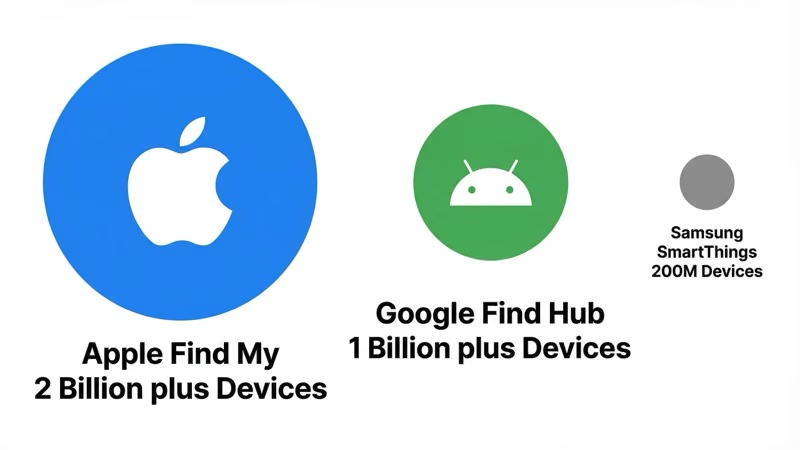
Apple’s Find My network runs on over a billion active Apple devices globally. Apple’s Find My page describes those relays as iPhone, iPad, and Mac devices around the world.
Every iPhone, iPad, Mac, and Apple Watch running iOS 14.5 or later acts as a silent relay. That density means an AirTag in a busy airport or city center tends to refresh its location within a few minutes, since some Apple device is almost always passing within Bluetooth range. Updates stretch out only where Apple devices are sparse.
Google Find Hub includes 1 billion+ Android devices running Android 9 or later with Google Play Services.
The network is growing quickly, but density varies by region. Dense urban areas give Find Hub a much stronger relay pool than quiet suburbs, while Apple Find My still has the advantage in many low-density places.
Samsung’s SmartThings Find sits as a third option with over 300 million Samsung Galaxy devices. It’s a subset of the Android ecosystem, not the full Find Hub network. SmartTag 2 owners get coverage from Samsung devices only, while Find Hub trackers tap into every compatible Android phone. For more on how these platform-specific trackers compare as hardware, see our AirTag 2 vs SmartTag 2 comparison.
The gap shows up most clearly in suburban parking lots and low-density streets. In major cities, both networks update quickly enough for everyday tracking.
Precision Finding: UWB on Both Sides
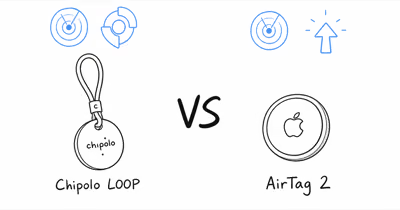
AirTag 2’s U2 chip delivers directional Precision Finding at a longer range on iPhone 11 and later.
You get a visual arrow pointing toward the tracker, and it can work through interior walls, though dense construction weakens the signal. Apple Watch Series 9 and Ultra 2 can also run Precision Finding independently, which is useful when your phone is the thing you have lost.
The Motorola Moto Tag is currently the only Find Hub tracker with UWB support.
It works with UWB-equipped Pixels (the Pro and Fold models from Pixel 6 Pro onward), plus select Samsung and Motorola phones with UWB hardware. The experience is similar to AirTag’s Precision Finding, but phone compatibility is narrower. Most Android phones still lack UWB chips entirely.
According to 9to5Google’s analysis of Find Hub trackers and UWB, the majority of Find Hub-compatible trackers still skip UWB in 2026. Chipolo Pop, Pebblebee Clip 5, and most other options rely on Bluetooth signal strength for proximity estimates.
That gets you to the right room but won’t give you a directional arrow.
For anyone who has searched a parking garage for a lost bag, the difference between “somewhere on this floor” and “12 feet to your left” is significant.
If UWB matters to you and you use an iPhone, AirTag 2 is the clear pick. On Android, Moto Tag is the only option with directional finding right now. For how it stacks up against Chipolo Pop, see our Moto Tag vs Chipolo Pop comparison.
Satellite Features: Phone Sharing, Not Tracker Relay
A common misconception is that Find Hub trackers can phone home via satellite. They can’t. Google’s satellite location sharing lets a Pixel 9 or newer phone send its own location to existing sharing contacts when it has no cell coverage. A Bluetooth tag with no Android device nearby stays silent until one passes.
Apple’s position is symmetrical. iPhone 14 and later can reach emergency services and share the phone’s location via satellite, but an AirTag has no satellite radio either.
For trackers, both networks still depend entirely on crowd relays. The satellite features help an off-grid hiker share their own position with family, or confirm a phone’s location during a remote transfer. For luggage in a dead zone, no consumer Bluetooth tracker updates until a participating phone comes within range.
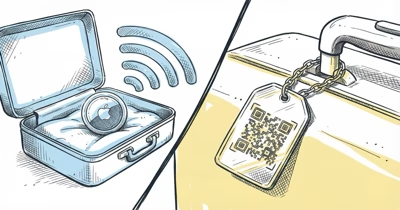
Airline Baggage Integration: How Do Both Networks Handle Lost Luggage
Find Hub partnered with SITA WorldTracer and Reunitus NetTracer, the two largest airline baggage recovery systems in the world. When your luggage goes missing, you can generate a secure share-item-location link from the Find Hub app and send it directly to the airline’s recovery team. Google’s Find Hub luggage tracking announcement lists the current partner airlines: Lufthansa Group (Lufthansa, Austrian, Brussels Airlines, Swiss), Turkish Airlines, Air India, Saudia, SAS, China Airlines, Ajet, with Qantas coming soon.
Apple took a different approach. AirTag 2 integrates with over 50 airlines through a direct in-app mechanism where the airline can see the AirTag’s location within their own systems. The coverage is broader in terms of airline count, but the mechanism differs. Find Hub shares a location link; Apple embeds location data into the airline’s native tools.
Both approaches solve the same problem: getting your airline to actually look in the right place for your bag. Having any tracker location data to share with the baggage desk can dramatically speed up recovery, since the airline no longer has to guess where a delayed bag stalled.
For frequent flyers, check which airlines you use most and match the network accordingly.
If you fly Lufthansa Group frequently, Find Hub has a direct integration. For airlines in Apple’s broader list, AirTag 2 has you covered. For the full picture on tracker options for checked bags, see our best luggage trackers guide and our luggage trackers for Android roundup.
Dual-Network Trackers: The Best of Both Worlds
If you’re in a mixed household with iPhones and Android phones, or if you might switch platforms down the road, dual-network trackers eliminate the lock-in problem.
The Chipolo Pop ($29) works with both Apple Find My and Google Find Hub.
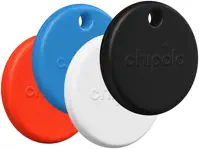
You pick one network during setup. Switching requires a factory reset, but the process takes under a minute. It uses a replaceable CR2032 battery lasting about a year, has a 120 dB speaker, and carries an IP55 water resistance rating. At $29, it matches AirTag’s price while offering platform flexibility.
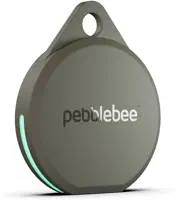
The Pebblebee Clip 5 ($35) offers the same dual-network support with a rechargeable USB-C battery, louder 130 dB speaker with LED strobe, IP66 water resistance, and 500-foot Bluetooth range.
The $6 premium over the Chipolo Pop buys you better durability and volume. For a detailed head-to-head, see our Chipolo vs Pebblebee breakdown.
For wallet tracking, the KeySmart SmartCard Gen 3 ($40) brings dual-network tracking to a credit card form factor at just 1.8 mm thick. It charges wirelessly via Qi and carries an IPX8 water resistance rating. If you need a wallet tracker that works on either platform, this is currently the thinnest option available.
One limitation across all dual-network trackers: you can only use one network at a time.
Apple’s terms block simultaneous dual-network operation. This means your tracker reports to Find My or Find Hub, never both at once. In practice, most people pick the network that matches their phone and leave it there.
Privacy and Anti-Stalking: Cross-Platform Protection
Both networks take location privacy seriously, and the protections are more similar than different in 2026. Use either network only to track your own item or with explicit consent.
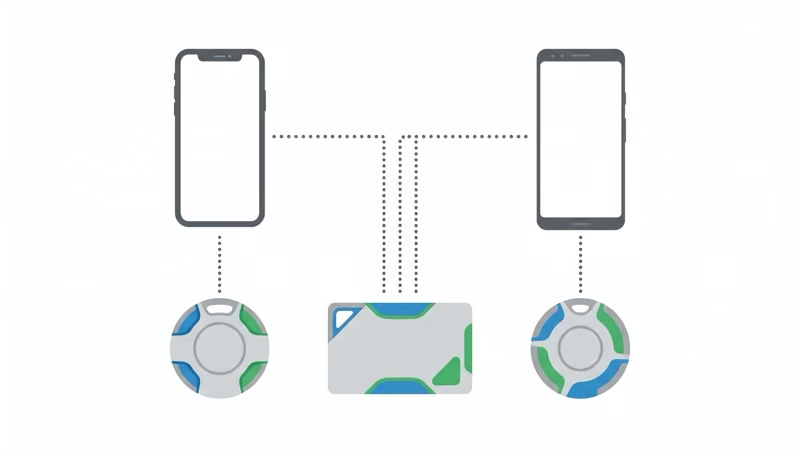
Apple and Google jointly developed the DULT (Detecting Unwanted Location Trackers) standard, which they announced in May 2024 through a joint press release on cross-platform unwanted tracking alerts. The standard ensures that iPhones running iOS 17.5+ can detect unknown Find Hub trackers, and Android 6.0+ devices can detect unknown AirTags. You get an alert if a tracker that doesn’t belong to you has been traveling with you.
Both platforms use end-to-end encryption for location data. When your AirTag or Find Hub tracker sends a location ping through a nearby device, that relay device never sees the decrypted location. Only you can decrypt it through your Apple ID or Google account.
If you find an unknown tracker, both platforms provide instructions to disable it.
Apple’s unwanted tracking safety alerts page walks you through the process for AirTags. Find Hub trackers can be disabled by removing the battery or following the on-screen instructions when an alert appears; our step-by-step guide to a Find Hub tracker warning covers how to locate and quiet the device on Android.
Neither network stores location history on company servers. Find My encrypts locations client-side, and Find Hub follows the same model. The Apple Find My privacy architecture documentation details the technical implementation.
For anyone concerned about tracker-enabled stalking, the protection gap between platforms has effectively closed. The real remaining weakness is third-party trackers from smaller brands that may not fully comply with DULT. Sticking with Apple, Google, Samsung, Chipolo, or Pebblebee trackers means you’re covered. For deeper reading on tracking alerts, see our AirTag found moving with you explainer.
Choosing the Right Network
⇄ Head-to-head
AirTag 2 vs Moto Tag vs Pebblebee vs Chipolo Pop
- +Find My network of 1B+ devices, densest of any tracker network
- +U2 UWB chip: longer-range Precision Finding, the longest range here
- +Apple Watch Series 9+ Precision Finding without iPhone in hand
- +$29 + 4-pack $99 + no subscription, lowest TCO for iPhone users
- +50+ airline luggage partners through Find My
- +Only Android tracker with UWB Precision Finding right now
- +Lowest device price in this comparison: ~$20
- +Google Find Hub network (1B+ Android devices)
- +IP67 water resistance, replaceable CR2032 lasting ~12 months
- +4-pack ~$60 makes multi-item coverage cheap
- +Dual-network: pair with Apple Find My OR Google Find Hub (pick one)
- +USB-C rechargeable, no CR2032 swaps
- +130 dB speaker + LED strobe, loudest signaling in this comparison
- +IP66 water resistance, durable for travel and outdoor gear
- +500 ft Bluetooth range, longest of the four
- +Dual-network at the same $29 as AirTag, no flexibility penalty
- +120 dB speaker, very loud (slightly under Pebblebee's 130 dB)
- +Replaceable CR2032 battery (no recharging burden)
- +BLE 6.0 for the latest Bluetooth pairing efficiency
- +6 colors, lets you visually distinguish items at a glance
- −iPhone only, no Android support
- −No reverse phone-ring feature like Tile or Chipolo
- −Coverage thinner where Apple market share is low
- −No built-in keyring hole; a holder adds to the real cost
- −UWB only works on Pixel 6 Pro+ and select Samsung/Motorola phones
- −iPhone-side users can't pair with this tracker
- −Smaller speaker than Chipolo or Pebblebee
- −No reverse phone-ring
- −$35, the highest device price here
- −USB-C charging is occasional but still a chore vs coin cell
- −One network at a time (Apple's terms block simultaneous)
- −Switching networks needs a factory reset
- −IP55 splash-proof only, lowest water resistance of the four
- −One network at a time, same constraint as Pebblebee
- −No UWB Precision Finding
- −Bluetooth range shorter than Pebblebee's 500 ft
iPhone primary, UWB Precision Finding matters in cluttered spaces, and you travel internationally where Find My density wins.
You use Android (especially Pixel 6 Pro or supported Motorola/Samsung), want directional UWB finding, and prefer the cheapest Find Hub option.
You want maximum flexibility (mixed iPhone + Android household), the loudest speaker for hard-to-find items, and rechargeable not disposable batteries.
You want dual-network flexibility at AirTag's price, prefer replaceable CR2032 over recharging, and don't need UWB or full waterproof.
Samsung Galaxy users have a wrinkle worth mentioning.
SmartThings Find works as a standalone network for SmartTag 2, but your Galaxy phone also works with any Find Hub tracker. So you can use SmartTag 2 for its UWB features and add a Chipolo Pop or Moto Tag on the Find Hub network for items where the wider Android relay crowd matters. The networks coexist on the same phone.
For mixed households where some members have iPhones and others have Android, a dual-network tracker is the simplest answer. The Pebblebee Clip 5 or Chipolo Pop lets anyone in the family find the shared car keys regardless of their phone. See our best item tracker guide for the full ranked list, and our best Bluetooth trackers roundup for platform-specific picks.
Keep in mind that Bluetooth trackers aren’t GPS trackers. They rely on nearby phones in the network to relay location.
If you need continuous real-time tracking with 15-second updates for a vehicle or asset, a dedicated GPS tracker is the right tool.
Our Bluetooth vs GPS trackers explainer covers when each technology makes sense. And if you’re wondering whether AirTag has actual GPS built in, the short answer is no. Our AirTag doesn’t have GPS article has the full explanation.
Bottom Line
Apple Find My still leads on network density, UWB maturity, and raw global coverage.
If you use an iPhone, AirTag 2 remains the best Bluetooth tracker available. Google Find Hub has closed the gap meaningfully with airline baggage integration and phone-side satellite location sharing, features that matter most for travelers and outdoor users on Android.
The real winner in 2026 might be the dual-network tracker category. For $29-35, a Chipolo Pop or Pebblebee Clip 5 gives you access to both ecosystems without permanent commitment. Your phone picks the default network, but the tracker itself is the insurance policy against platform lock-in.
FAQ
Is Google Find Hub the same as Find My Device?
Yes. Google rebranded Find My Device to Find Hub in May 2025. The app, network, and core functionality are the same, but Find Hub added satellite location sharing for phones, airline luggage integration, and UWB support that the original Find My Device lacked.
Can a single tracker work on both Find My and Find Hub at the same time?
No. Dual-network trackers like Chipolo Pop and Pebblebee Clip 5 support both networks, but you choose one during setup. Switching requires a factory reset. Apple’s terms prevent simultaneous dual-network operation on any tracker.
Does Google Find Hub support satellite tracking?
Not for trackers. Find Hub’s satellite feature is location sharing from a supported Pixel phone (9 series or newer) when it has no cell coverage. Bluetooth trackers can’t relay through satellites on either Google’s or Apple’s network, so an out-of-range tag waits for a passing phone.
Which airlines work with Google Find Hub for lost luggage?
Find Hub partners with SITA WorldTracer and Reunitus NetTracer. Current airlines include Lufthansa, Austrian Airlines, Brussels Airlines, Swiss, Turkish Airlines, Air India, Saudia, SAS, China Airlines, and Ajet. Qantas is expected to join soon. Apple Find My works with over 50 airlines through a separate integration.
Is Apple Find My network bigger than Google Find Hub?
Yes. Apple Find My has over a billion active devices, larger than Google Find Hub’s 1 billion+. In practice, this means Find My locates trackers faster in rural areas and countries where Android market share is lower. In dense cities, both networks perform comparably.
Do Find My and Find Hub alert you about unknown trackers nearby?
Yes. Both platforms support the DULT (Detecting Unwanted Location Trackers) standard. iPhones running iOS 17.5+ detect unknown Find Hub trackers, and Android 6.0+ devices detect unknown AirTags. You receive an alert and instructions to disable the tracker if one is found traveling with you.
Can Samsung SmartTag 2 work with Google Find Hub?
No. SmartTag 2 uses Samsung’s SmartThings Find network exclusively. However, Samsung Galaxy phones can use both SmartTag 2 on SmartThings Find and any Find Hub-compatible tracker like Moto Tag or Chipolo Pop on the Find Hub network. The two networks run independently on the same phone.