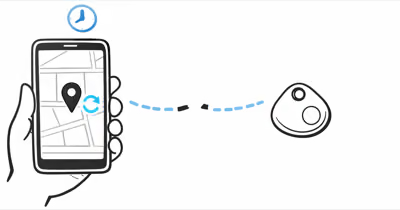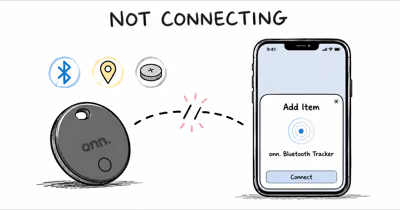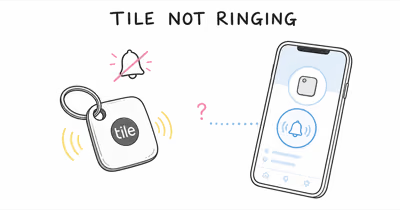
Play Sound only works when the tracker is within your phone’s Bluetooth range. If it stays silent, the tag is too far, the battery is dead, or it lost its Bluetooth link.
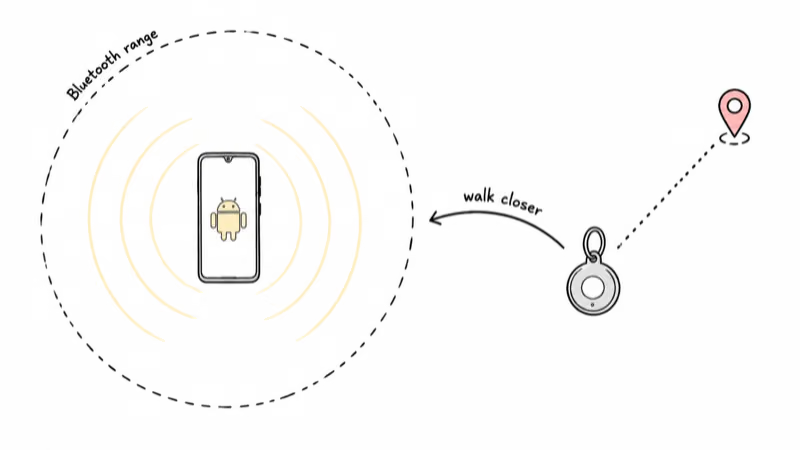
Play Sound in Find Hub is short-range hardware, not a remote trigger that reaches across town. Google’s unknown-tracker support page states that 4 things stop a tag ringing, and the first is that it’s “out of your Android phone’s Bluetooth range.”
- Play Sound is short-range — it needs the tracker within Bluetooth range; past that, the ring command never reaches the tag.
- The ring window is short — if you hear nothing after repeated close-range attempts, the command likely did not connect.
- A dead CR2032 stays silent — a coin-cell tag with a low or dead battery can’t drive its speaker even when the map still shows a last-known pin.
- A live Bluetooth link is required — force-stopping and reopening Find Hub can re-establish that connection to a paired phone.
- Some tags barely ring by design — speaker-less or card-style tags ring much more quietly or not at all, so check the model’s spec before assuming 1 of 3 hardware faults.
Why Wont My Find Hub Tracker Play a Sound?
The most common reason a Find Hub tag stays silent is distance: Play Sound is a Bluetooth command, and the tag has to be in range to receive it. Google’s support documentation confirms that “out of your Android phone’s Bluetooth range” is the first of its 4 listed reasons you can’t ring a tracker.
A Moto Tag can stop responding to Play Sound once it’s far enough away through several interior walls, even though the map still displays its last pin. Bluetooth range drops sharply through walls and floors, so a tracker often shows on the map long after it has fallen out of ringing range. That gap between shown on the map and able to ring is the single biggest source of confusion.
The 5 Causes of a Silent Find Hub Tracker
Once you rule out range, the failures fall into a short list. Work through them in order.
1. The Tag Is Out of Bluetooth Range
Play Sound has no internet leg. The command travels phone to tag over Bluetooth, so if the tag is in another building or several rooms away through brick, it never gets the signal. Walk toward the last-known pin on the map until you are within a room or two, then re-tap Play Sound.
2. The Battery Is Dead or Low
Most Find Hub tags run on a single CR2032 coin cell. A dead cell can still hold enough charge to advertise a faint Bluetooth beacon, so the tag may appear connected while having too little power to drive the speaker. If your tag is past the 12-month mark, swap the CR2032 before blaming the network.
3. The Tag Lost Its Bluetooth Connection
Android can silently drop a tag’s background Bluetooth link after an OS update or a battery-optimizer sweep. The fix is a force-stop: open Settings, tap Apps, find Find Hub, and choose Force stop, then reopen the app. That forces the background link to rebuild before you try Play Sound again.
4. Permissions or App State Are Broken
Find Hub needs Bluetooth and location permissions set to Allow, plus background activity left unrestricted. If a recent update reset these, Play Sound greys out or silently fails. Set the app to Unrestricted under Battery, then grant Bluetooth and Nearby devices permissions. A Find Hub tag that also stops updating its location often shares the same permission root cause.
5. The Speaker Itself Has Failed
Coin-cell tags use a tiny piezo speaker that can crack or corrode after water exposure. If the tag connects, has a fresh battery, and is inches from your phone but still won’t ring, the speaker is likely the fault. At that point, a factory reset and re-pair is worth one attempt before you treat the tag as hardware-dead.
Does Play Sound Work Over the Internet?
No. Play Sound is a local Bluetooth action, not a cloud command. The map location you see in Find Hub does travel over the internet, relayed by nearby Android phones, but the ring tone is generated by the tag’s own speaker only when your phone can reach it directly over Bluetooth.
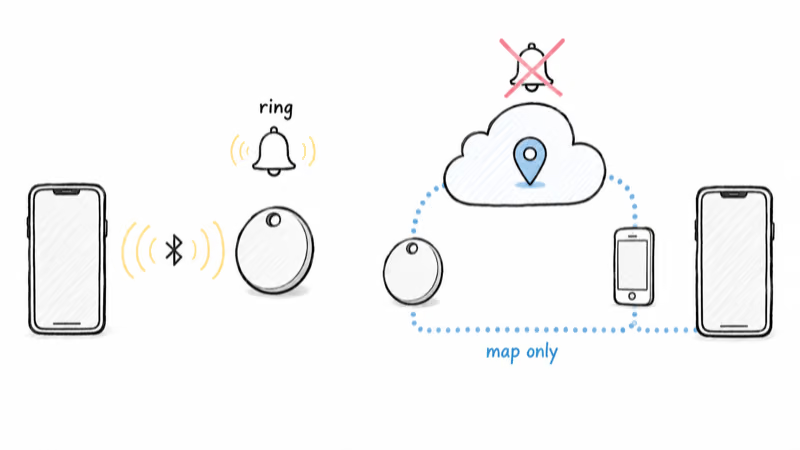
Google’s Find Hub help center states that the equivalent phone ring plays at “full volume for 5 minutes,” which illustrates the same short-window, in-range design. A tag left at the office can show a precise pin from the network while refusing to ring from your couch at home. For a deeper look at how the relay differs from the ring, see our guide to how Google Find Hub trackers work.
Brand Differences That Change How a Tag Rings
Not every Find Hub tag rings the same way, and a few don’t ring at all. Knowing your model’s hardware prevents a false alarm.
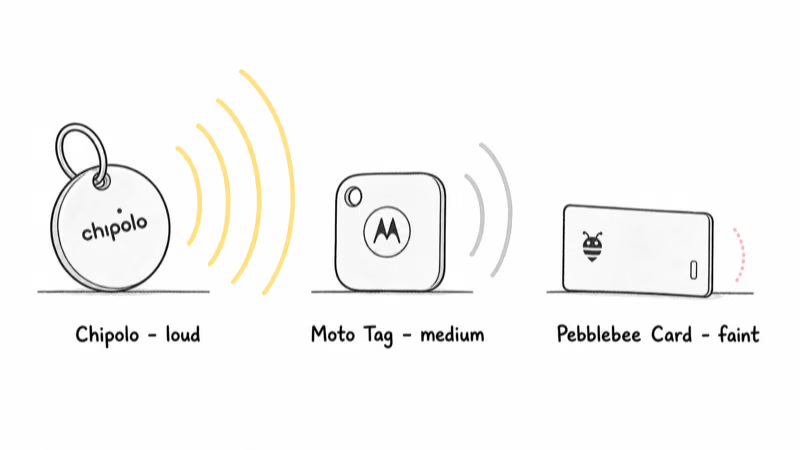
Chipolo Pop and One Point tags carry a loud speaker rated near 120 decibels, so silence almost always points to range, battery, or a dropped connection rather than a quiet design. Chipolo’s own troubleshooting guidance stresses that Bluetooth must be on and the tag must be in range before the ring will fire.
Moto Tag uses a clear, mid-volume chime and reconnects quickly after a force-stop, but its background link is the first thing Android’s optimizer tends to suspend on Samsung phones. A single force-stop of the app usually restores the ring within seconds by forcing the background link to rebuild.
Pebblebee Clip and Tag models ring reliably, while the ultra-thin Card variants trade speaker volume for a slimmer body, so a faint or muffled ring there can be normal. Always confirm your specific model’s speaker rating before deciding the tag is broken. If you are still shopping, our roundup of the best Find Hub trackers lists which models have the loudest speakers.
When the Map Is Blank Instead of Silent
When the map itself is blank rather than just silent, the problem is a different one. A tag that rings fine in your hand but won’t appear on the Find Hub web view is an account or sharing issue, not a speaker fault. The pin you see is a relayed location; the ring is a live handshake, and the two can fail independently.
The Fastest Fix Sequence in 6 Steps
Run these checks in order. Most silent-tracker cases clear by step 3.
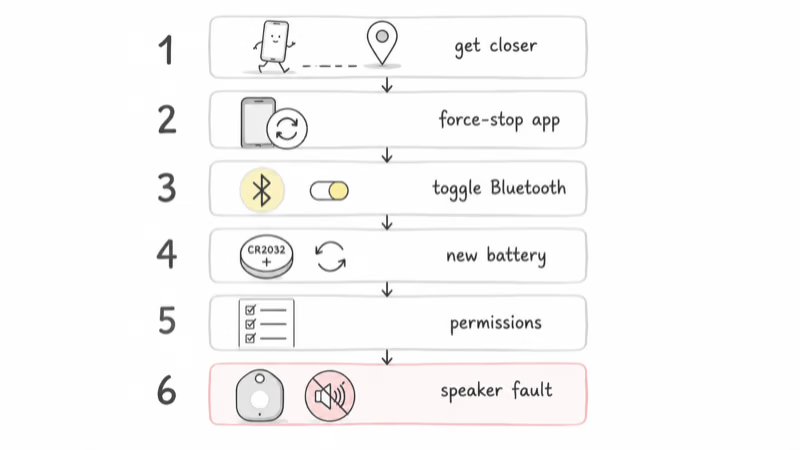
1. Confirm proximity. Walk toward the map pin until you are within a room or two of the last-known location.
2. Force-stop and reopen Find Hub to re-establish the Bluetooth link, then re-tap Play Sound.
3. Toggle Bluetooth off and on, and make sure airplane mode is not active.
4. Replace the CR2032 cell if the tag is more than a year old, then ring it from a few feet away.
5. Check Find Hub permissions: Bluetooth, Nearby devices, location set to Allow, and battery set to Unrestricted.
6. If it still won’t ring inches from your phone with a fresh battery, the speaker has likely failed. Try one reset, then plan a replacement.
Bottom Line
A Find Hub tracker that won’t ring is almost never a network failure. Play Sound is a short-range Bluetooth command, so the fix order is proximity first, then battery, then a Bluetooth reconnect, with a speaker fault as the last resort. Walk closer, force-stop the app, and re-tap Play Sound before you assume the tag is dead.
FAQ
Why is my Find Hub tracker not ringing when I tap Play Sound?
The most likely cause is that the tracker is outside your phone’s Bluetooth range, so the ring command never reaches it. Play Sound has no internet leg; it works only when the tag is close enough to hold a direct Bluetooth link. Walk toward the last-known pin on the map until you are within a room or two, then re-tap Play Sound. If it still stays silent at close range, check the battery and the Bluetooth connection next.
How far away can a Find Hub tracker still ring?
Open-space range is much better than indoor range, and walls cut it sharply. Bluetooth class, phone antenna, tag antenna, and building material all matter. Treat any distance beyond one or two rooms as out of reliable ringing range and go to the map pin instead.
Can I make my Find Hub tracker ring from far away over the internet?
No. The map location is relayed over the internet by nearby Android phones, but the ring is a local Bluetooth action generated by the tag’s own speaker. You can’t trigger the sound remotely from another city. Use the relayed pin to get close, then use Play Sound only for the final few meters once your phone is back in Bluetooth range of the tag.
Does a dead battery stop a Find Hub tracker from ringing?
Yes. Most Find Hub tags use a single CR2032 coin cell, and a low cell can still advertise a faint Bluetooth beacon while lacking the power to drive the speaker. That makes the tag look connected on the map even though it can’t ring. If your tag is more than a year old, replace the CR2032 before assuming a hardware fault, then test the ring from a few feet away.
How do I fix a Find Hub tracker that connects but won’t play a sound?
Force-stop the Find Hub app to refresh the Bluetooth link: open Settings, tap Apps, find Find Hub, choose Force stop, then reopen it. Toggle Bluetooth off and on, confirm airplane mode is off, and make sure the app has Bluetooth, Nearby devices, and location permissions set to Allow. If those steps fail and the tag is inches away with a fresh battery, the speaker has likely failed.
Do all Find Hub trackers have a speaker?
No. Loud-speaker tags like Chipolo Pop and Moto Tag ring clearly, but ultra-thin card-style trackers trade speaker volume for a slimmer body, and some have a much quieter or non-existent ring by design. Check your specific model’s speaker rating before deciding a quiet or silent tag is broken. A faint ring on a card-style tag can be completely normal.
Why does my Find Hub tracker ring in my hand but not show on the web view?
That is an account or sharing problem, not a speaker fault. If the tag rings fine over Bluetooth but is missing from the Find Hub web dashboard, the tag may not be shared to your Google account, or a sync issue is blocking the web view. Confirm the tag is paired to the right account and sharing mode, then refresh the web page or the app.