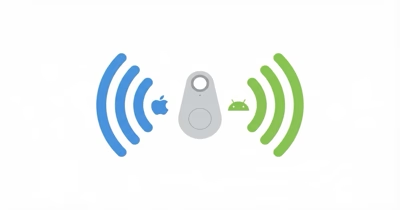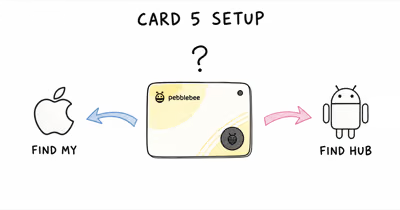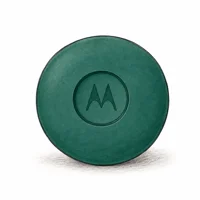
These are two different Android tracking networks, not two versions of the same thing. Google’s Find Hub network spans Android 9+ devices worldwide, while SmartThings Find relays only through Samsung Galaxy hardware.
That single difference drives every other decision here. This comparison focuses on phone eligibility, tracker choice, and platform lock-in across Pixel, Galaxy, and Motorola users.
- Find Hub uses eligible, opted-in Android 9+ phones across brands — SmartThings Find relays only through Galaxy devices.
- Samsung last published over 300 million Galaxy find nodes — Google does not publish a directly comparable current Find Hub node count.
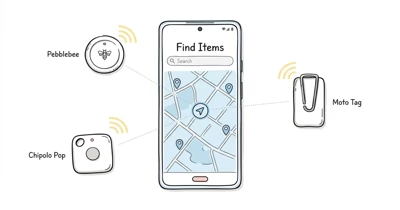
- Find Hub tags come from many brands (Moto, Chipolo, Pebblebee) — SmartThings Find effectively means a Samsung SmartTag.
- Both networks support UWB precision finding on compatible hardware, but only on a narrow slice of phones.
- SmartThings Find ties into the SmartThings smart home — Find Hub does not, but reaches far more relay phones.
The Core Difference Between These Networks
The deciding factor is which phones act as relays. A Bluetooth tag has no GPS of its own; it only reports a location when a participating phone passes nearby and forwards the encrypted ping.
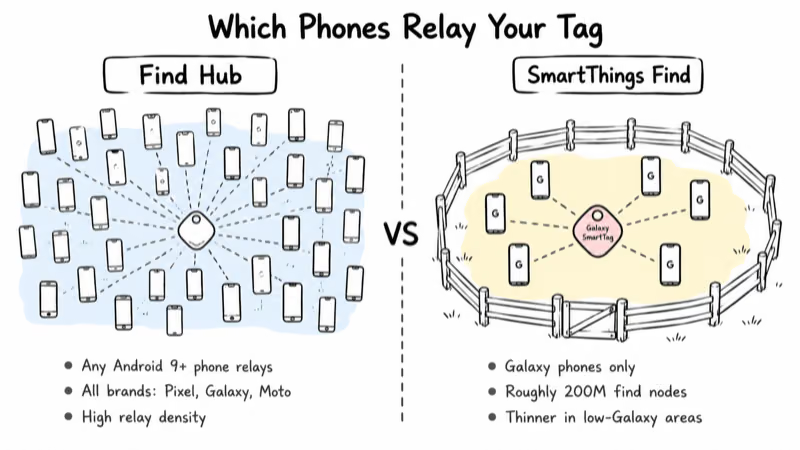
Find Hub uses a broad Android crowd. Google’s documentation states that the Find Hub network requires Android 9 or later, plus Bluetooth and location on eligible devices in supported markets. An eligible Pixel, Galaxy, Motorola, or other Android phone can become a relay after the user opts in.
SmartThings Find uses only Samsung’s slice of that crowd. Samsung’s SmartThings Find support page confirms that the service relays through nearby Galaxy “find nodes” only. Samsung’s newsroom put that pool at over 300 million find nodes in its most recent official count (May 2023). A non-Samsung phone never relays a SmartTag.
Local results can differ because relay density varies. HotAirTag hasn’t measured either network across cities.
Find Hub vs SmartThings Find: Network Decision Matrix
This table compares the two networks, not two specific tags. Use it to decide which ecosystem fits before you pick hardware.
| Factor | Google Find Hub | Samsung SmartThings Find |
|---|---|---|
| Openness / relay phones | Eligible, opted-in Android 9+ phones across brands | Galaxy devices only |
| Cross-device support | Pixel, Galaxy, Motorola, more | Samsung Galaxy only |
| Tag selection | Many brands (Moto, Chipolo, Pebblebee) | Effectively Samsung SmartTag |
| Published node count | No directly comparable current figure | 300M+ Galaxy find nodes (May 2023) |
| Precision finding | UWB on select tags + phones | UWB compass on Galaxy + SmartTag 2 |
| Home-automation integration | None | Native SmartThings smart-home tie-in |
| Platform lock-in | Low — works across Android brands | High — Galaxy phone required |
The pattern is clear: Find Hub trades the smart-home hook for far wider reach and tag choice, while SmartThings Find trades reach for a tighter Galaxy-plus-SmartThings experience.
A Representative Tag From Each Network
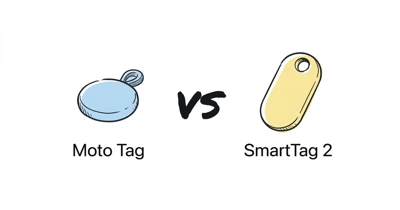
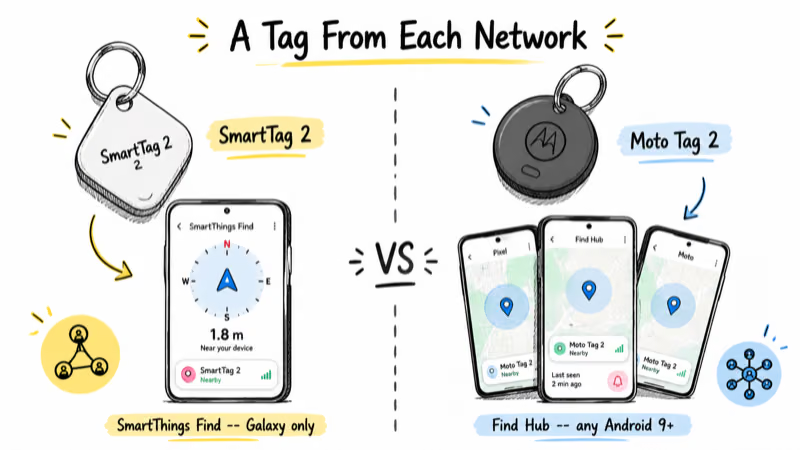
Networks are abstract, so here are the two tags most people actually buy to join each one. The Samsung SmartTag 2 is the canonical SmartThings Find tag; the Motorola Moto Tag 2 is a strong open Find Hub tag with UWB. Both are current, and neither has a successor.
⇄ Head-to-head
SmartTag 2 vs Moto Tag 2
- +Open Find Hub network: eligible, opted-in Android 9+ phones can relay it
- +Bluetooth 6.0 Channel Sounding and UWB for precision finding
- +Works whether your friends carry Pixel, Galaxy, or Motorola
- +CR2032 battery rated for more than 600 days
- +IP68 waterproof, durable for keys and bags
- +Native SmartThings Find with UWB compass view on Galaxy
- +Ties into SmartThings smart-home routines and automations
- +Lower single-unit price than the Moto Tag 2
- +Up to 500 days normally or 700 days in Power Saving Mode
- +IP67 waterproof, ring and left-behind alerts
- −UWB precision finding needs a compatible Android phone
- −No smart-home automation tie-in
- −Higher single-unit price than a SmartTag 2
- −Not relayed by iPhones (Find Hub is Android-only)
- −Relayed only by Galaxy phones, not the wider Android crowd
- −Effectively requires a Samsung phone to set up and use fully
- −Thinner coverage where Galaxy density is low
- −No iPhone support and no cross-brand Android relay
You want the widest relay network and tag choice, you mix Android brands, and you don't need smart-home automation.
You use a Galaxy phone, you already run SmartThings at home, and you want the smart-home tie-in over maximum network reach.
The Moto Tag 2 has the longer published normal-use battery rating and stronger water-resistance rating. SmartTag 2 reaches a higher battery ceiling only in Power Saving Mode and adds smart-home integration. Which matters more depends on the phone in your pocket. For a deeper hardware breakdown, see our Moto Tag vs SmartTag 2 comparison.
Find Hub Reaches the Whole Android Crowd
Find Hub’s advantage is sheer relay breadth. Because it pulls from every opted-in Android 9+ phone regardless of brand, your tag gets seen by Pixels, Galaxys, Motorolas, and budget Android phones alike.
In dense urban areas, a Moto Tag 2 has a better chance of finding a relay anywhere there’s foot traffic. In a Galaxy-heavy region the gap narrows. But in mixed-phone areas, the open network has more eligible relay phones than a Galaxy-only tag.
The tag selection follows from that openness. Find Hub tags ship from Motorola, Chipolo, Pebblebee, and others, so you can match form factor and price to your need rather than buying one brand. Our Find Hub trackers guide covers the full lineup, and for the Find My side of the fence see Find Hub vs Apple Find My.
Are You Locked Into Galaxy With SmartThings Find?
Largely, yes. SmartThings Find is a closed Samsung network, and a SmartTag is recognized only by Galaxy hardware and Samsung’s apps.
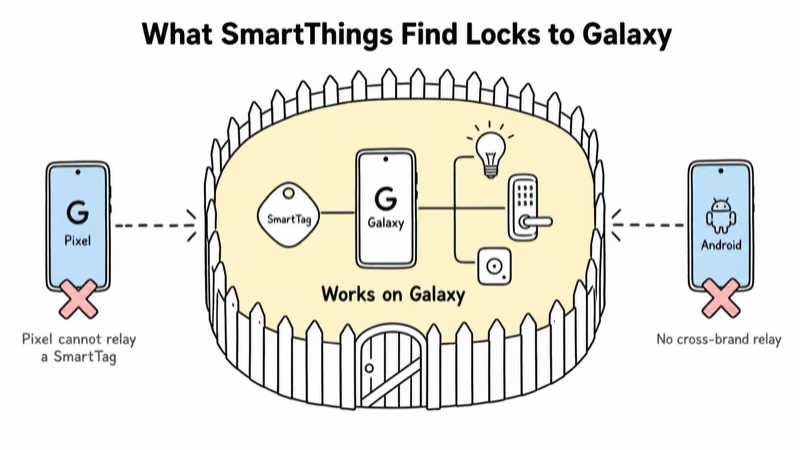
Android Police’s analysis of SmartTag 2 network support found that the SmartTag 2 stays off Google’s open Find Hub network entirely, so a Pixel or non-Samsung Android phone will neither track your SmartTag nor relay it for others. Setup and full features assume a Galaxy phone running the SmartThings app, which is the heart of the lock-in.
The trade-off is integration depth. On a Galaxy phone, SmartThings Find offers a UWB compass view and folds your tags into the broader SmartThings smart-home ecosystem, so a tag can join routines alongside your lights, locks, and sensors. If you’ve already standardized on Galaxy and SmartThings, that tie-in earns its keep.
If you might switch phones or share trackers with non-Samsung family members, the lock-in is a real cost. For more on the Samsung tag itself, read our Samsung SmartTag review.
Which Network Has Wider Device Support?
Find Hub supports eligible, opted-in Android 9+ devices across brands, while SmartThings Find is limited to Samsung Galaxy devices. That makes Google’s potential relay pool broader, but neither vendor publishes a current, directly comparable active-node figure.
For everyday use in a major city, both networks update fast enough that you may not notice the difference. The gap shows up at the edges: low-density suburbs, travel through regions where few people carry Galaxy phones, or any place where the next phone to walk past your bag is more likely to be a Pixel or budget Android than a Samsung. In those cases Find Hub’s wider net wins, while SmartThings Find depends on a Galaxy happening by.
Who Should Buy Into Each Network
Choose Find Hub if you want eligible, opted-in Android 9+ phones across brands to relay your tag, you mix phone brands in your household, or you want the widest tag selection. The Moto Tag 2 is a strong entry point.
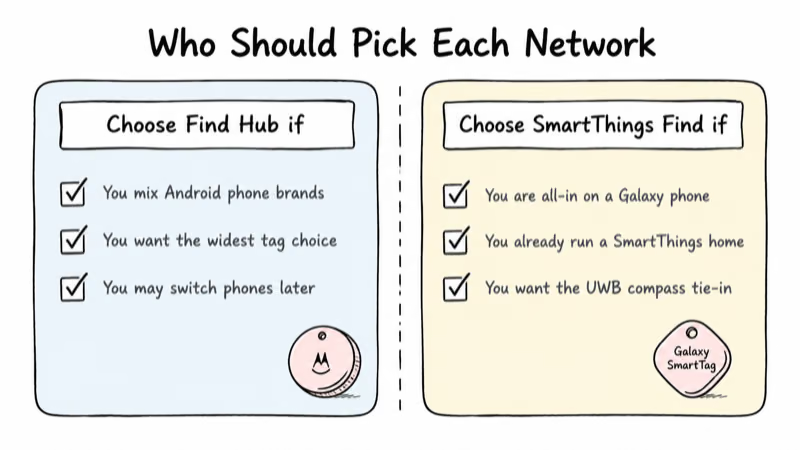
Choose SmartThings Find if you are all-in on a Galaxy phone, you already run a SmartThings smart home, and you value the UWB compass plus smart-home routines over maximum relay reach. The SmartTag 2 is the tag to buy. If you are weighing the hardware against other Android options, our Chipolo vs Samsung SmartTag comparison helps.
Bottom Line
Find Hub is the open Android tracking network: eligible, opted-in Android 9+ phones across brands can relay your tag, and you can pick from many tag brands. SmartThings Find is the tighter, Galaxy-locked option with a smart-home payoff.
If you want reach and flexibility, go Find Hub with a Moto Tag 2. If you live in Galaxy and SmartThings, the SmartTag 2 on SmartThings Find rewards that commitment.
FAQ
Can a Samsung SmartTag work on Google Find Hub?
No. The Samsung SmartTag uses Samsung’s SmartThings Find network exclusively and is not part of Google’s open Find Hub network. A non-Samsung Android phone won’t track or relay a SmartTag. If you want a tag on Find Hub, choose a Find Hub tracker like the Moto Tag 2 instead.
Which network has more relay devices?
Find Hub has the broader eligibility model because opted-in Android 9 and later phones can participate across brands. Samsung last published over 300 million Galaxy find nodes in May 2023, while Google does not publish a directly comparable current active-node figure. Actual update speed varies by local relay density.
Do I need a Samsung phone for SmartThings Find?
Effectively yes. SmartThings Find is built around Galaxy hardware and the SmartThings app, so a SmartTag relies on a Samsung phone to set up and use fully. Find Hub, by contrast, supports eligible Android 9 or later phones across brands after the user opts in.
Does SmartThings Find tie into the smart home?
Yes. SmartThings Find is part of Samsung’s SmartThings ecosystem, so tags can fit alongside lights, locks, and sensors in routines. Find Hub does not offer a smart-home integration, but it reaches far more relay phones across Android brands.
Do both networks support UWB precision finding?
Yes, on compatible hardware. SmartThings Find offers a UWB compass view on Galaxy phones with a SmartTag 2. Find Hub supports UWB on tags like the Moto Tag 2 paired with a UWB-capable Android phone. In both cases, only a narrow slice of phones has the required UWB chip.
Can a Galaxy phone use both networks at once?
Yes. A Galaxy phone runs SmartThings Find for a SmartTag and can also use any Find Hub tracker like the Moto Tag 2 on the Find Hub network. The two networks operate independently on the same phone, so you can mix tags depending on where you need reach.
Which should I pick if I might switch phones later?
Find Hub. Because it supports eligible Android phones across brands, a Find Hub tag keeps working if you move from one supported Android phone to another. A SmartTag on SmartThings Find depends on staying within the Galaxy ecosystem, so switching away from Samsung weakens its usefulness.