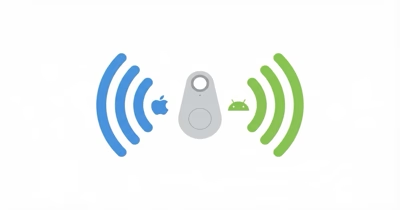
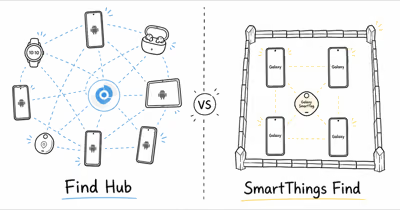
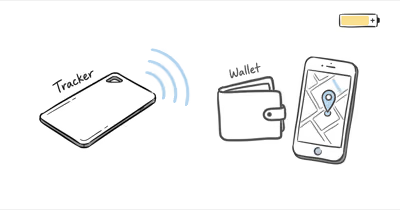
The Card 5 setup app asks: Apple Find My or Google Find Hub? According to Pebblebee’s docs, it supports both networks, one at a time.
In short, the network you pick should match the dominant phone ecosystem of whoever might be near the wallet when it goes missing. Below is the decision framework and the consequences of each choice.
- Card 5 supports either network, not both simultaneously. Choose during setup; can’t run dual-network like a Tile.
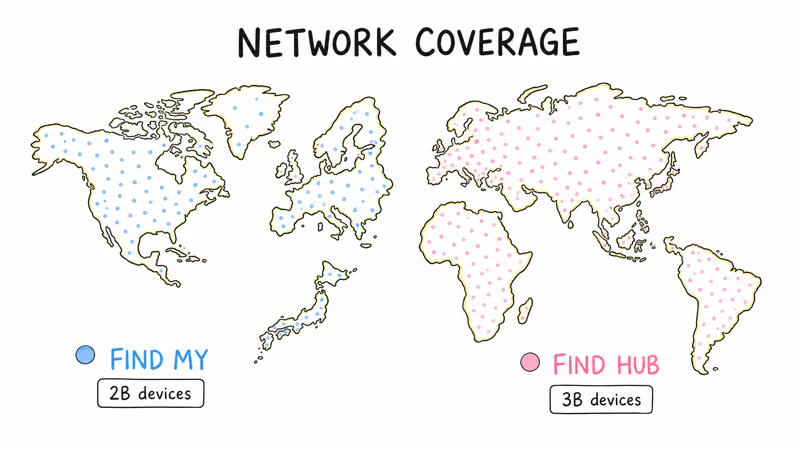
- Find My uses Apple’s billion-plus-device network. Best coverage in the US, Europe, and Asia where iPhone share is high.
- Find Hub taps Google’s billion-device-plus Android network. Better coverage in markets with low iPhone share.
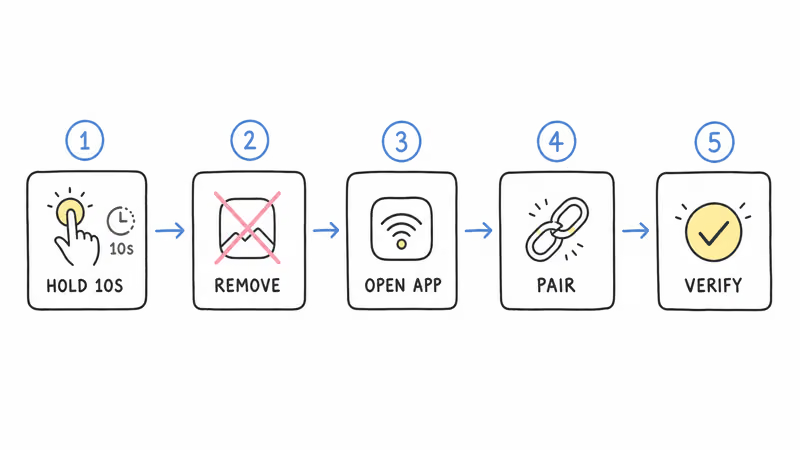
- Switching requires factory reset. Hold the button for 10 seconds, re-pair in the opposite app. Existing location history is lost.
- For mixed households, choose Find Hub. Find Hub also works on iPhones via the Pebblebee app, but Find My doesn’t work on Android at all.
How Does the Pebblebee Card 5 Network Choice Work?
The Card 5 hardware contains a Bluetooth Low Energy radio that can speak either Apple’s Find My protocol or Google’s Find Hub protocol. Both protocols broadcast a beacon that nearby phones in the chosen ecosystem relay back to the owner. The technical reason for one-network-at-a-time is bandwidth — the BLE chip can only broadcast one beacon format at a time, and dual-radio designs would have made the Card 5 thicker than the 1.8mm form factor Pebblebee committed to.
According to Pebblebee’s setup documentation, when you first pair the Card 5, the companion app asks which network to register with. The chosen protocol gets flashed to the device’s firmware. Switching later requires a factory reset (10-second button press), which wipes pairing and re-flashes the alternate protocol. Your network pick also decides whether phone-level separation alerts are available, so our guide to the Card 5 left-behind warning setup is worth reading alongside this one.
If you’re choosing between Android-first and dual-network hardware, our Moto Tag 2 vs Pebblebee Clip 5 covers the tradeoffs.
Tile-style trackers use two separate radios for both networks. Pebblebee chose thin over dual-radio.
| Network | Devices that relay | Phone ecosystem | Best for |
|---|---|---|---|
| Apple Find My | iPhones, iPads, Macs, Apple Watches (over a billion devices) | iPhone only; shows in Apple’s native Find My app | All-iPhone households in the US, Western Europe, Japan, and other Apple-strong markets |
| Google Find Hub | Android phones on Android 9 or newer (over a billion devices) | Android phones, plus iPhones via the Pebblebee app | Mixed-device households and travelers to Android-majority markets |
Apple Find My Coverage Strengths
Apple’s Find My network includes iPhones, iPads, Macs, and Apple Watches — over a billion devices, per Apple’s Find My network overview.
In high-iPhone markets like the US (55% iPhone share), Find My provides excellent coverage. A Card 5 lost in a US airport has more nearby Apple devices available to relay it than it would in a quiet Android-heavy area. The same coverage logic applies in urban Western Europe (UK, Germany), Japan, Australia, and most Apple-strong markets.
Find My’s strength shows up in three scenarios. First, lost-and-found protocols where the finder is likely an iPhone user. Second, dense urban environments with high relay density. Third, traveling internationally to Apple-saturated regions.
Find My weaknesses show in Android-dominant markets like India and Southeast Asia.
Google Find Hub Coverage Strengths
Google’s Find Hub network (launched 2024 as the rebrand of Find My Device) includes Android phones running Android 9 or newer with Find My Device enabled. Google puts that network at over a billion devices globally.
Find Hub’s advantage is reach in Android-majority markets and mixed-device households.
The Find Hub iPhone caveat: Pebblebee’s iPhone app can still receive Find Hub location updates if you chose Find Hub at setup, but the Card 5 isn’t visible in Apple’s native Find My app. You’ll use Pebblebee’s app instead of Find My on iOS.
For mixed households, Find Hub plus Pebblebee’s iPhone app gives both worlds.
Which Should You Choose for Pebblebee Card 5?
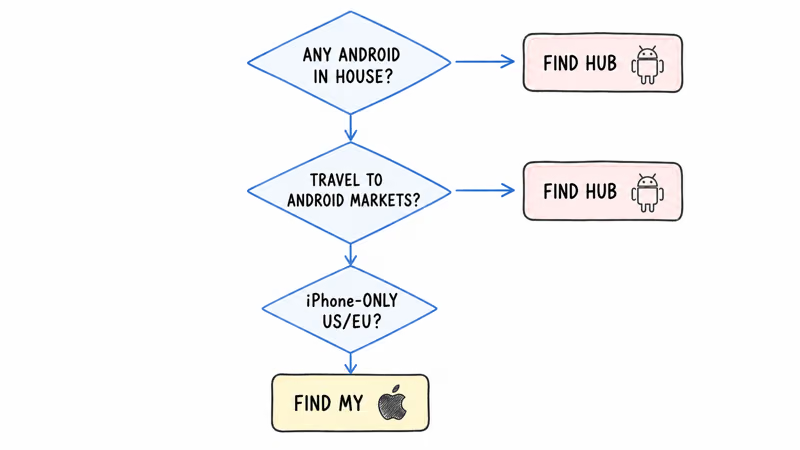
Three questions decide the answer. Run through them in order.
Question 1: Does anyone in your household use Android? If yes, choose Find Hub. Find My excludes Android users entirely, so an iPhone-only choice creates blind spots whenever an Android-using family member is near the wallet.
Question 2: Will you travel internationally to Android-majority regions? Markets like India (4% iPhone), Brazil (15% iPhone), Indonesia (2% iPhone) have far better Find Hub coverage; StatCounter’s worldwide mobile vendor data shows Android holding the large majority of the smartphone market across most emerging regions. If you travel to these regions, Find Hub is the practical pick.
Question 3: Are you exclusively iPhone and US/Western Europe? Either works. Default to Find My for deeper iOS integration.
How to Switch Networks After Setup
If you chose wrong and need to switch, the factory reset is simple but irreversible to the existing pairing. Follow these steps.
- Hold the Card 5’s button for 10 seconds. The LED flashes red twice, then green. This indicates factory reset.
- Remove the Card 5 from the previous app (Find My or Pebblebee). The old pairing is now dead.
- Open the opposite app. Find My on iPhone for the Apple network, or Pebblebee app set to Find Hub for the Google network.
- Pair as a new device. The Card 5 broadcasts a setup-ready beacon after reset, so pair while that setup window is active.
- Verify the network choice. After pairing, check that the new app shows the Card 5 with active location. If not, repeat from step 1.
Reset wipes location history but keeps hardware intact.
Mixed-Household Strategy: Why Find Hub Often Wins
If your household has both iPhones and Android phones, Find Hub is almost always the better Card 5 setup choice. Here’s why.
Pebblebee’s iPhone app can access Find Hub data. iOS users in a Find Hub-paired Card 5 see location updates through Pebblebee’s app instead of Apple’s native Find My. The downside is a slightly different UI; the upside is the Card 5 stays findable when an Android household member is near it.
The reverse doesn’t work. Apple has no Find My app for Android, so the Card 5 stays invisible there.
In a mixed household where Android phones are often closest to the wallet, Find Hub catches locations that Find My would miss entirely, because only nearby Android phones relay to Google’s network. That is the practical reason to pick Find Hub when Android phones share the house.
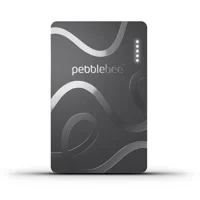
Pebblebee Card 5
Bottom Line
For all-iPhone households in US or Western Europe, Find My is the convenient default. Native iOS integration, slightly better coverage in iPhone-saturated markets, no third-party app required.
For mixed-device households or international travelers, Find Hub plus Pebblebee’s iPhone app is the practical answer. You get Android relay coverage and still see updates on iPhones. A factory reset lets you change your mind later.
FAQ
Can I use both Find My and Find Hub on one Pebblebee Card 5?
No. The Card 5’s BLE chip broadcasts only one network protocol at a time. You choose during setup, and switching requires a factory reset.
Will Pebblebee ever release a dual-network Card?
Pebblebee hasn’t announced a true dual-network model. The bandwidth and battery constraints of the 1.8mm form factor make simultaneous dual-network broadcasting technically difficult. The Card 5 remains one-network-at-a-time as of 2026.
Does choosing Find Hub mean I can’t use Find My at all?
Correct. A Find Hub-paired Card 5 is invisible to Apple’s native Find My app. You’ll use Pebblebee’s iPhone app instead, which can access Find Hub data. The app UI is similar but not identical to Find My.
How long does the factory reset take?
Hold the button for 10 seconds, wait for the LED flash sequence, then re-pair in the opposite app while the setup beacon is active. The exact pairing time depends on your phone, app state, and network prompt flow.
Does the network choice affect battery life?
Not meaningfully. Both Find My and Find Hub use similar BLE beacon broadcast rates, so battery drain is effectively the same between the two configurations on identical Card 5 units.
What if my household becomes all-iPhone or all-Android over time?
Factory reset the Card 5 and re-pair on the dominant network. That’s the intended way to change ecosystems when your household device mix changes.
Can the Card 5 be tracked from a different person’s Apple ID or Google account?
Only if you share it via Family Sharing (Find My) or Pebblebee’s account sharing (Find Hub). Without explicit sharing, only the paired account sees the Card 5’s location. Both networks include anti-stalking detection so unknown trackers near a stranger eventually alert them.
How does this compare to the Chipolo CARD Spot’s network choice?
Chipolo CARD Spot is Apple Find My only; no Find Hub option. The new Chipolo x Secrid Miniwallet supports both networks similarly to the Pebblebee Card 5. For dual-network flexibility, both Pebblebee Card 5 and Chipolo x Secrid are valid choices.