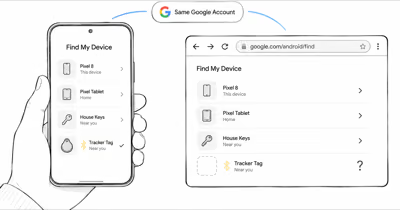
People expect a tracking app to remember where things have been, the way Google Maps Timeline remembers a phone’s trips. Find Hub works differently. According to Google’s official Find Hub overview, the map shows where a belonging was “last located,” which is a single most-recent point rather than a stored trail.
- Find Hub stores one location point per tracker, not a history — the current or last-known position, overwritten on every fresh network update.
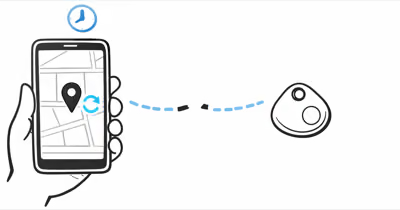
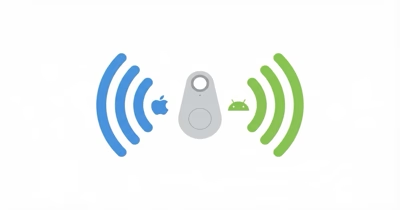
- A Bluetooth tracker has no GPS chip and no cellular radio — it broadcasts an encrypted signal and borrows the location of whatever Android phone walks past it.
- Find Hub location data is end-to-end encrypted — even Google can’t read it, which is a core reason no central timeline is kept.
- The busy-places mode aggregates reports from multiple nearby phones — in low-traffic areas, updates can lag or stop entirely.
- A real location history needs a cellular GPS tracker with a logging plan — these record timestamped positions on the interval supported by the selected service.
Does Find Hub Store a Location Timeline?
No. Find Hub stores a single location value per device or tracker, and that value is replaced every time a new position comes in. There is no scrollable timeline, no breadcrumb trail, and no historical playback. When your item is out of Bluetooth range, the app holds the last-known point until another Android phone passes close enough to refresh it.
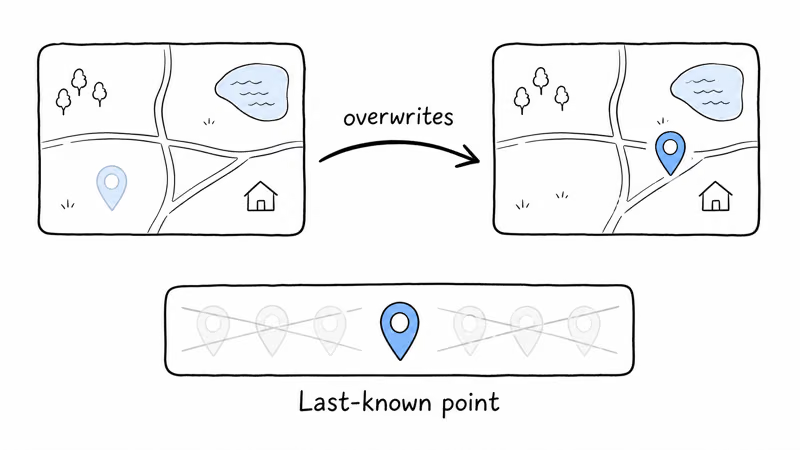
Google’s Find Hub privacy documentation says only the most recent encrypted location for a device or accessory is stored. That’s a present-state pointer, not a record of past movement.
This trips people up because of a naming overlap. Google Maps Timeline does keep a location history, but that is a separate feature tied to your phone account and your own movement, and Google moved it to on-device storage in 2024. Find Hub and Maps Timeline are not the same system. A tracker tag attached to your keys or backpack never feeds into Maps Timeline at all, so there is no place where its past positions accumulate.
Find Hub renamed itself from “Find My Device” in May 2025. If you are reading older guides under the old name, the location behavior is identical: last-known point only, no stored history.
Why Does Find Hub Show Last-Known Location Only?
The short answer is hardware. A Find Hub tracker has no GPS chip and no cellular radio. It’s a coin-cell or rechargeable Bluetooth beacon that does one thing: broadcast a rotating encrypted ID. The tag can’t know its own coordinates.
The location you see is the location of a passing Android phone that heard the beacon and relayed its own GPS fix to Google. That relay happens at random intervals depending on foot traffic, so there’s nothing continuous to log in the first place.
The second reason is privacy by design. Google’s Find Hub data-protection page states that location data is “encrypted from start to finish” and that “no one other than you can see your device location, not even Google.” Because the locations are end-to-end encrypted with a key only your device holds, Google keeps no readable central log it could turn into a timeline. The architecture that protects your privacy is the same architecture that rules out a history.
How Often Does the Last-Known Point Update?
It depends entirely on how many Android phones pass near your tracker. In a dense city or a crowded airport, the point can refresh quickly. In a quiet suburb or rural area, it can lag for much longer, and sometimes it simply doesn’t update until you move into a busier area.
One setting matters here. In Google’s busy-places mode, Find Hub waits for multiple Android devices to detect an item and then shows an aggregated location. That privacy safeguard can make updates slower in low-traffic spots.
Google’s “With network everywhere” option lets a single participating phone report a location. Turning it on can help the last-known point refresh in low-traffic areas because it no longer waits for multiple detections. It still doesn’t create a history, just a newer single point.
How Do You Get Real Location History for an Android Tracker?
To see where something has been, not just where it sits now, you need a cellular GPS tracker with a logging plan. This is a different device class from a Find Hub tag. A GPS tracker carries its own GPS receiver and a 4G LTE SIM, so it fixes its own position and reports it on a fixed schedule.
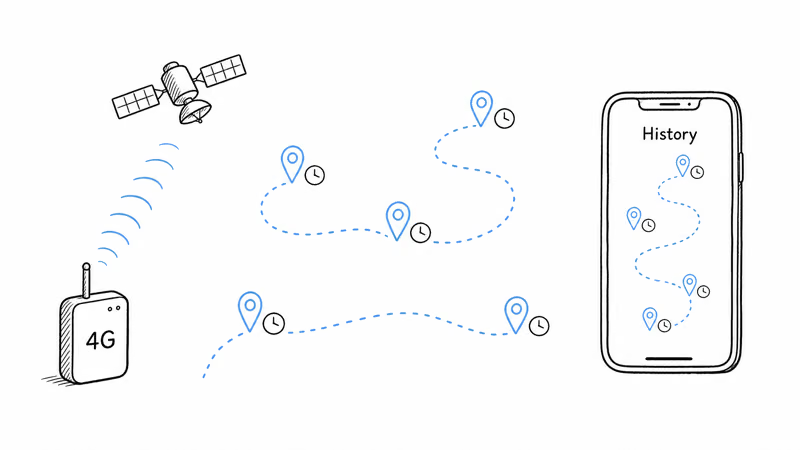
That schedule is the key difference. A cellular tracker can report on a fixed service interval, with no dependence on strangers walking by. According to Tracki, its service offers 60-, 30-, or 15-second automatic updates on the current plan page.
That self-reporting is what makes a history possible. Tracki’s history guide explains that recorded GPS and Wi-Fi reports can be viewed by a selected timeframe. Retention varies by service, so check the current plan before buying.
A Find Hub tag simply has no equivalent. If you are weighing the two approaches, our breakdown of an AirTag versus a GPS tracker covers the same trade-off on the Apple side, and it applies cleanly to Find Hub trackers too.
A GPS Tracker That Keeps a History
The trade-offs are real and worth stating plainly. A logging GPS tracker needs a monthly or annual subscription to keep the SIM active and store the route data, where a Find Hub tag has no recurring fee. The GPS unit is also larger and needs recharging on a schedule rather than running a year on a coin cell.
You pay for the history with money, size, and charging, but no amount of tweaking a Bluetooth tag will ever produce a timeline. For vehicle and anti-theft use specifically, our guide to the best anti-theft GPS tracker for a car goes deeper on which logging plans retain enough history to be useful.
Find Hub vs a Logging GPS Tracker: What Each One Stores
The clearest way to settle the confusion is to put the two device types next to each other. They look similar in a store listing, but what they store could not be more different.
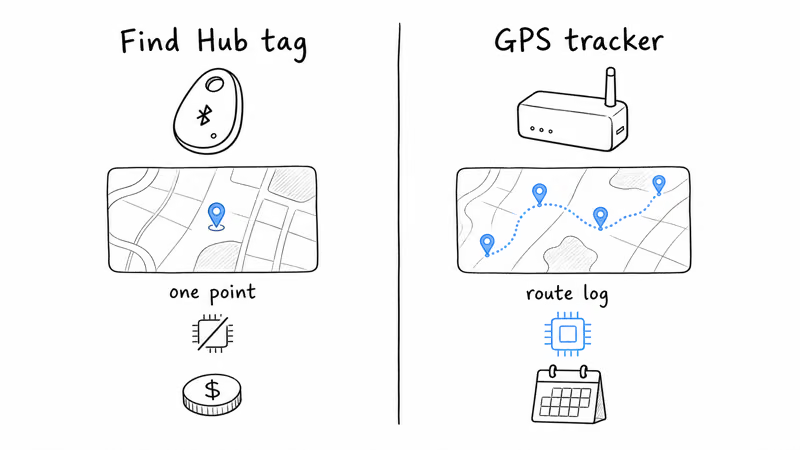
| Capability | Find Hub Tracker | Cellular GPS Tracker |
|---|---|---|
| Location history / timeline | ✗ None | ✓ Provider-dependent |
| What is stored | Single last-known point | Timestamped route log |
| Own GPS chip | ✗ No | ✓ Yes |
| Update source | Passing Android phones | Self-reports on a schedule |
| Update frequency | ⚠ Depends on nearby relays | ✓ Set by service plan |
| Recurring cost | ✓ None | ⚠ Monthly plan |
The pattern is consistent: the Find Hub tag wins on cost and battery, the GPS tracker wins on everything related to recording where an item has been. Neither is better in the abstract. They answer different questions. The tag answers “where is my backpack right now,” and the GPS tracker answers “where has my work van been all week.”
Which Android Trackers Run on Find Hub
Only a short list of Bluetooth tags hold Google Find Hub certification, and none of them store a history, because they all share the same no-GPS, no-history architecture described above. If you are shopping for one, our Google Find Hub tracker guide covers the current Chipolo, Pebblebee, and Motorola options. Just go in knowing that “tracker” here means last-known-location finder, not route recorder.
Fixing a Find Hub Tracker That Stops Updating
Sometimes the problem is not the missing history, it’s that the single last-known point is stale or stuck. That usually traces back to the network density issue or a setup toggle rather than a broken tracker. A tag in a low-traffic location, an offline finding network setting left off, or a tracker that needs re-pairing are the common culprits.
If your point has frozen, our walkthrough for a Find Hub tracker that is not updating covers the fixes in order, and for that specific tag there is a focused guide on a Pebblebee Clip 5 not updating its location. Fixing a stale point gets you a faster-refreshing current location. It still won’t give you a backward-looking timeline, because that data was never recorded.
Bottom Line
Google Find Hub does not keep a location history. It stores one point, the current or last-known position, and overwrites it on every update. That is a deliberate result of the hardware (a Bluetooth tag has no GPS chip) and the end-to-end encryption that keeps even Google from reading your locations. If a single live point is all you need to find your keys or bag, a certified Find Hub tag is the right, no-subscription tool.
If you need a real timeline, where something has been and when, you need a cellular GPS tracker with a logging plan. That choice costs a monthly fee and a charging routine, but it’s the only device class that actually records and stores a route you can play back.
FAQ
Does Google Find Hub keep a location history?
No. Find Hub stores only a single current or last-known location for each tracker and overwrites it with every new update. There is no timeline, route, or historical playback. To see where an item has been over time, you need a cellular GPS tracker that logs timestamped positions to its own app.
Can I see where my Find Hub tracker has been over the past week?
No. Find Hub only shows the most recent point it has, not a weeklong trail. The app holds the last-known location until a passing Android phone refreshes it, then replaces the old value. A logging GPS tracker is the only option that retains a route, typically for 30 to 90 days depending on the plan.
Why does Find Hub only show the last-known location?
A Find Hub tag has no GPS chip and no cellular radio, so it can’t record its own coordinates. The location you see comes from whatever Android phone last passed near the tag and relayed its position. Because that data is end-to-end encrypted, Google keeps no readable central log that could become a history.
Is Find Hub location history the same as Google Maps Timeline?
No. These are separate features. Google Maps Timeline records your own phone’s trips and now stores that data on-device. Find Hub shows the last-known point of a device or tracker tag and keeps no timeline. A tracker tag never feeds into Maps Timeline, so its past positions are not recorded anywhere.
How often does a Find Hub tracker update its location?
It depends on nearby Android phone density. In busy areas like airports or city centers, the point can refresh quickly. In quiet suburbs or rural areas, updates can lag or stall until the item moves somewhere busier. Enabling With network everywhere lets a single participating phone report a location, which helps in low-traffic spots.
What kind of tracker actually records a location history?
A cellular GPS tracker with a subscription plan. These devices carry their own GPS receiver and a 4G LTE SIM, so they fix and report their position on a fixed schedule without relying on passing phones. Each position is timestamped and saved, letting you play back a route for days or weeks in the tracker’s app.
Can I get location history from a Bluetooth tag if I pay for something extra?
No. No subscription or setting turns a Bluetooth tag into a route recorder. The limitation is physical: the tag has no GPS chip and depends on other phones for every location. If you need a history, the device itself has to be a self-reporting GPS tracker, not a Find Hub tag.
Does turning on offline finding give me a location history?
No. Offline finding lets Find Hub locate a tag when it’s out of direct Bluetooth range using the crowdsourced network, but it still produces only a single last-known point. It improves whether and how quickly you get a current location, not whether past positions are stored. Find Hub keeps no timeline regardless of that setting.