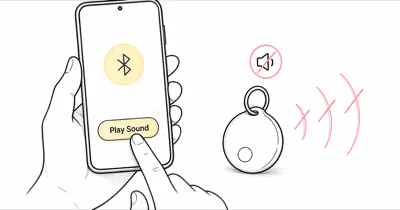
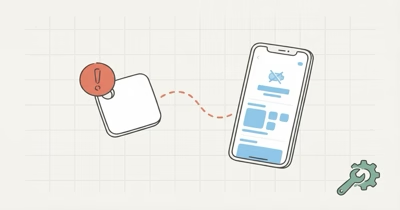
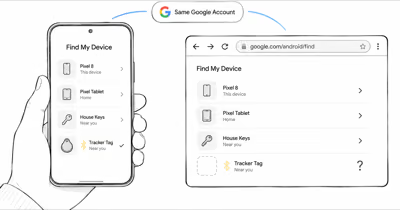
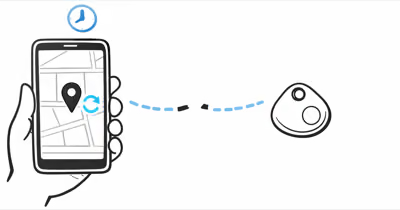
A Tile that won't ring when you tap Find is one of the most disorienting tracker problems because the app reports the command as sent. The truth is the Ring signal travels over Bluetooth only, so the failure mode is almost always physical (range, battery, hardware) rather than a software bug.
- Bluetooth Ring reaches much farther outdoors than indoors; outside Bluetooth range, the tracker can't beep regardless of how many times you press Find.
- Tile Mate and Slim use sealed batteries that can't be replaced; persistent silence on a unit older than 2.5 years often means end-of-life hardware.
- After every iOS or Android major update, re-check Tile's Location, Bluetooth, and Background App Refresh permissions; the app can show "ringing" even when one of those was reset.
- Press the physical button on a Tile Pro to test the speaker directly; if the hardware beeps, your problem is phone-side.
- Tile Pro with a fresh CR2032 that still won't ring is most often a defective speaker covered by the 1-year warranty.
Why Won't Your Tile Ring When You Press Find?
The Tile app handles Find as a command that travels from your phone over Bluetooth Low Energy to the tracker. Any failure in that chain — phone permissions, Bluetooth range, tag battery, or speaker hardware — produces the same outward symptom: the app reports "ringing" but you hear nothing.
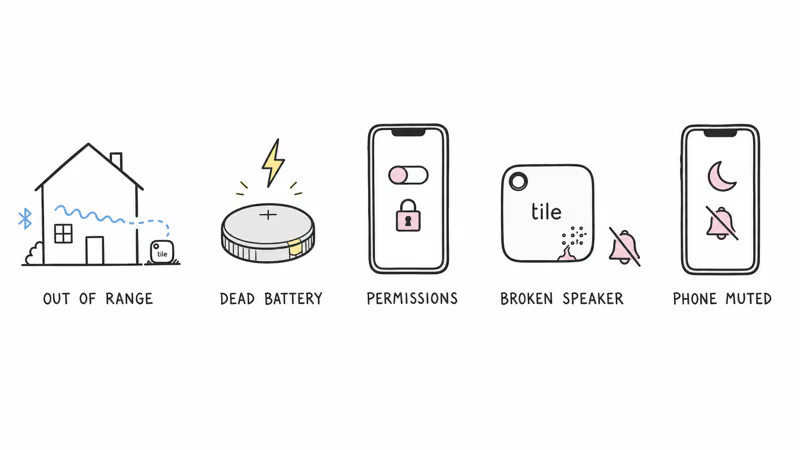
1. Tile Is Out of Bluetooth Range (Most Common)
The single most common reason a Tile won't ring is that it's outside Bluetooth range of your phone. Tom's Guide's Tile Pro review states that the tracker has a 500-foot rated range in open space, but indoor walls and obstructions cut that to roughly 30 to 60 feet in practice. Engadget's 2026 Bluetooth tracker roundup reported that real-world indoor range averages 30 to 60 feet across all Tile models.
If your Tile is in another building, in a car parked far away, or anywhere outside that envelope, the Ring command physically can't reach it. The Tile app shows the last-seen location and timestamp; pair that with Notify When Found, then travel to the last-seen pin and try Ring again from closer range. In a typical home, Ring stops working reliably well before the rated 500-foot open-space figure once interior walls and furniture sit in the signal path.
2. Sealed Battery Has Died (Mate, Slim, Sticker)
Tile Mate (2024), Slim, and Sticker all ship with sealed batteries rated for 3 years. When the battery dies, the speaker has no power, the Bluetooth radio goes silent, and the tracker effectively disappears from the Tile app. Tile's official support documentation confirms that sealed-battery models can't be repaired; once the cell dies, the device is replaced.
If your Mate or Slim is 2.5 to 3 years old and it stopped ringing without warning, end-of-life is the most likely cause. For older Tile units near the rated 3-year mark, the failure curve at the very end is fast: a tag that worked yesterday can go fully silent within a few days as the cell hits its end-of-life voltage.
Battery type and replaceability across the Tile lineup:
| Model | Battery | Ring Volume | Silent Tag Action |
|---|---|---|---|
| Tile Pro (2024) | CR2032 (replaceable) | Loudest (rated 110 dB) | Swap battery first |
| Tile Mate (2024) | Sealed 3-year | Mid-range | Replace if 2.5+ yrs old |
| Tile Slim | Sealed 3-year | Quieter than Mate | Replace if 2.5+ yrs old |
| Tile Sticker | Sealed 3-year | Quietest in line | Replace if 2.5+ yrs old |
3. Phone Permissions Block the Ring Command
Tile relies on three iOS or Android permissions to send a Ring: Bluetooth, Location (Always or While Using), and Background App Refresh. After iOS or Android major updates, any one of these can revert to a more restrictive default and silently break Ring when the Tile app isn't in the foreground. Tile's official support portal recommends auditing all 3 permissions whenever the app or OS updates.
To check on iPhone, go to Settings → Tile → Location → confirm "Always" is selected, then Bluetooth → on, then Background App Refresh → on. On Android, Settings → Apps → Tile → Permissions → enable Location, Bluetooth, and Nearby Devices. After fixing permissions, force-quit the Tile app, reopen, and try Ring again.
4. Speaker Hardware Fault
If the battery is fresh on a Tile Pro and permissions are clean, but the tracker still doesn't ring, the speaker circuit may have failed. Test directly by pressing the button on the back of the Tile: if the tracker doesn't beep on a button press either, you have a hardware fault. Tile covers Pro for a 1-year warranty, and Mate / Slim for the rated 3-year battery life.
Speaker faults are uncommon but real. On older Tile units, speaker-only failures do happen, where the Bluetooth radio still pairs but the tone never plays. Tile's warranty workflow ships a replacement once you submit photos of the dead unit.
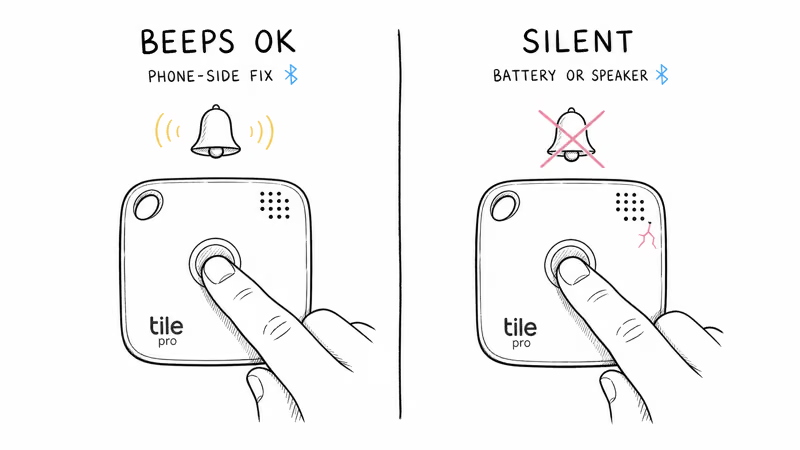
5. Phone Is Muted, Not the Tile
If you used the reverse-Find feature ("press the Tile button to make my phone ring") and you don't hear anything, the issue is your phone, not the Tile. iOS Focus modes, the Silent switch, and ringer-volume settings all mute the phone-side Tile alert independently of the tracker hardware. Toggle Focus off, raise ringer volume, and try the button press again.
How Do You Fix a Tile That Won't Ring?
Work through these steps in order. The first three resolve most cases on their own.
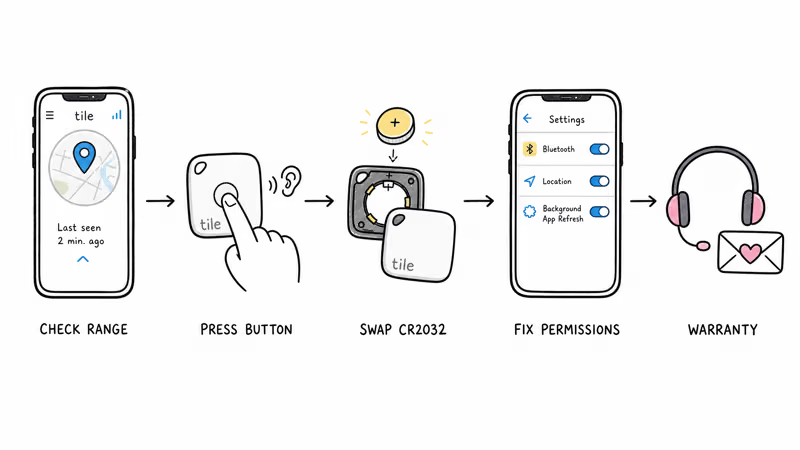
- Confirm the Tile is in Bluetooth range. Open the Tile app, tap your tracker, check the last-seen distance. If it shows "out of range" or a stale timestamp, the Ring command can't reach the tag. Travel to the last-seen pin first.
- Press the physical button on a Tile Pro. If the speaker beeps on a direct button press, your problem is phone-side (permissions, Bluetooth pairing). If the speaker is silent on direct press too, you have a battery or hardware fault.
- Replace the CR2032 on Tile Pro. Pop the back cover, swap in a fresh cell with the + side up, and snap the cover back. The Pro reconnects to the Tile app within a minute.
- Audit Tile app permissions. Settings → Tile → Location set to Always, Bluetooth on, Background App Refresh on (iOS); or Settings → Apps → Tile → Permissions → Location, Bluetooth, Nearby Devices on (Android).
- Toggle Bluetooth and force-restart the app. Turn Bluetooth off for 10 seconds, back on, then force-quit and reopen the Tile app. This clears stale BLE pairings.
- Re-add the Tile to the app. Tap the tracker → settings → Remove Tile, then add it back as new. This clears registration issues from the Life360 migration.
- Contact Tile support. If the tracker is silent on direct button press with a fresh battery, the speaker is faulty. Submit a warranty claim through Tile's support portal for replacement.
What to Do Based on Your Tile's Location Status
The Tile app's last-seen status tells you exactly which subset of the troubleshooting list applies. Match your tag's status to the row below before you start swapping batteries or filing warranty claims.
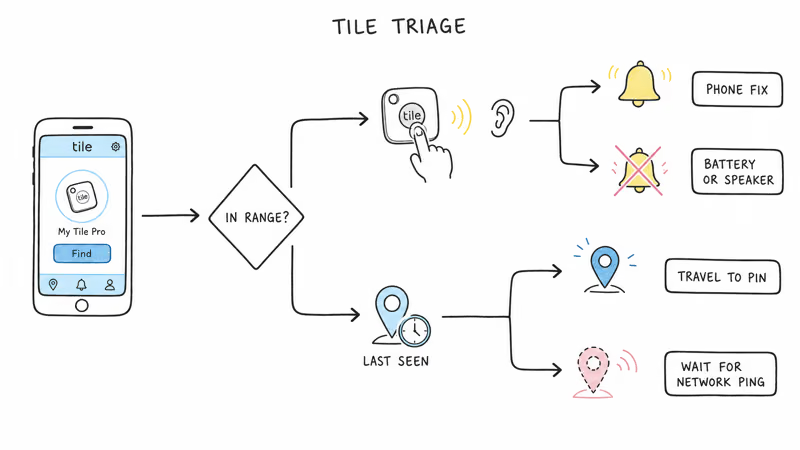
| Tile Status in App | What's Happening | Action |
|---|---|---|
| In Bluetooth range, app connected | Real Find/Ring failure | Press Tile button. Beeps = phone-side fix. Silent = battery / speaker. |
| Out of range, last seen <1 hour ago | Ring command can't reach BLE | Travel to last-seen pin; enable Notify When Found |
| Out of range, last seen hours / days ago | Tile network coverage gap | Wait for crowd ping; consider Tile Premium / Life360 density |
| App shows offline / never connected | Phone-side permissions issue | Audit Bluetooth, Location, Background App Refresh |
| Pressed Tile button, no sound either | Hardware (battery or speaker) | Sealed model = replace; Pro = swap CR2032 first |
Why Tile Network Coverage Affects Out-of-Range Ring
Tile's tracker network was acquired by Life360 in 2021, and the combined network is smaller than Apple Find My (which has 1B+ devices) and Google Find Hub (which now spans most current Android phones). When your Tile is outside your phone's Bluetooth range, the only way the app can update the last-seen location is when another Life360 user passes near the tag.
In dense urban areas this works reasonably well. In rural areas or low-density Life360 regions, your Tile can go hours or days between location pings, which is why Ring fails on out-of-range tags much more often on Tile than on Find My-compatible trackers. Our AirTag vs Tile network comparison covers the cross-platform network density data in detail.
Tile Speaker Volume Compared to AirTag and Chipolo
Tile's speaker output sits in the middle of the 2026 tracker market: Tile Pro at 110 dB is louder than Apple's AirTag and quieter than Chipolo Pop (rated around 120 dB).
Apple describes the AirTag 2 speaker as louder than the previous generation but does not publish a dB figure; in practical use, AirTag is meaningfully quieter than Tile Pro. Tile Mate, Slim, and Sticker all sit below Pro for ring loudness. Among the Tile lineup, a fresh Tile Pro is the most useful model for hearing the tag at a distance.
The trade-off is between speaker loudness and battery life. Tile Pro's louder ring drains faster than Mate's quieter speaker over the same battery cycle. If your environment is noisy enough that you can't hear a Mate at distance, the Pro is the right model rather than a louder ring setting.
Considering a Different Tracker? Best Alternatives in 2026
If your Tile is at end of life, has been through fresh batteries and permission audits without ringing, or you're frustrated with the network density limits, the 2026 tracker landscape has stronger options for most use cases.
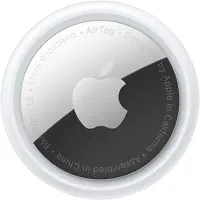
If you have an iPhone, the Apple AirTag 2 uses the Apple Find My network with 1B+ devices, which makes out-of-range Ring far more likely to succeed. The CR2032 is replaceable (same as Tile Pro) and lasts about a year.
If you need cross-platform iPhone + Android, Tile Pro still works, but the Chipolo Pop is worth considering: the same Pop hardware can be set up with Apple Find My or Google Find Hub, one network at a time, and rings 120 dB at the speaker (loudest in 2026). For Android users on Samsung Galaxy specifically, the SmartTag 2 has a 700-day battery and SmartThings Find network density.
The cross-brand fix list maps cleanly between brands. If you want to compare beeping symptoms on a different tracker, see Tile keeps beeping for the opposite failure mode and AirTag not playing sound for the closest sibling article on Apple's side.
For a generic phone-side troubleshooting walkthrough, see Tile tracker not working.
Bottom Line
If your Tile won't ring when you press Find, check whether it's actually in Bluetooth range first; outside that envelope no software fix will work. Press the physical button on a Tile Pro to isolate phone-side from hardware-side faults, and audit Tile app permissions after every iOS or Android update.
If a Tile Pro stays silent on direct button press with a fresh CR2032, the speaker is faulty and warranty is the right next step. For Mate or Slim older than 2.5 years, replacement is faster and cheaper than diagnosis.
Frequently Asked Questions
Why won't my Tile ring when I press Find?
The most common cause is that the Tile is outside your phone's Bluetooth range. Indoor walls and furniture cut range sharply, so a Tile in another building or a parked car often can't receive the Ring command at all. Check the Tile app's last-seen status: if it says "out of range," travel to the last-seen pin and try again from closer. After range, audit phone permissions and check the battery on Pro models.
Does Tile ring if it's offline or out of range?
No. The Ring signal travels over Bluetooth Low Energy from your phone to the Tile, and BLE has a maximum range of roughly 100 meters in open space, less indoors. If the Tile is outside that envelope, the ring command physically can't reach the tracker, regardless of how many times you press Find. The Tile app shows the last-seen location pin so you can travel toward the tag and try Ring again from within range.
Why does my Tile ring on my phone but not on the tracker?
You're using the reverse-Find feature, where pressing the Tile's physical button rings your phone. That path uses Bluetooth + the Tile app on your phone to play a sound on the phone speaker, not on the tracker. If you want to find the tracker itself, open the Tile app and tap Find on the tracker's tile; that sends the ring command to the tracker hardware instead.
How loud is Tile Pro versus Tile Mate?
Tile Pro is the loudest current Tile model and rated at 110 dB. Tile Mate is quieter than Pro; Slim is quieter than Mate; Sticker is the quietest in the line. Pro is the right choice for noisy environments or larger homes; ambient noise can mask the quieter models at distance.
Can I make my Tile ring louder?
No. Tile doesn't ship a firmware setting to boost ring volume; the speaker's maximum loudness is set by the hardware. If your Tile is too quiet for your environment, the only fix is to upgrade to Tile Pro (loudest Tile at a rated 110 dB) or switch to a louder tracker like the Chipolo Pop (rated 120 dB). Apple's AirTag 2 has a louder speaker than the previous generation, per Apple's own description, and adds Precision Finding to help locate the tag visually instead of by ear, but Apple has not published an exact dB figure.
My Tile button doesn't beep either, is the battery dead?
Probably. The button-press test is the cleanest way to isolate phone-side faults from tracker-side faults: if the speaker is silent on direct button press, the issue is on the tracker. For Tile Pro, swap in a fresh CR2032 and try again. For Tile Mate, Slim, or Sticker older than 2.5 years, the sealed battery has likely died; the unit needs replacement, not repair.
Why does the app say "ringing" but I hear nothing?
The Tile app shows the ring command as sent the moment your phone forwards it to Bluetooth, not when the tracker actually plays the sound. If the tracker is out of range, has a dead battery, or has a faulty speaker, the command is sent but never played. Always confirm range and battery before assuming the app status reflects what the tracker is doing.
Will a factory reset fix a silent Tile?
Sometimes, but only for software issues. A factory reset clears registration state and can fix Tiles that won't ring after a Life360 account migration or a stuck app sync. Press and hold the Tile's button for 10 to 15 seconds until you hear a series of beeps (which itself confirms the speaker is working). If the speaker stays silent during the reset attempt, the issue is hardware and a reset won't help.