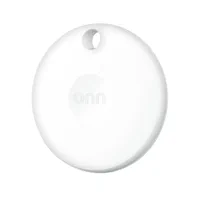
If your Onn Bluetooth Tracker won't connect, turn on Bluetooth and Location Services, hold the tag against an unlocked iPhone, and pull the battery tab. The Onn tracker pairs only through the iPhone Find My app, so it won't set up on an Android phone.
Walmart's $15 Onn Bluetooth Tracker pairs through Apple's Find My network, not a Walmart app, so a tag that refuses to connect almost always traces back to a missed setup condition rather than a defective tag. Apple's Find My accessory setup guide confirms you need Bluetooth and Location Services on, plus iOS 14.5 or later, before any third-party item can be added.
- The Onn tracker pairs only on an iPhone or iPad running iOS 14.5 or later -- there's no Android setup path, so it won't connect on a Samsung or Pixel phone.
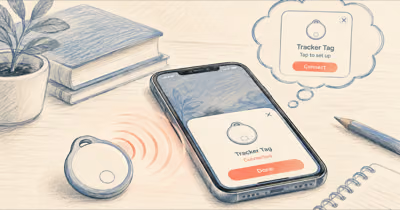
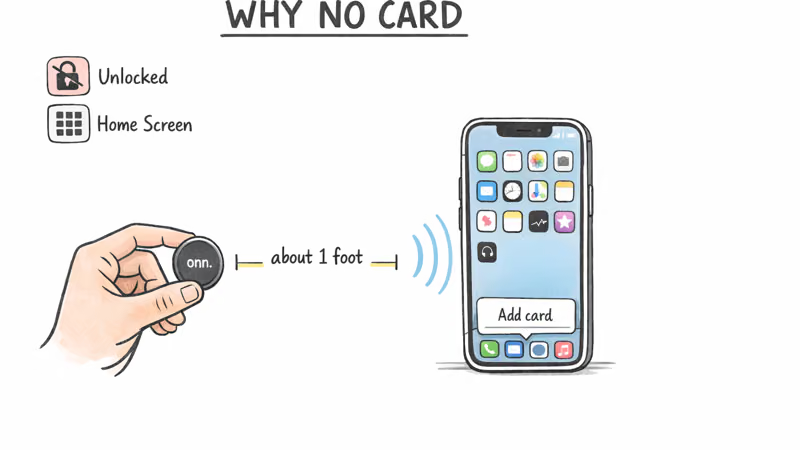
- The Find My add card appears only when an awake tag sits very close to an unlocked iPhone, which is the most common silent failure.
- A used Onn tracker still tied to a previous Apple Account can't be paired until the original owner removes it; no reset on your end clears that lock.
- Pulling the plastic battery tab is what wakes a brand-new Onn tracker, and a fresh CR2032 with a bitterant coating may fail to power it at all.
- The Control Center Bluetooth toggle is temporary; only Settings then Bluetooth confirms Bluetooth is truly on at the system level.
Why Is My Onn Tracker Not Showing Up in Find My?
Start with the setup conditions, because most "Onn tracker not connecting" reports trace back to a missed requirement rather than broken hardware. The Onn Bluetooth Tracker is an Apple Find My network accessory, so it pairs through the same flow as an AirTag -- not through a separate Onn or Walmart app.
Apple's setup guide states that you must turn on Bluetooth and Location Services and run iOS 14.5 or later. The add card is triggered by proximity and an awake tag: hold the Onn tracker very close to an unlocked iPhone on the Home Screen. A tag that seems dead may simply be too far away for the setup card to appear.
Run This Setup Checklist First
Work through these in order before assuming the tag is faulty. Most "won't connect" cases come down to one of these basics and clear on this list alone, without any reset.
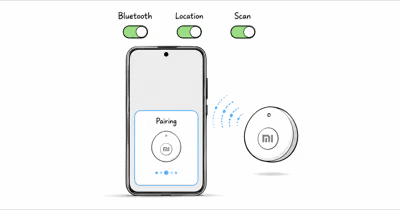
- Bluetooth on -- open Settings then Bluetooth, not just Control Center.
- Location Services on -- Settings then Privacy and Security then Location Services.
- iPhone unlocked and on the Home Screen, not inside another app.
- Pull the battery tab -- a new Onn tracker ships with a plastic pull tab that keeps the battery disconnected until you remove it.
- Tag very close to the phone to trigger the add card.
- iOS 14.5 or later -- check Settings then General then About.
If the card still doesn't appear, move to the cause-specific fixes below. The Onn tracker shares the same Find My behavior as other budget tags, so the same logic that fixes an AirTag applies here. Our guide to an AirTag that won't connect walks through the identical setup-card triggers in more depth.
The Onn Tracker Won't Work with Android
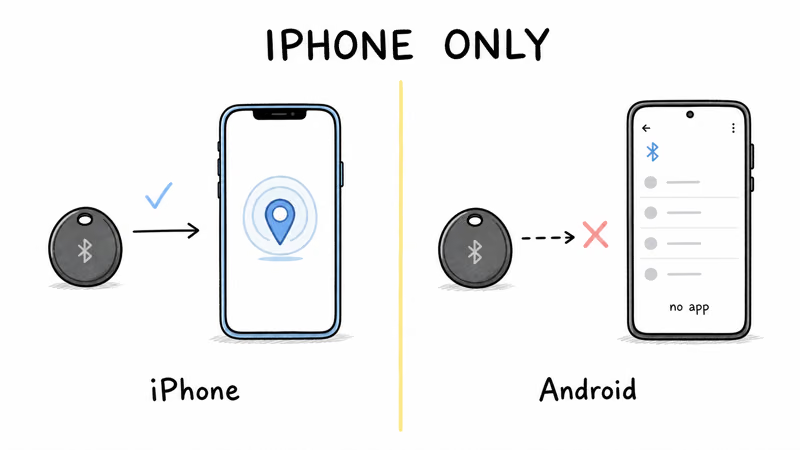
This is the single most common reason an Onn tracker "won't pair." The Onn Bluetooth Tracker relies entirely on Apple's Find My network, which means setup and tracking happen only on an iPhone or iPad. There's no Onn Android app, and the tag won't appear in any Android Bluetooth menu as a pairable accessory.
If you only own an Android phone, the tag can't be activated at all -- it's not a hardware fault. You'd need to borrow an iPhone to register it. For a tag that natively supports both platforms, see our roundup of the best cheap Bluetooth trackers. Our explainer on whether AirTags work with Android covers the same Find My limitation.
Ruling Out a Battery Problem
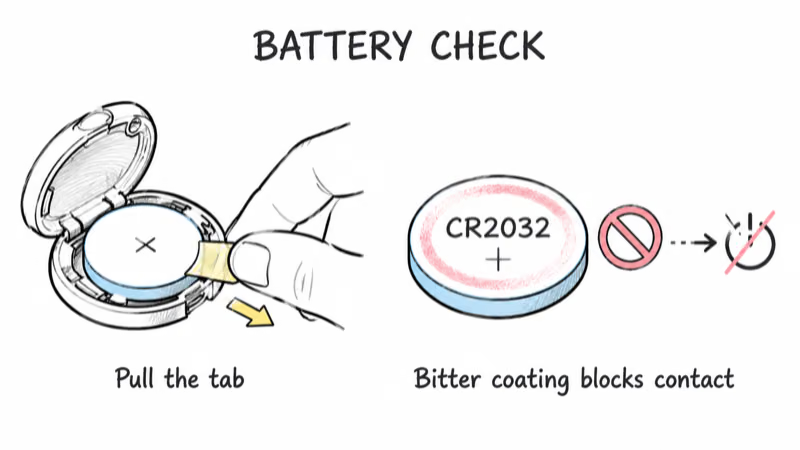
The Onn Bluetooth Tracker uses a single CR2032 coin cell, and battery issues are easy to misread as connection failures. A new tag arrives with a clear plastic tab between the battery and a contact; until you pull that tab, the tag has no power and won't show a Find My prompt.
If the tab is already out and the tag still seems dead, swap in a fresh CR2032. Apple's guidance on replacing the AirTag battery confirms that some CR2032 cells with bitterant coatings won't power the device, because the coating can insulate the contact. That same quirk applies to the Onn tracker, since it uses the identical coin cell.
Why a Used Onn Tracker Won't Pair
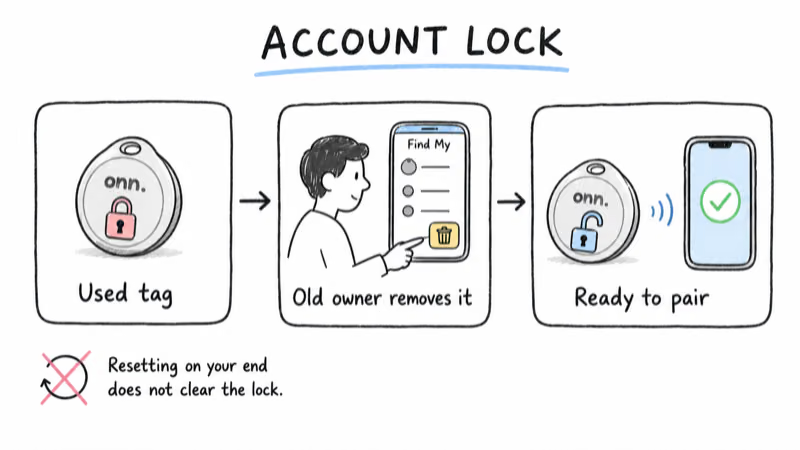
A Find My item registers to one Apple Account at a time. If you bought your Onn tracker secondhand, it stays locked to that original account until the seller removes it. Apple's support note on items connected to another Apple Account states that the previous owner must open Find My and remove the item before it can join a new account.
No reset, battery pull, or repeated pairing attempt on your end clears this lock. If the seller is unreachable, the tag effectively can't be reused on the Find My network. It's worth checking this before you assume a "not connecting" tag is broken, especially for anything bought used or refurbished.
When Should You Reset the Onn Tracker?
Reset is the last step, not the first -- it helps when a tag you already own behaves erratically, but it does not remove a previous owner's lock. To reset an Onn tracker, remove and reinsert the CR2032 battery several times in sequence, listening for a tone on each reinsertion. This is the same multi-cycle pull used on most Find My coin-cell tags.
If the tag once worked and now reads "No location found," that usually isn't a connection failure at all. The tag relays through nearby iPhones rather than holding its own link, so it goes quiet when no Apple device has passed near it recently. Toggle Bluetooth, restart your iPhone, and confirm Find My network is on. A fading CR2032 can drop the relay before the tag looks fully dead.
For the wider lineup of compatible tags and how each handles range and battery, the best Bluetooth trackers guide ranks the main models that run on Apple's network.
Bottom Line
Most Onn tracker connection failures aren't hardware. Confirm Bluetooth and Location Services on an iPhone, pull the battery tab, then hold the awake tag very close to an unlocked phone. Remember the Onn tracker is iPhone-only, so an Android phone will never pair it. If the tag is secondhand, the real fix is getting the previous owner to remove it; rule out a bitterant-coated CR2032 last.
FAQ
Why is my Onn Bluetooth Tracker not showing up in Find My?
The add card appears only when an awake tag is very close to an unlocked iPhone with Bluetooth and Location Services on. Make sure you pulled the plastic battery tab, then hold the tag next to the phone. If nothing happens, the battery may be dead or the tag may still belong to a previous owner.
Does the Onn tracker work with an Android phone?
No. The Onn Bluetooth Tracker runs entirely on Apple's Find My network, so it can only be set up and tracked through the Find My app on an iPhone or iPad. There's no Onn Android app, and the tag won't appear as a pairable device on a Samsung or Pixel phone.
Can a used Onn tracker still be linked to someone else?
Yes. A Find My item registers to one Apple Account at a time. If the previous owner never removed the tag, you can't pair it until they open Find My and remove the item. No reset or battery pull on your end clears that lock.
Does the Onn tracker need its own app?
No. It's an Apple Find My network accessory, so it pairs through the built-in Find My app on iPhone, the same way an AirTag does. There's no separate Onn or Walmart app to download for connecting the tag.
What battery does the Onn tracker use, and why does a new one fail?
It uses a single CR2032 coin cell. Apple notes that some CR2032 batteries with bitterant coatings won't power the device, because the bitter coating can insulate the contact. Swap in a fresh CR2032 without that coating, positive side up, if a new battery doesn't wake the tag.
How do I reset the Onn Bluetooth Tracker?
Remove and reinsert the CR2032 battery several times in sequence, listening for a tone on each reinsertion. This is the same multi-cycle reset used on most Find My coin-cell tags. Note that resetting clears local settings but does not remove a previous owner's Apple Account lock.
Why did my Onn tracker disappear from Find My after working?
A no location found status usually means no Apple device has passed near the tag recently, since it relays through nearby iPhones rather than holding its own connection. Toggle Bluetooth, restart your phone, and confirm Find My network is on. A fading battery can also drop the relay first.