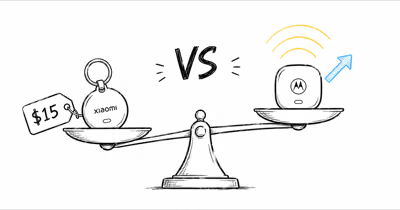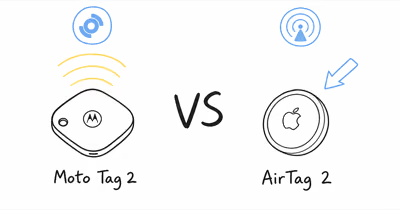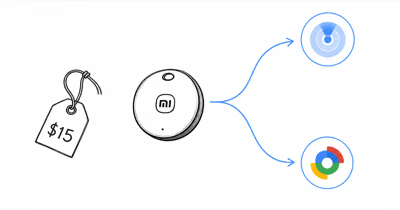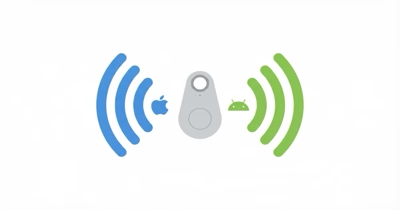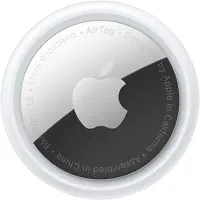
The Xiaomi Tag is a $14.99 dual-network option, roughly half the price of AirTag 2. It pairs to either Apple Find My or Google Find Hub at setup and needs a factory reset to switch. AirTag 2 stays Find My only but adds UWB Precision Finding and Apple Watch support.
- Xiaomi Tag costs $14.99 single, AirTag 2 costs $29: roughly a 2x price gap before any 4-pack discounts
- Xiaomi Tag picks one network at setup: Find My or Find Hub, never both at once, switchable later only by factory reset
- AirTag 2 ships with second-gen U2 UWB: Precision Finding up to 50% farther than the original AirTag
- Xiaomi Tag has no UWB radio at all: tap-to-find ranges fall back to Bluetooth proximity, not centimeter-class precision
- Both run on a swappable CR2032 with no subscription: Xiaomi rates the cell at about 1 year, Apple at more than 12 months
Xiaomi Tag vs AirTag 2: Spec Comparison
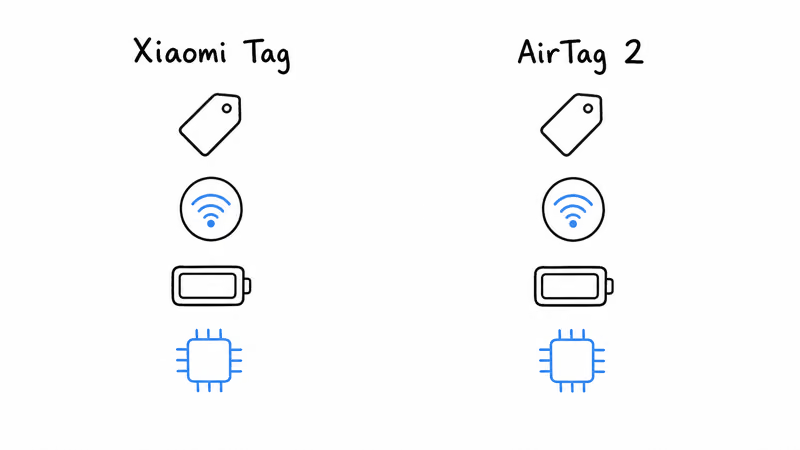
Both pucks ship as a CR2032 coin, but the radios and networks pull them in opposite directions. Apple’s AirTag 2 launch announcement confirms that the second-gen U2 chip extends Precision Finding range by 50% versus AirTag 1. Xiaomi’s tag has no UWB at all and leans on plain Bluetooth LE 5.4 plus NFC lost mode.
| Spec | Xiaomi Tag | AirTag 2 |
|---|---|---|
| Price (single) | $14.99 | $29 |
| Price (4-pack) | $49.99 | $99 |
| Network | Apple Find My OR Google Find Hub (one at a time) | Apple Find My only |
| Precision radio | None (Bluetooth LE 5.4 only) | Second-gen U2 UWB (50% longer range) |
| Companion watch precision | Not supported | Apple Watch Series 9 / Ultra 2 and newer |
| NFC lost mode | Yes | Yes |
| Speaker | Piezo buzzer (loudness not stated) | 50% louder than original AirTag |
| Battery | CR2032, about 1 year | CR2032, more than 12 months |
| Water resistance | IP67 (1m, 30 min) | IP67 (1m, 30 min) |
| Weight | 10g | Around 11g |
| Subscription | None | None |
The Network row hides one important caveat: the Xiaomi Tag commits to either Apple Find My or Google Find Hub at first setup and stays on that network until you factory-reset it. There is no switching screen, no quick re-pair to the other side. If you guessed wrong at unboxing, you reset the tag and pair fresh.
Xiaomi Tag vs AirTag 2: Head-to-Head
⇄ Head-to-head
Xiaomi Tag vs AirTag 2
- +Second-gen U2 chip extends Precision Finding up to 50% farther than original AirTag
- +Apple Watch Precision Finding on Series 9 and Ultra 2 or newer
- +Find My network spans over a billion Apple devices worldwide
- +User-replaceable CR2032 means the tag lasts 5+ years across battery swaps
- +Share Item Location works with 50+ airlines for lost-luggage recovery
- +Cheapest dual-network tracker at $14.99 single, $49.99 for a 4-pack
- +Pairs to either Apple Find My or Google Find Hub at first setup
- +CR2032 coin cell is user-replaceable and rated for about 1 year per battery
- +IP67 water resistance survives 1 meter submersion for 30 minutes
- +NFC lost mode lets finders tap an Android or iPhone for owner contact details
- −iPhone-only; no Android registration or tracking
- −No built-in attachment, keychain holders cost $9 to $35 extra
- −Expanded Precision Finding excludes iPhone 16e and iPhone 17e
- −Speaker peak SPL not stated in decibels, only the 50% gain claim
- −2x the price of Xiaomi Tag single, 2x the 4-pack price as well
- −No UWB radio, so no Precision Finding or direction arrow at any range
- −Network choice is one-shot at setup; switching between Find My and Find Hub later requires a factory reset
- −Not sold on Amazon US (third-party Amazon listings are rebrands, not first-party stock)
- −Piezo buzzer loudness is not published in decibels, so audibility comparisons stay anecdotal
- −No Apple Watch or Pixel Watch precision integration
- ·You're an iPhone or Apple-household user who actually uses Precision Finding
- ·You travel and value the airline Share Item Location workflow
- ·You want the largest Find My network for outdoor recovery
- ·You're willing to pay a premium for ecosystem polish
- ·You're cost-sensitive and want a 4-pack under $50
- ·You live in a mixed iPhone-Android household and need one tag SKU
- ·You're fine without UWB Precision Finding for everyday keys-and-bags duty
- ·You want NFC lost mode so finders can return items without an app
Xiaomi Tag: The $15 Dual-Network Puck
The pitch for Xiaomi Tag is plain cheap dual-network coverage. The puck sells for $14.99 on the Xiaomi global store and AliExpress, and a 4-pack lands at $49.99, which is a per-tag cost under $13. For everyday key-and-bag duty, the spec sheet makes sense as long as you don’t expect UWB precision.
The thing that separates it from Tile and original Chipolo One is the dual-network choice. Apple’s cross-platform anti-stalking standard states that any compliant tracker must broadcast detection beacons that both iOS and Android can read.
The Xiaomi Tag complies with that standard, and on top of it lets the owner pick which network handles the actual lost-tag relay. That choice is one-shot at setup, but it covers the two largest tracker networks. For deeper context, see our Xiaomi Tag long-term review.
The trade-off is no UWB radio. The Xiaomi Tag has no equivalent to AirTag’s Precision Finding or Galaxy SmartTag 2’s UWB direction arrow.
When you tap the find button in Find My or Find Hub you get a directional ring based on Bluetooth signal strength, not centimeter-class distance. It narrows a location down to a rough proximity ring, then the buzzer handles the last step.
The Android-side rival that does pack UWB is the Moto Tag 2, and our how the Xiaomi Tag stacks up against the Moto Tag 2 comparison runs the numbers on price versus precision.
AirTag 2: Apple’s Refreshed UWB Champion
AirTag 2 is Apple’s first AirTag hardware refresh since the 2021 original. According to Apple’s January 2026 newsroom, Apple announced three meaningful upgrades: the second-generation U2 chip (the same silicon Apple ships in iPhone 17 and Apple Watch Ultra 3), a speaker that is 50% louder than the first AirTag, and Apple Watch Precision Finding on Series 9 and Ultra 2 or newer.
The new U2 radio is the noticeable daily upgrade. Apple’s second-gen U2 chip extends Precision Finding range about 50% over the original, so the arrow locks on from farther across a room. Apple does not publish an absolute Precision Finding distance in meters, only that 50% gain claim. For a full carry breakdown, see our AirTag 2 vs AirTag 1 comparison.
The trade-off is the same one AirTag has always had: it’s iPhone-only. Android users can detect a stranger’s AirTag 2 under Apple’s Find My security model but can’t register, pair, or track one of their own. For households with mixed iPhone and Android devices, the dual-network Xiaomi Tag or a Chipolo LOOP is a better fit.
Our best dual-network trackers roundup covers both options in depth, and the long-form AirTag review covers the daily-carry quirks.
Setup and Pairing Workflow
AirTag 2 pairs in one tap on iOS 18 or newer the moment you hold the tag near an iPhone. The Find My app handles the rest and the tag shows up alongside any existing AirTags. There is no Android setup flow because Apple does not publish a Find My app for Android.
Xiaomi Tag pairs through the Mi Home app on either platform, but the first-run screen asks you to commit to either Find My or Find Hub before pairing completes. Once you confirm, the tag binds to that network for life. Resetting and re-pairing is the only way to switch sides later.
How Different Is Tap-to-Find on Each Tag?
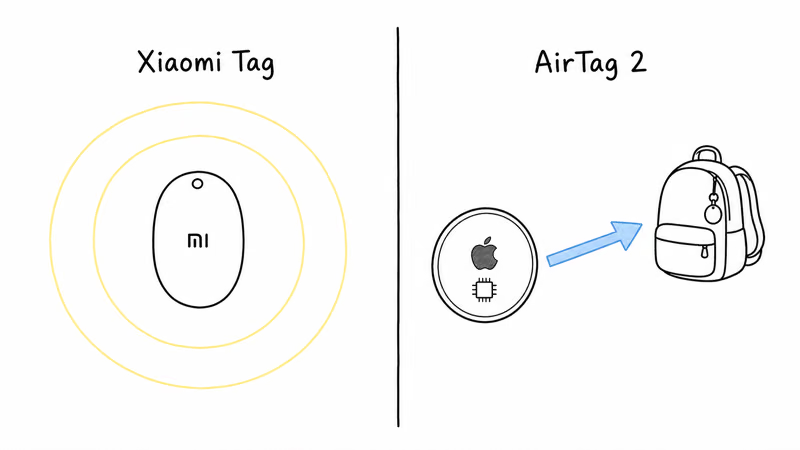
This is the cleanest practical gap between the two pucks. AirTag 2’s second-gen U2 UWB gives compatible iPhones a direction-and-distance arrow instead of a Bluetooth-only proximity ring.
The Xiaomi Tag has no UWB radio and falls back to a Bluetooth signal-strength ring. Apple’s AirTag 2 tech specs list second-generation UWB for Precision Finding, which the Xiaomi Tag’s Bluetooth-only hardware can’t match on either iOS or Android.
Because the AirTag 2 has a UWB arrow and the Xiaomi Tag doesn’t, the AirTag gives a direction-and-distance arrow that guides you in from farther away, while the Xiaomi’s Bluetooth ring only resolves to a rough radius before the buzzer takes over for the last step. For lost-in-the-car-or-coat scenarios the gap matters; for “the keys are somewhere in this room” scenarios both tags resolve fast enough.
For a head-to-head among UWB dual-network trackers, our Chipolo LOOP vs AirTag 2 comparison covers the closest premium alternative; the LOOP is the only sub-$50 dual-network puck with UWB at all in 2026.
Who Should Buy Each Tracker?
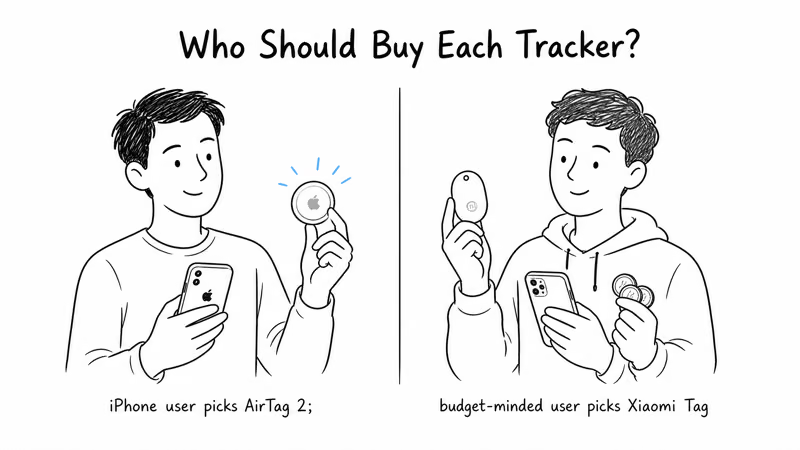
Buy AirTag 2 if you live in an Apple household, you actually use Precision Finding day to day (especially with an Apple Watch Series 9 or newer), you value the airline Share Item Location workflow for travel, or you want the lowest per-tag cost via the $99 4-pack within the Apple ecosystem. AirTag 2 is also the only tag whose anti-stalking detection is built into both iOS and Android out of the box.
Buy Xiaomi Tag if you want the cheapest possible dual-network coverage, your household carries both iPhones and Android phones, you don’t need UWB Precision Finding for daily use, or you want to tag 4-plus items on a tight budget (4-pack lands under $13 per tag). Pixel and Galaxy owners get a working tag without paying the Samsung Galaxy SmartTag 2 premium.
For mixed-OS households that want UWB precision plus dual-network coverage in one tag, neither single-network AirTag 2 nor the no-UWB Xiaomi Tag is the right answer. Step up to a Chipolo LOOP, which pairs to either Find My or Find Hub at first setup and ships with a UWB radio. The Chipolo Pop vs AirTag 2 comparison covers a mid-tier dual-network option without UWB but with a bigger speaker than the Xiaomi.
Bottom Line
Xiaomi Tag and AirTag 2 are not chasing the same buyer. AirTag 2 is the polished premium choice for iPhone households that want UWB Precision Finding, Apple Watch support, and the airline Share Item Location flow at $29. Xiaomi Tag is the budget pick for mixed-OS households or anyone tagging four or more items on a tight budget at $14.99 single or $49.99 for a 4-pack.
If you carry an iPhone and only an iPhone, AirTag 2 is the right call and the $14 premium per tag pays for UWB plus ecosystem depth. If you carry an Android phone, or you mix households, Xiaomi Tag is the cheapest path to a tracker that pairs to Find Hub and survives the daily abuse a wallet or keychain throws at it. The compromise to know about: no UWB, ever, on Xiaomi Tag.
Frequently Asked Questions
Can Xiaomi Tag pair to both Find My and Find Hub at the same time?
No. Xiaomi Tag commits to one network at first setup and stays there for the life of the tag. To switch from Find My to Find Hub (or the other way), you have to factory reset the tag and re-pair from scratch. There is no in-app switcher and no dual-pair mode. This is the same model Chipolo Pop and Pebblebee Clip 5 use, and it’s a deliberate trade-off to keep cost down and battery life predictable.
Does Xiaomi Tag work with iPhone?
Yes, if you pair it to Apple Find My at first setup. The tag appears as a standard third-party accessory in the Find My app on iOS 15.5 or newer, alongside any AirTags you already own. Once paired to Find My the tag stays on that network and can’t be moved to Google Find Hub without a factory reset. Battery life and water resistance behave the same regardless of which network you chose at setup.
Does AirTag 2 work with Android phones?
No. AirTag 2 is iPhone-only for registration and tracking. Android users can’t create a Find My account, pair an AirTag, or see its location in any Google or Samsung app. Android phones can detect a nearby unknown AirTag through Apple’s cross-platform anti-stalking standard and through Google’s Unknown Tracker Alerts, but only to identify and disable one carried by someone else.
Is Xiaomi Tag sold on Amazon?
Not by Xiaomi directly. Amazon US lists several third-party “New for Xiaomi Air Tag” rebrands, but those are not first-party Xiaomi stock and the network compatibility on those listings is inconsistent. To get the actual Xiaomi Tag, order from the Xiaomi global store at mi.com or from AliExpress with the Xiaomi seller filter. Shipping to the US runs 1 to 3 weeks depending on origin warehouse.
Which tracker has better battery life?
The published specs are essentially identical. Xiaomi Tag rates the CR2032 at about 1 year of typical use, and Apple rates AirTag 2 at more than 12 months. Both tags use the same standard CR2032 coin cell, so neither locks you into a sealed battery.
Do either of these trackers require a subscription?
No. Neither Xiaomi Tag nor AirTag 2 requires a monthly subscription. Both are one-time purchases at $14.99 single (Xiaomi Tag) or $29 single and $99 4-pack (AirTag 2). All cloud, network, and app features are included for life with no recurring fee. This separates them from Tile’s premium tiers, which gate Smart Alerts and similar features behind a subscription.
Does Xiaomi Tag have UWB or Precision Finding?
No. Xiaomi Tag ships with Bluetooth LE 5.4 only, no UWB radio at all. There is no equivalent to AirTag’s Precision Finding directional arrow or Galaxy SmartTag 2’s UWB ranging. When you tap the find button in Find My or Find Hub you get a proximity ring based on Bluetooth signal strength, plus a buzzer for the last step. If UWB matters, step up to Chipolo LOOP or pay AirTag 2’s premium.
Which tracker should I buy for a mixed iPhone and Android household?
Xiaomi Tag wins on price, since each tag can pair to either network at setup. AirTag 2 only pairs to Find My and is the wrong tag for any Android device in the home. For households that also want UWB Precision Finding on the iPhone side, step up to a Chipolo LOOP, which pairs to either Find My or Find Hub at setup and includes UWB. Pair an AirTag 2 to iPhone-side items and Xiaomi Tags to Android-side items if you want best-in-class on both networks separately.