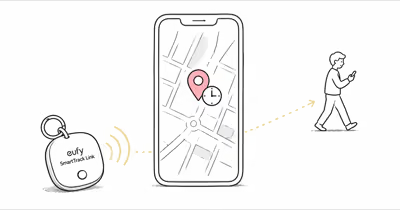
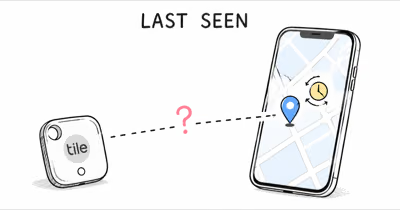
Seeing “Last seen 8 hours ago” on a Chipolo CARD Spot location is rarely a fault. According to Chipolo’s last-known-location support page, a Spot-model card updates only when a Find My device sees it. This guide explains what delay is normal and how to force a refresh.
Update: Chipolo has replaced the CARD Spot with the rechargeable Chipolo CARD (Qi charging, works on Apple Find My or Google Find Hub). This guide covers the original CARD Spot; current buyers should see our best wallet trackers guide.
- The CARD Spot has no GPS — it reports a location only when a nearby Apple device relays its Bluetooth signal through Find My
- Normal staleness varies by environment — dense public places refresh more often than quiet suburbs, rural roads, locked storage, or parked cars
- Six common causes of a stuck location: network dead zone, weak Bluetooth range, no nearby iPhones, Find My settings off, iOS background refresh off, or a degrading sealed battery
- It lags behind AirTag because it has no Ultra Wideband chip and sits flat inside a wallet, often behind RFID-blocking metal mesh
- A Low Battery alert or persistent silence on a previously working card means the sealed battery may be near end of life and the card needs replacing, not fixing
How the Chipolo CARD Spot Reports Its Location
The Chipolo CARD Spot is a Bluetooth Low Energy beacon, not a GPS tracker. It broadcasts a short anonymous identifier every few seconds. Any iPhone, iPad, or Mac that passes within Bluetooth range catches that signal, encrypts a location estimate, and relays it through Apple’s Find My service. The card has no GPS radio inside, so it never contacts Apple on its own and depends entirely on someone else’s Apple device being nearby.
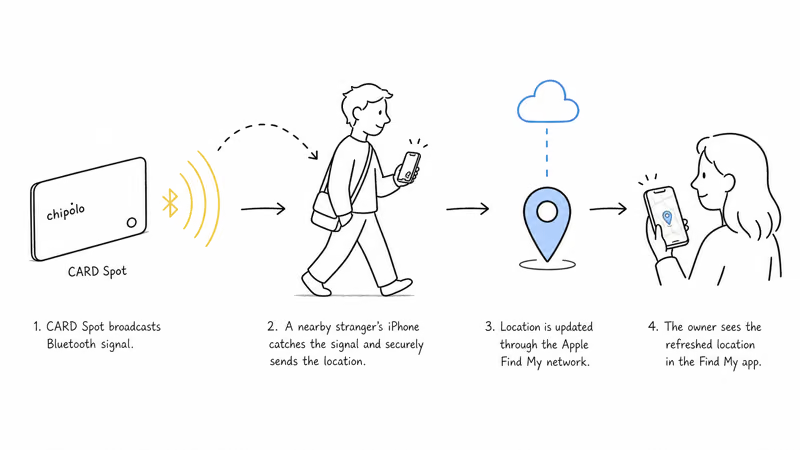
Apple’s Find My network page confirms that the relay is built from over 1 billion iPhone, iPad, and Mac devices worldwide. That scale is why the CARD Spot works well in cities.
Coverage is the catch. The network is dense where iPhone users are dense, so the same card that refreshes every few minutes downtown can sit quiet for a day in a low-traffic neighborhood. Apple’s Find My security overview states that a nearby Apple device acts as the finder that relays a card’s location, so a card sitting where no Apple devices pass simply has nothing new to report.
The takeaway for daily CARD Spot owners is consistent: the card itself rarely fails, but the network around it goes quiet, and that’s what stalls the location.
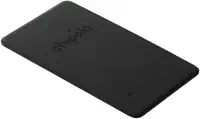
A 2023 analysis by security researchers at Positive Security found that the Find My relay can be reproduced with any Bluetooth device, which underlines how completely the CARD Spot leans on passing hardware. For the full hands-on hardware breakdown, our Chipolo CARD Spot review covers the 2.4mm body, the IPX5 rating, and the sealed battery in detail.
Why Is My Chipolo CARD Spot Location Not Updating?
When the location truly isn’t refreshing, six causes account for nearly every case. Diagnose them in this order. If your real problem is that the chime is muffled, not the location, that’s a separate sound issue with its own fix.
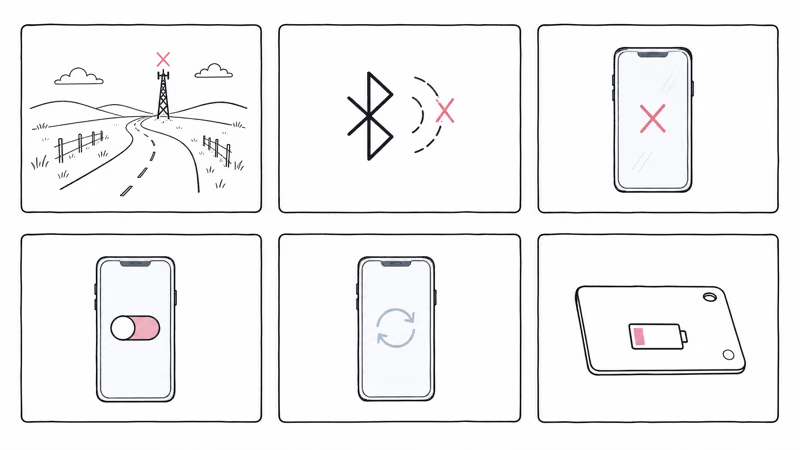
- Network dead zone. The card is somewhere no Apple device passes. Rural roads, locked storage units, parking garages, and basements all qualify. Fix: wait for foot traffic, or walk the area yourself with an iPhone.
- Weak Bluetooth range. Chipolo rates the CARD Spot for open-air Bluetooth range, but wallets, walls, metal, and a closed car cabin cut that figure sharply.
- No nearby iPhones. This is the most common cause of sudden staleness. A card that updates fine in a moving car goes silent the moment the car parks in an empty lot overnight.
- Find My settings off. Your own iPhone needs Location Services and the Find My toggle active to process relays. If either is off, your phone shows a stale view even when the card works.
- iOS background refresh off. Background App Refresh must be on for Find My specifically. With it disabled, your phone can’t handle relays while the app is closed.
- A degrading sealed battery. The CARD Spot battery is sealed and rated for about two years. As voltage drops near end of life, broadcast range shortens and relays slow well before the card fully dies.
The honest weak point here is Chipolo’s own guidance. Its support page confirms only that you get “a notification when your Chipolo is seen by a Find My enabled device.” That single sentence is the entire Spot-model troubleshooting answer Chipolo publishes. It offers no triage order, no normal-versus-broken guidance, and no environmental context, so most owners reading it can’t tell a routine coverage gap from a card that has actually failed.
The Normal Range of CARD Spot Location Staleness
First, check whether your “outdated” location is actually outside the normal range. There is no fixed update schedule. The CARD Spot reports a location whenever an Apple device happens to pass it.
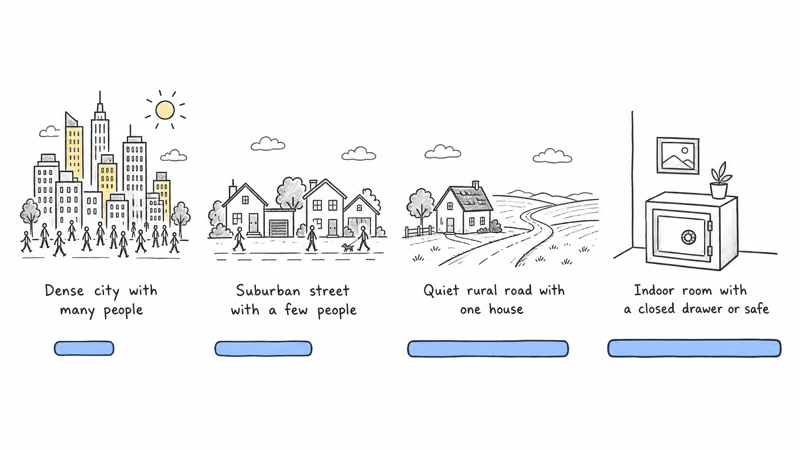
Here is a rough map of what to expect.
| Environment | Expected behavior | When to worry |
|---|---|---|
| Dense urban (downtown, transit hubs) | More frequent relays | Stale despite heavy nearby foot traffic |
| Suburban (residential, daytime) | Intermittent relays | No refresh after you walk nearby with your iPhone |
| Suburban (overnight, few people out) | Longer quiet periods | Still stale after daytime traffic returns |
| Rural (small towns, farm roads) | Long gaps are expected | No refresh even after you bring an iPhone close |
| Inside a safe, vault, or locked drawer | Often never updates | Treat as expected |
The biggest source of confusion is suburban overnight staleness. Most residential streets go quiet between midnight and 6 a.m. because the only active Apple devices are indoors.
A CARD Spot left in a wallet on a parked car seat can show the same location through that quiet window, then update once people and phones start passing again. A stable overnight gap that clears on its own by daytime is the expected pattern for a parked wallet, not a fault.
Why Does the CARD Spot Lag Behind an AirTag?
This is the question no AirTag-focused article answers. Both trackers ride the same Apple Find My network, so the relay timing should be close. In practice the CARD Spot often feels a step slower, and there are three real reasons.
First, the CARD Spot has no Ultra Wideband chip. An iPhone 11 or newer can use Ultra Wideband to draw a directional arrow straight to an AirTag once you’re within range, a feature Apple calls Precision Finding. The CARD Spot gives you a map dot and a chime only, with no arrow, so the final approach feels less precise even when the last-seen location and the relay timing are identical.
Second, form factor changes how the signal escapes. An AirTag on a keychain dangles in open air. A CARD Spot lies flat inside a wallet, sandwiched between cards and leather. A card buried in a thick bifold relays far less often than a tag swinging on a bag strap.
Third, RFID-blocking wallets shield Bluetooth too. The metal mesh in an RFID wallet absorbs radio signals, weakening the CARD Spot’s broadcast and slowing relays.
The fix is to set correct expectations. The CARD Spot isn’t defective when it trails an AirTag by a few minutes. It’s a card-shaped tracker doing card-shaped work. For the AirTag side of this same problem, our guide on why an AirTag location goes outdated covers the equivalent troubleshooting for that device.
How to Force a Chipolo CARD Spot Location Update
You can’t push the card to report from a distance, but you can raise the odds of a relay happening soon. Work through these actions in order of effort.
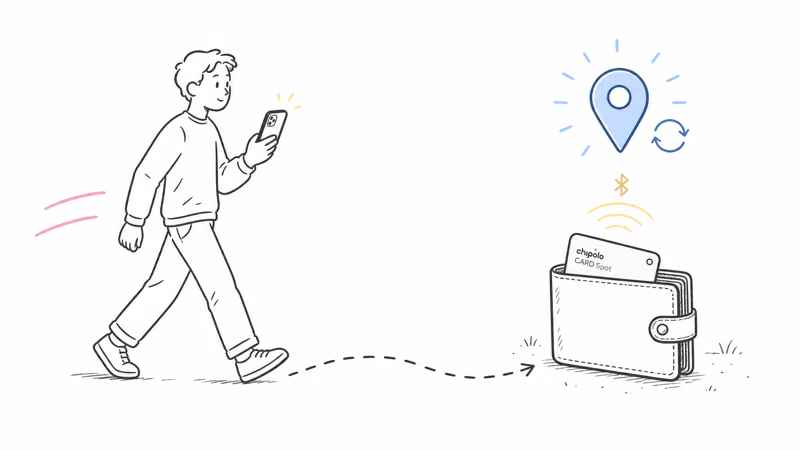
- Walk toward the last-known location with an iPhone. Once you’re close enough for Bluetooth to reach the card, your own phone can become the relay and Find My can refresh. Walking the perimeter of a small building often gives the signal a chance to escape.
- Reseat the card outside any RFID lining. Slide the CARD Spot to the outermost wallet slot, away from metal mesh and other cards. This is the single fastest fix when a wallet is the culprit, and it costs nothing.
- Check Background App Refresh and Location Services. Open Settings, find Find My, and confirm both toggles are on. These govern whether your own iPhone can process relays at all.
- Turn on Lost Mode. Enabling Lost Mode doesn’t change how often the card transmits, but it flags the card so any passing Apple device prioritizes relaying it. Chipolo documents the exact steps in its guide on how to enable Lost Mode for the CARD Spot.
- Re-pair the card as a last resort. If nothing else works, remove the CARD Spot from Find My and add it again. This clears a stale pairing that occasionally blocks relays.
Most stuck locations clear at step one or step two. If they don’t, the cause is usually environmental rather than a hardware fault.
Knowing When to Replace the CARD Spot
Once you have ruled out settings and wallet placement, the duration of the staleness is the clearest signal of what is wrong. Treat it as a triage ladder.
- Under 1 hour: completely normal, even in dense cities. Do nothing.
- Short gaps: still normal in suburbs, especially overnight. Walk the area with your phone if you want a fresh ping.
- Multi-day gaps: can be normal in rural or low-density areas, or for a card stored inside a building. Check your phone’s Find My settings.
- Persistent silence on a card that used to update: investigate. Turn on Lost Mode, walk near the last-known location, and check whether a Low Battery alert has appeared.
- Low Battery alert plus no fresh relays: the sealed battery is likely near end of life.
A degrading battery causes staleness before the card is fully dead. As the sealed cell weakens, the Play Sound chime grows noticeably quieter and relays slow down well before the Low Battery alert finally appears, a pattern covered in our Chipolo CARD Spot battery replacement guide.
Range shortens first, then relays slow, then pings stop. When that alert appears, the CARD Spot battery is at end of life.
Because the battery is sealed, a dead card can’t be revived. If yours is truly exhausted, weigh a Chipolo Renew against switching trackers entirely; our roundup of the best wallet tracker cards lays out the current options. For a card that’s simply slow because of where it lives, no replacement is needed.
Bottom Line
A stale Chipolo CARD Spot location is usually the expected behavior of a passive Bluetooth relay, not a hardware failure. Check the environment, your wallet placement, and whether the card updates when you bring an iPhone close before you assume it’s broken. If a Low Battery alert is showing or a previously working card stays silent after those checks, plan to replace the sealed-battery card.
FAQ
Why is my Chipolo CARD Spot location not updating?
The CARD Spot only reports a new location when an iPhone, iPad, or Mac passes within Bluetooth range and relays its signal through Apple's Find My network. If no Apple device has been near the card, the last-seen timestamp stops moving. It isn't GPS, so it can't report its own position on a schedule. A stale location usually means a coverage gap, not a broken card.
Does the Chipolo CARD Spot have GPS?
No. The CARD Spot is a Bluetooth Low Energy beacon with no GPS, cellular, or Wi-Fi radio. It broadcasts an anonymous identifier that nearby Apple devices pick up and relay. The location you see in Find My is the spot where the last passing Apple device detected the card, not a live position.
How often should the CARD Spot location refresh in Find My?
There is no fixed schedule. Dense public places tend to refresh more often because more Apple devices pass the card. Quiet suburbs, rural areas, parked cars, safes, and vaults can leave the location stale until another Apple device comes within Bluetooth range.
Why does my CARD Spot location lag behind my AirTag?
Both use the same Apple Find My network, so relay timing should be similar. The CARD Spot lags in two ways. It has no Ultra Wideband chip, so there is no directional Precision Finding arrow once you are close. Its card form factor also sits flat inside a wallet, often behind RFID-blocking metal mesh that absorbs Bluetooth signal. An AirTag on a keychain hangs in open air and relays more easily.
How do I force the Chipolo CARD Spot to update its location?
You can't trigger a report on demand, but you can make one likely. Walk toward the last-known location with an iPhone in hand; once Bluetooth can reach the card, your own phone can become the relay. Turning on Lost Mode flags the card so any passing Apple device prioritizes it, and sliding the card out of an RFID-lined slot removes a common signal block.
Can a low battery cause the CARD Spot location to stop updating?
Yes. The CARD Spot has a sealed battery rated for about two years that can't be replaced. As it degrades, broadcast range shortens first and relays slow before the card fully dies. If you see a Low Battery alert alongside stale locations, the card is near end of life and needs replacing.
Do RFID-blocking wallets stop the CARD Spot from updating?
RFID-blocking wallets use a metal mesh layer that absorbs radio signals. That mesh blocks the high-frequency skimming it's designed to stop, but it also weakens the CARD Spot's Bluetooth Low Energy broadcast. A card buried behind that lining relays less often, which shows up as a slower-updating location. Moving the card to the outermost slot helps.
When should I replace my Chipolo CARD Spot instead of troubleshooting it?
Use the context of the staleness as your guide. Quiet relay areas and RFID-lined wallets can make a working card look stuck. If the card no longer updates after you walk nearby with an iPhone, or a Low Battery alert is showing, treat it as a replacement candidate. The sealed battery means a dead card can't be revived.