The SmartTag 2 ditched the pry-off cover of the original tag for a slide-out tray, so the swap is cleaner but the steps differ from older guides. According to Samsung’s official battery-replacement page, the tag uses a CR2032 and a chirp right after you seat the tray means the cell wasn’t recognized.
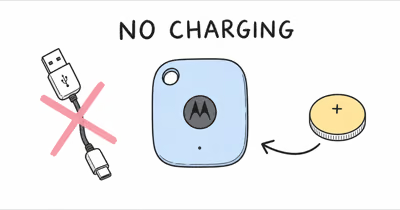
- The SmartTag 2 uses one CR2032 coin cell — the same flat 3-volt lithium battery sold in any pharmacy for a few dollars.
- It slides out on a tray, not a pry-off lid — insert the supplied ejection pin into the tray hole and pull gently.
- Plus side faces up — align the + terminal with the + symbol molded inside the tray or the tag won’t power on.
- Expect up to 500 days of life — power-saving mode in SmartThings stretches that to roughly 700 days before the next swap.
- A swap can re-trigger the ownership check — if the tag says it belongs to someone else, remove and re-add it in SmartThings.
Below covers what the low-battery warning actually means, the exact CR2032 replacement steps, how to confirm the new cell took, and how to clear the notification if it lingers.
How Do You Know the SmartTag 2 Battery Is Low?
The SmartThings app is your first signal. When the cell drops below a usable threshold, the tag’s card in SmartThings shows a low-battery indicator and you may get a push notification telling you to replace it. Samsung states that the SmartTag 2 lasts up to 500 days in normal use and up to 700 days in power-saving mode, so a tag flagging low inside a year usually means heavy ring-and-locate use or a weak cell from the factory.
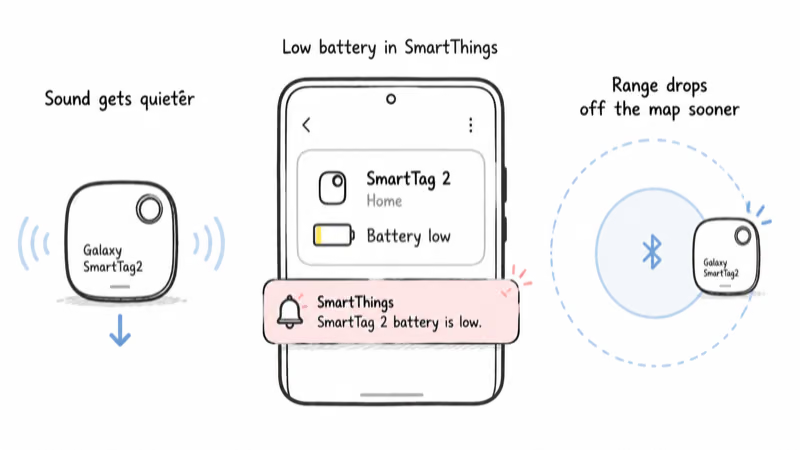
A weak cell can also reduce ring volume or connection reliability, because the tag has less power available for the speaker and radios. Treat those symptoms as battery clues, then confirm in SmartThings before you blame the tag.
Battery life also depends on how often the tag does work. Frequent ringing, Find Hub network pings, and UWB precision-finding sessions all draw more current than a tag that just sits in a bag, so a hard-used SmartTag 2 won’t match the headline number. To claw some of that runtime back, our guide to enabling the tag’s low-power reporting setting walks through the toggle in SmartThings.
The Battery the Samsung SmartTag 2 Uses
The SmartTag 2 takes a single CR2032, a 3-volt lithium coin cell about 20mm across and 3.2mm thick. A hands-on teardown by Android Police confirms the SmartTag 2 ships with a user-replaceable CR2032 rated for roughly 500 days. Any genuine cell from a reputable maker like Panasonic, Energizer, or Duracell works identically, so you don’t need anything Samsung-branded.
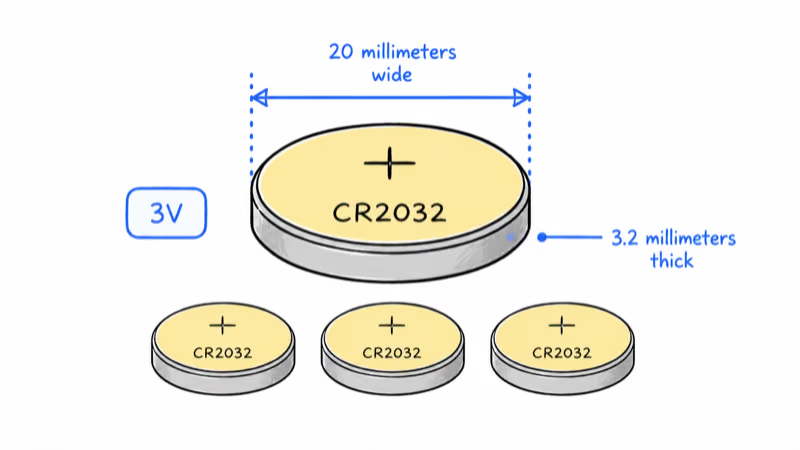
The number itself is the spec: “CR” means lithium coin cell, “20” is the diameter in millimeters, and “32” is the height in tenths of a millimeter. That’s why a CR2032 from the tracker aisle behaves the same as one from the pharmacy checkout. The same cell powers the original SmartTag, so if you already keep spares for an older tracker, they fit the SmartTag 2 too.
One caution worth repeating from community reports: some bargain multi-packs and no-name sellers ship cells that are already partly depleted or past their printed expiration date. Check the date stamp and buy from a seller you trust, because a weak cell can trip the low-battery warning again soon. If you want a tested pick, our roundup of the best CR2032 batteries for trackers applies equally to the SmartTag 2.
How Do You Replace the SmartTag 2 Battery Step by Step?
The job is quick once you have the new cell and the ejection pin that shipped with the tag (a straightened paperclip works if you lost the pin). Work over a clean surface so the small tray does not roll away, and follow these steps in order.
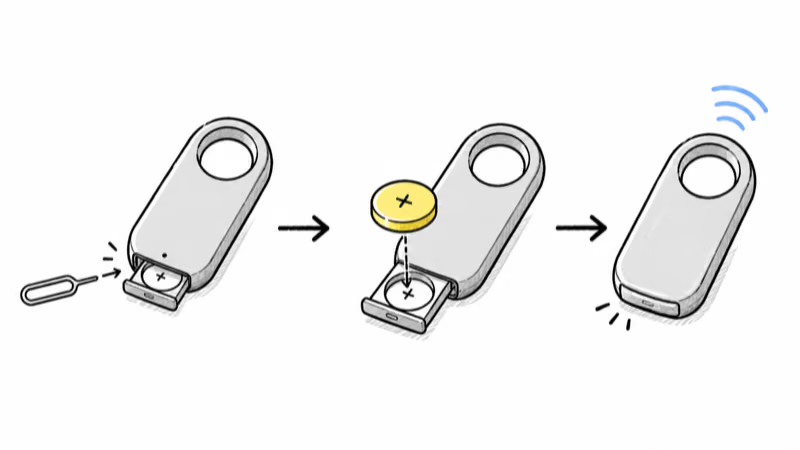
1. Find the battery-tray hole on the edge of the SmartTag 2. It’s a tiny pinhole next to the tray seam, similar to a SIM-card eject hole on a phone. Insert the ejection pin or a clip straight into the hole and press firmly until the tray pops loose, then pull the tray the rest of the way out by hand. Pull gently so you don’t catch a fingernail on the tray lip.
2. Tip the old CR2032 out of the tray and dispose of it safely. Because even a “dead” coin cell still holds enough charge to be dangerous if swallowed, tape over the terminals before you bin it and keep it away from children and pets. A spent cell can still carry meaningful voltage, so treat every used battery as live.
3. Seat the new CR2032 in the tray with the positive (+) side facing up, matching the + symbol molded into the tray or the tag body. Getting this backward is the single most common reason a freshly batteried tag refuses to wake, so double-check the orientation before you close it.
4. Slide the tray back into the slot the same way it came out, and don’t force it upside down. It should glide in and sit flush; if it resists, pull it back out and check that the cell is seated flat and the tray is the right way up.
5. Listen for a confirmation sound. A correctly recognized battery produces the tag’s normal startup chime. If instead you hear a sound immediately after inserting the tray, the cell wasn’t recognized, so pull the tray and reseat the battery before trying again.
Confirming the New Battery Worked
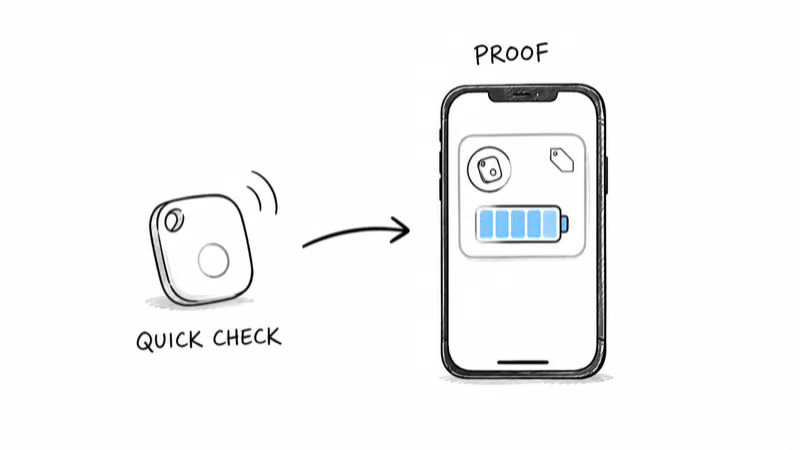
Sound is the fastest check, but the SmartThings app is the proof. Open SmartThings, find your SmartTag 2 in the device list, and look at the battery indicator on its card. After a fresh CR2032 it should read full or near-full once the app reconnects; if it still shows low, the cell is weak or seated wrong.
Trigger the ring from the app as a second test. A tag with a healthy battery rings at full volume, while a near-dead one chirps faintly or not at all. If the ring is loud and the app shows a strong battery level, the swap is done and you can close the app.
If the tag won’t reconnect at all after a battery change, the issue is usually pairing rather than power. Walk the tag close to your phone, make sure Bluetooth is on, and let SmartThings re-establish the link before assuming the new cell is bad.
Fixing a Lingering Low-Battery Alert
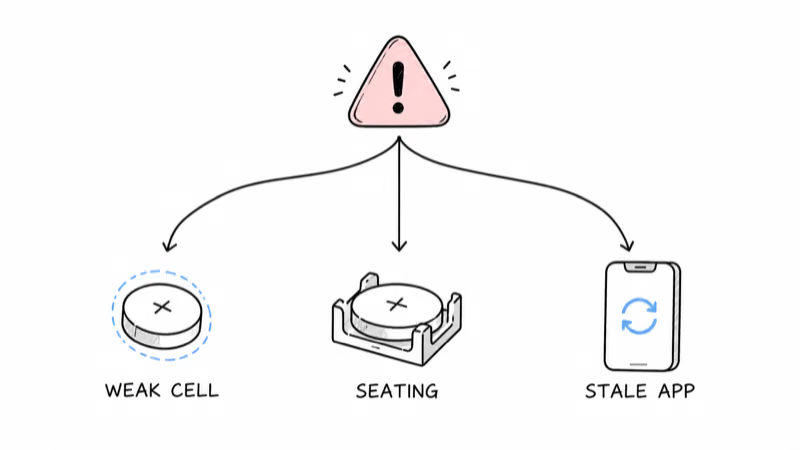
A lingering low-battery alert after a confirmed-good swap almost always comes down to one of three things, and none of them require a new tag. The most common culprit is a weak replacement cell, so if you used a cheap multi-pack, try a known-good CR2032 from a trusted brand first.
The second cause is a stale app reading. SmartThings sometimes caches the old battery status, so force-close and reopen the app, or remove and re-add the tag, to make it re-poll the hardware. The notification usually clears once the app reconnects to the tag and reads the new voltage.
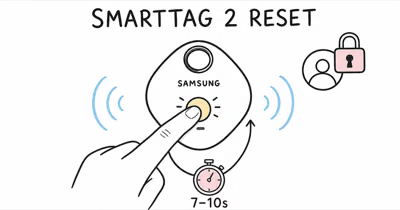
The third cause is the ownership check. Swapping a dead cell can make the SmartTag 2 report that it belongs to someone else, the same lock you would clear during a transfer. If that happens, you need to reset and re-pair the SmartTag 2 by removing it in SmartThings and adding it back as a new device, since you still own it and the registration just needs refreshing.
Why a Replaceable CR2032 Beats a Sealed Battery
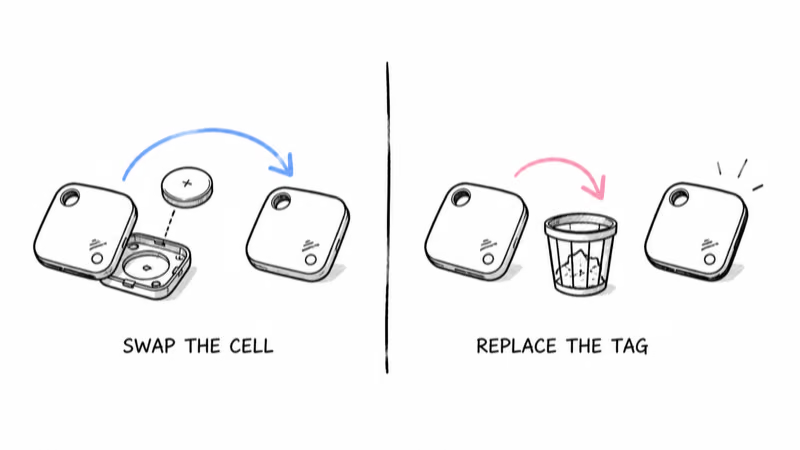
This is the SmartTag 2’s quiet advantage over rivals with sealed cells. Because the CR2032 pops out on a tray, you replace a two-dollar battery instead of throwing the whole tracker away, which is both cheaper and less wasteful over the tag’s multi-year life. Apple’s AirTag and most Samsung trackers share this user-replaceable design, while a few budget tags are glued shut and become e-waste when the cell dies.
If you are weighing the SmartTag 2 against other options, the replaceable battery is a genuine long-term saver, and our full SmartTag review covers how that stacks up against its tracking accuracy and Find Hub coverage. iPhone owners curious whether the tag fits their setup should also read our guide to using a SmartTag 2 with an iPhone, since network compatibility matters as much as battery type.
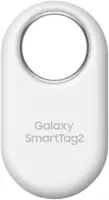
For a wider view of Samsung’s Find Hub trackers and how the SmartTag 2 lines up against alternatives, browse our Find Hub tracker hub, which collects every guide and comparison in one place.
Handling Coin Batteries Safely
The CR2032 is harmless in the tag and dangerous in a child’s hand, so this part matters more than the swap itself. According to the U.S. Consumer Product Safety Commission’s Button Cell and Coin Battery Information Center, a swallowed coin cell can burn through a child’s esophagus in as little as 2 hours, and even a spent battery carries enough charge to cause injury.
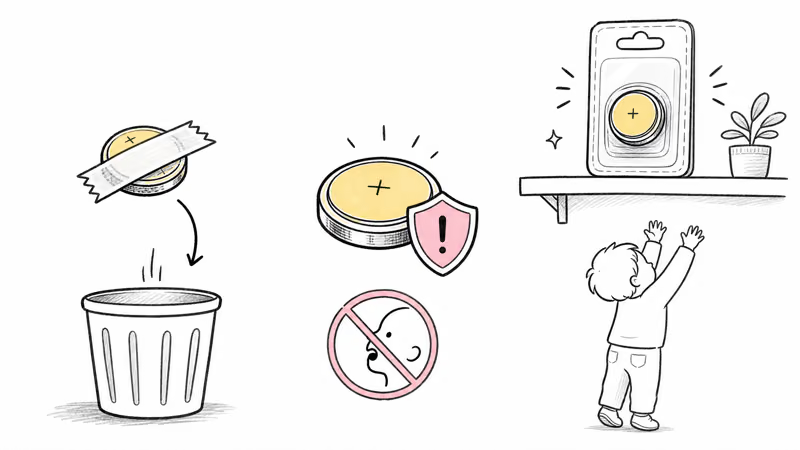
Treat both the new and old cells as a hazard. Keep the replacement battery in its child-resistant packaging until you use it, tape the terminals of the dead cell before disposal, and never leave a loose CR2032 on a counter or in a drawer a child can reach. If you suspect a child has swallowed one, call the National Battery Ingestion Hotline at 800-498-8666 and go to the nearest emergency room immediately rather than waiting for symptoms.
Bottom Line
Replacing a SmartTag 2 battery is a quick tray swap: eject the tray, drop in a fresh CR2032 plus-side up, slide it back, and confirm in SmartThings. Use a genuine cell from a reputable brand, clear any lingering low-battery alert by re-polling or re-pairing the tag, and store both the new and used coin batteries well out of reach of children.
FAQ
What battery does the Samsung SmartTag 2 use?
The SmartTag 2 uses a single CR2032, a 3-volt lithium coin cell about 20mm wide and 3.2mm thick. It’s the same battery found in car key fobs and most other Bluetooth trackers, so any genuine CR2032 from a brand like Panasonic, Energizer, or Duracell works. You don’t need a Samsung-branded cell.
How do I open the SmartTag 2 to change the battery?
Insert the supplied ejection pin, or a straightened paperclip, into the small hole on the edge of the tag and press until the battery tray pops loose. Pull the tray out gently, swap in the new CR2032 with the plus side up, then slide the tray back into the slot until it sits flush. The SmartTag 2 uses a slide-out tray, not the pry-off cover of the original tag.
How long does the SmartTag 2 battery last?
Samsung rates the SmartTag 2 for up to 500 days in normal use and up to 700 days in power-saving mode, which you enable in SmartThings. Heavy ringing, frequent Find Hub pings, and UWB precision-finding sessions all shorten that figure, so a hard-used tag won’t match the headline number. A tag flagging low inside a year often just has a weak factory cell.
Why does my SmartTag 2 still show low battery after I changed it?
The usual causes are a weak replacement cell, a cached app reading, or the ownership check re-triggering. Try a known-good CR2032 from a trusted brand, force-close and reopen SmartThings so it re-polls the tag, and if the tag reports it belongs to someone else, remove and re-add it in SmartThings. The alert clears once the app reads the new voltage.
Why did my SmartTag 2 lock after a battery swap?
Swapping a dead cell can re-trigger the Samsung account ownership check, making the tag report that it belongs to someone else. Because you still own it, the fix is to remove the tag from SmartThings, perform the reset if needed, and add it back as a new device. The registration simply needs refreshing after the power interruption.
Is the SmartTag 2 battery dangerous to children?
Yes, like any coin cell it’s a serious ingestion hazard. A swallowed CR2032 can burn through a child’s esophagus within hours, and even a dead battery holds enough charge to injure. Keep new cells in child-resistant packaging, tape the terminals of used cells before disposal, and call the National Battery Ingestion Hotline at 800-498-8666 if you suspect a child swallowed one.
Can I use a rechargeable battery instead of a CR2032?
No. The SmartTag 2 is designed for a standard non-rechargeable CR2032 at 3 volts, and rechargeable LIR2032 cells run at a higher 3.6 volts and have lower capacity. Using the wrong chemistry can cause inconsistent readings or fail to power the tag at all, so stick with a genuine single-use CR2032.