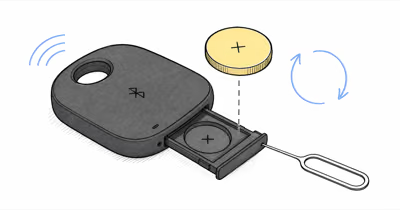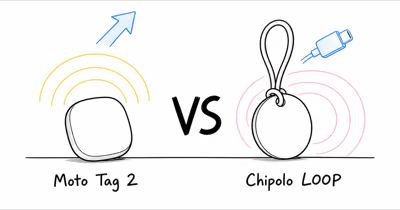
The Moto Tag 2 doesn’t charge because it isn’t rechargeable. It runs on a user-replaceable CR2032 coin cell rated for over 600 days, so there’s no charging port and no cable in the box. If your tag has gone silent, the fix is almost always a fresh CR2032 battery, not a charger. Pop the back off, swap the coin cell, and let the Moto and Find Hub apps rediscover the tag.
If you’ve been hunting for a charging cable or a hidden port on your Moto Tag 2, you can stop. The tag was never designed to charge. Like an AirTag or a SmartTag, it uses a replaceable coin-cell battery, and “not charging” is a top search from new owners who expect a rechargeable device. Motorola’s support pages confirm that a simple coin-cell swap is all it takes, so you can revive a dead tag in minutes.
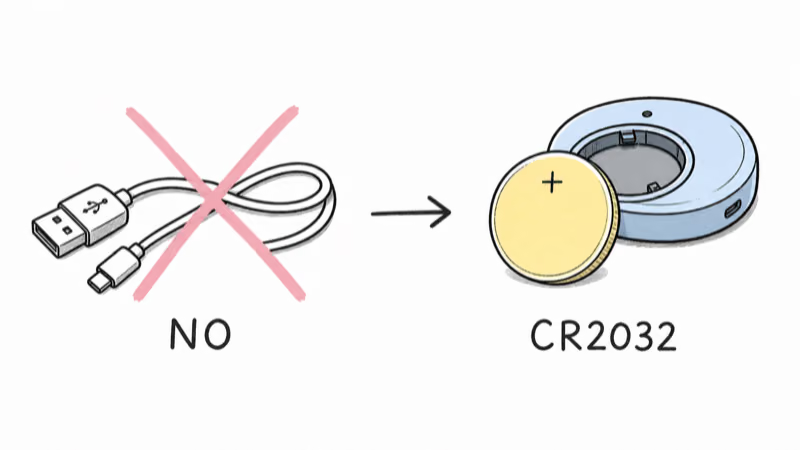
- The Moto Tag 2 is not rechargeable and uses a replaceable CR2032 coin cell, so there’s no charging port by design
- Battery life runs over 600 days per Motorola, roughly 1.5 to 2 years before a swap is due
- A silent or offline tag almost always needs a fresh CR2032, a battery you can buy anywhere for about $1 to $3
- You can check the battery level in the Moto Tag app and in Google Find Hub before it dies completely
- Cold weather and a weak factory cell are the two most common reasons a battery dies sooner than 600 days
Why the Moto Tag 2 Has No Charging Port
The Moto Tag 2 is a Bluetooth item tracker, not a powered gadget, so it’s built around a tiny coin cell instead of a rechargeable pack. According to Motorola’s support page, the tag ships with a pre-installed, user-replaceable CR2032 battery rated for over 600 days of use.
That design choice is deliberate. A sealed rechargeable tracker would add another charging habit, which defeats the purpose of a stick-it-and-forget-it tag. By using a CR2032, the Moto Tag 2 follows Motorola’s long-life coin-cell spec and stays slim enough to clip onto keys. There’s no port to corrode and no cable to lose, which is exactly why you won’t find either one.
Does the Moto Tag 2 Battery Need Charging?
No. The battery never needs charging because it can’t be charged. When the CR2032 runs low after its rated life, you replace it rather than recharge it. Motorola confirms that the cell is user-replaceable, so this is planned maintenance, not a fault.
This trips up owners coming from rechargeable trackers or smartwatches. If your tag has simply stopped responding, the battery has most likely reached the end of its life or arrived weak from the factory. A new coin cell, not a charger, is the answer almost every time.
How Do You Replace the Moto Tag 2 Battery?
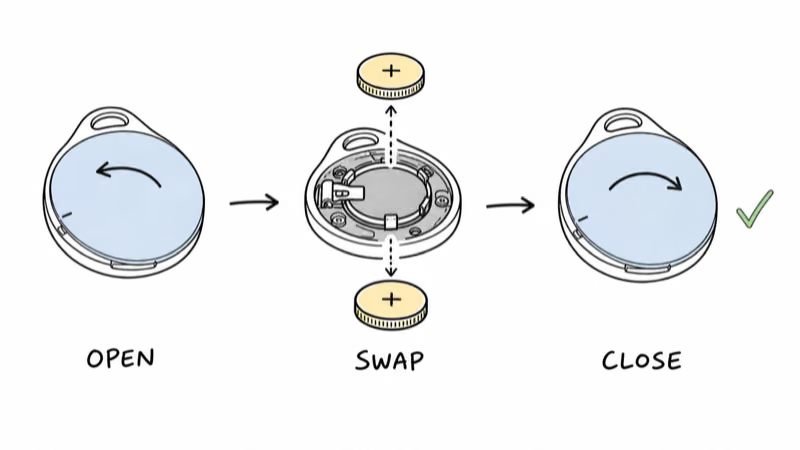
Twist the back cover counter-clockwise to unlock it, lift it off, and note how the old CR2032 sits with the positive (plus) side facing up. Pull the old cell out.
Drop in a fresh CR2032 the same way, plus-side up, then press the cover back on and twist it clockwise until it clicks. The tag typically chimes and reappears in the Moto Tag app shortly after the new cell goes in. Avoid touching both sides of the new battery with your fingers, since skin oils can shorten contact life.
If you also own the first-generation tag, the process is identical, and our Moto Tag 2 review covers how the two models compare on battery and range.
Checking Battery Level in the Moto App and Find Hub
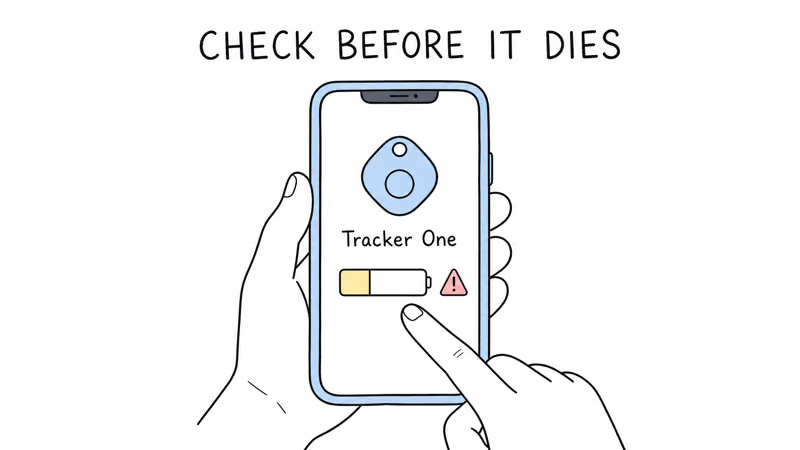
You don’t have to wait for the tag to die. Open the Moto Tag app, select the tag, and the battery status appears on its detail screen. Because the Moto Tag 2 rides on Google’s network, you can also see its status in Google’s Find Hub, the same place you locate the tag on a map.
When the level reads low, order a CR2032 before it quits so the tag never drops off the network. A tag with a dead battery can’t report its last location updates, which is the worst time to discover the cell is empty. If your tag shows as offline but the battery is fine, our guide to the Moto Tag 2 not updating location walks through the network-side fixes.
When the Battery Dies Sooner Than Expected
A CR2032 rated for 600-plus days should last well over a year, so an early death points to one of a few causes. Motorola states that the cell lasts over 600 days under optimal conditions, and real-world figures vary with temperature, signal, and how often the tag is pinged.
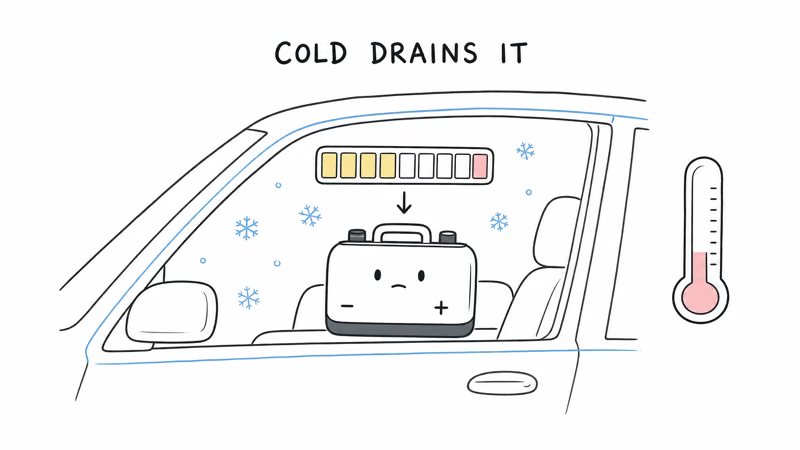
Cold weather is the biggest culprit, since coin cells lose voltage in freezing temperatures, which is common for a tag left in a car or a bag outdoors. A weak factory cell is the second: occasionally a tag ships with a battery that was already partly drained on the shelf. In both cases a fresh, name-brand CR2032 restores normal life. Heavy use, like constant Find Hub pings, also drains the cell faster than light use.
Tag Still Unresponsive After a New Battery
If a brand-new CR2032 doesn’t revive the tag, the problem is no longer the battery. First, confirm the new cell is actually fresh by testing it in another device or measuring it, since coin cells can sit dead on a store shelf. Make sure it’s seated plus-side up and the cover is fully twisted shut.
If it still won’t connect, the issue is pairing or hardware rather than power, and our Moto Tag 2 not connecting guide covers the reset and Fast Pair fixes. A tag that takes a fresh battery, seats correctly, and still shows nothing in the app may be defective and worth a warranty claim.
Bottom Line
The Moto Tag 2 doesn’t charge because it was never meant to. It’s a coin-cell tracker, and a silent tag almost always just needs a new CR2032, a battery you can buy for a couple of dollars and swap without a charger. There’s no port, no cable, and no charging step to troubleshoot.
Check the battery level in the Moto Tag app or Find Hub before it dies, keep a spare CR2032 on hand, and replace the cell every year and a half or so. Do that and your tag stays online without ever touching a charger.
FAQ
Why won’t my Moto Tag 2 charge?
Because it isn’t a rechargeable device. The Moto Tag 2 uses a replaceable CR2032 coin cell, so it has no charging port and no cable. If the tag has gone silent, you replace the battery rather than charge it. A fresh CR2032 restores power, and there’s nothing else to plug in.
What battery does the Moto Tag 2 use?
It uses a single CR2032 coin cell, the same flat 3-volt battery found in many key fobs and other Bluetooth trackers. Motorola rates it for over 600 days of use. CR2032 cells are inexpensive, around $1 to $3 each, and sold in nearly every grocery, pharmacy, and hardware store.
How long does the Moto Tag 2 battery last?
Motorola rates the CR2032 for over 600 days, roughly 1.5 to 2 years, under optimal conditions. Real-world life is shorter if the tag spends time in cold weather or gets pinged constantly through Find Hub. Checking the battery level in the app every few months helps you replace it before it dies.
How do I know when to replace the battery?
Open the Moto Tag app, select your tag, and read the battery status on its detail screen, or check the same status in Google Find Hub. When it shows low, swap in a fresh CR2032 before the tag drops off the network. Replacing it early means the tag never goes silent at the moment you need to locate something.
Can I use a rechargeable coin cell instead?
It’s not recommended. Rechargeable LIR2032 cells output a slightly higher voltage and a different capacity than a standard CR2032, which can cause inconsistent behavior or a shorter usable life. Stick with a fresh, name-brand CR2032 for the rated 600-plus days of reliable performance.
My tag is dead even with a new battery. What now?
First confirm the new CR2032 is actually fresh, since coin cells can sit dead on a shelf, and make sure it’s seated plus-side up with the cover fully closed. If it still won’t connect, the issue is pairing or hardware, not power, so work through a reset. A tag that takes a good battery and still shows nothing may be defective and worth a warranty claim.