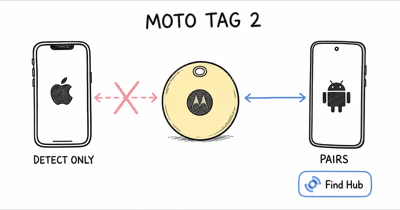
People ask whether a SmartTag2 can be managed from an iPhone because both are Bluetooth item trackers. The short version is no: Samsung’s current compatibility requirements specify a compatible Galaxy phone or tablet, SmartThings Find, and a Samsung account.
- No iPhone owner controls — an iPhone can’t register, locate, ring, or configure a SmartTag2
- Compatible Galaxy device required — setup needs supported Galaxy hardware, SmartThings Find, and a Samsung account
- The network is Galaxy-only — SmartThings Find relies on nearby Samsung phones, not iPhones, to report a lost tag
- Lost Mode NFC crosses the OS boundary — a finder with an NFC-enabled iPhone can read pre-registered owner information, but that doesn’t provide owner controls
- Match the purchasing path to the phone — AirTag 2 serves iPhone owners; Chipolo Pop can be assigned to Apple Find My or Google Find Hub, one network at a time
Why Does the Samsung SmartTag2 Not Work With an iPhone?
The SmartTag2 fails on iPhone because of three hard dependencies, and all three are missing on iOS. Samsung’s launch announcement is blunt about who the tracker is for. The Samsung newsroom post for the SmartTag2 quotes the head of SmartThings, Jaeyeon Jung, who states that the goal was “to make sure Samsung Galaxy users can find their belongings in an easy and intuitive way.” Galaxy users, not phone users in general.
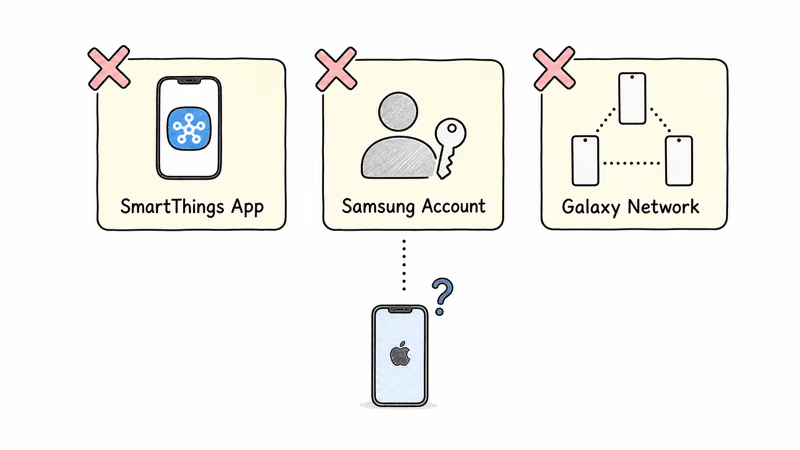
First comes the supported hardware. A SmartThings app may exist on other platforms, but Samsung requires compatible Galaxy hardware for SmartTag2 registration and owner controls. Installing SmartThings on an iPhone doesn’t turn the phone into a SmartTag2 controller.
Next comes the account and service. The tag registers to a Samsung account through SmartThings Find on the compatible Galaxy device. Creating an account alone doesn’t remove the hardware requirement.
Finally, Galaxy devices—not iPhones—relay a separated SmartTag2.
There is one limited cross-platform path. Samsung says a finder can scan a SmartTag2 in Lost Mode with an NFC-enabled phone, including iOS, to view contact information the owner registered in advance.
How the Galaxy-Only Network Changes Everything
A Bluetooth tracker is only as useful as the crowd-finding network behind it. Your phone holds a Bluetooth link of roughly 100 to 120 meters in the open, and once the tag leaves that range, you depend on other people’s phones to spot it and report its location back to you anonymously.
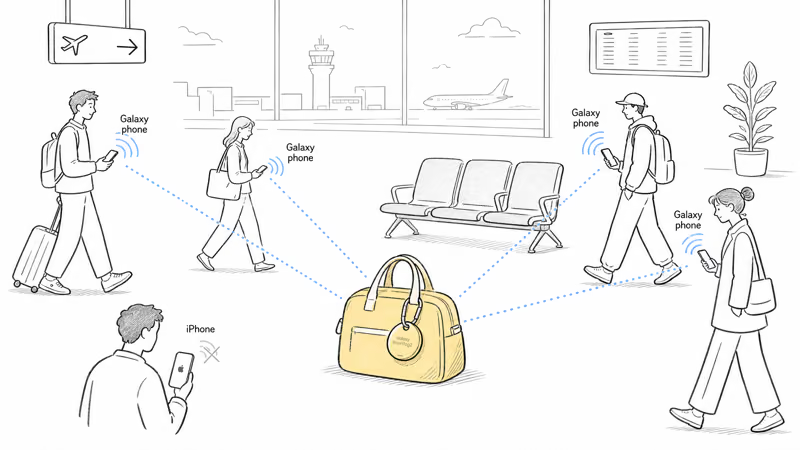
For the SmartTag2 that crowd is Samsung’s Galaxy Find Network. A nearby participating Galaxy device can relay the tag; a passing iPhone doesn’t join Samsung’s finding network.
Apple’s network works the opposite way. Apple explains in its Find My support article that you use the Find My app “to locate your lost Apple device or AirTag.” An AirTag rides that anonymous mesh of Apple devices, which already covers most public spaces.
The practical result is a network mismatch for iPhone owners. AirTag needs passing Apple devices; SmartTag2 needs passing Galaxy devices.
What the SmartTag2 Does Well (for Galaxy Owners)
None of this means the SmartTag2 is a weak product. For a Samsung phone owner it’s a strong tracker, and reviewers rate it highly. Tom’s Guide, in its hands-on SmartTag2 review, reported that “Samsung says you can expect up to 500 days of operation per battery” in normal mode, with a power-saving mode that stretches it further.
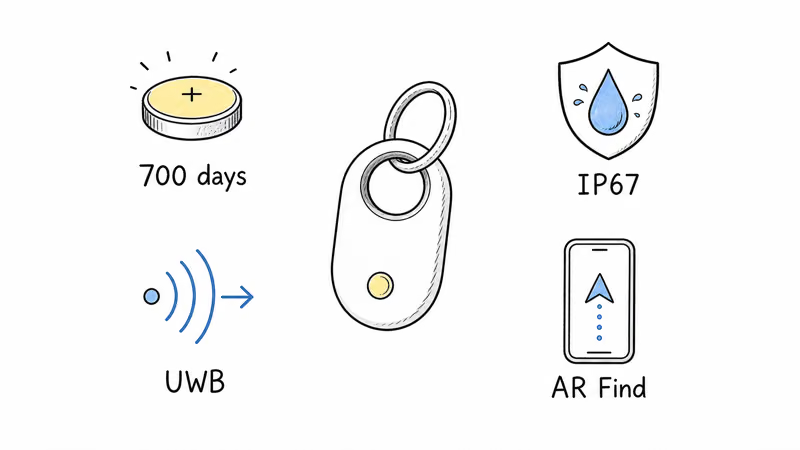
Samsung’s own figures go higher. Its newsroom announcement confirms that the SmartTag2 battery “now lasts up to 700 days” in Power Saving Mode. An AirTag manages roughly one year.
Hardware is solid too. The SmartTag2 carries an IP67 water and dust rating, supports Ultra Wideband for close-range direction finding, and adds an AR Find mode that overlays an arrow on your Galaxy phone’s camera view. Tom’s Guide’s review verdict states the tag’s main drawback in plain terms: “Limited to Samsung Galaxy device.”
So the SmartTag2 is a strong tracker trapped behind a platform wall. If you own a Galaxy phone, our Samsung SmartTag review covers it in full. If you own an iPhone, that platform wall is a deal-breaker, and no price makes it worth buying.
What Should iPhone Users Buy Instead?
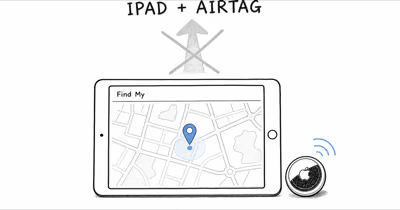
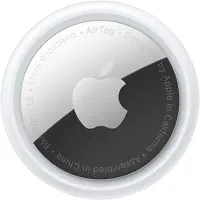
For iPhone owners, AirTag 2 keeps registration and finding inside Apple’s native Find My workflow.
Apple AirTag 2
The AirTag 2 is the obvious answer for anyone inside the Apple ecosystem. Attached to a set of keys, its Precision Finding can walk an iPhone user straight back to wherever the tag slipped out of sight.
Chipolo Pop
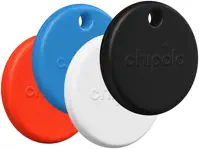
If you switch between an iPhone and an Android phone, Chipolo Pop provides a choice of Apple Find My or Google Find Hub. One tag uses one selected network at a time, so switching still requires the documented reset and reassignment process.
Compare more choices in our AirTag alternatives guide and Android tracker roundup.
Workarounds for iPhone Users That Fall Apart
Search results sometimes suggest clever ways to make a SmartTag2 useful on iOS, and it’s worth being clear about which ones actually exist. None of them give you a working tracker.
Borrowing a Galaxy phone doesn’t transfer controls to an iPhone.
Another idea is keeping a Galaxy tablet or old Galaxy phone as the controller. That can create a separate supported Samsung workflow, but it doesn’t make SmartTag2 work inside the iPhone. The extra device remains part of the system.
There’s no real workaround, and that’s the honest conclusion. Cross-platform tracking is a hardware-and-network decision you make at purchase, not something you patch later. If the iPhone is your phone, buy a tracker designed for it. Our comparison of AirTag versus SmartTag lays out the two ecosystems side by side, and if a Samsung tracker you already own is misbehaving, the SmartTag not working guide covers the Galaxy-side fixes.
The Mirror Problem: AirTag on Android
The SmartTag2-on-iPhone question has a mirror image: does an AirTag work on Android? The situation is similar but not identical, and the difference is instructive.
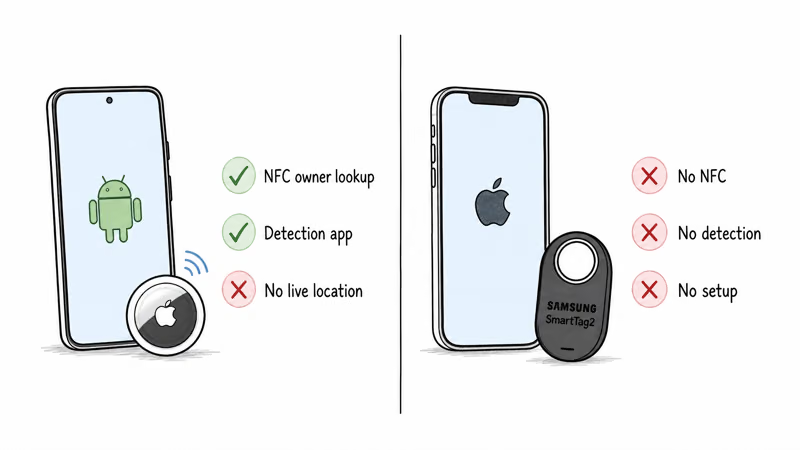
Android can’t manage AirTag; its unknown-tracker alerts are safety notices, not owner access.
SmartTag2 also has an NFC Lost Mode path that works on a finder’s compatible phone regardless of OS. That is a return-information feature, not setup, location access, or proof that an unknown-tracker alert will fire.
Neither product becomes cross-platform because another phone can read NFC or surface a safety alert. Match the tracker to the phone that will own and manage it.
Bottom Line
You can’t use a Samsung SmartTag2 with an iPhone, and no workaround changes that. The tag needs a Galaxy phone, the SmartThings app, and a Samsung account, and its finding network is built from Galaxy phones an iPhone owner can’t lean on.
If you carry an iPhone, compare AirTag 2 in the Find My workflow. If you move between phone ecosystems, compare Chipolo Pop while remembering that each tag is assigned to one network at a time.
FAQ
Can you set up a Samsung SmartTag2 on an iPhone?
No. Samsung requires compatible Galaxy hardware, SmartThings Find, and a Samsung account for registration and owner controls. Installing SmartThings on an iPhone doesn’t make the iPhone a SmartTag2 controller.
Will an iPhone get an alert if a SmartTag2 is tracking it?
Don’t assume this guide proves a specific alert will fire. Use the iPhone’s current official unknown-tracker workflow and Samsung’s current safety guidance; an NFC Lost Mode scan is a separate return-information feature.
Does the SmartTag2 use the iPhone Find My network at all?
No. The SmartTag2 reports through SmartThings Find, which is composed of Samsung Galaxy phones. Apple’s Find My network and Samsung’s network are separate systems that don’t share location data, so an iPhone that walks past a lost SmartTag2 does nothing to help you find it.
What is the best tracker for an iPhone user?
AirTag 2 is the native choice for an iPhone owner because registration and owner controls live in Find My. Confirm the current iPhone requirements, nearby-finding support, price, and availability before buying.
Is there a tracker that works on both iPhone and Android?
Yes. The Chipolo Pop joins both Apple Find My and Google Find Hub, so it works whether you carry an iPhone or an Android phone. You choose which network the tag uses during setup. It’s the best option for people who switch phones or share trackers across a mixed-device household.
How long does the SmartTag2 battery last compared to an AirTag?
Samsung rates the SmartTag2 at up to 500 days in normal mode and up to 700 days in power-saving mode, both on a CR2032 coin cell. An AirTag runs roughly one year on the same battery type. The SmartTag2 wins on battery life, but that advantage is moot for an iPhone owner who can’t use the tag.
Can I borrow a Galaxy phone to use a SmartTag2 with my iPhone?
It won’t make the tag work on your iPhone. Even if you register with your own Samsung account, ongoing location and owner controls still require supported Galaxy hardware, so the borrowed device remains part of the workflow.