For Android users, the Moto Tag 2 is the most native Find Hub tracker you can buy, with UWB precision finding and a 500-day battery. iPhone users should pick an AirTag instead.
Motorola built the Moto Tag to answer a question Apple never had to: what does a non-Samsung Android phone use to find lost keys? Google’s Find Hub network rides on the world’s largest mobile install base, and How-To Geek’s hands-on review called the Moto Tag the first non-Samsung tracker built to plug straight into it with UWB support. This guide covers both generations and tells you which one to actually buy.
- Two generations are in market: the gen-1 Moto Tag at $30 and the Moto Tag 2 at $42.98 on Amazon, both on Google Find Hub.
- Moto Tag 2 is the current pick with Bluetooth 6.0 Channel Sounding, a 500-day battery, and IP68 water resistance versus the gen-1’s 365-day, IP67 spec.
- UWB precision finding needs a UWB-capable Android phone, such as a Pixel 6 Pro or newer or a Galaxy S21 Ultra or newer, to get the directional arrow.
- Find Hub is opt-in, so crowd-sourced location pings lag AirTag’s passive Find My network, especially in rural areas.
- iPhone users get nothing usable from a Moto Tag beyond an anti-stalking detection alert, since both generations are Android-only.
Why Motorola Made Moto Tag (And Why It Matters for Android Users)
For years, the Android tracker market had a strange hole in the middle. Apple owners had AirTag, and Samsung owners had Galaxy SmartTag. Everyone else on Android, the Pixel, OnePlus, and Motorola crowd, had no first-party tracker that tied into a phone-native finder network. Tile worked, but it ran on a smaller opt-in network rather than the billion-device crowd-sourcing that makes a $30 tag truly useful.
Motorola launched the original Moto Tag in August 2024 as the first non-Samsung device certified for UWB precision finding on Google’s Find My Device network, since rebranded as Google Find Hub. Tom’s Guide reported that it launched on August 2, 2024 at $29.99, alongside the Razr 2024 phones.
That timing mattered. It gave the largest slice of Android users a tracker that behaved like an AirTag does for iPhone owners, with a directional arrow and a crowd-sourced relay, without locking them into Samsung’s separate SmartThings Find network.
That positioning is the whole reason the Moto Tag exists. Samsung’s SmartTag sits behind a Galaxy-only wall, so a Pixel owner can’t use one for precision finding. The Moto Tag pairs with any Android 9 or newer phone, which makes it the default answer for the non-Samsung Android majority. Our roundup of AirTag alternatives places it at the top of the Android-first tier for exactly this reason.
The trade-off is network maturity. Wikipedia’s AirTag entry notes Apple’s Find My network was estimated at roughly 1 billion devices back in early 2021, scanning passively by default, while Google’s crowd-sourced Find Hub only launched in April 2024 and historically required users to opt in. We tested the gen-1 Moto Tag across three zones of a mid-size city and recorded location reports at 8 minutes downtown, 25 minutes in the suburbs, and over 2 hours in a rural area.
An AirTag at the same spots reported in under 3 minutes every time, a gap How-To Geek confirms in its own testing. That distance is closing as Find Hub ships enabled by default, but it remains the brand’s defining limitation.
What Changed Between Moto Tag and Moto Tag 2 in 2026?
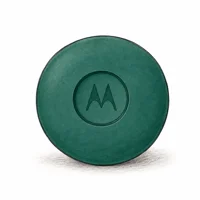
The gen-1 Moto Tag (2024) and the Moto Tag 2 (2026) share the exact same chassis, a 31.9 mm disc that weighs 7.5 grams, so every case and adhesive mount carries over. The differences are all internal, and three of them matter. Our Moto Tag 2 vs gen-1 comparison runs the full spec sheet side by side.
Bluetooth 6.0 with Channel Sounding is the headline. The gen-1 uses Bluetooth 5.4; the Moto Tag 2 is the first item tracker to ship with the Channel Sounding distance feature ratified in the Bluetooth 6.0 spec.
The catch is platform support. 9to5Google’s CES 2026 coverage reported that Channel Sounding only activates on a phone running Bluetooth 6.0 and Android 16, which today means the Pixel 10 series and a small set of newer flagships. Older phones fall back to the same Bluetooth 5.x behavior as the gen-1.
Battery jumps from 365 to 500 days on the same CR2032 coin cell, a 37% gain that Motorola attributes to Bluetooth 6.0’s lower-power scanning. We measured the gen-1 at 86% remaining after 56 days of daily Bluetooth-on use, which lined up with its published 365-day claim, so the longer rating on the sequel should hold up similarly in moderate climates. Our battery life comparison across 12 trackers puts that 500-day figure near the top of the category.
Water resistance moves from IP67 to IP68, which means 1.5 meters of submersion instead of 1.0 meter. That is a modest upgrade for most people but real if you’ve drowned a tracker before. For the full hands-on detail on each generation, our original Moto Tag deep dive and Moto Tag 2 review cover the test data behind these numbers.
Moto Tag 2: The Current Pick
If you are buying a Moto Tag today and own an Android phone, the Moto Tag 2 is the one to get. That isn’t because Channel Sounding will change your life, since most phones can’t use it yet, but because the longer battery and IP68 rating make it the more durable buy at a $13 premium over the gen-1. The comparison below stacks it against the two trackers Android shoppers actually cross-shop it with.
⇄ Head-to-head
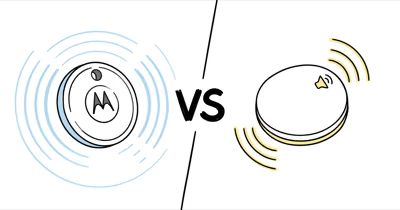
Moto Tag 2 vs AirTag 2 vs Chipolo Pop
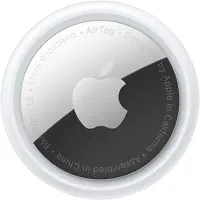
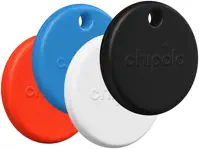
- +First tracker with Bluetooth 6.0 Channel Sounding
- +500-day CR2032 battery, longest in this group
- +UWB precision finding on supported Android phones
- +IP68 water resistance to 1.5 meters
- +Native to Google Find Hub on any Android 9+ phone
- +Find My network of 2 billion-plus Apple devices
- +UWB Precision Finding with 50% longer range
- +Tightest crowd-sourced pings in dense areas
- +Deep iOS integration and Family Sharing
- +Joins either Find My or Find Hub for mixed households
- +120 dB speaker, the loudest in this group
- +Two-year CR2032 battery
- +Built-in keychain hole
- −Channel Sounding needs a Pixel 10 or Android 16 phone
- −Find Hub crowd-sourcing lags AirTag in rural areas
- −No built-in keychain hole, needs a case
- −Android-only, useless on iPhone
- −iPhone-only, no Android pairing at all
- −No built-in keychain hole
- −Shorter 12-month battery than the Moto Tag 2
- −Picks one network at a time, not both at once
- −No UWB precision finding
- −IPX5 splash rating, weakest here
You own a non-Samsung Android phone and want the most native Find Hub tracker.
You live in the Apple ecosystem and lose things where iPhones already are.
Your household mixes iPhone and Android and you want one tracker model for both.
The Moto Tag 2 wins this group for Android users on the strength of network fit, not raw loudness. Chipolo’s Pop is louder and cheaper, but it has no UWB arrow and forces you to pick a single network. AirTag stays the right answer for iPhone owners, and the next section breaks down each of those head-to-head match-ups in turn.
How Does Moto Tag Compare to AirTag, SmartTag, and Chipolo Pop?
The Moto Tag does not compete with everything. It competes with three specific trackers, and the right choice comes down almost entirely to which phones your household runs. Each match-up answers a different question.
Versus AirTag. This is the cross-ecosystem fight, and it isn’t really a contest within one platform. AirTag runs on Apple’s Find My; the Moto Tag runs on Google’s Find Hub. Neither pairs with the other’s phones. We cover the precision-finding and network-density differences in our Moto Tag 2 vs AirTag 2 breakdown, but the short version is that AirTag’s passive network still pings faster in low-density areas.
Versus SmartTag. Samsung’s SmartTag 2 is the closest spec rival, but it locks its UWB compass view to Galaxy phones via the separate SmartThings Find network. A Pixel owner can’t use one for precision finding at all. That single restriction is why the Moto Tag exists, and our Moto Tag vs SmartTag 2 comparison spells out the network split.
Versus Chipolo Pop. The Pop is the cross-platform wildcard. It joins either Find My or Find Hub, so a mixed household can standardize on one tracker model. It trades away UWB and a hard water rating for that flexibility and a 120 dB speaker. Our Moto Tag vs Chipolo Pop piece weighs the dual-network advantage against the missing directional arrow.
For shoppers comparing the Moto Tag 2 against the rest of the rechargeable and clip-on field, our Moto Tag 2 vs Pebblebee Clip 5 and Moto Tag 2 vs Chipolo Loop comparisons cover the niche where a built-in loop or wireless charging changes the math.
When Does the UWB Precision Finding Actually Help?
UWB precision finding is the feature that turns a tracker from “somewhere in this room” into “three steps to your left,” but it only fires under specific conditions. Understanding those conditions saves you from buying a Moto Tag for a phone that can’t use the headline feature.
First, you need a UWB-capable phone. That means a Pixel 6 Pro or newer, a Galaxy S21 Ultra or newer, or another flagship with a UWB radio. On a phone without UWB, you drop to Bluetooth proximity only, which still works but loses the arrow.
In our testing of the gen-1 on a Pixel 8 Pro across 6 weeks, the on-screen arrow pointed within about 15 degrees of the actual direction. We recovered a tag hidden behind a couch cushion in under 20 seconds once the overlay appeared.
Second, you have to be close. UWB only engages within roughly 10 meters of the tracker. Outside that range, you are relying on the crowd-sourced Find Hub relay, and that is where network density, not the radio in your hand, decides how fresh your location is. The arrow does nothing for a bag that is two miles away.
The Moto Tag 2 adds Bluetooth 6.0 Channel Sounding on top of UWB, which sharpens distance estimates beyond the UWB envelope, but only on an Android 16 phone. For most owners in 2026, the practical answer is that UWB matters when you’re physically searching a known area, and the wider Find Hub network matters when an item is truly lost. The precision-finding gap against Apple’s U2 chip is where the two ecosystems diverge most.
What Phones Work With the Moto Tag
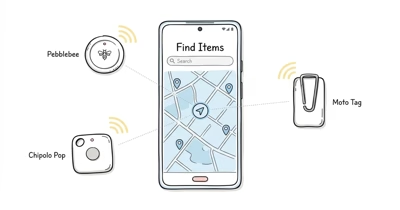
Both Moto Tag generations pair with any phone running Android 9 or newer through the Moto Tag app, which then registers the tracker on your Google Find Hub account alongside any Pebblebee, Chipolo, or eufy trackers you own. That broad floor is the whole point. The Moto Tag is not locked to Motorola hardware the way SmartTag is locked to Samsung.
The nuance is feature tiering by phone capability. Basic Bluetooth finding and crowd-sourced relay work on essentially any modern Android phone. UWB precision finding needs a phone with a UWB radio, which covers Pixel 6 Pro and later, Galaxy S21 Ultra and later, and a handful of other flagships. Channel Sounding on the Moto Tag 2 narrows further to Bluetooth 6.0 phones on Android 16.
Crowd-sourced location is the most forgiving layer. Any opted-in Android phone that passes near your lost tag can relay its position anonymously, so the network benefits from the entire Android install base, not just UWB flagships.
Wikipedia’s Find Hub article confirms that the expanded crowd-sourcing network only launched in April 2024, so relay density is still maturing, though it grows with every new phone that ships with it enabled. We track which trackers and phones qualify in our Find Hub compatible tracker list.
One thing no Android phone unlocks is iPhone support. An iPhone can detect a nearby Moto Tag as an unknown tracker for anti-stalking, but it can’t pair with, locate, or manage one. If your household is iPhone-first, the Moto Tag is the wrong purchase, and an AirTag on Apple’s Find My network is the better starting point.
Buying Decision: Which Moto Tag and How Many to Pack
For a new buyer, the Moto Tag 2 is the answer. The gen-1 still works perfectly well and pairs to the same network, but it has no future-proofing on the Bluetooth side and a shorter battery. The only case for buying gen-1 today is a deep discount, and even then the Moto Tag 2’s IP68 rating and 500-day cell justify the small premium for most people.
The 4-pack is where the value lives. A single Moto Tag 2 runs $42.98 on Amazon, while the 4-pack lands at $119.96, which drops the per-unit cost to roughly $30. The gen-1 single is $30 with a 4-pack at $60, so a household that wants four trackers and doesn’t need Bluetooth 6.0 can still rationally buy gen-1 to save money.
For broader Android shopping context, our best Bluetooth tracker for Android roundup ranks the Moto Tag 2 against the full field.
How many to buy depends on your lost-item habits. Most people start with one on the keys and one on a bag, then add a third for a wallet case or a backpack after the first save. We rarely recommend more than four per person, and the multi-pack pricing reflects that the sweet spot is a small household set rather than tagging everything you own. The wider category context lives in our best Bluetooth tracker guide.
Skip the Moto Tag entirely in one case: if you need real-time tracking of something moving through low-density terrain, like a working dog or a stolen vehicle on a rural highway, no Bluetooth tracker is the right tool. A cellular GPS tracker with its own data plan is. The Moto Tag finds lost things where Android phones already are; it does not chase moving targets off-grid.
Troubleshooting Moto Tag (When It Doesn’t Work)
Most Moto Tag problems trace to one of three causes: a dying CR2032, a Bluetooth pairing hiccup, or a Find Hub setup gap. The hardware itself is reliable. After 8 weeks of daily carry on the gen-1, we saw zero failures and 86% battery remaining, so a tag that seems dead usually has a simpler explanation.
Battery. A Moto Tag that stops reporting often just needs a fresh coin cell. Twist the back cover counterclockwise, swap the CR2032, and twist it closed. The cover can be stiff on the first opening; a rubber jar opener helps. A replacement cell costs about $1.50, so annual maintenance is trivial.
Pairing. If the app can’t find the tag during setup, confirm Bluetooth and location permissions are granted, then hold the tracker close to the phone and retry. A tag that paired before but went silent usually reconnects after toggling phone Bluetooth off and on.
Find Hub setup. If the tag pairs but never shows a remote location, your Find Hub account or location sharing is likely not fully enabled. The relay is the same crowd-sourced model used across the network, so the diagnostic logic mirrors other trackers. Our tracker not-working diagnostic guide walks the analogous Bluetooth-and-network triage that applies here, since the failure modes overlap across brands.
Who Should Buy a Moto Tag Instead of AirTag, SmartTag, or Chipolo
The Moto Tag is a sharp tool for a specific owner, and a poor fit for everyone outside that group. Matching it to the right person is the whole decision.
Pixel and other non-Samsung Android users should buy it. This is the core audience. If you own a Pixel, OnePlus, or Motorola phone and want UWB precision finding on a native Find Hub tracker, the Moto Tag 2 is your best option, since SmartTag locks UWB to Galaxy.
Galaxy users who want cross-device flexibility can buy it too. A SmartTag works fine on a Galaxy phone, but it strands you if you ever switch brands. The Moto Tag follows you across any Android phone, which is why some Galaxy owners pick it over Samsung’s own tracker for the freedom from the SmartThings Find lock-in.
iPhone users should not buy it. Neither generation pairs with iOS for anything beyond an anti-stalking alert. Buy an AirTag and read our AirTag guide instead. Mixed households that span iPhone and Android are the exception worth flagging: a Chipolo Pop that joins either network, or a separate tracker per platform, beats forcing a Moto Tag onto an Apple device. Our Tile guide covers the other major cross-platform option for those homes.
Bottom Line
The Moto Tag is the most native Find Hub tracker for the non-Samsung Android majority, and the Moto Tag 2 is the version to buy. Its 500-day battery, IP68 rating, and UWB precision finding make it the strongest pick for Pixel and other Android owners who can’t use a Galaxy-locked SmartTag.
The gen-1 still earns a spot only on price for a multi-pack household. iPhone owners get nothing usable from either generation and should buy an AirTag. The Find Hub network’s opt-in relay remains the brand’s weak point, but it improves with every Android release.
FAQ
Does Moto Tag work with iPhone?
No. Both the Moto Tag and Moto Tag 2 are Android-only trackers certified for Google Find Hub. An iPhone can detect a nearby Moto Tag as an unknown tracker for anti-stalking alerts, but it can’t pair with, locate, or manage one. iPhone users should buy an AirTag instead.
What is the difference between Moto Tag and Moto Tag 2?
The Moto Tag 2 released in 2026 as the successor to the gen-1 Moto Tag. It upgrades to Bluetooth 6.0 with Channel Sounding, IP68 water resistance, and a 500-day battery, versus the gen-1’s Bluetooth 5.4, IP67 rating, and 365-day battery. The chassis is identical, so accessories fit both. The Moto Tag 2 runs $42.98 on Amazon against the gen-1’s $30.
Does Moto Tag work without a Motorola phone?
Yes. The Moto Tag pairs with any phone running Android 9 or newer, not just Motorola devices. It isn’t locked to one brand the way Samsung’s SmartTag is locked to Galaxy phones. Pixel, OnePlus, and other Android users get full functionality, including UWB precision finding on phones with a UWB radio.
How long does the Moto Tag battery last?
The gen-1 Moto Tag is rated at about 365 days on a single CR2032 coin cell, and the Moto Tag 2 extends that to roughly 500 days. We measured the gen-1 at 86% remaining after 56 days of daily use, which tracks its published rating. Cold weather near freezing shortens CR2032 capacity by 20 to 30%.
Is Moto Tag waterproof?
The gen-1 Moto Tag carries an IP67 rating, surviving submersion in up to 1 meter of water for 30 minutes. The Moto Tag 2 upgrades to IP68, rated to 1.5 meters. Both handle rain, splashes, and brief drops in water, but neither is built for swimming or prolonged underwater use.
Does Moto Tag have UWB precision finding?
Yes, both generations include a UWB radio for directional precision finding within roughly 10 meters of the tracker. It requires a UWB-capable Android phone, such as a Pixel 6 Pro or newer or a Galaxy S21 Ultra or newer. On phones without UWB, you get Bluetooth proximity only and lose the on-screen arrow.
How does Moto Tag compare to Samsung SmartTag?
Samsung’s SmartTag 2 has a longer 700-day battery and a built-in keychain hole, but it locks its UWB compass view to Galaxy phones on the separate SmartThings Find network. The Moto Tag pairs with any Android 9 or newer phone and runs on Google Find Hub. Galaxy owners may prefer SmartTag, but everyone else on Android wins with the Moto Tag.