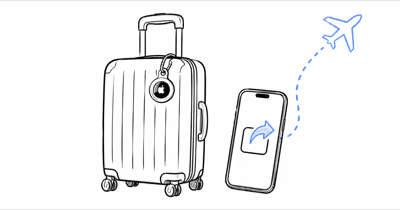
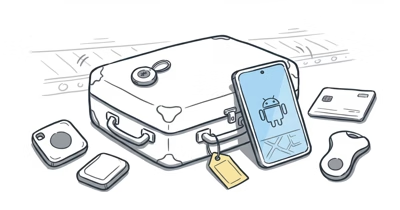
Google’s airline location-sharing feature for Find Hub shipped on March 3, 2026 as part of the Pixel Drop, closing the gap with Apple’s AirTag airline integration. Google’s launch post confirms that more than 10 carriers now accept Find Hub locations through SITA WorldTracer and Reunitus NetTracer, the two baggage-tracing platforms that hundreds of airlines already run.
- Launched March 3, 2026 — needs the Find Hub app on Android 6.0 or later (the network itself needs Android 9.0+).
- 10-plus carriers accept Find Hub links at launch, including Air India, China Airlines, the Lufthansa Group, Saudia, Scandinavian Airlines, Turkish Airlines, and Ajet, with Qantas coming soon.
- The link auto-expires after 7 days, or the instant your phone detects the bag is back in range, or whenever you stop the share manually.
- Only 3 Find Hub-certified trackers work: Chipolo Pop, Pebblebee Clip 5, and Motorola Moto Tag. Samsung SmartTag uses a separate network and won’t generate a link.
- The link opens in any browser on Android, desktop, or iOS, so airline staff need no Google account and no app install.
How Find Hub Airline Location Sharing Works
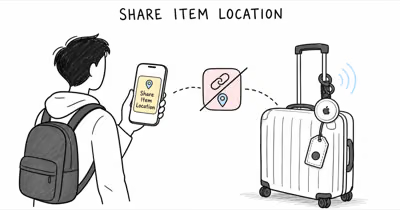
Find Hub airline location sharing turns a Find Hub tracker into a temporarily shareable beacon. You generate a secure URL in the Find Hub app, then send it to the airline, and their staff open it in a browser to see your bag on a live map. TechCrunch reported that Google built the feature directly into the existing Find My Device network. That network pings off more than a billion Android phones worldwide to relay each tracker’s encrypted location.
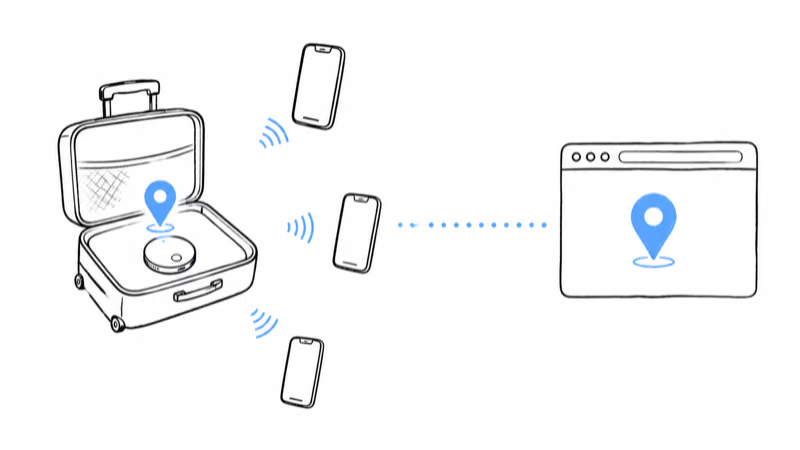
The link is the whole mechanism. There is no airline-side app, no Google login for staff, and no special hardware. The page is read-only: the airline sees a map pin and a timestamp, nothing about your account. Google renamed the underlying network from Find My Device to Find Hub in May 2025, and this airline integration is the travel-focused payoff of that rebuild.
The share link generates quickly and opens in a desktop browser with no login required. The read-only page shows only the pin and a timestamp, exactly as Google describes.
If you are still deciding between ecosystems, the same lost-bag flow exists on iPhone. Our walkthrough on how to share an AirTag location with an airline covers the Apple counterpart, which launched first in late 2024 and now reaches 36 carriers.
Which Trackers Support Find Hub Airline Sharing?
Only trackers certified for the Find Hub network can generate an airline share link. As of mid-2026 that list is short and specific. A tracker that pairs to a different network, like Samsung’s SmartThings, will never show the Share item location button.
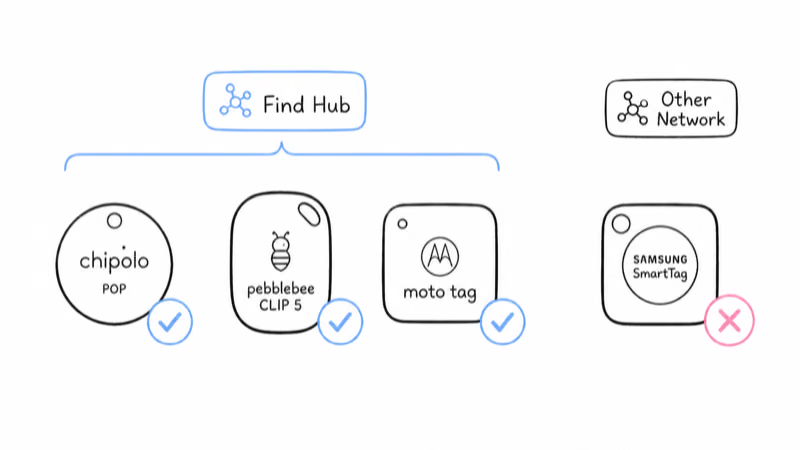
- Chipolo Pop — $29, the only Find Hub tracker that also switches to Apple Find My (one network at a time).
- Pebblebee Clip 5 — rechargeable, also supports Find My in a separate setup mode.
- Motorola Moto Tag — the only Find Hub tracker with UWB precision finding.
Google is also building Find Hub directly into hardware. The Google launch post names a Samsonite partnership that embeds Find Hub into select suitcases, so the bag itself pairs to the network out of the box without a separate tag. For a full breakdown of certified devices and what each one trades off, see our guide to Google Find Hub compatible trackers.
One real limit to know before you fly: Samsung SmartTag does not work with Find Hub. Samsung routes its trackers through the SmartThings Find network, which has no airline integration. If your bag is tagged with a SmartTag, this feature simply does not apply, and you would fall back to Samsung’s own app to locate the bag manually.
Step-by-Step: Share Your Find Hub Tracker With an Airline
The flow is identical on every carrier. Only the destination changes: some airlines want the link pasted into a delayed-bag web form, others have an in-app field, and a few still take it by email at the baggage office. Confirm your phone is on Android 6.0 or later first, since older versions never received the Find Hub app.
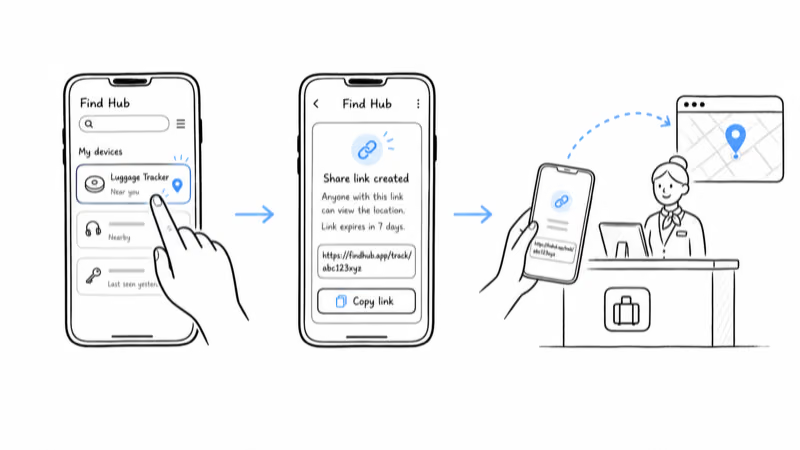
1. Open the Find Hub app and tap the tracker that is in your missing bag. The device card shows its last known location and a timestamp.
2. Tap Share item location (also labeled Share device on some builds) and approve the prompt to generate a secure URL. Find Hub creates a fresh link each time you do this.
3. Copy the link to your clipboard. The same URL works whether you text it, email it, or paste it, so you don’t need to pick a channel yet.
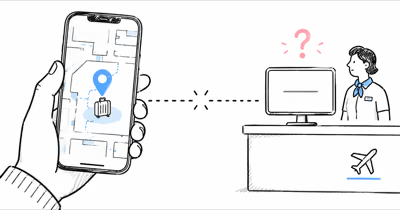
4. Paste the link into the airline’s delayed-bag form in their app or website, or hand it to the agent at the baggage desk. Google’s support article confirms that the link opens on any device, so the agent can pull it up on whatever screen they already use for baggage tracing.
5. Confirm the agent can see the pin before you walk away. The bag’s position relays through nearby Android phones, so give the page time to refresh if the last update is stale.
6. Stop sharing once you are reunited. Open the tracker card in Find Hub and tap Stop sharing, or simply let the link expire on its own after 7 days.
A trap worth flagging: the share link is per-tracker, not per-bag. If you packed two suitcases with two trackers, generate two separate links. There is no single link that covers your whole set of bags at once.
What Does the Airline See When You Share?
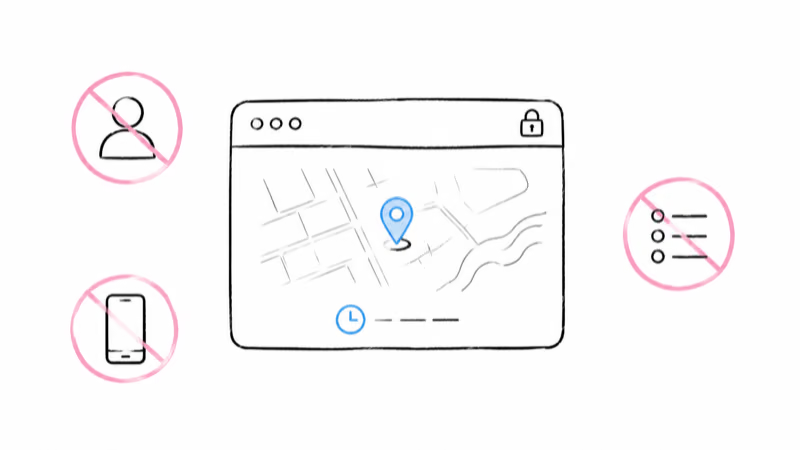
The airline sees a map with one pin and a last-updated timestamp. That’s the entire payload. Your Google account, your name, your other tracked items, and your phone’s own location never appear on the shared page. The link is read-only, so staff can’t ring your tracker, can’t see its location history, and can’t do anything except watch the pin move.
Behind that simple page, the link plugs into the baggage-tracing systems airlines already run. Engadget reported that Google launched the feature with 10 airline partners in the March Pixel Drop.
Google’s own materials confirm the integration runs through SITA WorldTracer and Reunitus NetTracer, the two platforms that power recovery for hundreds of carriers. SITA’s own product page states that WorldTracer is used by over 500 airlines and around 2,800 airports, which is why an agent can drop your pin into the same chase tool they use for every delayed bag rather than juggling a stray browser tab.
Expect a relay delay. Find Hub trackers update by pinging off passing Android phones, and cargo holds, belt-loaders, and shielded sort rooms have far fewer phones nearby.
The pin can sit still inside those zones, then jump when the bag rolls past a handler carrying an Android phone. A lag like this is common in a low-density terminal, so a stale pin is usually the network, not a broken link.
Find Hub Share Link Privacy and Expiry
The link is built to expire so you are never sharing longer than you need to. Three separate triggers end it.
It auto-revokes 7 days after you generated it. It stops when your phone detects the bag is back in range, and it ends whenever you tap Stop sharing in the app.
That reunion trigger matters for privacy. Because the page shows your bag’s location, a link left active after the bag is with you would effectively broadcast your own position. Google’s automatic shutoff on proximity, plus the manual Stop sharing control, means you don’t have to remember to clean up after a recovery. If the airline still needs the bag’s location after 7 days, just generate a fresh link and send it again.
If you want to understand exactly what location data Find Hub keeps versus what it shares, our explainer on Google Find Hub location history breaks down the difference between the live pin and any stored trail.
Troubleshooting a Share Link That Fails to Generate or Update
Most failures trace back to one of four causes, and each has a quick check before you assume the feature is broken.
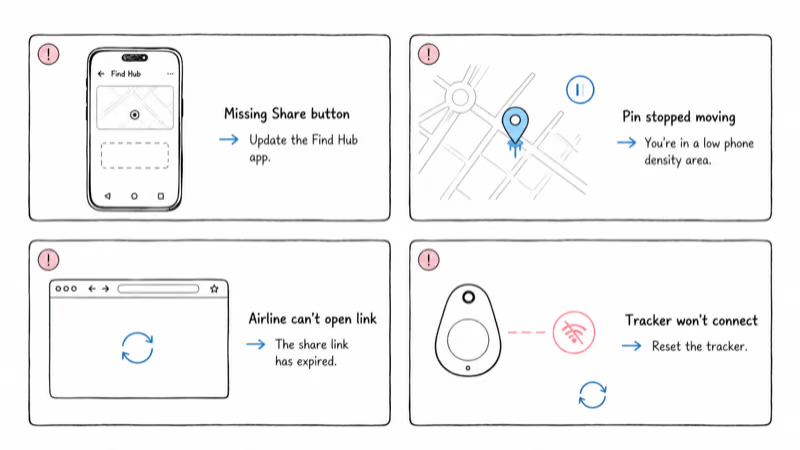
The Share item location button is missing. Your Find Hub app is likely out of date or the tracker is not Find Hub-certified. Update the app from the Play Store, confirm your phone is on Android 6.0 or later, and verify the tracker is one of the certified models above. A SmartTag will never show the button.
The pin is frozen. This is the network density problem, not a fault. Wait for the bag to pass a populated area. If the tracker stays dark after the airline confirms it has the bag, the tag battery may be dead or the tag may have fallen out, so ask the airline to physically check the bag.
The airline can’t open the link. Confirm you sent the full URL and that it has not already expired. The page works in any browser on any platform, so a blank page usually means the 7-day window closed or you tapped Stop sharing. Generate a fresh link and resend it.
The tracker won’t connect at all. If Find Hub can’t reach the tracker even at home, a reset often clears a stuck pairing. Our walkthrough on how to reset a Find Hub tracker covers the per-model steps, and the broader Find Hub hub collects every setup and troubleshooting guide in one place.
Bottom Line
If you travel with an Android phone and a Find Hub-certified tracker, the share-with-airline feature is now your fastest lost-bag tool. Pre-flight, confirm the app is current and the tracker has charge. Day-of, generate the link only after the bag is confirmed delayed, paste it into the airline’s form, and let it expire on its own.
The one honest limit: Find Hub depends on Android phone density wherever the bag ends up. For routes through low-density regions or for travelers who need a guaranteed live feed, a GPS tracker with a cellular SIM remains the more reliable fallback, since it reports its own position instead of waiting for a passing phone.
FAQ
What Android version do I need to share a Find Hub location with an airline?
You need the Find Hub app, which runs on Android 6.0 or later, to generate the share link. The Find Hub network that actually relays your tracker’s location requires Android 9.0 or later, but that applies to the crowdsourced phones doing the relaying, not your own device. Update your phone and the Find Hub app from the Play Store before your trip so the Share item location button is available the moment a bag goes missing.
Which airlines accept a Find Hub share link?
More than 10 carriers accepted Find Hub links at the March 2026 launch, including Air India, China Airlines, the Lufthansa Group (Lufthansa, Austrian, Brussels, and Swiss), Saudia, Scandinavian Airlines, Turkish Airlines, and Ajet. Google listed Qantas as coming soon. Because the feature runs through the shared SITA WorldTracer and Reunitus NetTracer systems, more carriers can adopt it without a separate announcement, so ask the baggage office even if your airline is not on the public list yet.
Does the airline need an Android phone or a Google account?
No. The share link opens as a regular webpage in any browser, on Android, desktop, or iOS, with no Google account and no app install required. Airline staff can view the map on whatever device they already use for baggage tracing. That browser-only design is the reason the feature could roll out to so many carriers at once: it integrates as a link inside their existing tools rather than as new hardware.
How long does a Find Hub airline share link stay active?
The link expires automatically 7 days after you create it. It also stops when your phone detects the bag is back in range, and it ends whenever you tap Stop sharing in the Find Hub app. If recovery takes longer than 7 days, you can generate a fresh link and send it again, with no limit on how many links you create over time.
Does Samsung SmartTag work with Find Hub airline sharing?
No. Samsung SmartTag routes through Samsung’s own SmartThings Find network, which is separate from Google’s Find Hub and has no airline integration. Only Find Hub-certified trackers, currently Chipolo Pop, Pebblebee Clip 5, and Motorola Moto Tag, can generate an airline share link. If your bag is tagged with a SmartTag, you would have to locate it manually through the SmartThings app instead.
What can the airline actually see on my share link?
Only your tracker’s last known location on a map, plus a timestamp of the most recent update. The page shows nothing about your Google account, your name, your other tracked items, or your phone’s own position. It’s read-only, so staff can’t ring the tracker, can’t view location history, and can’t do anything except watch the pin. The map refreshes whenever the tracker relays a new position through a nearby Android phone.
Why won’t my Find Hub tracker location update during a delay?
The usual cause is low Android phone density in the cargo or sort area, which can pause updates until the bag moves past a handler with a phone. That’s normal, not a fault. If the tracker stays dark after the airline confirms it has the bag, the tag battery may be dead or the tag may have fallen out, so ask the airline to physically check the bag at the next sorting station.