Apple's Share Item Location feature launched in late 2024 and has expanded fast: Apple's newsroom announcement confirms that the feature works with any Find My-compatible item, not just AirTag. By early 2026 the partner list had grown well beyond the launch group, turning the link into a practical baggage-office workflow instead of a niche Apple demo.
- Share Item Location needs iOS 18.2 or later (iPadOS 18.2 / macOS 15.2). Run the iOS update before your trip if you're below that version.
- More than 50 airlines support the feature as of 2026, including all Big 3 US carriers (United, Delta, American), Air Canada, Lufthansa Group, British Airways, Qantas, and Singapore Airlines.
- The link expires automatically after 7 days, or the moment you're reunited with the bag, or whenever you tap Stop Sharing in Find My.
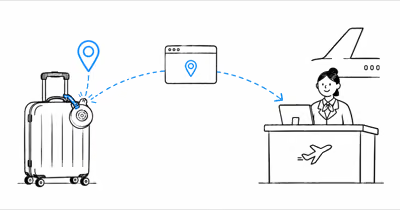
- Airline staff don't need an Apple device, account, or app. The link opens in any browser and shows a live map that updates as the AirTag relays new pings.
- Up to 5 people can hold an active share link for the same AirTag, so you can send it to the airline plus your spouse without revoking the airline's access.
How Does Apple's Share Item Location Work?
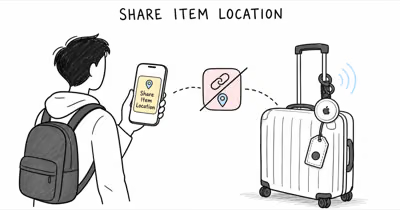
Share Item Location is an iOS 18.2 feature that turns an AirTag (or any Find My-compatible item) into a temporarily public tracker. You generate a URL in Find My, copy or text the URL to whoever needs to see the bag, and they open it in a browser. No Apple device, no login, no app install.
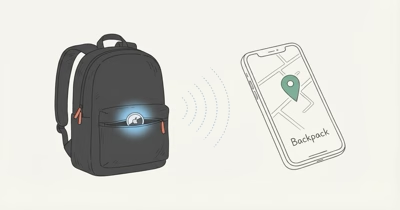
Behind the scenes the AirTag is still end-to-end encrypted. Apple's launch announcement states that the temporary webpage shows only the item's last known location plus a timestamp, with up to 5 people able to view the same link at once. The map auto-refreshes when the AirTag relays a new position through any nearby iPhone in the Find My network.
For airline workflows the link plugs into SITA WorldTracer, the global baggage-trace platform used by over 450 carriers. 9to5Mac reported that Delta deepened its integration in November 2025 so airline staff can see the AirTag pin alongside the bag's barcode scan history in their own internal tools, not as a separate browser tab.
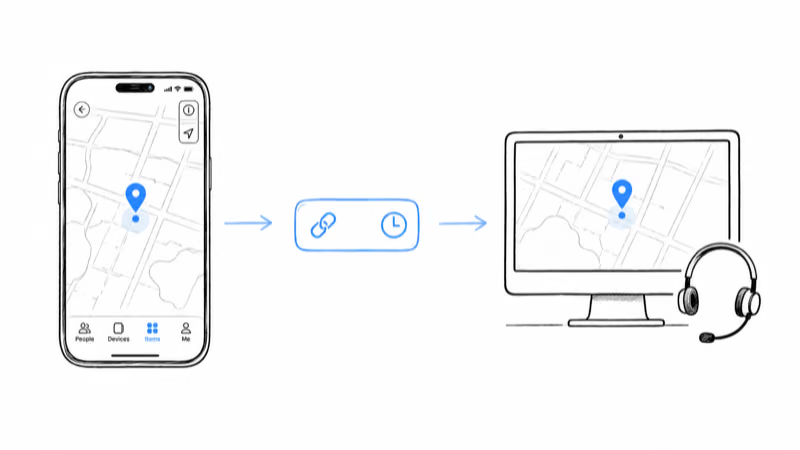
Step-by-Step: Share AirTag Location With Your Airline
The flow is the same on every airline, although the destination (email address, QR scanner, in-app form) differs. Confirm your iPhone is on iOS 18.2 or newer first; older versions don't show the Share Item Location button.
- Open Find My and tap Items. Pick the AirTag in your missing bag from the list.
- Tap Share Item Location. The button sits below the Play Sound / Find Nearby controls on the device card.
- Pick how to share. Messages, Mail, AirDrop, or Copy Link all work. The link itself is the same whichever channel you use.
- Send the link. For Delta and United paste it into the delayed bag form in the airline app. For American Airlines text or email the agent at the baggage office. For carriers with a QR scanner at the desk, hold the Wallet pass or the share screen up for them to scan.
- Confirm the agent sees the pin. Stay nearby while they refresh their tool, especially if the bag is in a low-Bluetooth-density area.
- Stop sharing once reunited. Open the AirTag's card in Find My and tap Stop Sharing. The link also expires automatically after 7 days.
One trap to flag: Share Item Location is per-AirTag, not per-bag. If you packed two bags with two AirTags, you have to generate two separate links. Up to 5 viewers can share one link, so you don't have to revoke an existing share to add the airline.
Which Airlines Support AirTag Share Item Location?
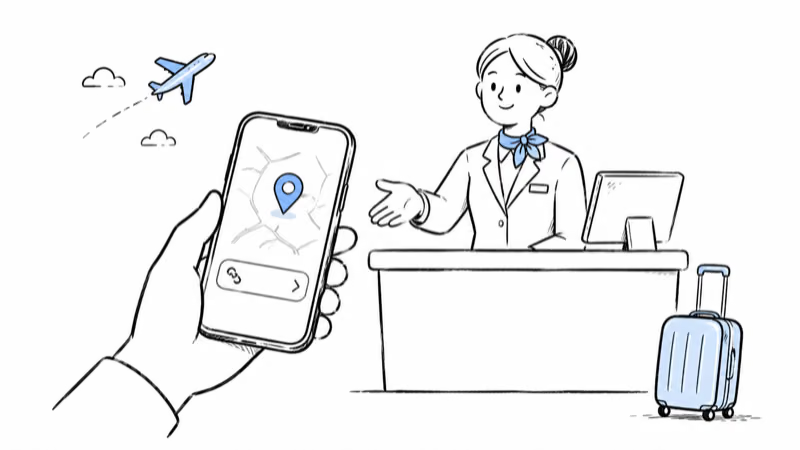
The partner list grew from 3 carriers at launch (Delta, United, Air Canada) to more than 50 by the January 2026 AirTag launch, per Apple's official count (an earlier BGR running tally had logged 36 in the first week of the month). The list below groups carriers by region. Confirm any specific airline in the Apple support page before flying, since smaller regional carriers join and leave the program.
North America:
- United Airlines (first US partner, January 2025)
- Delta Air Lines (deeper API integration as of November 2025)
- American Airlines (added February 2025)
- Air Canada (launch partner)
- JetBlue
- WestJet
- Breeze Airways
- Porter Airlines
- Flair Airlines
Europe:
- Lufthansa, SWISS, Austrian, Brussels, Eurowings (Lufthansa Group, February 2025)
- British Airways
- Virgin Atlantic
- Condor
- Aer Lingus
Asia Pacific:
- Qantas
- Singapore Airlines
- Cathay Pacific
- Air New Zealand
- Air India (first in Asia, mid-2025)
- China Airlines
Middle East and Latin America:
- Saudia
- AJet
- LATAM Airlines
- Copa Airlines
The Points Guy reported that American Airlines told them the activation date was February 2025, making it the last of the US Big 3 to add support. If your airline is missing from this list, ask the baggage office anyway: SITA WorldTracer is the shared backend, so adoption can roll out without a public press release.
What Airlines Do With Your Share Link
The first thing to expect: a delay. AirTags refresh through nearby iPhones in the Find My network, and baggage handling areas in big airports sit in shielded buildings, on belt-loaders, or in cargo holds where the iPhone density drops. Updates can pause inside cargo, then catch up when the bag rolls past a handler with an iPhone nearby.
Once the airline sees the pin, the workflow inside the airline depends on whether they have the deeper integration (Delta, as of late 2025) or just the browser link (everyone else). Either way the staff use it to route a chase: a baggage agent at the destination, a handler at the connecting hub, or a driver heading to the address on your delayed-bag form.
Skift's coverage of the Apple and Delta deepened partnership states that SITA's December 2025 analysis found a 90 percent drop in permanently lost bags when an AirTag was inside the suitcase, with delayed bags returning 26 percent faster. Those numbers come from SITA, not Apple, and they cover the broader airline industry not just Delta.
Share Item Location only changes the outcome when a bag is actually delayed or misrouted. On a normal trip where the suitcase arrives with you, the shared link never gets used. Its value shows up in the exception case, giving staff a live pin to route a chase instead of waiting on the standard delayed-bag form.
Privacy and Time Limits to Know
Share Item Location is built to expire. The link auto-revokes after 7 days, ends when you tap Stop Sharing in Find My, and ends automatically when you and the bag are reunited (Find My uses Bluetooth proximity to detect reunion). The AirTag's identifying details (your Apple ID, name, other items in your account) never appear on the public webpage.
You can also generate a fresh link if the airline's first agent misplaces theirs; up to 5 viewers can hold an active share for the same AirTag. That means an airline desk, an airline app, your spouse, and you can all watch the pin without bumping anyone off the share.
One residual privacy question: the temporary webpage gives airline staff a live view of the bag, which (if the bag is with you) effectively reveals your location. Don't generate a Share Item Location link until the bag is confirmed lost. If you want a quick walkthrough of how to flip an AirTag into the equivalent of a lost-and-found beacon for non-airline scenarios, see our AirTag Lost Mode guide.
When Share Item Location Won't Solve the Problem
Three scenarios sit outside what Share Item Location can fix. None of them are unique to AirTag; Tile and Chipolo users hit the same constraints, just without the airline integration.
Bag is fully off the Find My network. If the AirTag ends up in a region with sparse iPhone density (rural airports in Eastern Europe, smaller hubs in South America), the last known pin can sit for hours. Airlines can see the stale pin but can't act on it until the next ping.
AirTag was removed from the bag. A thief who knows what an AirTag looks like will pull it out; the Find My network will then ping the AirTag's new owner location, not the bag's. The share link still works, but it's tracking the AirTag, not the suitcase. For bag-as-a-whole tracking in checked luggage, our roundup of the best luggage trackers covers GPS units (with cellular SIM) alongside AirTag for exactly this reason.
Bag is on an Android-only airline. A handful of regional carriers haven't joined SITA's integration. The Share Item Location link still works in any browser, but the agent has to manually look at the page rather than pull it into their workflow. For international travel where the destination carrier might be Android-heavy, our international luggage tracker guide covers GPS alternatives that don't depend on the Find My network at all.
One more scenario deserves its own playbook: the pin is accurate, the desk has your share link, and the bag still doesn't surface. Our guide for when the airline can't find the bag your AirTag can see covers the first 60 minutes, the desk scripts, and the claim deadlines.
Best AirTag Setup for Checked Luggage
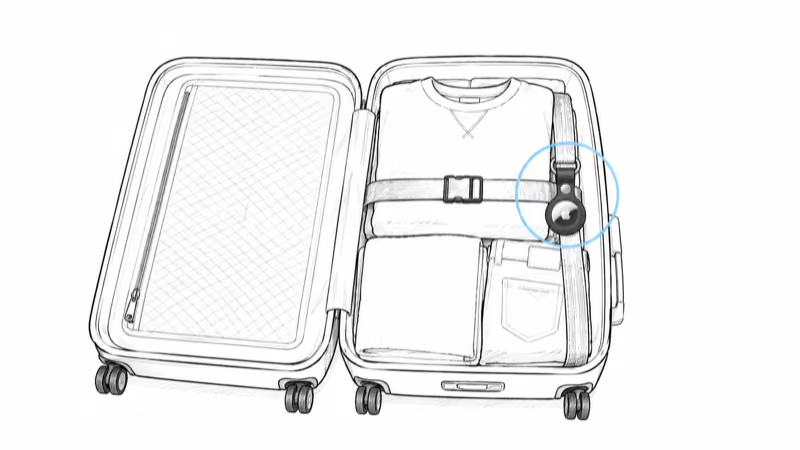
For Share Item Location to actually work, the AirTag needs to be inside the bag and powered on. That sounds obvious, but two pre-flight checks separate a working setup from a dead one. First, confirm Find My isn't reporting a low AirTag battery. Second, do a Play Sound test the morning of the trip to confirm the tag still answers.
Placement matters too. Drop the AirTag deep in the bag (in a shoe, inside an inner zipper pocket, between hard items) so it survives a baggage carousel impact. Apple's announcement confirms that Share Item Location is approved for use in TSA-regulated checked baggage; for the full FAA / TSA breakdown see our checked luggage AirTag policy guide.
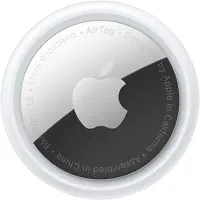 Top Pick
Bottom Line
If you fly with an iPhone on iOS 18.2 or later and a partner airline, Share Item Location is now the single best lost-bag tool you have. Pre-flight: update iOS, charge the AirTag, drop it deep in the bag. Day-of: generate the share link only after the bag is confirmed delayed, paste it into the airline's delayed bag form, and let the link expire on its own.
For non-Apple ecosystems or for travelers heading to airports outside the 36-carrier network, a GPS tracker with a cellular SIM remains the safer fallback. Share Item Location is great, but it still depends on the Find My network density wherever the bag actually ends up.
Frequently Asked Questions
Do I need iOS 18.2 to share AirTag location with an airline?
Yes. Share Item Location ships in iOS 18.2, iPadOS 18.2, and macOS 15.2 or later. Older iOS versions don't show the Share Item Location button on the AirTag card, so you can't generate the temporary URL. Run a Settings > General > Software Update check the week before your trip and install the latest iOS so the feature is available the moment your bag goes missing.
Does the airline need an Apple device to see my AirTag location?
No. The share link opens as a regular webpage in any browser, so airline staff can view the map on their existing baggage-office desktop, an Android tablet, or whatever they normally use. The page shows a live pin and a last-updated timestamp without requiring an Apple account, an app, or any login. The browser-only design is the reason more than 50 airlines were able to join the program quickly: integration is a link in the existing baggage tracing tool, not new hardware.
How long does the AirTag share link stay active?
The link expires automatically after 7 days from the moment you generated it. It also stops when you tap Stop Sharing in Find My, and it ends automatically when Find My detects you and the bag are reunited via Bluetooth proximity. If the airline takes longer than 7 days to recover the bag, generate a fresh link and send it again; there's no cap on how many fresh links you can create over time.
Can multiple people view the same AirTag share link?
Yes, up to 5 viewers at once. That's enough room for an airline baggage desk, the airline's internal chase agent, your spouse or travel partner, and one or two backup contacts. You don't have to revoke anyone's access to add a new viewer, but if you hit the 5-viewer cap you'll need to tap Stop Sharing and generate a fresh link before sending it to a 6th person.
Which US airlines support AirTag Share Item Location?
All Big 3 US legacy carriers (United, Delta, American) support the feature as of February 2025, with United adding it first in January 2025 and American last in February 2025. JetBlue, WestJet, Breeze Airways, Porter Airlines, and Flair Airlines round out the North American partner list. Spirit, Frontier, Alaska, and Hawaiian Airlines had not joined the program as of early 2026, so check before flying with those carriers.
Does Share Item Location work with Tile or Chipolo trackers?
Share Item Location works with any item paired to Apple's Find My network, which excludes Tile (its own network) and Chipolo Pop in Find My mode is supported but Chipolo Pop paired to Find Hub is not. If you're using a Find My-paired Chipolo CARD or Chipolo Pop, the same Find My app flow applies. For Tile users, the airline-integration equivalent is the Tile app's own contact-airline workflow, which differs by carrier and doesn't use Apple's standardized link.
What does the airline see on my share link?
Only the AirTag's last known location on an interactive map, plus a timestamp of the most recent ping. No Apple ID, no name, no other items in your Find My account, no payment data. The temporary webpage is read-only: the airline can't trigger Play Sound, can't initiate Precision Finding, and can't see historical location traces. The page auto-refreshes when the AirTag relays a new position through any nearby iPhone in the Find My network.
What should I do if the AirTag location won't update during a delay?
The most common cause is low Find My network density in the cargo or baggage handling area, which can pause updates. Wait for the bag to move past a handler with an iPhone, or for the bag to roll into a higher-density zone like the terminal. If the AirTag stays dark after the airline has acknowledged the bag is in their possession, the tag may have lost its battery or fallen out; ask the airline to physically check the bag at the next sorting station and follow up with our checked-luggage AirTag guide for placement tips.