You can add up to 32 items to Find My on a single Apple Account, including AirTags, third-party Find My accessories, and shared items. AirPods count toward this limit too, so the number of AirTags you can register depends on what else is already in your account. The limit is tied to your Apple Account, not to any one iPhone or iPad.
Most people assume the AirTag limit is a round number of trackers, but Apple counts every Find My item against one shared cap. Apple’s Find My item documentation confirms you can add up to 32 items per Apple Account. AirPods eat into those same 32 slots, which is why the real answer is “it depends on your account.”
- 32 items is the hard cap — the limit applies to your Apple Account, covering AirTags, accessories, and shared items combined
- AirPods count toward the 32 — AirPods Max use 1 slot, AirPods and AirPods Pro 1 use 2 each, AirPods Pro 2 and later use 3 each
- The limit was 16 before 2022 — Apple doubled it to 32 with iOS 16 and documented it in January 2024
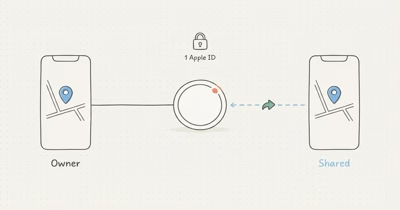
- Each item can be shared with up to 5 people — that’s 6 total users per AirTag, owner included, separate from the 32-item cap
- At the cap you must remove an item — Find My blocks new pairings until you delete an existing one
How Many AirTags Can One Apple Account Hold?
The ceiling is 32 items, not 32 AirTags. According to Apple’s support page, “You can add up to 32 items in Find My, including shared items and accessories.” The word “items” is doing a lot of quiet work in that sentence.
In Find My, the Items list lumps AirTags, third-party accessories like a Chipolo, and AirPods into one running tally toward that ceiling.
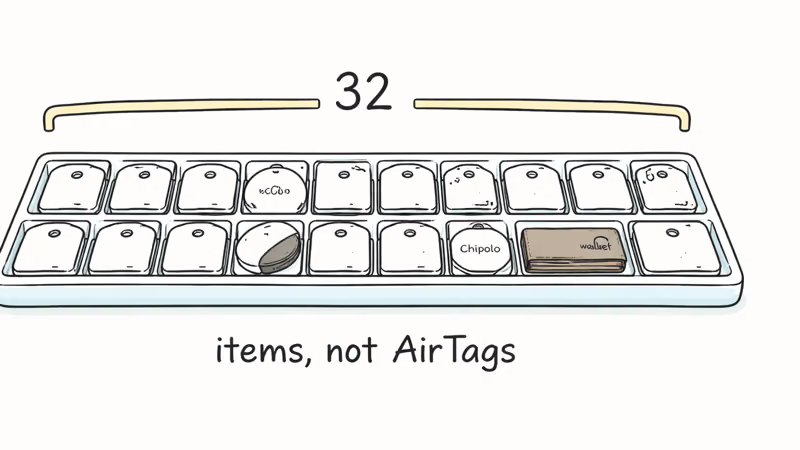
The number doubled from the original 16-item limit when iOS 16 shipped in 2022, though Apple only documented the change publicly in January 2024. A Find My capacity explainer from iDrop News reported that the cap had quietly risen from 16 to 32, catching out older guides that still cite the lower figure.
So if your account holds nothing but AirTags, you can register 32 of them. An AirTag uses one slot, and a third-party Find My accessory, like a Chipolo or a Find My wallet, also uses one slot apiece. The moment you add anything else trackable, the math changes, because every Find My item competes for the same 32 slots and Apple makes no exception for AirTags over accessories or shared tags.
Do AirPods Count Toward the AirTag Limit?
Yes, and they can take more than one slot each.
Apple’s documentation spells out the tiers: “AirPods Max count as one item, AirPods and AirPods Pro 1 count as two items, AirPods Pro 2 and later count as three items.” A 2024 report from 9to5Mac found that AirPods Pro 2 alone consume 3 of the 32 slots, a detail buried in Apple’s footnotes. The tiered count exists because newer AirPods let you track each earbud and the charging case separately.
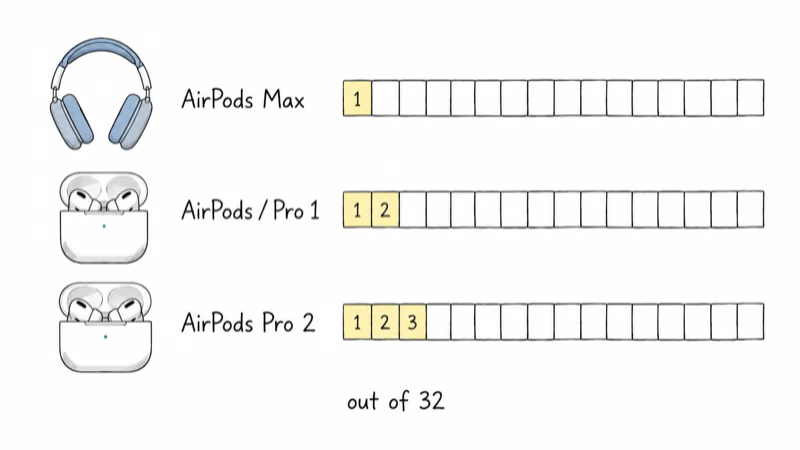
That has a real effect on your AirTag budget. A pair of AirPods Pro 2 uses 3 of your 32 slots, leaving room for 29 AirTags, and adding AirPods Max drops you to 28. Two AirPods entries can claim 5 slots before a single tracker is registered. Any registered Find My accessory, Apple or third-party, draws from the same pool.
The Limit Is Per Apple Account, Not Per Device
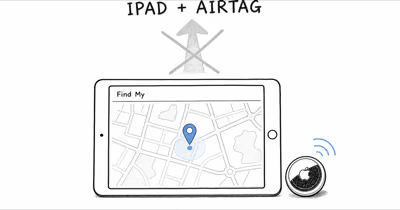
The cap follows your Apple Account, not the iPhone in your hand. Sign in to a new iPhone or iPad with the same Apple Account and you’ll see the same 32-item list, because Find My syncs through iCloud. Switching devices doesn’t reset or expand the limit.
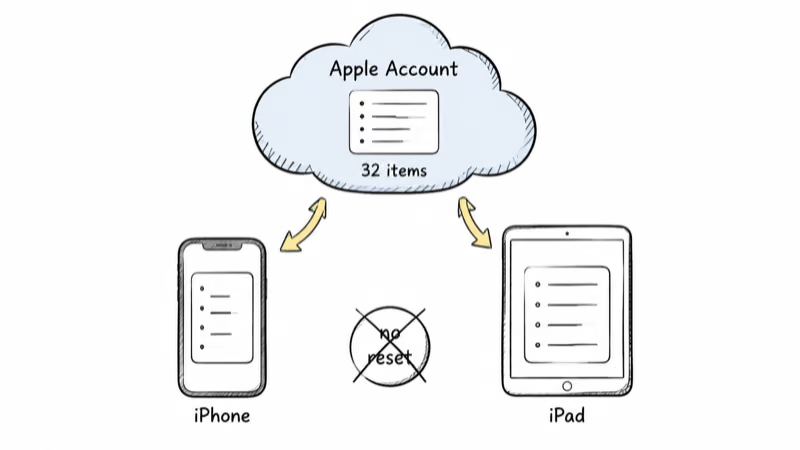
This is why a family that wants more than 32 combined trackers sometimes splits them across separate Apple Accounts. Each account gets its own 32-item allowance. The trade-off is that items on one account don’t automatically appear on another unless you share them. For a refresher on how a single AirTag gets registered, our AirTag setup walkthrough covers the pairing flow that assigns a tracker to your account.
How Item Sharing Changes Your Slot Count
Sharing and the 32-item cap are two different limits, and people mix them up. The 32 is how many items your account can hold. Separately, each individual AirTag or Find My item can be shared with up to 5 other people, for a total of 6 users per item including the owner.
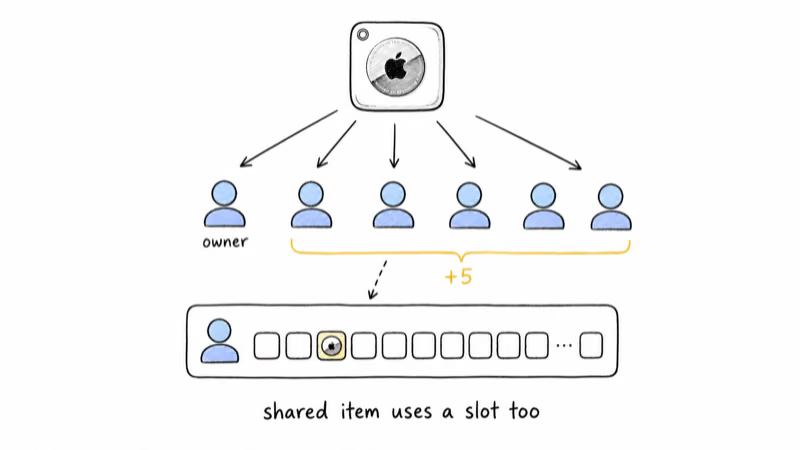
Here’s the part that trips people up. Apple’s documentation states the 32-item cap covers “shared items and accessories,” so a tracker someone shares with you occupies one of your 32 slots, not just theirs.
Sharing also requires two-factor authentication, an Apple Account signed in to iCloud, and iCloud Keychain enabled, and you can’t share with a child account. Apple’s Find My item documentation confirms the five-borrower ceiling per item.
What Happens at the 32-Item Limit
Find My stops you cleanly rather than failing silently. Apple’s documentation describes the block this way: at the cap “you can’t add another item or accessory, or accept a new shared item invitation until you remove an item or accessory.” You’ll see a message that the item can’t be added.
The fix is simple. Open Find My, tap Items, select something you no longer track, scroll down, and choose Remove Item. Removing a tracker frees its slot immediately.
On an account filled close to the cap, deleting one stale entry frees a slot so a new AirTag can pair right away. If a tracker is acting up before you remove it, our AirTag reset guide walks through clearing a tag so it can be re-paired or handed off. Before you delete anything, double-check that the slot you’re freeing isn’t an AirPods entry quietly using two or three slots on its own.
Who the 32-Item Limit Actually Affects
For almost everyone, no.
Apple’s own AirTag overview and the broader Find My ecosystem are built around households tracking keys, bags, wallets, and a few pets, which rarely approaches 32 items. The cap mainly affects power users: someone tagging an entire tool collection, a small business labeling equipment, or a family pooling every tracker onto one shared account.
If you truly need to track more than 32 items, the practical paths are splitting trackers across two Apple Accounts or moving high-value assets to a dedicated GPS tracker that doesn’t live in Find My at all. For most readers, the smarter move is auditing what already occupies your 32 slots, since stale AirPods entries and forgotten shared items are the most common reason people hit a wall they didn’t expect.
Bottom Line
One Apple Account holds up to 32 Find My items, and AirTags share that count with AirPods and any accessory you have ever registered. AirPods Pro 2 alone can claim 3 of those slots, so verify your real available count before assuming you have 32 AirTags worth of room. If you hit the wall, removing one item reopens a slot instantly, and splitting across accounts is the only way to exceed 32.
FAQ
How many AirTags can one Apple Account have?
One Apple Account can hold up to 32 Find My items total, including AirTags, third-party accessories, and shared items. If your account contains only AirTags, you can register 32 of them. Anything else trackable, such as AirPods, reduces that number.
Do AirPods count against the 32-item limit?
Yes. AirPods Max use one slot, AirPods and AirPods Pro 1 use two slots each, and AirPods Pro 2 and later use three slots each. A pair of AirPods Pro 2 therefore leaves room for 29 AirTags instead of 32.
Is the AirTag limit per device or per Apple Account?
It’s per Apple Account, not per iPhone or iPad. The same 32-item list syncs across every device signed in to your Apple Account through iCloud. Switching to a new device doesn’t reset or raise the limit.
Can I add more than 32 AirTags somehow?
Not on a single Apple Account. The only way to exceed 32 is to register additional trackers on a separate Apple Account, which gets its own 32-item allowance. Items on one account won’t appear on another unless you share them.
Does a shared AirTag use one of my 32 slots?
Yes. When someone shares an AirTag with you, it occupies one of your 32 item slots, not just theirs. Each item can be shared with up to five people in addition to the owner, but every account it appears in counts it toward that account’s limit.
What happens when I reach the AirTag limit?
Find My blocks you from adding another item or accepting a new shared item until you remove something. You’ll see a message that the item can’t be added. Removing any existing AirTag, accessory, or AirPods entry frees a slot right away.
Was the AirTag limit always 32?
No. The original limit was 16 items. Apple doubled it to 32 with iOS 16 in 2022 and documented the change publicly in January 2024. Older guides that cite a 16-item cap are out of date.