An AirTag reset is not one universal five-click shortcut anymore. Apple now publishes separate timing for the original AirTag and AirTag 2, while the account-removal requirement remains the same for both.
- Identify the generation first — both models use five sounds, but AirTag 2 adds longer presses and 12-second waits.
- Account removal comes before reuse — a previous owner must remove the AirTag from their Apple Account.
- Remote removal can require a reset — Apple calls for a reset when the owner removed the item while it was outside Bluetooth range.
- The fifth sound confirms readiness — it must differ from the first four before the cover goes back on.
- Keep the battery away from children — Apple warns that the AirTag, cover, and CR2032 can present a choking hazard.
Which AirTag Reset Path Do You Need?
According to Apple’s reset page, the procedures differ by generation. Apple states that both require five sounds; AirTag 2 also uses 12-second waits and may need a 12-second final press.
| Situation | Required action | Avoid assuming |
|---|---|---|
| Original AirTag | Use the five-sound original procedure | AirTag 2 timing also applies |
| AirTag 2 | Use the longer press and 12-second wait sequence | The original procedure is identical |
| Secondhand AirTag | Previous owner removes it from their Apple Account first | A battery reset unlocks the account |
| Owner removed it while out of range | Run the correct hardware reset before pairing | Remote removal reached the AirTag immediately |
Remove the Account Association First
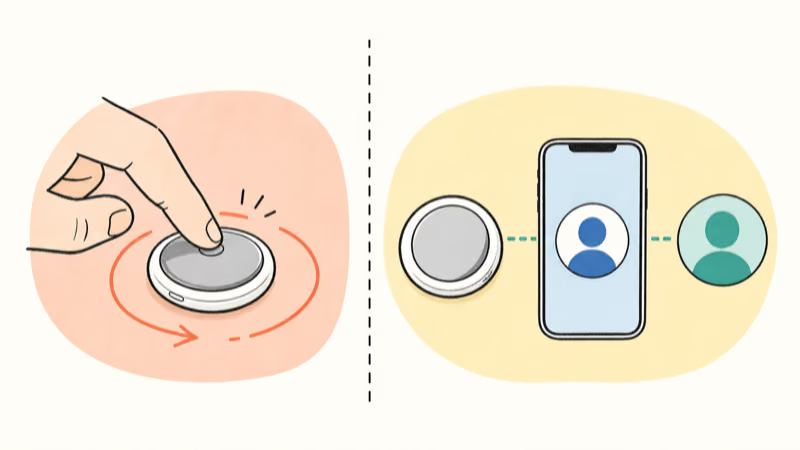
According to Apple’s current reset instructions, an AirTag can be associated with one Apple Account. A previous user must remove it before another person can use it.
If the owner removed the AirTag while it was outside Bluetooth range, the tag may not have received that change. That is the specific handoff case where Apple says to reset the hardware before pairing again. Our AirTag transfer guide covers the full ownership sequence.
A hardware reset can’t bypass another person’s Apple Account. If a used AirTag still says it’s active, stop and ask the owner to remove it from Find My.
Reset the Original AirTag
Use this sequence only for the original 2021 AirTag. Work on a clear surface and keep the loose CR2032 and cover away from children.
- Press the polished steel cover and rotate it counterclockwise until it stops.
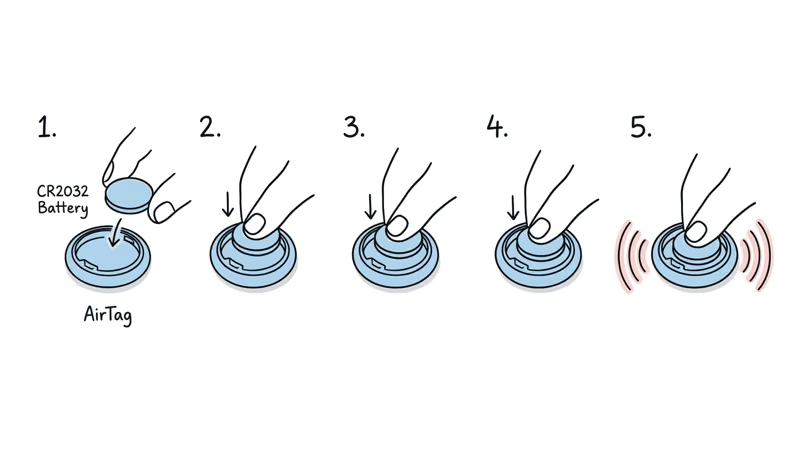
- Remove the cover and CR2032 battery, then replace the battery with the positive side facing up.
- Press the battery for about two seconds until the connection sound plays.
- After the sound finishes, remove and replace the battery four more times, pressing until a sound plays each time.
- Confirm the fifth sound differs from the first four. If it does not, continue until the different sound plays.
- Align the cover’s three tabs, press down, and rotate clockwise until it stops.
Reset AirTag 2
AirTag 2 still uses five sounds, but Apple’s second-generation procedure adds extra press time and a wait after each removal. Don’t reuse the original timing.
- Open the cover counterclockwise and remove the cover and battery.
- Replace the CR2032, press for about two seconds until the sound starts, then keep pressing for two more seconds.
- When the sound finishes, remove the battery and wait 12 seconds.
- Repeat the replace, press, remove, and wait sequence four more times.
- Confirm the fifth sound is different. Apple notes that the final press may need to continue for up to 12 seconds.
- Align the cover tabs, press down, and rotate clockwise until it stops.
The shared CR2032 and cover shape don’t make the reset timing identical. According to Apple’s AirTag 2 specifications, the newer model still uses a user-replaceable CR2032, while its reset page supplies the new timing.

What If the AirTag Still Won’t Pair?
First confirm that the fifth sound differed from the earlier four. If not, rerun the correct sequence. For AirTag 2, keep the 12-second waits rather than rushing the battery cycle.
Next, confirm the previous owner removed the AirTag from Find My. Repeating a hardware reset can’t clear an account association that still exists on Apple’s servers.
Use a fresh CR2032 with the positive side facing up. Apple’s battery instructions confirm that some bitterant-coated cells may not work; look for packaging that states compatibility with AirTag.
If the account is clear, the fifth sound is different, and the AirTag still won’t pair, use Apple Support rather than inventing more battery cycles. A reset can’t diagnose damaged contacts or other hardware faults.
Pair the AirTag Again
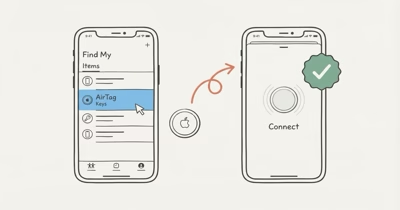
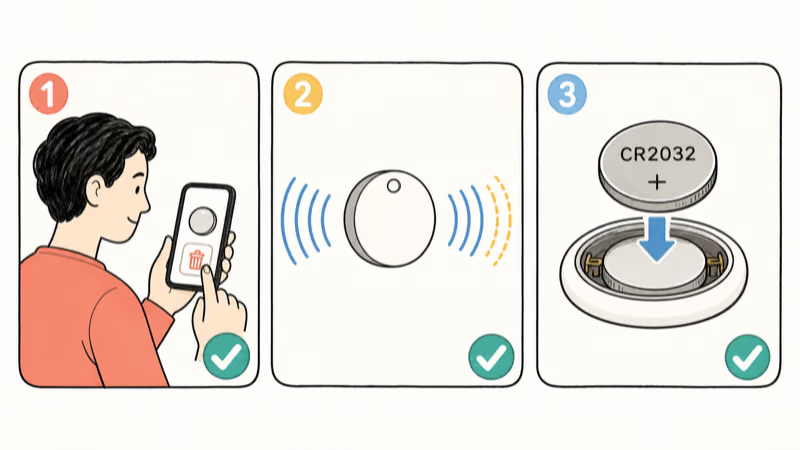
After a successful reset, hold the AirTag near a supported iPhone and follow the Connect prompt. If the prompt doesn’t appear, use the broader AirTag connection checklist before repeating the reset.
If the issue is only a depleted cell, use the battery replacement steps instead. A routine battery swap isn’t the same as deliberately completing five reset cycles.
Bottom Line
Original AirTag and AirTag 2 both use five confirmation sounds, but they don’t use identical timing. Match the sequence to the generation and wait for the different fifth sound.
For a secondhand AirTag, account removal is the real gate. Reset only after the current owner removes it, then pair it again using Apple’s supported setup flow.
FAQ
Is the reset process different for AirTag 2?
Yes. AirTag 2 still uses five sounds, but Apple adds a longer battery press, a 12-second wait after removal, and a possible 12-second final press. The original AirTag uses shorter two-second presses without those waits.
Can a reset remove the previous owner’s Apple Account?
No. The previous owner must remove the AirTag from their Apple Account in Find My. A hardware reset only prepares an already removed AirTag to pair again when the remote removal did not reach it.
Why is the fifth AirTag reset sound important?
Apple uses a different fifth sound to confirm that the AirTag is ready to pair. If it matches the first four, continue the generation-specific sequence until the different sound plays.
How long should I wait during an AirTag 2 reset?
After each sound finishes, remove the battery and wait 12 seconds before replacing it. On the fifth cycle, Apple says you may need to hold the battery for 12 seconds until the different sound plays.
Does replacing the battery automatically reset an AirTag?
No. A normal one-time battery replacement doesn’t complete the five-sound reset sequence. The AirTag remains associated with the same owner unless it’s separately removed from Find My.
What battery does an AirTag reset require?
Both AirTag generations use a user-replaceable CR2032 lithium 3V coin cell. Insert it with the positive side facing up and use packaging that states compatibility with AirTag.
When does Apple say an AirTag needs a reset?
Apple specifically calls for a reset when the previous owner removed the AirTag from their Apple Account while outside Bluetooth range. Ordinary troubleshooting should start with the relevant support checks.