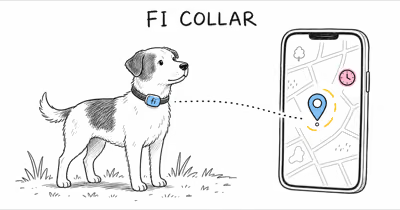
A stale Halo Collar 5 map usually means weak GPS or LTE signal, an app that needs a manual refresh, or old firmware. Tap Refresh, check signal, and update first.
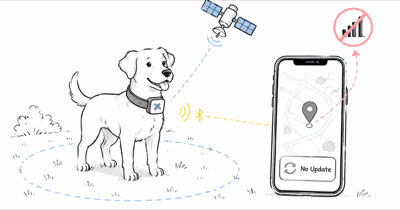
The Halo Collar 5 only plots a new position when the collar is on, holds a GPS fix, and can reach your phone over LTE or Wi-Fi. Halo’s own location-accuracy support guide states that the map updates only while the collar is turned on and your phone has a network connection, so most stale-location reports are a signal or sync gap, not a broken collar.
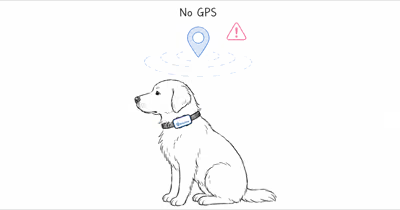
- A weak GPS fix is the top cause — under tree cover or near buildings the receiver retries for a fix, so the pin can lag behind.
- The map needs a network path — the collar must reach your phone over LTE or Wi-Fi, or pair via Bluetooth within about 100 feet, before a new position posts.
- Manual Refresh forces an update — tapping Refresh on the My Map screen pulls the current location instead of waiting for the next scheduled ping.
- Stale firmware breaks reliable updates — outdated firmware runs the radios on older logic, so update before assuming hardware failure.
- Low batteries can stop reporting — a near-empty collar drops off the map entirely, which reads as frozen location.
Why Is My Halo Collar 5 Location Stale or Frozen?
A frozen pin means the collar has not sent a fresh position. That traces to one of three links in the chain: the GPS fix, the LTE or Wi-Fi path to your phone, or the collar itself being off or out of charge. Halo’s location-accuracy guide states that the map updates only when the collar is on and the phone has a connection.
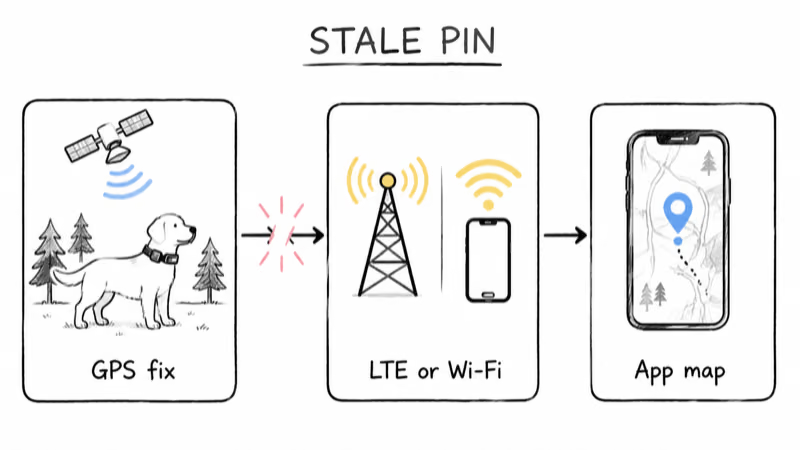
That same guide states that your phone and collar must be within about 100 feet to fall back to Bluetooth when no network is present. Under dense canopy, the pin can lag while the receiver hunts for a fix, then catch up once the collar reaches open sky. A lag that disappears in open yards and returns under heavy tree cover points at signal rather than a fault.
The physics behind that lag is well documented. The FCC’s guidance on GPS signal interference reports that satellite signals are high-frequency and low-power, so reception fails indoors and in urban canyons where tall buildings obstruct or reflect them. Android Central’s explainer on how GPS works states the same in plainer terms: “Obstructions can include tall buildings,” and any GPS receiver needs an unobstructed view of multiple satellites to hold a fix.
A collar in an open yard with clear sky is more likely to update cleanly. The same collar in a garage, under a deck, or among tall trees has a harder signal path. So the question is rarely whether the collar is broken, but which link failed. Work down the seven fixes below in order, since the free signal and app checks resolve many stale-location reports before you ever touch the hardware.
How Often Should the Halo Collar 5 Refresh Location?
The Halo Collar 5 does not stream a live position every second by default. It posts updates on a background cadence to conserve battery, then switches to faster live tracking when you open the app and watch the map. That is why a pin can look stale even when everything is working as designed.
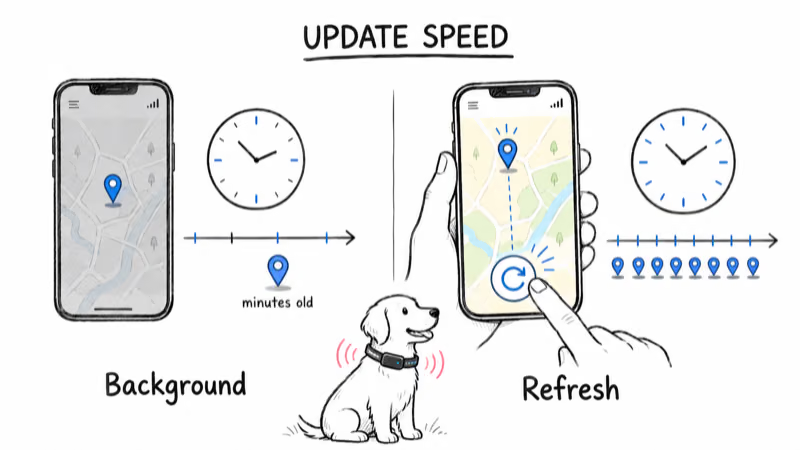
To force a current position, tap the Refresh button on the My Map screen while both your phone and collar have a network connection. Halo’s guide to reading collar status on the pet card describes the Refresh action and the status indicators that tell you whether the collar is connected, searching, or offline. If Refresh returns a fresh dot, the system is healthy and you were simply seeing the background cadence.
One more trigger matters. The collar uses motion sensors to decide when to send an update, so a dog lying still may not push a new position. Gently shaking the collar, or your dog simply moving, wakes the sensors and prompts an update. A stationary pin on a napping dog is normal, not a fault.
The First 4 Fixes That Cost Nothing
Start here. These four checks are free and clear most stale-location reports, so they’re worth running before you suspect the collar, the base, or your plan.
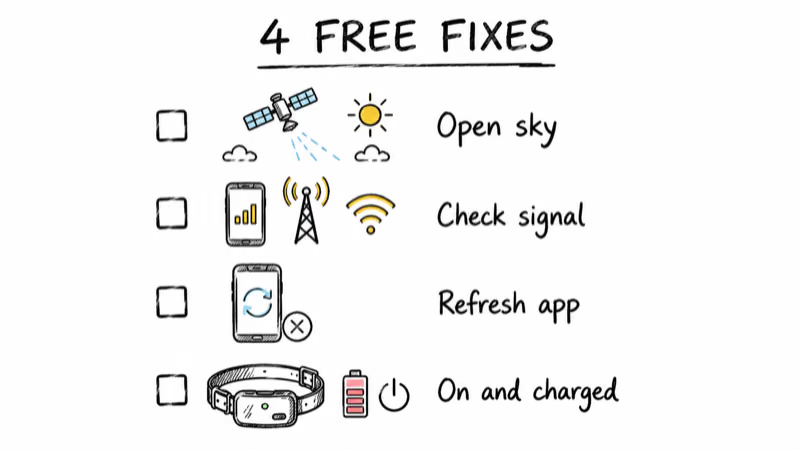
1. Confirm GPS signal and step into open sky. A poor fix is the most common cause. Take the collar outside to a spot with a clear view of the sky and wait for the GPS indicator to settle, since a receiver hunting for satellites can’t post an accurate point. Halo lets you raise the GPS signal level to High for dogs that roam large or wooded areas.
2. Check the LTE and Wi-Fi path. The collar needs a route to your phone. Confirm your phone has cellular or Wi-Fi, and that you are inside the roughly 100-foot Bluetooth range if no network is present. A collar with a perfect GPS fix still shows a stale pin if it can’t reach the app to report it.
3. Tap Refresh, then force-close and reopen the app. Refresh pulls the current location on demand. If that fails, swipe the Halo app fully closed and reopen it to clear a stuck session, a step Halo recommends before deeper troubleshooting. Reopening re-establishes the live connection that drives map updates.
4. Verify the collar is on and charged. A collar that is off, or below a critical battery level, drops off the map entirely. That looks identical to a frozen location. If your collar also dies fast, our guide to a Halo Collar 5 battery drain fix walks through the settings that quietly empty the cell and leave you with no live position.
The 3 Deeper Fixes for Sync, Plan, and Firmware
If the free checks did not restore live updates, these three address the Wi-Fi base, your subscription, firmware, and a last-resort reset.
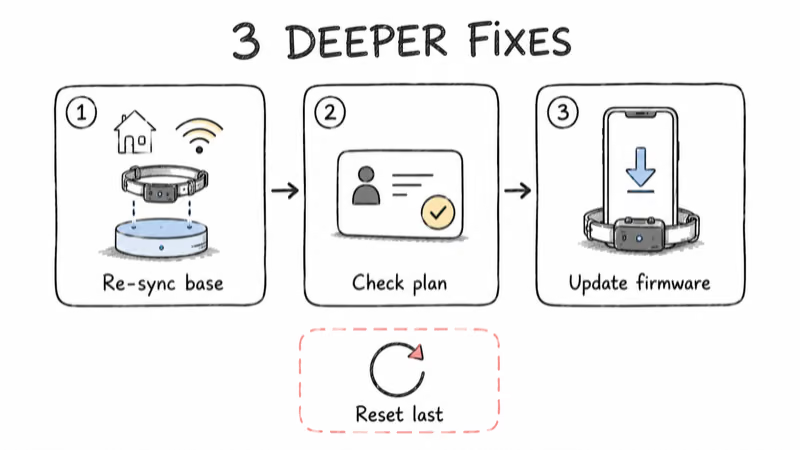
5. Re-sync the collar with the Wi-Fi base and app. The Halo base station anchors the collar to your home network so it can update over Wi-Fi indoors. If the collar fell off the base, restart the base, confirm it shows online in the app, and let the collar re-pair. A collar that lost its home anchor often shows a stale indoor position until it reconnects.
6. Confirm your plan and check firmware. Live GPS tracking and the wireless fence depend on an active membership. Confirm yours is current on Halo’s membership plans page, since a lapsed plan can limit live location features. Then open Settings, My Collars, and install any pending firmware update while the collar sits in strong Wi-Fi, because outdated firmware is Halo’s most-cited cause of unreliable behavior.
7. Disable aggressive power-save, then factory reset as a last resort. Battery-saving settings can reduce reporting frequency, so ease those off if updates are sluggish but the signal is strong. If nothing else works, a factory reset and fresh setup clears a corrupted pairing. Reserve this for last, since it wipes the collar’s configuration and you’ll rebuild your fence and settings from scratch.
When the Problem Is Your Coverage, Not the Collar
If you have run all seven fixes and the map still lags, the issue may be your coverage area rather than the collar. The Halo Collar 5 leans on a strong GPS fix and a clean LTE path, so a property with heavy tree cover or a weak cellular signal will always strain it. That is an honest limitation worth naming before you buy a second device.
For a fuller picture of how the collar performs day to day, our Halo Collar 5 review covers tracking reliability, the wireless fence, and where signal gaps show up. If you are weighing it against the other leading GPS fence, the Halo versus SpotOn comparison breaks down how each handles update cadence and coverage.
When a Steadier Live Position Matters More
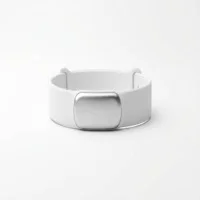
If your real need is finding a roaming pet rather than fencing one in, a dedicated location-first device often holds a steadier live position. It’s not also powering a tone-and-correction system, so more of its budget goes to reporting. Our roundup of the best GPS trackers for pets ranks the options by update frequency and subscription, and you can browse the full GPS tracker hub for collars and tags grouped by coverage and use case.
Bottom Line
A Halo Collar 5 that won’t update its location is often dealing with signal, sync, firmware, or battery state before it’s a dead collar. Tap Refresh, move into open sky, confirm the LTE or Wi-Fi path, and update firmware before anything drastic. Re-sync the base and check your plan next, and keep the factory reset for last.
If the map still lags after all seven fixes in normal conditions, the limitation may be your coverage, and a location-first tracker may serve you better.
FAQ
Why is my Halo Collar 5 not updating my dog’s location?
The usual causes are a weak GPS fix, no LTE or Wi-Fi path back to your phone, or firmware that is behind. The collar also only updates while it’s on and charged. Tap Refresh on the My Map screen, move the collar into open sky, and confirm your phone has a connection. If it still lags, install any pending firmware update before suspecting hardware.
How often does the Halo Collar 5 refresh location?
By default it posts updates on a background cadence to save battery, then switches to faster live tracking when you open the app and watch the map. That is why a pin can look stale even when everything works. Tapping Refresh on the My Map screen forces a current position on demand instead of waiting for the next scheduled ping.
Why is my Halo collar location frozen on the map?
A frozen pin means no fresh position has arrived. The collar may have lost its GPS fix under cover, lost the LTE or Wi-Fi path to your phone, or run too low on battery to report. A still dog also matters, since the collar uses motion sensors to trigger updates. Move into open sky, refresh the app, and confirm the collar is on and charged.
Does the Halo app need to be open for location to update?
No, the collar reports on a background cadence even with the app closed, but opening the app and tapping Refresh gives you the current position fastest. When the app is open and watching the map, the collar switches to faster live updates. Closing it returns the collar to its lower-power background reporting while still sending fence alerts.
Can weak GPS or LTE signal stop location from updating?
Yes. The collar needs a usable GPS fix and a path to your phone over LTE or Wi-Fi to post a new position. Tree cover, tall buildings, garages, and weak cellular areas all degrade the fix or block the report. Setting the GPS signal level to High and moving to open sky helps the receiver hold a fix and update on schedule.
Will a firmware update fix Halo Collar 5 location problems?
Often, yes. Halo lists outdated firmware as a leading cause of unreliable behavior because older versions run the GPS and LTE radios on less efficient logic. Open Settings, then My Collars, and install any pending update while the collar sits on strong Wi-Fi. It’s a low-effort fix that resolves many sync and update issues.
When should I factory reset my Halo Collar 5?
Treat a factory reset as the last resort. First try Refresh, open sky, the network check, a base re-sync, a plan check, and a firmware update. If a corrupted pairing still blocks updates, a reset and fresh setup clears it. Be aware it wipes your fence and settings, so you’ll rebuild the configuration from scratch afterward.