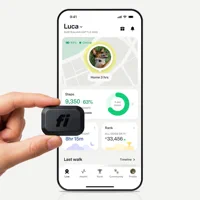
A Fi collar stops updating when Base, Wi-Fi, Bluetooth, GPS, or LTE-M handoffs fail. Check connection mode, test Lost Mode outdoors, then reset.
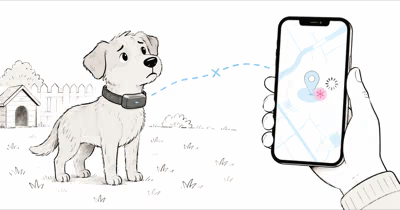
A Fi collar not updating location is usually a connection-handoff problem, not a dead GPS chip. According to Fi’s official location-report troubleshooting page, infrequent reports happen when GPS or LTE-M variables block the collar from finding and transmitting a position.
- Fi uses 4 connection sources: Fi Base, Fi App, Wi-Fi, then GPS/LTE-M when lower-power options disappear.
- GPS works outdoors; roofs, terrain, trees, and buildings can delay or blur location reports.
- Lost Mode is the real test; Series 3, Series 3+, and Mini devices switch to live GPS/LTE-M tracking.
- Battery mode changes everything; standard use can last much longer than Lost Mode.
- Cell coverage is required; LTE-M dead spots can leave the map frozen until the collar reconnects.
Why Is Your Fi Collar Location Delayed?
Fi doesn’t keep GPS/LTE-M running all day. According to Fi, 4 sources appear in its connection hierarchy guide: Fi Base, Fi App, Wi-Fi, then GPS/LTE-M.
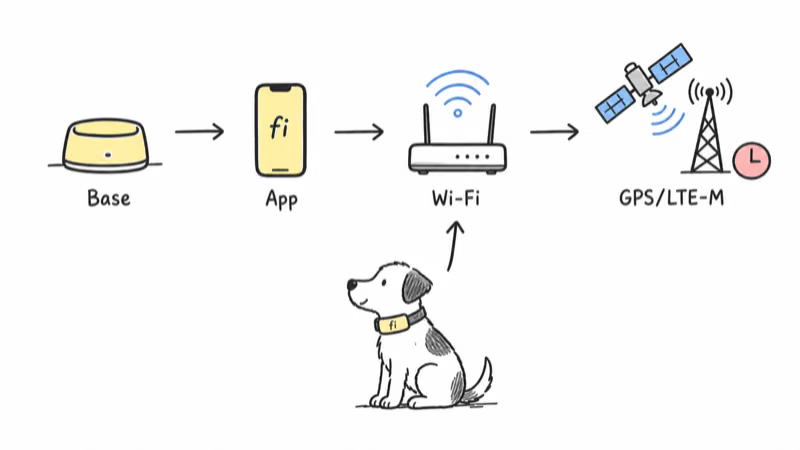
That hierarchy explains most delays. If your dog is indoors, near the Base, or near a caretaker phone, the collar may report from that lower-power connection rather than firing GPS.
That handoff tends to be faster in open areas and slower around garages, trees, and weak cell edges. The most obvious delays show up after the dog leaves a known source and the collar has to wake GPS, find satellites, attach to LTE-M, and send a new position. A short delay is normal; a stubborn stale pin needs troubleshooting.
How Fast Should Fi Update in Lost Mode?
Lost Mode is the closest thing Fi has to a live tracking test. According to Fi’s Lost Mode instructions, Series 3+, Series 3, and Mini devices activate live GPS/LTE-M tracking. Older Series 2 devices increase attempts to once per minute instead.
Series 3 should feel close to live once Lost Mode is active. Series 2 can still look delayed.
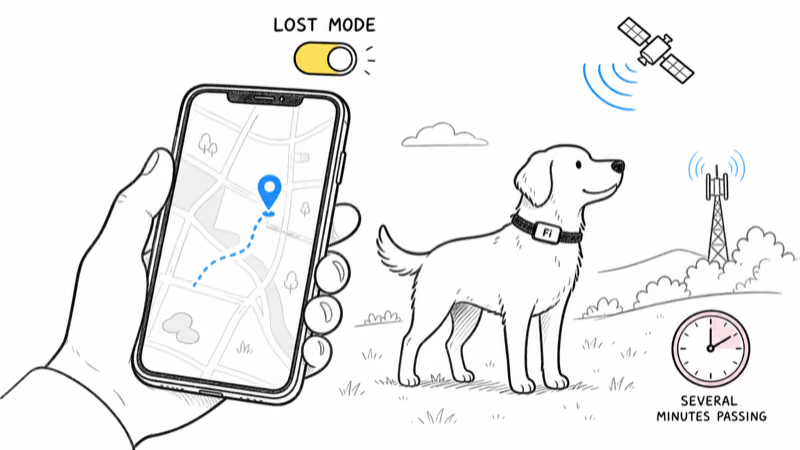
Lost Mode also takes a few minutes to activate in some cases. Fi warns that the cancel button may not appear until the device has been in activation for at least 5 minutes. If you start Lost Mode and nothing changes immediately, wait outside under open sky before assuming the collar failed.
Use this as your baseline: if Lost Mode starts, the collar is outdoors, battery is healthy, and no update arrives after several minutes, the likely blocker is LTE-M coverage or account/device state.
Connection Mode Checks
Start by checking which source Fi thinks your collar is using. The goal isn’t to force GPS all the time. The goal is to confirm the expected source for the location.
If the dog is at home, the best source should usually be the Fi Base for Series 2, Series 3, and Series 3+ devices. Indoors without a Base, Wi-Fi is the preferred fallback. Outdoors on a normal walk, Fi says the Fi App is essential for proper walk tracking and overall performance. Outdoors away from any caretaker, GPS/LTE-M should take over.
This is the first fix path:
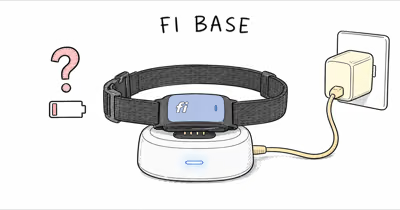
1. Check Base status. Make sure the Base is powered, online, and near the dog’s normal indoor area. A dead Base can make indoor location reports look wrong or delayed.
2. Check the caretaker phone. Keep the Fi App running, Bluetooth on, Location allowed, and mobile data active. If your phone is asleep, in airplane mode, or not running the app, walk tracking can look stale.
3. Add the local Wi-Fi network. If your dog spends time at a sitter, boarding facility, or second home, add that Wi-Fi network in the Fi app so the collar doesn’t waste battery searching for GPS indoors.
4. Move outdoors for a GPS test. Take the dog and collar away from the Base and Wi-Fi, wait under open sky, then start Lost Mode if you need a live test.
For buying context and real-world battery data, our Fi Series 3 review covers the collar’s standard tracking behavior in more detail.
GPS and LTE-M Coverage Limits
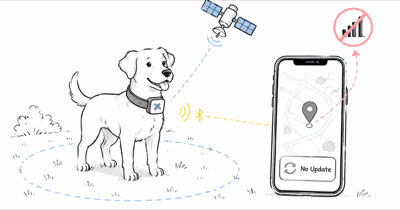
Fi needs both pieces: GPS to calculate the position and LTE-M to send it to the app. According to Fi’s support article, GPS is intended for outdoor use, and geography or topography can affect the signal. It also says LTE-M can have limited-coverage areas where reporting becomes infrequent.
GPS is a satellite system, and Wikipedia’s GPS overview lists a nominal 24-satellite constellation. That is why blocked sky views still matter for a tiny collar receiver.
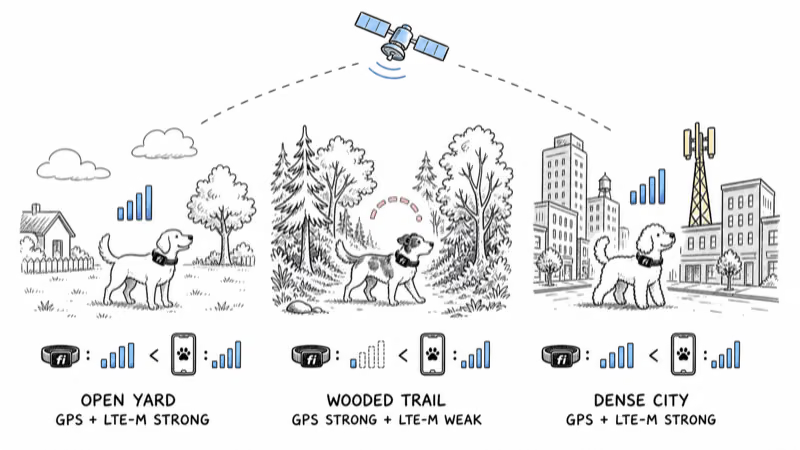
In plain English: your phone can show bars while the collar struggles. Fi’s LTE-M limitations page notes that a phone has a larger antenna than the pet device, so your handset’s signal strength isn’t proof the collar has the same connection.
Test coverage in 3 locations:
1. Open yard or sidewalk. This removes indoor GPS blockage.
2. Known weak spot. Try the park, wooded trail, or rural road where updates usually stall.
3. Dense coverage area. Try a city block or busy suburban area with stronger LTE-M odds.
If the collar updates in the dense area but not in the weak spot, the device is probably fine. You are seeing coverage limits. If it fails everywhere, move to battery, permissions, and reset checks.
Owner reports help set expectations. A FiDogCollar discussion included delayed or missing pings in dog parks, woods, and weak-service areas, with several owners describing better behavior once coverage improved. Treat those posts as user reports, not official specs, but they match the LTE-M limitation pattern. For a tracker that handles remote hunting terrain without cell towers, compare the trade-off in our Fi vs Garmin breakdown.
Battery, Membership, and App Permission Checks
Three quiet blockers can make a working collar look frozen: low battery, inactive membership, and phone-side permissions.
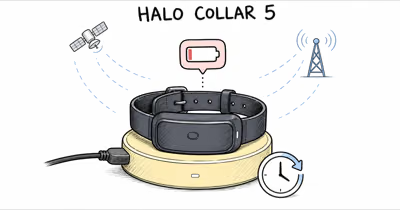
According to Fi’s battery-life guide, Series 3+, Series 3, and Mini devices vary by activity level: up to 3 months for low activity, 4 to 6 weeks for moderate use, up to 2 weeks for high roaming, and about 2 days in Lost Mode on a full battery. That makes battery mode part of the location diagnosis, not a separate issue.
That means a collar at 10 percent battery may still show in the app but fail to sustain live tracking. Charge it before judging the GPS.
Also confirm membership. Fi’s Lost Mode page states that Lost Mode isn’t available without an active Fi Membership. If the plan lapsed, the app can still show old data and device history, but the live recovery workflow won’t behave like a fully active collar.
Then check the phone:
Location permission: set Fi to Always or Allow all the time, not just while using the app.
Bluetooth: keep it on for walk tracking and phone-to-collar handoff.
Background app refresh: let the Fi app run in the background. Battery savers that kill the app can break walk detection.
Mobile data: make sure your phone can reach Fi’s servers when you are away from Wi-Fi.
If you are comparing Fi against Tractive because updates keep stalling, our Tractive vs Fi comparison shows how the two systems handle update speed, cost, and coverage.
7 Fi Collar Update Fixes
Work through these 7 fixes in order. Don’t start with a reset; most stalls are connection-state issues.
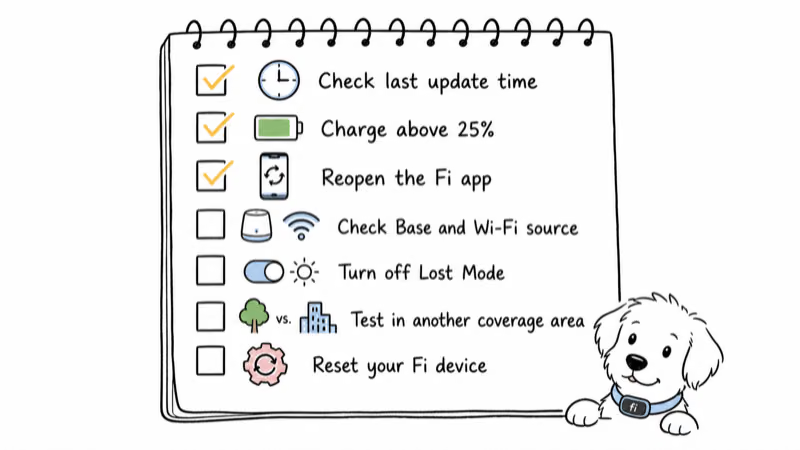
1. Confirm the last update time. A stale location from 5 minutes ago is different from one stuck for 5 hours. Write down the timestamp before changing settings.
2. Charge above 25 percent. Fi marks green above 25 percent, yellow between 15 and 25 percent, and red below 15 percent. Run tests from green battery so the collar can sustain GPS/LTE-M.
3. Reopen the Fi app. Force-close the app, reopen it, and wait 60 seconds. This clears a phone-side stale map more often than owners expect.
4. Check Base, Wi-Fi, and phone source. If the dog is indoors, the collar should use Base or Wi-Fi. If the dog is walking with you, keep the Fi App running and Bluetooth on.
5. Start Lost Mode outside. Move away from the Base and Wi-Fi, stand under open sky, start Lost Mode, and give it several minutes to activate.
6. Test a stronger coverage area. If Lost Mode fails in a wooded or rural spot, repeat in a known strong-service area. A location that works in town but not in the woods points to LTE-M limits, not a broken collar.
7. Reset the device and recheck account status. If every test fails, reset the collar from the Fi app or contact Fi support with the last update time, battery level, and the connection source shown in the app.
If you decide the Fi architecture is not right for your dog, our best GPS trackers for pets guide compares Fi, Tractive, Jiobit, and other pet trackers by update behavior and coverage. Owners trying to avoid recurring plans should also read our dog GPS trackers without subscription guide before switching.
When to Contact Fi Support
Bring support 4 facts before opening a ticket.
Contact Fi if the collar won’t update anywhere or Lost Mode never activates with a green battery.
Don’t keep repeating resets if the problem follows one location. A collar that fails only in a specific dog park, rural road, or wooded area is usually showing a coverage boundary. A collar that fails in every tested location is the one Fi needs to inspect.
Keep the microchip and collar tag current too.
For a lower-maintenance pet tracker comparison, see our Fi Mini vs Tractive guide. The Mini uses the same Fi ecosystem with a different form factor, while Tractive trades battery life for broader international coverage and lower monthly pricing.
Bottom Line
A Fi collar location that stops updating is usually a handoff problem between Base, phone, Wi-Fi, GPS, and LTE-M. Start with battery above 25 percent, app permissions, Base status, and an outdoor Lost Mode test. If the collar updates in a stronger coverage area but not in your usual spot, the device is likely fine and the LTE-M coverage is the limit.
FAQ
Why is my Fi collar stuck on one location?
A Fi collar can stay on one location when it’s still connected to a Base, Wi-Fi, or a caretaker phone, or when GPS/LTE-M can’t complete a remote report. Check the last update time first. Then move outdoors, away from the Base, and test Lost Mode with a green battery.
Does Fi update location in real time?
Fi can provide live tracking in Lost Mode on Series 3+, Series 3, and Mini devices with an active membership. Standard daily tracking is more conservative because the collar saves battery by using Base, app, Wi-Fi, and lower-power states. Series 2 devices use more frequent attempts in Lost Mode but not the same live behavior.
Why does Fi show a delay after my dog leaves home?
The collar has to switch from the home Base or Wi-Fi connection to GPS/LTE-M. That handoff can be slower near buildings, trees, or weak cell coverage. A short delay is normal. A stubborn stale location should be tested outdoors with Lost Mode.
Can a Fi collar work without cell coverage?
Not for live remote tracking. Fi needs GPS to calculate the position and LTE-M cellular coverage to send it to your app. In a dead zone, the map may stay on the last known location until the collar reaches coverage again.
Does low battery stop Fi from updating?
Yes. A low battery can prevent reliable GPS/LTE-M reporting, especially in Lost Mode. Charge the collar above 25 percent before testing. Fi’s battery guidance treats Lost Mode as a much shorter battery state than normal use.
What should you test before contacting Fi support?
Record the last update time, battery level, current connection source, and whether Lost Mode works outdoors away from the Base. Repeat the test in a stronger coverage area. If the collar fails everywhere with a green battery and active membership, contact Fi support with those details.
Is Fi worse than Tractive for location updates?
Not always. Fi prioritizes battery life and uses low-power connections whenever possible, while Tractive leans harder on frequent GPS updates and shorter battery life. Fi is better for owners who value weeks between charges. Tractive is better for owners who want more frequent live-style updates and broader international coverage.