A SpotOn collar usually stops updating because of an inactive cell subscription, weak GPS, a dropped Bluetooth link, or low charge. Fix those in order, then reset.
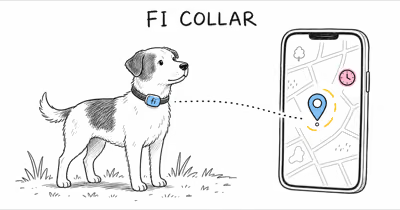
A SpotOn collar that won’t refresh location is almost always a connection problem, not a dead GPS chip. SpotOn’s own tracking and notification support article states that both your phone and the collar must be in an area with “cell service to send and receive notifications.”
- Remote tracking needs an active cell plan; without it, alerts and live refresh stop while the fence itself still works on GPS.
- GPS recovery takes time; SpotOn says to wait about 10 to 15 minutes outdoors for satellites to reconnect.
- Bluetooth tops out near 30 feet; the app drops the collar connection past that range during setup.
- The power-cycle is a 2-minute reset; power off, wait roughly 2 minutes, power back on, then re-check.
- Charge above a usable level first; a near-empty collar can show in the app but fail to sustain a fresh fix.
Why Wont My SpotOn Collar Update?
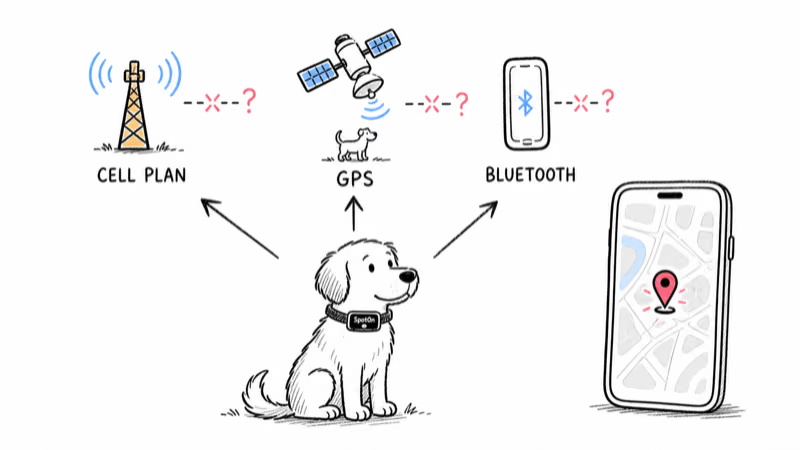
A stale SpotOn pin usually means one of three handoffs failed: the cell subscription, the GPS satellite link, or the Bluetooth pairing to your phone. SpotOn’s activation and tracking support page is direct about the first one: it tells owners to “check to be sure you have a cellular subscription” and confirms both the phone and collar need cell service to exchange notifications before anything else.
That order matters. The SpotOn fence keeps your dog contained using GPS and an on-collar map, so the boundary still works even when remote tracking is down. Live refresh and away-from-home alerts are the part that depends on cellular. This split between local GPS fencing and cellular reporting is why containment can keep working during a brief cell dropout while the app’s live pin goes stale, as the SpotOn GPS fence review covers in more depth.
So if the map is frozen but your dog is still respecting the boundary, suspect the subscription or cell coverage first, not a broken collar.
Check the SpotOn Cell Subscription First
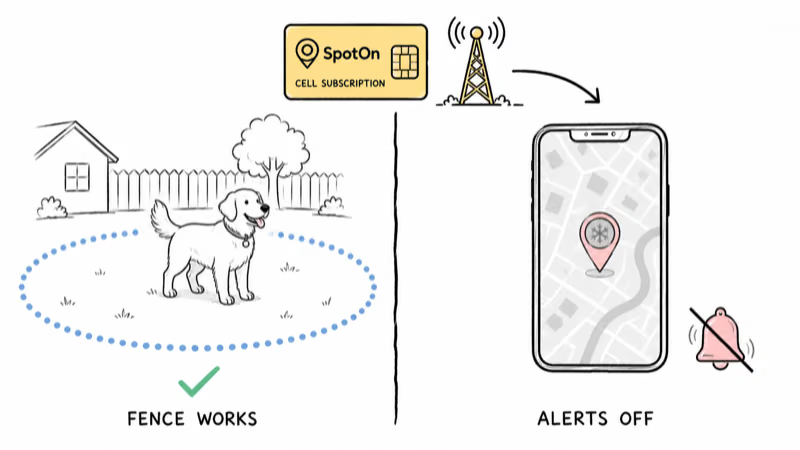
SpotOn separates the fence from the tracking plan on purpose. The boundary runs on GPS, but live location and notifications ride a cellular subscription. SpotOn’s cell-service activation guide lists features like leaving-the-fence alerts and low-battery notifications as plan-gated, so a lapsed plan can leave the fence working while the map and alerts go quiet.
Check these in order:
1. Confirm the plan is active. Open the SpotOn app account or subscription screen and verify the cell plan shows active, not expired or in a trial that already ended.
2. Re-activate if it lapsed. SpotOn says activation is email-driven: enter your email to generate an activation link and follow the emailed instructions.
3. Confirm cell coverage on both ends. The collar and your phone each need a usable signal. A frozen pin in a known dead zone is coverage, not a fault.
4. Wait for re-sync. After re-activating, give the collar several minutes outdoors to attach to the network and push a new position.
If the plan is active and you still see no refresh, move on to the GPS signal.
How Do You Re-Activate Tracking?
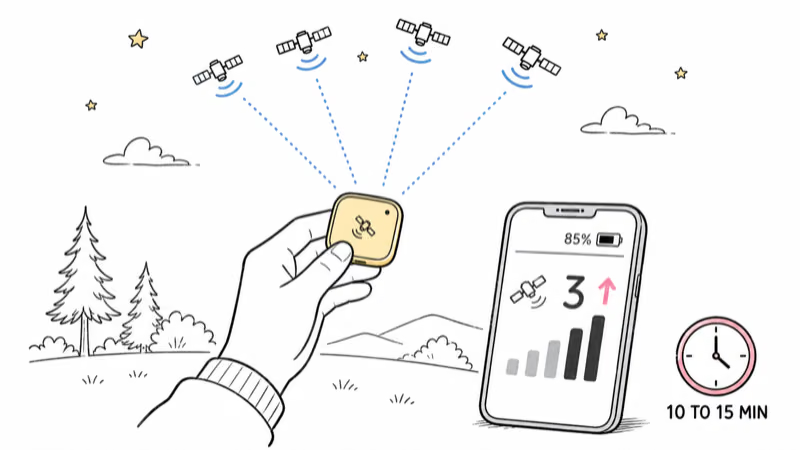
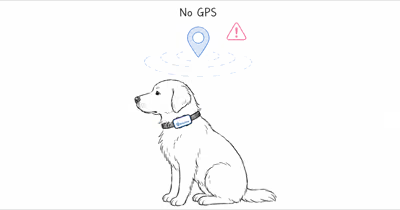
If the subscription is fine but the location still won’t refresh, force a clean GPS and cellular reconnect. According to SpotOn’s poor GPS signal guide, the exact recovery is to power-cycle the collar, then “step outside holding the GPS module (small square with satellite logo) facing upwards,” open the app, and watch the satellite count next to the battery percentage.
The wait is the part owners skip. SpotOn says to “please wait about 10-15 minutes,” and once “the satellite number rise,” the collar has reconnected to the satellites. From a cold start outdoors, the satellite count typically climbs within the first few minutes once the module has a clear sky view. If you only give it 30 seconds indoors, it will look broken even when it’s recovering normally.
Run the reconnect like this:
1. Power-cycle the collar. Hold the power button until the lights turn off, wait, then hold it again until the lights return.
2. Get clear sky. Walk outside, away from roofs and tree canopy, with the satellite-logo module facing up.
3. Connect and watch satellites. Open the app, connect to the collar, and track the satellite count beside the battery percentage.
4. Hold for 10 to 15 minutes. A rising satellite count means recovery is working. A flat zero outdoors after the full wait is a real signal problem.
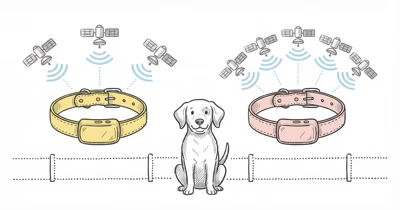
GPS is a satellite system, and the GPS constellation overview describes a baseline of roughly 24 to 31 operational satellites worldwide, which is why a tiny collar receiver needs an open sky view to lock on.
Fix a SpotOn App That Cant Connect
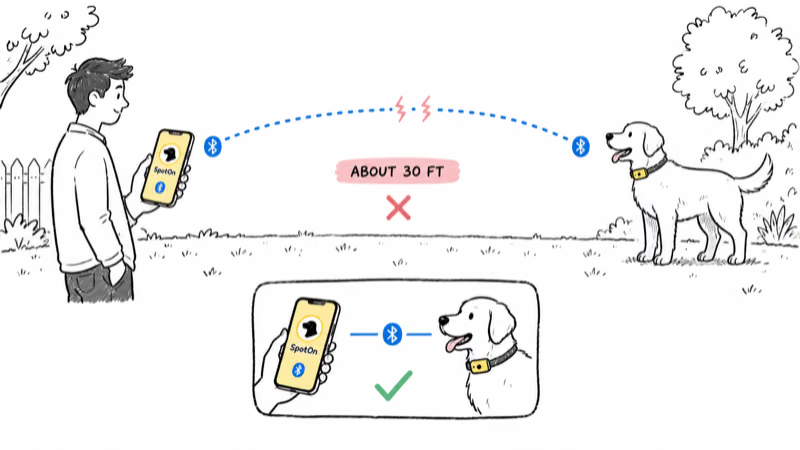
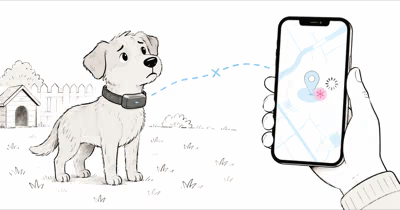
Live updates and settings changes happen over Bluetooth, so an app that can’t reach the collar will look like a location failure even when GPS is fine. SpotOn’s app connection support article says to move the collar and phone within a few feet and be sure “Bluetooth is activated on your phone,” then open the app, go to the Dogs screen, and tap Connect.
Range is the common trap. SpotOn notes the Bluetooth link behaves like a wireless speaker and drops once the collar and phone get past about 30 feet apart during setup and training. If you are standing across the yard, the app may simply be out of pairing range.
Work the connection in this order:
1. Close the gap. Bring the collar within a few feet of the phone before tapping Connect.
2. Toggle Bluetooth. Turn the phone’s Bluetooth off and on, and confirm the SpotOn app has Bluetooth permission allowed.
3. Force-close and reopen the app. A stale app session is a frequent cause of a connect button that spins without pairing.
4. Allow location and notifications. Give the SpotOn app full location access and turn on notifications so alerts and map refresh aren’t blocked at the phone level.
For owners weighing whether the SpotOn ecosystem fits their yard at all, our Halo Collar vs SpotOn comparison breaks down how the two GPS dog fences handle accuracy, app reliability, and ongoing cost.
Rule Out Low Charge and Tree Cover
Two physical factors quietly mimic a tracking bug: a low collar battery and a blocked sky view. A collar near empty can still appear in the app yet fail to sustain a fresh GPS fix, so charge it before judging the location feature.
If the collar won’t take a charge, SpotOn’s charging troubleshooting article tells owners to confirm the collar is fully seated in the charging base and to make sure the “charge contacts on the collar and charging base are free of any dirt or debris.” Grime on the pins is a leading cause of a collar that drains and then drops off the map.
Sky view is the other variable. An independent hands-on SpotOn review found that the Nova Edition uses a GPS antenna “5x bigger than most other systems” and holds accuracy in cloud cover where “151 satellites are hard to beat.” Even so, the same review flags GPS drift and weaker behavior under heavy tree cover, so a stale pin deep in the woods is often coverage, not a defect.
When charge and sky view check out and the pin is still frozen, the next move is a full reset.
Reset SpotOn as a Last Resort
Save the reset for last. Most stalls clear on subscription, GPS, or Bluetooth checks, and a reset on the wrong cause just wastes 15 minutes. Use it when the plan is active, the battery is healthy, you are outdoors under open sky, and the location still won’t refresh.
SpotOn’s reset for stuck tracking is a clean power-cycle: hold the power button until the lights turn off, press and release once to confirm it powered down with no lights, wait about 2 minutes, then hold the button again until the lights come back on. After that, “allow 10-15 minutes for the collar to reestablish its GPS and cellular connections.”
Then verify in a known-good spot:
1. Stand outdoors with clear sky. Remove tree and roof blockage from the equation.
2. Confirm a green battery. Run the test on a healthy charge so the collar can hold a fix.
3. Watch the satellite count climb. A rising number after the wait means the reset worked.
If the collar still won’t reconnect after a full reset and wait, SpotOn says to “reach out to support at [email protected] or 603.488.1504.” If you are reconsidering the recurring cell plan entirely, our guide to the best dog GPS trackers without a subscription covers alternatives, and the GPS tracker hub rounds up real-time options across pets, vehicles, and gear.
Bottom Line
A SpotOn map that stops refreshing is usually a handoff failure, not a dead collar. Confirm the cell subscription is active and both ends have coverage, then power-cycle the collar and wait 10 to 15 minutes outdoors for the satellite count to climb. Check Bluetooth range and app permissions, charge above a usable level, and clean the charge contacts. Reset only after those pass, then contact SpotOn support if the collar still won’t reconnect under open sky.
FAQ
Why is my SpotOn collar stuck on one location?
A SpotOn collar usually freezes on one location when the cell subscription lapsed, the phone or collar is in a dead zone, or the Bluetooth pairing dropped. The fence can still contain your dog on GPS while the live map goes stale. Confirm the plan is active, get the collar outdoors under open sky, and wait 10 to 15 minutes for satellites to reconnect.
Does SpotOn need a subscription to track my dog?
Yes for remote tracking and notifications. The GPS fence and on-collar boundary work without a recurring plan, but SpotOn gates live location refresh and away-from-home alerts behind an active cell subscription. If those features stopped, check the subscription screen and re-activate before assuming the hardware failed.
How long does SpotOn take to reconnect to GPS?
SpotOn says to wait about 10 to 15 minutes outdoors with the satellite-logo module facing up. Power-cycle the collar, connect in the app, and watch the satellite count next to the battery percentage. A rising number means it’s reconnecting. A flat zero outdoors after the full wait points to a coverage or hardware problem.
Why cant the SpotOn app connect to my collar?
The app pairs over Bluetooth, which drops past roughly 30 feet. Bring the collar within a few feet of the phone, confirm Bluetooth is on with app permission allowed, then open the Dogs screen and tap Connect. Force-closing and reopening the app clears a stale session that often blocks pairing.
Can low battery stop SpotOn from updating location?
Yes. A near-empty collar can still appear in the app but fail to sustain a fresh GPS fix. Charge it to a healthy level before testing the location feature. If it won’t charge, confirm it’s fully seated in the base and clean any dirt off the charge contacts on both the collar and the dock.
Does tree cover affect SpotOn accuracy?
It can. SpotOn relies on a clear sky view to lock onto satellites, and heavy tree canopy or dense terrain can delay or blur the position. Independent reviews note good cloud-cover performance from the larger antenna but flag drift under heavy tree cover. A stale pin deep in the woods is often coverage, not a defect.
What should I check before contacting SpotOn support?
Record whether the cell subscription is active, the battery level, and whether the satellite count rises outdoors after a power-cycle and a 10 to 15 minute wait. Confirm Bluetooth pairing works within a few feet and that the contacts are clean. If the collar fails every test with a green battery under open sky, contact SpotOn with those details.