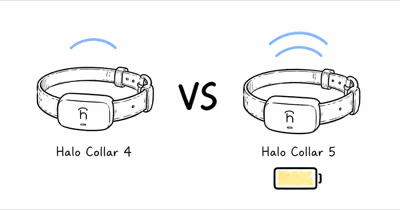
The Halo Collar 5 is rated for up to 48 hours per charge. Halo’s official battery-life expectations guide says usage, environment and settings can reduce runtime, so the headline number is a ceiling rather than a promise for every collar.
- Up to 48 hours is Halo’s ceiling — actual runtime varies with usage, environment and settings.
- Frequent app use can increase communication — Halo lists app activity and background syncing among the drain factors.
- Outdated firmware can reduce efficiency — update before treating short runtime as a battery failure.
- Weak LTE, GPS or Wi-Fi can increase power use — signal conditions belong in the first diagnostic pass.
- Charging setup matters — Halo recommends its original cable, a 20-25W USB-C adapter and nightly charging.
Why Does the Halo Collar 5 Drain So Fast?
Halo’s battery guide lists weak cellular, GPS and Wi-Fi signals among the conditions that can increase battery use. Its official charging guide also says the Collar 5 normally takes about one hour to reach a full charge.
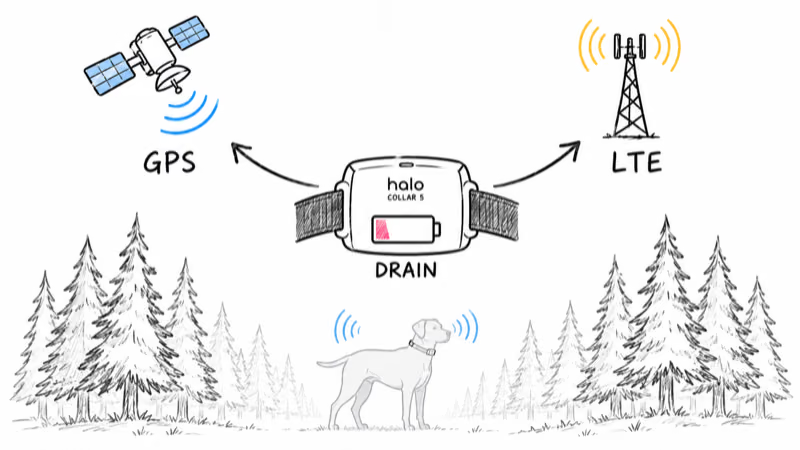
A collar in difficult coverage can therefore finish below the headline 48-hour rating without proving the cell is defective. Compare several normal cycles and record the signal environment before drawing a hardware conclusion.
Halo specifically calls out indoor, wooded and dense urban environments as examples where weak LTE or GPS may make the collar work harder. Inconsistent Wi-Fi during updates or syncing can also add battery use.
Two other checks are direct: Halo says frequent app activity or background syncing can make the collar communicate more often, and outdated firmware can reduce efficiency. Those are manufacturer-listed factors; HotAirTag has not independently measured how much each changes runtime.
How Long Should the Halo Collar 5 Last Per Charge?
Halo rates the Collar 5 at up to 48 hours and says a full charge from empty takes about 1 hour with the included magnetic cable. That 48-hour figure is a ceiling under light, well-connected use, not a daily guarantee.
Use Halo’s 48-hour rating as a ceiling, then adjust expectations by load. The more often the collar has to wake GPS, LTE, feedback hardware, and the foreground app connection, the farther it moves below the headline figure:
| Usage pattern | Battery impact |
|---|---|
| Light indoor, app closed, strong Wi-Fi | Closest to Halo’s rated ceiling |
| Daily fence monitoring, occasional live checks | Moderate drain |
| Heavy live tracking, app open often | Heavy drain |
| Weak GPS or LTE, dense cover | Highest drain; troubleshoot signal and firmware first |
If your collar behaves like the bottom row in normal conditions, work through the fixes below before contacting support. Persistent short runtime after those checks warrants device-specific diagnostics; it does not identify a failed component by itself.
The First 4 Fixes That Cost Nothing
Work through these in order. The early fixes are free and resolve most drain reports, so they’re worth trying before you assume a hardware fault.
1. Update the firmware. Halo lists outdated firmware as a battery factor. Follow its current firmware instructions and leave the collar connected during installation.
2. Reduce unnecessary app checks. Halo says frequent app use and background syncing can make the collar communicate more often. Compare a normal day with fewer manual live checks instead of assuming the app has no effect.
3. Remove unused beacons. Halo warns that beacons left on the account, including unused units or units with low batteries, can create additional background activity when they remain set to listen.
4. Check the signal environment. Note whether short cycles happen indoors, under dense cover or in weak LTE/Wi-Fi areas. Charge in a stable location and compare runtime after the collar has updated successfully.
The 3 Hardware and Account Fixes
If runtime is still short after the free fixes, these three narrow down charging faults, plan settings, and a genuine battery problem.
5. Clean the charging contacts and confirm a full cycle. Halo says a Collar 5 that charges significantly faster than one hour may not be completing a proper cycle. Its guide also recommends inspecting the contacts for debris or corrosion.
Clean gently, let the contacts dry, reseat the cable and compare the charge time with Halo’s guidance. Use the original Halo cable and a 20-25W USB-C power adapter rather than improvising a charger.
6. Record the evidence. Note starting and ending battery levels, elapsed time, signal conditions, app use and whether the collar charged for roughly one hour. That gives Halo support a useful comparison if the problem continues.
7. Escalate persistent abnormal drain. If current firmware, stable signal, a clean charging setup and a controlled comparison don’t improve runtime, contact Halo support. Those results justify device-specific diagnostics, but they don’t by themselves prove which component has failed.
Charging Habits That Protect Long-Term Battery Health
Day-to-day runtime is separate from readiness. Halo recommends charging nightly so the collar starts each day full. Its support guidance also recommends a consistent charging routine and a 20-25W power block.
For general chemistry context, Battery University states that manufacturers commonly rate consumer lithium-ion cells for 300 to 500 discharge/charge cycles. That is not a Halo 5 specification, and cycle count alone can’t diagnose this collar’s battery health.
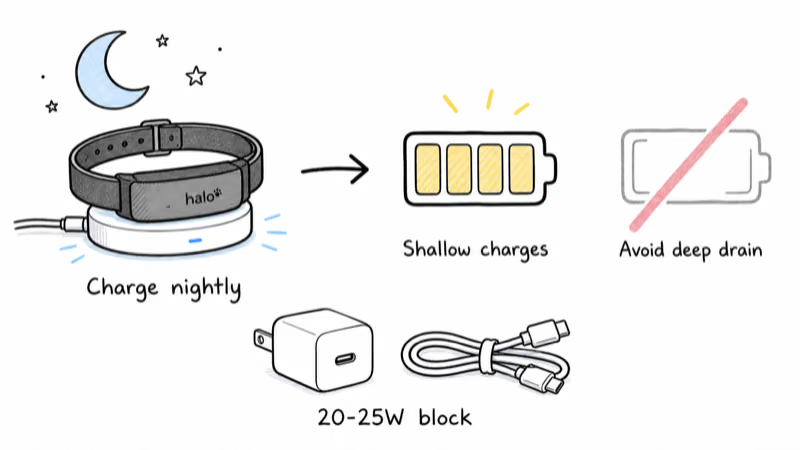
The charger matters too. Halo directs owners to use its original cable and a 20-25W USB-C adapter, and to contact support if abnormal charge behavior continues. If you want a containment-plus-tracking setup, our full Halo Collar 5 review covers daily ownership, and the Halo versus SpotOn comparison explains the wider system trade-offs.
When to Consider a Different GPS Collar
If you’ve run every fix and the collar still can’t hold a working day, or if daily charging doesn’t fit your routine, a different device may suit you better. Trackers built purely for location, without an integrated GPS fence and correction system, often run longer per charge because they’re not powering tone and static hardware. Our roundup of Halo Collar alternatives compares runtime and subscription trade-offs head to head.
For owners whose main need is finding a roaming pet rather than fencing one in, a dedicated pet GPS tracker can deliver longer battery life and simpler charging. You can also browse the full GPS tracker hub for collars and tags organized by use case, coverage, and subscription model.
Bottom Line
Start with Halo’s documented factors: firmware, app activity, LTE/GPS/Wi-Fi conditions, unused beacons and charging setup. If a controlled comparison still shows abnormal drain, give the results to Halo support instead of declaring the battery defective from runtime alone.
FAQ
Why is my Halo Collar 5 dying in less than a day?
Halo lists outdated firmware, frequent app activity or background syncing, weak LTE/GPS/Wi-Fi, unused beacons and charging setup among the possible causes. Check those first. If runtime remains abnormally short after a controlled comparison, contact Halo support for device-specific diagnostics.
How long should a Halo Collar 5 last on one charge?
Halo rates the Collar 5 for up to 48 hours and about one hour to reach a full charge. The company says actual battery life varies with usage, environment and settings, including signal strength, app activity, firmware and charging habits.
Does leaving the Halo app open drain the collar faster?
Frequent app use can contribute. Halo says increased app activity or background syncing can make the collar communicate more often and may use additional battery. Compare a normal day with fewer manual checks, but don’t assume app use is the only cause.
Why does my Halo collar charge in 20 minutes but die quickly?
Halo says a Collar 5 that charges significantly faster than its typical one-hour cycle may not be completing a proper charge. Inspect the contacts, use the original Halo cable with a 20-25W USB-C adapter, and contact support if fast charging and short runtime continue.
Does the subscription plan affect battery life?
Halo’s current battery guidance does not list membership tier as a drain factor. It points instead to firmware, app activity, signal conditions, Wi-Fi, beacon activity and charging habits. Diagnose those factors rather than changing plans solely to chase more runtime.
Can a firmware update really fix battery drain?
It can help. Halo says older firmware can reduce efficiency and recommends keeping the collar updated for battery optimization. Follow Halo’s update instructions and don’t unplug the collar while an update is installing.
How do I know if my Halo Collar 5 battery is defective?
Runtime alone can’t prove a defective battery. Update firmware, compare app use and signal conditions, remove unused beacons, and verify a normal charge with Halo’s recommended cable and adapter. If drain remains abnormal, share the recorded results with Halo support for device-specific diagnostics.