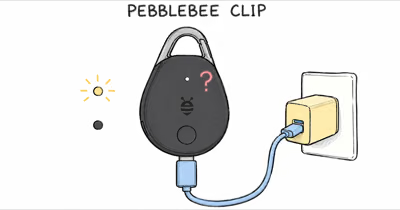
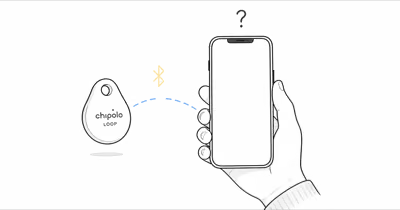
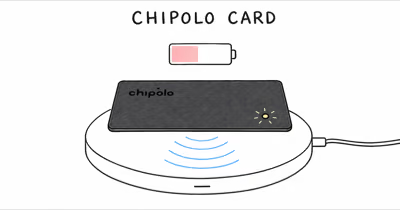
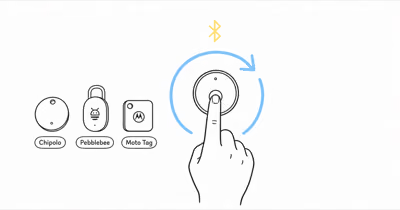
The Chipolo LOOP is a rechargeable tracker, so start with the power path before assuming its battery failed. Chipolo’s official LOOP specifications state that the charger is not included and specify 5 V DC with a minimum 1 W output.
- Read the LED first — a pulsing light means charging and a steady light means full.
- Use the documented input — Chipolo specifies 5 V DC and at least 1 W with a USB-C cable.
- The current rating is up to 1 year — real runtime varies with use, network conditions and settings.
- Change one power variable at a time — test the cable, charger and port separately before blaming the battery.
- Reset is not a charging fix — use network-specific removal and reset instructions only when a charged LOOP won’t connect.
Whether your LOOP shows no light, won’t hold a charge, or charges but still won’t connect, the six fixes below work through the causes in the order they actually happen, starting with the cheapest things to rule out.
Why Won’t My Chipolo LOOP Charge at All?
The first thing to check is the LED. Chipolo states that a pulsing light means charging and a steady light means the battery is full. No light does not identify one cause by itself; it tells you to test the charging chain.
Start with a known-good cable and a charger that meets the published 5 V DC, 1 W minimum. Then inspect the USB-C port for visible debris or damage. Changing one variable at a time tells you whether the fault follows the cable, charger or tracker.
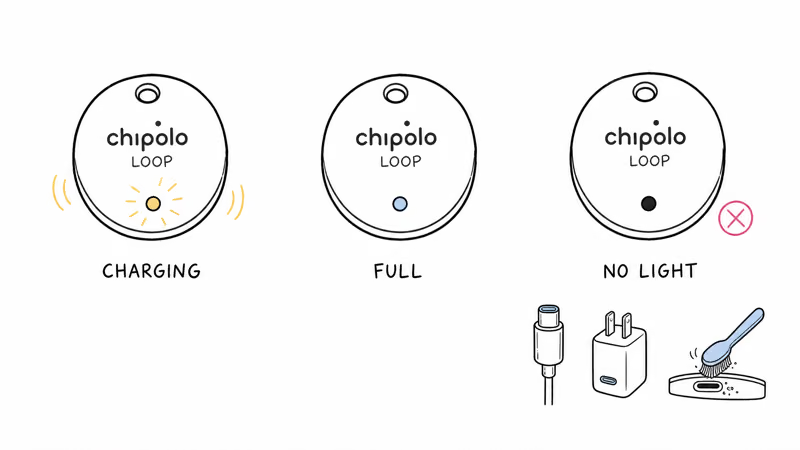
Work through them in order. Swap to a known-good USB-C cable, use a compliant charger, and remove only loose surface debris without inserting metal into the port. If the LED begins pulsing after one change, you have isolated the failed part of the power chain.
How Long Should You Leave a Chipolo LOOP Charging?
Chipolo’s current public product page describes the LED states but does not publish a fixed full-charge duration. Use the LED, not an assumed two-hour timer: pulsing means the cycle is still running and steady means it’s complete.
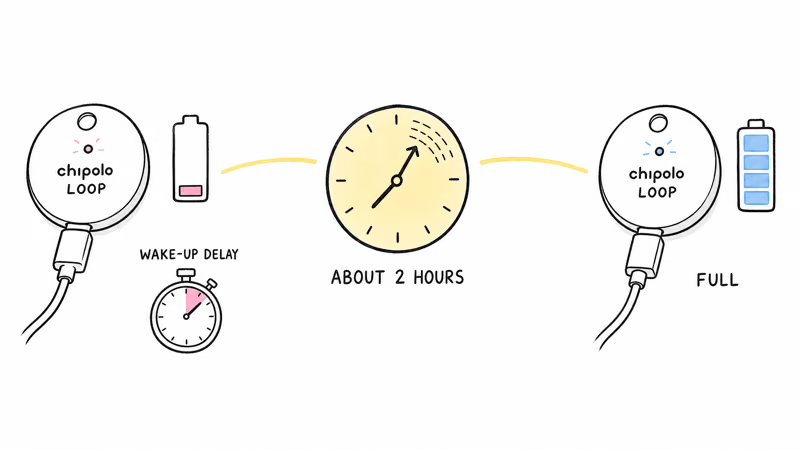
If the battery is deeply discharged, leave the tracker connected to a known-good setup long enough to observe whether the LED changes. Chipolo advises avoiding absolute zero, but it does not document a guaranteed dark wake-up interval, so don’t treat an arbitrary wait time as proof of recovery.
Chipolo’s current battery guidance lists LOOP as rechargeable and rated for up to one year. Actual runtime depends on use and conditions, so that number is a ceiling rather than a promise for every charge.
What a Single Charge Should Last
Knowing the expected runtime helps you tell a faulty battery from a normal one. The rechargeable LOOP launched with a conservative estimate that Chipolo later raised in its published materials.
Chipolo reported that the LOOP rating rose from 6 months to up to 1 year in its April 2026 battery update. That is a manufacturer rating, not an independently measured guarantee; frequent ringing, connection conditions and settings can shorten it.
Checking the Battery Level Without Guessing
You don’t have to guess how much charge is left. Apple’s Find My support documentation states that you can view a Find My accessory’s battery status directly in the app, and the LOOP reports its level there on iPhone, or in Find Hub on Android. If the app shows a healthy level but the tag is unresponsive, the problem is connectivity, not charge.
Chipolo LOOP Charges but Still Won’t Connect
Sometimes the LED behaves perfectly but the tag still won’t show up. A LOOP that charges yet won’t pair points to a software or registration issue rather than a power one. Start by confirming Bluetooth and location are both on, since the LOOP needs both to connect.
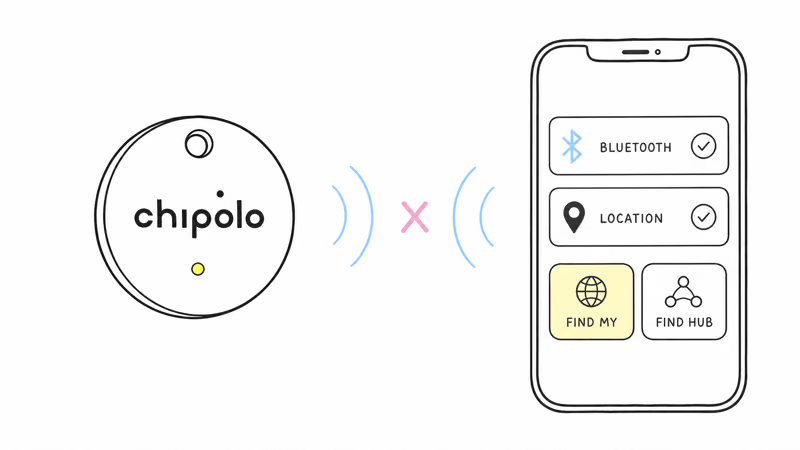
Make sure you are checking the right network too. The LOOP works with only one network at a time, either Apple Find My or Find Hub on Android, so a tag claimed on one is invisible from the other. Confirm which app you set it up in before assuming it failed.
If it still won’t appear, follow the setup flow for the network currently assigned to the tracker and confirm Bluetooth is enabled. Restarting the phone is a reasonable reversible check, but it does not prove the LOOP itself is healthy.
The Chipolo LOOP Factory Reset Procedure
When charging is fine but the tag stays stuck, consult Chipolo’s current reset instructions for the network you selected. Remove the tracker from its current finding app before switching networks or assigning it to another device.
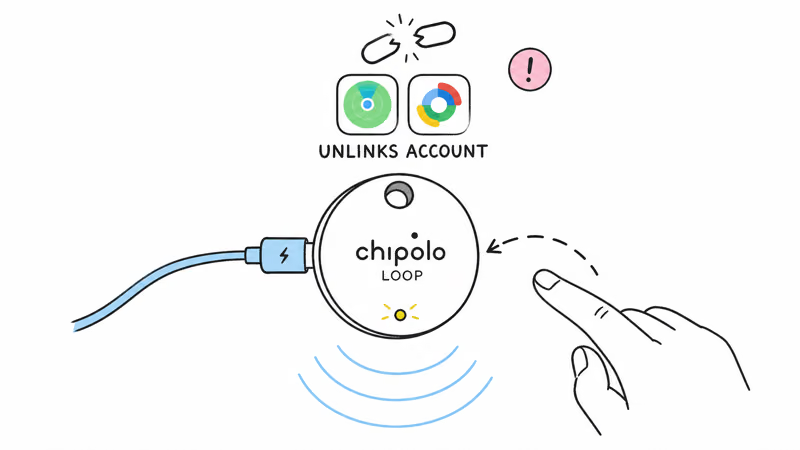
Step 1: Charge the LOOP enough that the LED responds, since a reset on a dead battery won’t complete.
Step 2: Follow Chipolo’s current model-specific reset sequence rather than copying a button pattern from an older Chipolo model.
Step 3: Re-add the LOOP to Apple Find My or Find Hub, remembering that it can use only one of those networks at a time.
Only reset after confirming the tracker charges and after reviewing the consequences in the current Chipolo instructions. A reset can’t repair a USB-C power problem.
Chipolo LOOP Still Dead: When to Contact Support
If you have tried multiple cables and adapters, given a drained battery plenty of time, and the LOOP still shows no light and makes no sound, the battery or hardware may have failed. A tracker that stays completely silent and dark after a long charge is the signal to stop troubleshooting.
At that point, reach out to Chipolo support so they can confirm whether it’s a warranty case. A LOOP that won’t charge at all despite good equipment is exactly the kind of fault they can verify and replace.
If you are weighing a replacement, our Chipolo LOOP evaluation covers its battery and charging specs, and our LOOP versus AirTag 2 comparison weighs rechargeable against replaceable batteries.
For the wider Apple ecosystem, our roundup of the best Find My trackers ranks the alternatives by battery design and reliability.
Bottom Line
Read the LOOP’s LED before changing software settings: pulsing means charging and steady means full. With no light, test a known-good USB-C cable and a 5 V DC charger rated at least 1 W, then inspect the port. Reset only when the tracker charges normally but won’t connect; persistent no-power behavior belongs with Chipolo support.
FAQ
How do I know if my Chipolo LOOP is charging?
Watch the LED. It pulses while the tracker is charging and stays lit once it’s full. If there is no light, test a known-good USB-C cable and a charger that meets Chipolo’s 5 V DC, 1 W minimum, then inspect the port before treating the tracker as faulty.
How long does a Chipolo LOOP take to charge?
Chipolo’s current public product page does not give a fixed full-charge duration. Use the LED instead: it pulses while charging and stays lit when full. The current battery rating is up to one year per charge, but actual runtime varies with use and conditions.
What charger does the Chipolo LOOP need?
The LOOP charges over USB-C. Chipolo specifies a charger output of 5 V DC and at least 1 W, and the charger is not included. Use a known-good USB-C cable and a compliant charger when diagnosing a missing LED.
My Chipolo LOOP shows no light when plugged in. Is it dead?
Not necessarily. First try a known-good USB-C cable and a compliant charger, then inspect the port for visible debris or damage. If multiple known-good setups produce no LED or sound, stop troubleshooting and contact Chipolo support.
Will resetting my Chipolo LOOP fix a charging problem?
No. A reset addresses setup or pairing state, not USB-C power delivery. Reset only when the LOOP charges normally but refuses to connect, and follow Chipolo’s current model-specific instructions for the selected finding network.
How do I check the Chipolo LOOP battery level?
Open the Find My app on iPhone or the Find Hub app on Android, select your LOOP, and look for the battery status on its detail screen. If the app reports a healthy level but the tag still seems unresponsive, the issue is connectivity rather than charge, so check Bluetooth and location permissions next.