The rechargeable Chipolo CARD has no charge LED and no USB-C port, so a “fast drain” is usually a charge that never fully landed on the Qi coil. Android Central’s interview with Chipolo confirms that the CARD carries only a ~200mAh cell and relies on magnetic auto-alignment to a standard Qi pad, which means a misplaced card charges slowly or not at all.
- Alignment is the #1 cause — the ~200mAh CARD must self-center on the Qi coil, or it charges at a trickle that mimics drain
- Expect months, not weeks per charge under normal find frequency
- No charge LED exists — you confirm charge level only in the Find My or Find Hub app, never on the card itself
- Ringing and “Find” pings are the heaviest battery loads, so frequent locating shortens the cycle
- A genuine fault shows as unusually short runtime after a confirmed full charge — that is a warranty case
The fixes below run in the order problems actually happen: confirm the charge is real, set the right runtime expectation, then triage the rare genuine battery fault.
Why Is My Chipolo CARD Draining Fast?
Nine times out of ten the battery never reached full in the first place. Because the CARD is just 2.5mm thick, it packs a tiny ~200mAh cell and charges over plain Qi with magnetic alignment rather than a faster wired link. Android Central reported that Chipolo deliberately stayed on basic Qi because the card only needs charging about twice a year, which is fine when alignment is perfect and frustrating when it isn’t.
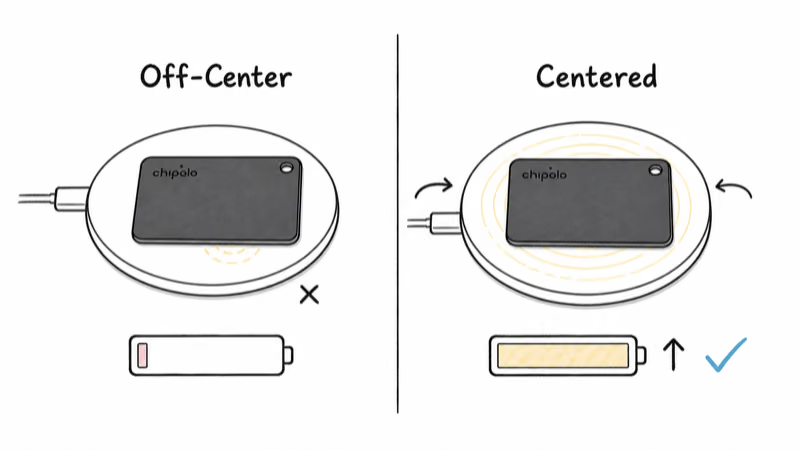
A CARD left slightly off-center on a flat Qi pad gains almost no charge, while the same card snapped to the coil’s center charges normally. The card has no light to warn you, so a bad placement looks identical to a healthy charge until the battery reads low days later.
Heavy use is the second factor. The rated 110 dB ringer and repeated “Find” pings are the biggest single drains on any Bluetooth tracker, so a CARD you locate or ring several times a day will cycle through a charge faster than the rated estimate. That is expected behavior, not a defect.
Temperature matters too. A wallet left in a cold car overnight can show a temporary drop in reported charge, since lithium cells deliver less under cold. The level usually recovers once the card returns to room temperature, so wait before assuming the battery failed.
How Do You Charge the Chipolo CARD Correctly?
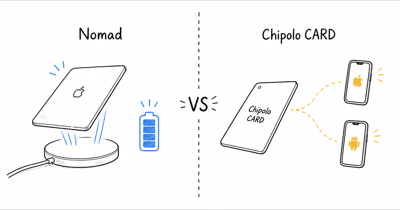
The CARD has no port and no cable in the box, so charging is entirely about Qi placement. Chipolo’s official CARD product page states that the card charges on any Qi wireless charger and automatically aligns to the center of the coil, which is the behavior you are trying to trigger.
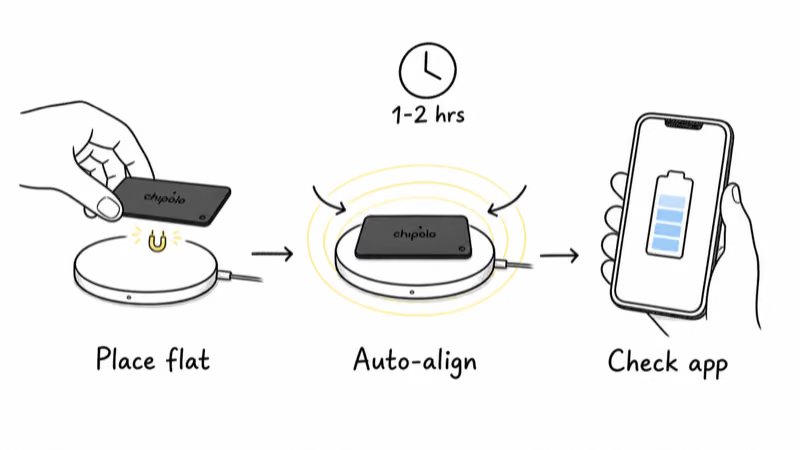
1. Set the CARD flat on a standard Qi pad or a MagSafe puck. The card’s internal magnet should pull it toward the coil center with a slight snap.
2. Let go and watch for the auto-align tug. If the card sits where you dropped it with no pull, slide it until you feel it center itself over the coil.
3. Leave it undisturbed for 1 to 2 hours. The ~200mAh cell is small, so a full top-up is quick once contact is good, but a partial misalignment stretches that to hours of trickle.
4. Open the Find My app on iPhone or the Find Hub app on Android to read the reported battery level, since the card gives no on-device feedback. Confirm the number actually rose.
Avoid charging pads with raised rings or off-center coils, which can block the auto-alignment magnet. A flat, single-coil pad gives the most reliable contact, and a MagSafe charger works well because its magnet ring reinforces the card’s own centering.
Reading Chipolo CARD Charge Status Without an LED
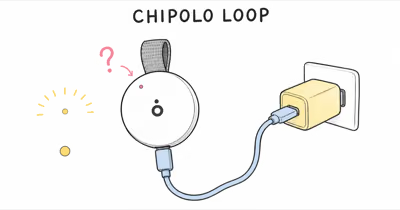
Unlike the USB-C Chipolo LOOP, the CARD has no LED at all, which trips up owners expecting a charging light. There is no pulse, no solid glow, and no beep when charging starts. The only trustworthy charge indicator lives in the app.
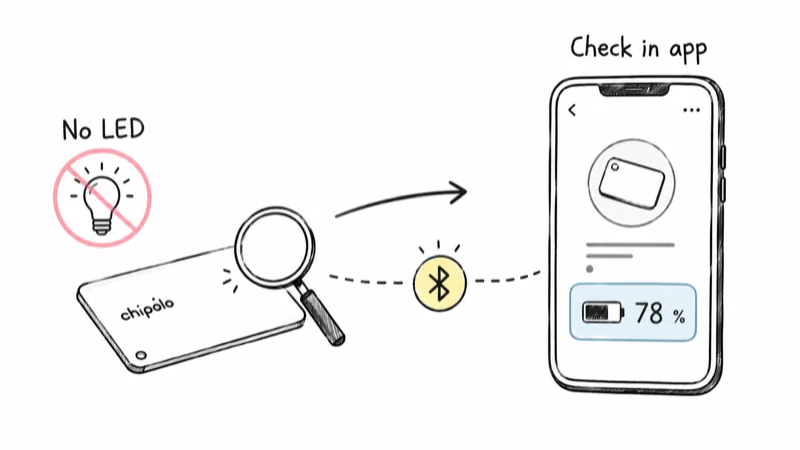
Check the battery level before charging and again after an hour. The app reading is the only signal that distinguishes a real top-up from a card sitting dead on a misaligned pad. If the LOOP’s charge behavior is more your situation, our guide to a Chipolo LOOP that won’t charge covers the USB-C cable and adapter checks that apply to that model instead.
Because the reading updates over Bluetooth, keep the card near your phone with the Chipolo app installed so the level syncs. A card that has been out of range for days may show a stale percentage that only refreshes once it reconnects.
Setting the Right Chipolo CARD Runtime Expectation
Setting the right expectation prevents most false drain reports. The rechargeable CARD launched with a conservative runtime estimate that varies by source, so a few months between charges is normal, not a fault.
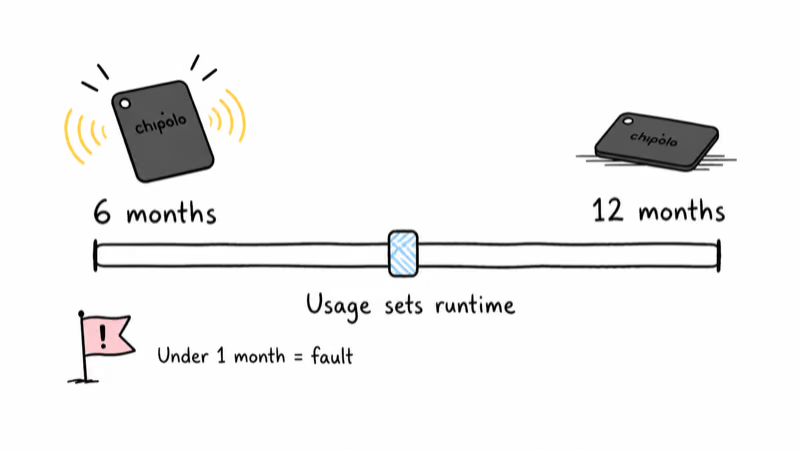
TechCrunch reported that the rechargeable CARD and LOOP debuted with a roughly six-month battery claim. Macworld’s tracker guide later found that Chipolo now claims a full 12 months of battery life for the CARD after extended testing. The gap reflects usage: a card you rarely ring lands near the 12-month figure, and one you locate daily lands near 6 months.
So if your CARD asks for a charge after several months, that is squarely within the published range. The Chipolo CARD review walks through how that rating compares to the old coin-cell CARD Spot.
To stretch each cycle, ring the card only when you actually need it, and top up before the battery hits absolute zero. Deep discharges are hardest on a small lithium cell, so a card recharged at a healthy level holds its rated runtime longer than one repeatedly run flat.
Weighing the Rechargeable Design Against a Coin Cell
If the charging routine is wearing on you, it’s worth weighing the rechargeable design against a coin-cell tracker before troubleshooting further. The trade-off is real: no battery swaps ever, in exchange for a twice-a-year Qi top-up.
A rechargeable CARD removes the CR2032 hunt that the old coin-cell Chipolo CARD Spot demanded, but it adds the alignment step this article exists to solve. Our Chipolo LOOP versus AirTag 2 comparison lays out the rechargeable-versus-replaceable decision in detail, since the AirTag’s swappable cell is the opposite philosophy.
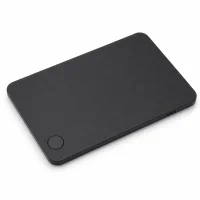
For owners who want the thin profile without giving up the rechargeable convenience, the CARD remains the slimmest option on either network. Just budget two minutes twice a year for a proper Qi charge, and the drain reports stop.
Habits That Make Each Charge Last Longer
A few small habits keep the CARD near its 12-month ceiling instead of its 6-month floor. The single biggest lever is how often you ring it, since the 110 dB speaker is the heaviest momentary load on the cell.
Ring sparingly. Use the in-app map to walk toward the card first, and trigger the sound only for the final few feet. Constant ringing is what turns a year of runtime into a few months.
Top up before zero. A small lithium cell ages fastest from deep discharge, so a charge added before the battery bottoms out is healthier than repeatedly running the cell flat.
Keep it near your phone. A card that spends days out of Bluetooth range reports a stale battery percentage, which makes a healthy charge look like sudden drain once it finally syncs.
Bottom Line
A Chipolo CARD that seems to drain fast is almost always charging wrong, not failing. Center it on a flat Qi pad until the magnet self-aligns, leave it an hour or two, and confirm the rise in the Find My or Find Hub app, since the card has no LED of its own.
Expect months per charge under normal find frequency. Treat a card that drains within weeks after a confirmed full charge as the genuine warranty case worth reporting to Chipolo.
FAQ
Why does my Chipolo CARD drain so fast?
The most common reason is that the card never charged fully. The CARD uses a tiny rechargeable cell and plain Qi charging with magnetic alignment, so if it sits off-center on the pad it charges at a trickle and looks like drain a few days later. Frequent ringing and Find pings also use the most power, so heavy locating shortens each cycle. Re-center the card on the pad, charge it for an hour, and confirm the level rose in the app.
How do I know if my Chipolo CARD is charging?
The CARD has no LED and makes no sound when charging, so you can’t tell from the card itself. The only reliable indicator is the battery level shown in the Find My app on iPhone or the Find Hub app on Android. Check the reading before charging and again after about an hour. If the percentage hasn’t climbed, the card is misaligned on the Qi pad even if it looks correctly placed.
What charger does the Chipolo CARD need?
The CARD charges on any standard Qi wireless charger and automatically centers itself on the coil, but no charger comes in the box. A flat single-coil pad or a MagSafe puck works best because nothing blocks the card’s auto-alignment magnet. Avoid pads with raised rings or off-center coils, which can stop the card from reaching the coil and slow the charge to a trickle.
How long should a Chipolo CARD battery last per charge?
Expect several months under normal use, with the official product page citing up to a year for light use. The gap depends on how often you ring or locate the card, since those actions draw the most power. A charge that lasts months is within spec, so it’s not a defect unless runtime drops well below that after a confirmed full charge.
Does cold weather drain the Chipolo CARD faster?
Cold can temporarily lower the reported battery level, since lithium cells deliver less charge at low temperatures. A CARD left in a cold car overnight may show a dip that recovers once it warms back to room temperature. Wait for the card to warm up before assuming the battery has failed, and check the app reading again after it has been indoors for a while.
When is a Chipolo CARD battery actually faulty?
A genuine fault shows as unusually short runtime after you have confirmed a full charge in the app. If the card aligned properly on a known-good Qi pad, charged long enough to read full afterward, and still drained within weeks, that points to a hardware problem rather than charging. At that point contact Chipolo support so they can verify a warranty replacement.