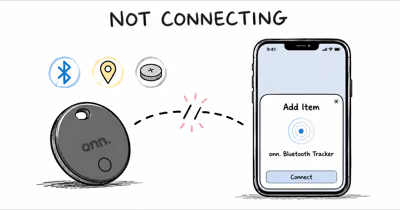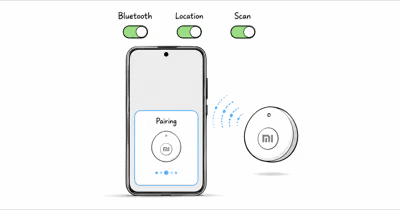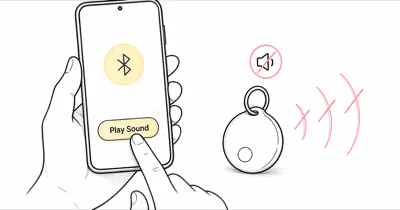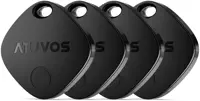
If your Atuvos tracker won't connect, turn on Bluetooth and Location Services, hold the tag next to an unlocked iPhone, and press it once. If it still fails, the tag is likely linked to a previous owner.
An Atuvos tracker that refuses to pair is almost always one of four things: Bluetooth is off, the tag is asleep, the battery is wrong, or the tag is still registered to someone else. Apple's Find My accessory setup guide confirms that you need Bluetooth and Location Services on, plus iOS 14.5 or later, before any third-party item can be added.
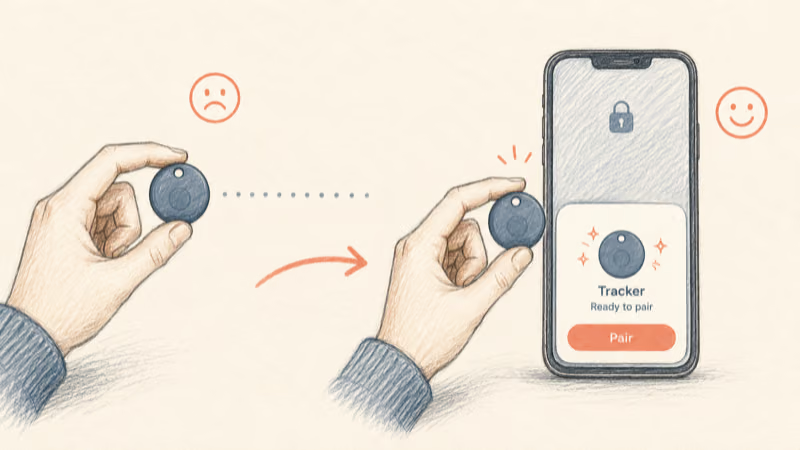
- The Find My add screen only appears when an awake Atuvos tag is within about 1 foot of an unlocked iPhone -- distance is the most common silent failure.
- A used or refurbished Atuvos still tied to a previous Apple Account can't be paired until the original owner removes it; no reset on your end clears this.
- Apple requires iOS 14.5 or later to add any Find My network accessory, so an old iPhone will never show the pairing prompt.
- Some CR2032 batteries with bitterant coatings won't power the tag at all, even when they read a full 3 volts on a meter.
- The Control Center Bluetooth toggle is temporary; only Settings > Bluetooth confirms Bluetooth is truly on at the system level.
Why Is My Atuvos Not Showing Up in Find My?
Start with the setup conditions, because most "Atuvos not connecting" reports trace back to a missed requirement rather than a broken tag. The Atuvos tracker is an MFi-certified Apple Find My accessory, so it pairs through the same flow as any third-party item -- not through a separate Atuvos app.
Apple's setup documentation states that you must turn on Bluetooth, turn on Location Services, and run iOS or iPadOS 14.5 or later. A tag that seems dead will often pair on the first try once you move it within a foot of an unlocked iPhone and press the button. Proximity and an awake tag are what trigger the pop-up card.
Run This Setup Checklist First
Work through these in order before assuming the tag is faulty. Most "won't connect" cases clear on this list alone, before any hardware fault is to blame.
- Bluetooth on -- open Settings > Bluetooth, not just Control Center.
- Location Services on -- Settings > Privacy and Security > Location Services.
- iPhone unlocked and on the Home Screen, not inside another app.
- Tag within 1 foot of the phone, then press the tag once to wake it.
- iOS 14.5 or later -- check Settings > General > About.
If the connect card appears but pairing stalls, restart the iPhone and try again before moving on. A stale Bluetooth stack causes more failed pairings than any hardware fault.
How Do I Fix an Atuvos Still Linked to a Previous Owner?
This is the failure that no reset on your end will fix, and it hits anyone who buys a used or refurbished Atuvos. A Find My item can only be registered to one Apple Account at a time. If the previous owner never removed the tag, your iPhone refuses to add it and may say the item is linked to another Apple Account.
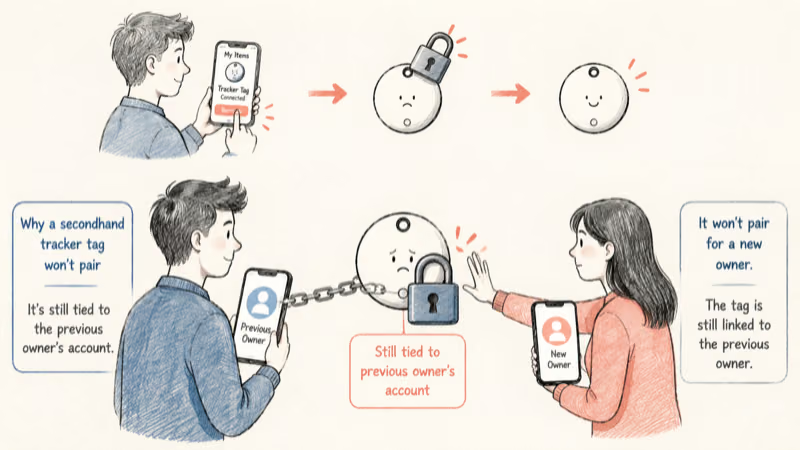
You can't clear that lock yourself. The original owner has to open Find My, select the Atuvos tag under Items, and choose Remove This Item, per Apple's remove-an-item instructions. Only then does the tag become available to register. The same rule applies to AirTags, which is why our guide to resetting an AirTag stresses that a reset alone never transfers ownership.
If you bought the tag new and sealed, this isn't your problem -- skip to the battery section. The previous-owner lock only affects secondhand or open-box units.
When buying used, ask the seller to remove the tag from their account while you watch, or before they ship it. A locked tag isn't defective; it's just unavailable. No warranty path or factory reset bypasses the one-account rule, because that rule is what keeps a stranger from silently re-registering the tag.
When a Bad Battery Blocks the Connection
The Atuvos tracker runs on a single CR2032 coin cell, and a weak or incompatible battery produces the exact same symptom as a pairing fault: nothing happens when you press the tag. Brand-new batteries can fail to power a tag because of a coating, not low charge.
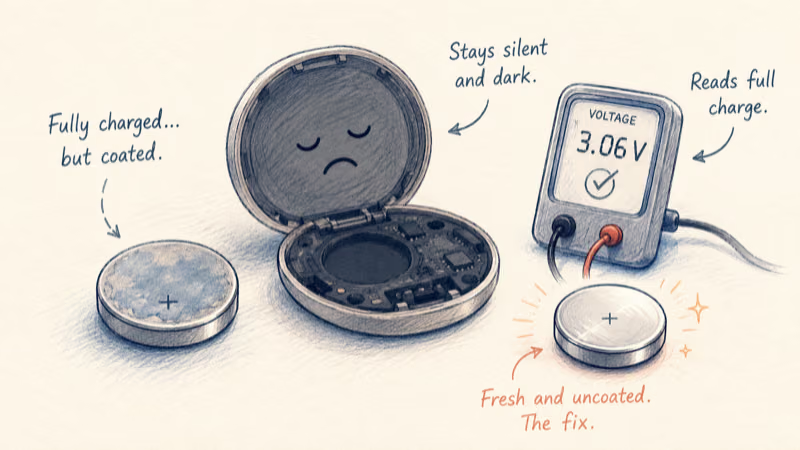
Apple's battery replacement page confirms that "some CR2032 batteries with bitterant coatings might not work with AirTag or other battery-powered products." A bitterant-coated cell can read full voltage on a meter yet still fail to wake the tag. That bitter coating, added as a child-safety deterrent, can insulate the contact. Since Atuvos uses the same CR2032 cell, the same trap applies -- you can read the full warning on Apple's battery replacement page.
Battery Steps That Restore the Connection
Run these in order. A chirp after a battery swap is your confirmation that the tag has power.
- Open the tag and reseat the existing battery -- a loose cell mimics a dead one.
- If reseating fails, swap in a fresh CR2032 without a bitterant coating.
- Confirm the battery sits with the plus side facing the cover, per the case markings.
- Press the tag after replacing the battery; a chirp confirms it has power.
If the tag chirps but still won't pair, the battery is fine and you should return to the Bluetooth and proximity checks above. A silent tag after a known-good battery swap points to hardware, and Atuvos honors its warranty on dead-on-arrival units.
When Pairing Worked Before and Now Drops Out
A tag that paired fine and later vanished from Find My is a different problem from one that never connected. Here the registration is intact, so the fix is about radio range and refreshing the link rather than re-pairing from scratch.
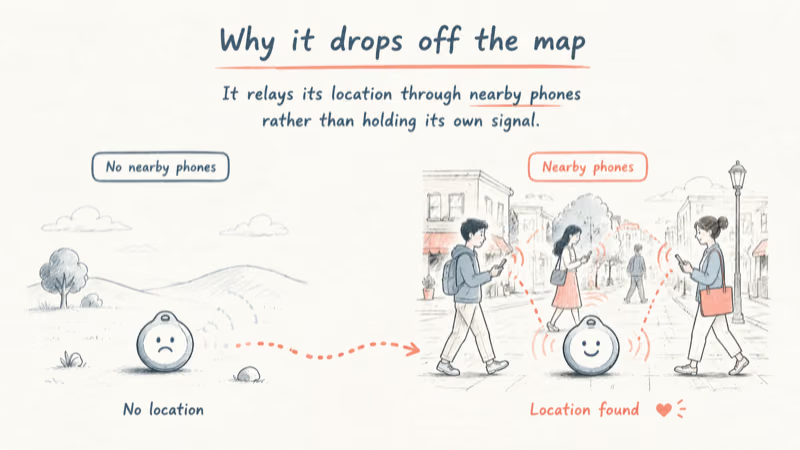
The Atuvos tracker relays its location through nearby Apple devices over Bluetooth, so it has no live connection of its own when it's away from your phone. A "no location found" status often just means no Apple device has passed near the tag recently -- not that the tag failed. In quiet areas the location can lag whenever foot traffic drops, then snap back once the tag is near a busy street.
For a tag that drops even when it's in your pocket:
- Toggle Bluetooth off and on in Settings to rebuild the connection.
- Restart your iPhone -- this clears a stalled Find My session.
- Check Find My network is on -- Settings > your name > Find My, with Find My network enabled.
- Replace the battery if the tag is more than a year old; a fading cell drops the relay first.
If you're deciding between Atuvos and another budget Find My tag for reliability, our Atuvos versus Chipolo ONE comparison breaks down how each handles range and battery. The full Atuvos tracker review covers its day-to-day connection behavior in more detail.
For the wider lineup of compatible tags, the Find My tracker hub lists every device that works on Apple's network.
Bottom Line
Most Atuvos connection failures aren't hardware. Confirm Bluetooth and Location Services, then hold the awake tag within a foot of an unlocked iPhone -- that clears most "not connecting" reports in under two minutes. If the tag is secondhand, the real fix is getting the previous owner to remove it, since no reset on your side can do that. Rule out a bitterant-coated CR2032 last.
FAQ
Why is my Atuvos tracker not showing up in Find My?
The add card only appears when an awake tag is within about a foot of an unlocked iPhone with Bluetooth and Location Services on. Press the tag once to wake it, then hold it next to the phone. If nothing happens, the battery may be dead or the tag may still belong to a previous owner.
Can a used Atuvos still be linked to someone else?
Yes. A Find My item registers to one Apple Account at a time. If the previous owner never removed the tag, you can't pair it until they open Find My and select Remove This Item. No reset or battery pull on your end clears that lock.
Does the Atuvos tracker need its own app?
No. The Atuvos tracker is an MFi-certified Find My accessory, so it pairs through the built-in Find My app on iPhone, the same way an AirTag does. There is no separate Atuvos app to download for connecting the tag.
What battery does the Atuvos use, and why does a new one fail?
It uses a single CR2032 coin cell. Apple notes that some CR2032 batteries with bitterant coatings won't power the device, because the bitter coating can insulate the contact. Swap in a fresh CR2032 without that coating if a new battery does not wake the tag.
Why did my Atuvos disappear from Find My after working?
A no location found status usually means no Apple device has passed near the tag recently, since it relays through nearby iPhones rather than holding its own connection. Toggle Bluetooth, restart your phone, and confirm Find My network is on. A year-old battery that is fading can also drop the relay first.
Will resetting the Atuvos let me pair a secondhand tag?
No. Resetting clears local settings but does not remove the tag from the previous owner's Apple Account. Only the original owner can remove it from their Find My app. Until they do, the tag stays unavailable to any new account regardless of how many times you reset it.
Does an old iPhone stop the Atuvos from connecting?
It can. Apple requires iOS 14.5 or later to add any Find My network accessory. An iPhone running an older version will never show the pairing prompt. Update in Settings then General then Software Update, then try the add flow again with the tag held close.