Most Alpha-to-collar failures trace to one of five things: no satellite lock, out of radio range, a firmware mismatch, a dead collar battery, or an ID conflict. Fix them in that order.
A Garmin Alpha that won’t talk to its collar almost always fails at one of five checkpoints, and the order you check them matters. Garmin’s Alpha 300 owner’s manual is explicit that both the handheld and the collar must acquire satellite signals before the system works outdoors.
- The collar and handheld both need their own satellite lock outdoors before tracking works, and acquiring satellites can take a few minutes.
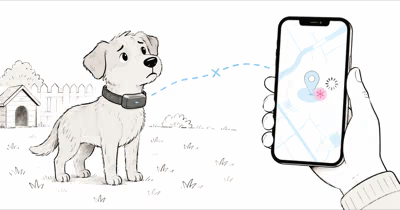
- A question mark next to a dog means the collar is registered but the handheld has lost its data link, usually a range or GPS issue, not a failed pairing.
- Wireless pairing only succeeds when the collar is held until it emits two series of beeps and the status LED flashes blue.
- You can add up to 250 collars to one handheld, but only 20 can be active at once, so an over-full active list blocks new connections.
- Interference from nearby Garmin units is fixed by changing the dog’s ID, not by re-pairing the collar.
Why Wont My Alpha Pair With the Collar?
In the field, a collar that refuses to pair is rarely broken. The link is radio over GPS, and GPS itself sets the bar: GPS documentation states that the constellation runs 31 satellites and a receiver needs at least four in view to compute a position. That is why a collar with no sky view can pair on the bench yet show a question mark the moment you step outside.
Garmin’s official Alpha 300 documentation describes the pairing handshake plainly: hold the collar’s power button until it emits two series of beeps, watch for the status LED to flash blue, then open the dog list on the handheld and select pair collar. Each of those steps has to land in sequence, and skipping or rushing any one of them is the most common reason a healthy collar appears to refuse a connection at setup.
A common cause of a TT 25 collar that supposedly “wouldn’t pair” is a half-press: the collar beeps once, goes solid red, and never reaches the blue flash. Held the full two seconds, it reaches the blue flash and pairs on the first try.
Two beeps and a blue flashing LED are your only reliable proof the collar is in pairing mode. No blue flash, no connection. Work the pairing path in this exact order:
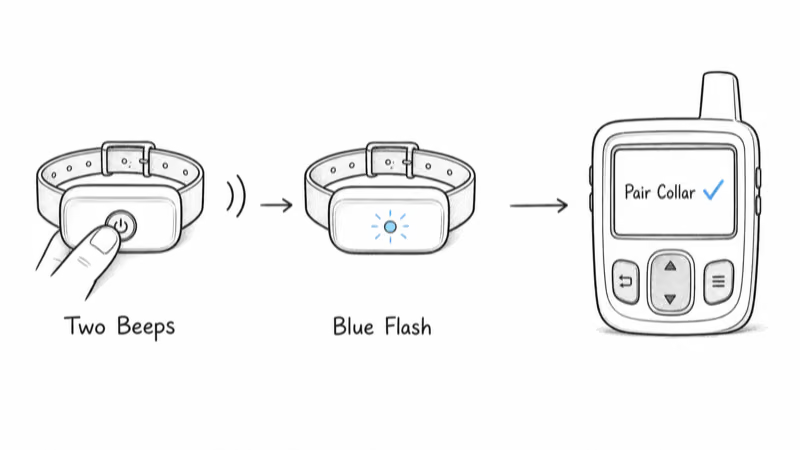
1. Hold the collar power button the full two seconds, until you hear two series of beeps and the LED flashes blue.
2. On the handheld, open Dog List > Add Dog, then select Pair Collar and follow the on-screen steps.
3. Keep the two units within a few feet of each other during pairing, not across the truck bed.
4. If the LED stays solid red, the collar is low on charge or still booting. Charge it and retry.
A solid red LED that never turns green or blue is the single clearest sign the problem is the collar itself. That is the same symptom hunters repeatedly flag in the Rokslide hunting forum’s Garmin collar thread, where the consensus first move is to charge fully and confirm the LED behavior before assuming a hardware failure.
Confirm the Collar Has a GPS Lock and Clear Sky
This is the fix people skip most. The Alpha 300 manual is direct: both the dog collar device and navigator must acquire satellite signals before you put the collar on the dog, and acquiring satellites can take a few minutes. Until the collar’s status LED flashes green, it has no fix, and the handheld shows a question mark or a stale last-known position.
Tree cover is the usual culprit. Under a dense canopy, a fully paired TT 25 can sit on a non-green LED for minutes and read as a question mark, while in an open clearing both units typically lock in far faster.
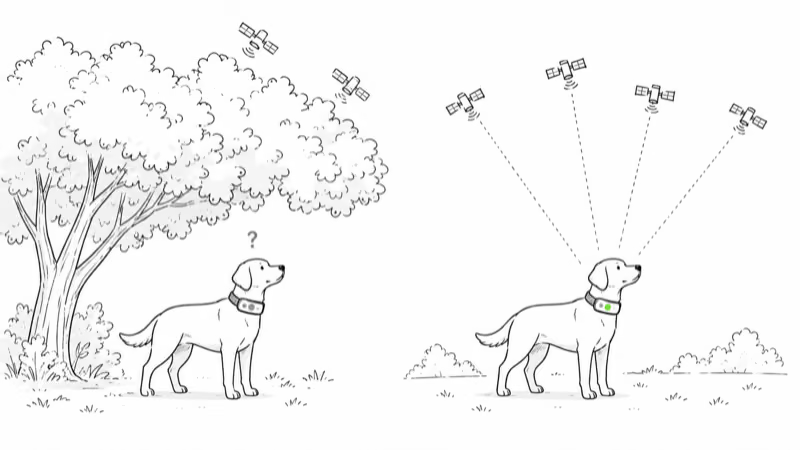
- Go outdoors to an open area before powering on, per Garmin’s acquisition steps, not on a porch or in a garage.
- Power on both devices and watch the collar LED, a green flash confirms the collar has its own satellite fix.
- Wait a few minutes on a cold start, especially if the collar has traveled a long distance since its last use.
- Keep line of sight between handheld and collar. Garmin recommends moving to the highest point in the area for the best communication signal.
For a deeper breakdown of how terrain affects the Alpha system, our Garmin Alpha 300 review covers range, collar compatibility, and battery trade-offs.
Rule Out Range, Firmware, or a Dead Battery
Once both units have a GPS lock and the pairing handshake succeeds, intermittent dropouts shift to three usual suspects: distance, software, and power.
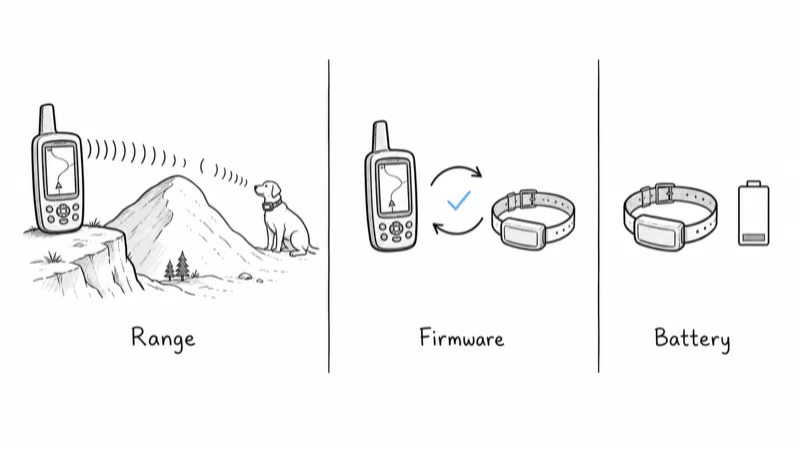
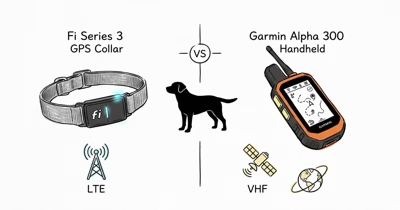
Range. The Alpha uses VHF radio between handheld and collar, and that signal needs line of sight. Garmin’s own guidance is to move to the highest elevation point in your area, because terrain, dense timber, and ridgelines block the radio link long before GPS fails. A collar that drops out behind a hill and reappears at the top is a range symptom, not a pairing fault.
Firmware. A handheld and collar on mismatched software versions can refuse to hold a connection. Update both through Garmin Express or the Garmin Explore app before a hunt, the same first step in Garmin’s guide for collars that fail to pair.
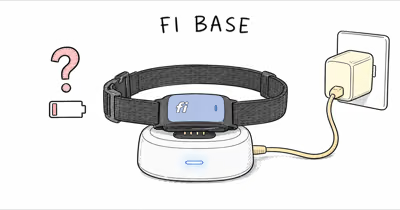
Battery. A collar low on charge will pair, then drop within minutes. The TT 25 shows a solid red LED while charging and a solid green LED when full. A collar at a low charge can pair fine on the bench yet lose its link soon after active tracking begins, exactly the kind of intermittent failure that gets misread as a pairing bug. Charge to full and carry a spare battery pack on long hunts.
For a side-by-side on how this radio-and-handheld design compares to an app-based system, see our Dogtra Pathfinder 2 vs Garmin Alpha 300 comparison.
Clear ID and Channel Conflicts Near Other Hunters
When you hunt near other Garmin users, two collars or handhelds on the same channel will interfere. The Alpha 300 manual notes that if you are experiencing interference from other collars or handhelds in the area, you might need to change the ID for the dog, and that each device broadcasts over its own channel identified by a unique ID.
This is the failure mode most often mistaken for a “broken” collar at a group hunt. The fix is not re-pairing, it’s reassigning IDs:
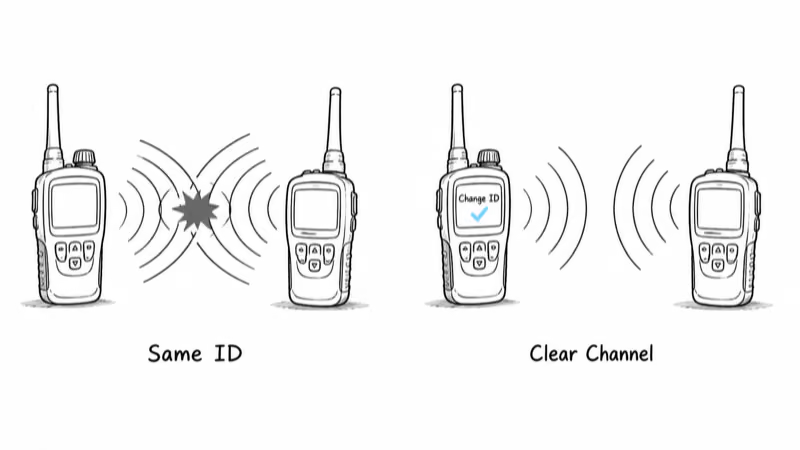
1. Open Dog List, select the dog, then select Change ID and pick an available ID.
2. Use Channel View to see what channel your devices are on and move to a clear one.
3. If another handheld is also tracking that dog, remove it and re-add it using the track and control codes for best results.
Garmin’s support note on understanding ID numbers and interference confirms that unique IDs are what keep a clear signal between your own devices and everyone else’s. If you’re still shopping the category, our roundup of the best GPS collars for hunting dogs covers how different systems handle multi-dog and multi-hunter setups.
How Do You Re-Pair a Garmin Dog Collar?
If GPS, range, firmware, battery, and IDs all check out and the collar still won’t hold, a clean re-pair is the reset. Remove the stale entry first, then pair fresh:
1. On the handheld, open Dog List, select the problem dog, and choose Remove.
2. Charge the collar to a solid green LED so a weak battery can’t sabotage the new link.
3. Hold the collar power button the full two seconds until two series of beeps sound and the LED flashes blue.
4. Select Dog List > Add Dog > Pair Collar and follow the on-screen instructions, keeping the units within a few feet.
5. Step outdoors and let both devices acquire satellites until the collar LED flashes green before fitting it on the dog.
A re-pair clears a corrupted or duplicate registration that no amount of toggling fixes. For broader pet-tracking context across networks, the GPS tracker hub collects our coverage of collars, handhelds, and app-based systems.
When the Fix Is Hardware, Not Settings
Sometimes the connection problem really is a failed part, and chasing settings only wastes daylight you can’t get back on a hunt. After you have confirmed satellite lock, range, firmware, battery, and IDs, two specific signals point at hardware rather than a pairing or GPS fault, and both are worth recognizing early.
A collar whose status LED stays solid red through a full charge cycle, never reaching the flashing green of a satellite lock, has either a dead battery cell or a damaged charging contact. So does a collar that pairs cleanly indoors but vanishes the instant it moves more than a few yards, since that pattern fits a failing antenna or radio module far better than a software glitch.
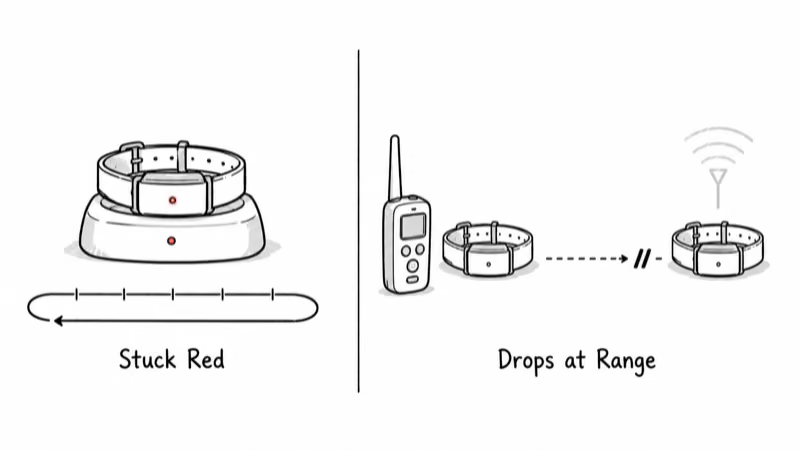
If you see either after working the full checklist above, stop troubleshooting and contact Garmin or your dealer. A unit under warranty is worth a service ticket, not another hour of toggling menus in the field.
Bottom Line
A Garmin Alpha that won’t hold its collar is a sequence problem, not a mystery. Confirm a green satellite LED, stay in radio range with line of sight, update firmware, charge the collar fully, and clear ID conflicts before you ever re-pair. Work the list in that order and the connection comes back without a service call.
FAQ
Why does my Garmin collar show a question mark?
A question mark means the collar is registered to the handheld but the data link is currently lost. It’s almost always a GPS or range issue rather than a failed pairing. Check that the collar’s status LED is flashing green for satellite lock and that you are within VHF radio range with line of sight.
How close does the collar need to be to pair?
For wireless pairing, the collar must be within range of the navigator, and in practice you want them within a few feet of each other. Garmin’s manual also notes that sharing a dog wirelessly between two handhelds requires them to be within 3 meters, about 10 feet, so keep everything close during setup.
What does a red LED on the collar mean?
A solid red status LED means the collar is charging, or that it’s low on power and not ready. During pairing you want to see the LED flash blue after two series of beeps, and during tracking you want it flashing green for satellite lock. A persistent red LED that never changes points to the collar itself, so charge it fully first.
Why does my collar keep dropping out during a hunt?
Mid-hunt dropouts are usually range or battery, not pairing. The VHF radio link needs line of sight, so terrain and dense timber can break it until you move to higher ground. A collar that is low on charge will also pair fine but lose its link within minutes, so start every hunt with a full battery.
How many collars can one Alpha handheld track?
You can add up to 250 dog collar devices to a single handheld, but only 20 can be active at one time. If your active list is full, new collars may not connect until you remove some. For most hunters this is never a limit, but it matters at large group hunts.
Do other hunters’ collars interfere with mine?
They can. Each Garmin device broadcasts over a channel identified by a unique ID, and overlapping IDs cause interference near other users. The fix is to change the dog’s ID or use Channel View to move to a clear channel, not to re-pair the collar.
Should I update firmware before troubleshooting?
Yes. A handheld and collar running mismatched firmware can refuse to hold a connection, so update both through Garmin Express or the Garmin Explore app before a hunt. It’s one of the first steps Garmin support recommends for collars that won’t pair, and it resolves a surprising share of intermittent connection problems.