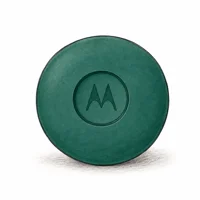
People ask whether you can use the Moto Tag 2 with an iPhone because it looks like an AirTag, fits AirTag accessories, and sits next to AirTags on Amazon. Motorola is blunt about the answer: its Moto Tag 2 launch coverage confirms that the tracker is built around Google Find Hub and is certified to Google’s Find Hub accessory spec, which is an Android-only network.
- Android-only pairing — the Moto Tag 2 sets up through Google Fast Pair, which has no iOS counterpart, so an iPhone can’t register it
- Android 9 or newer required — joining the Find Hub network needs Android 9+, with full UWB precision finding gated behind Android 16 and a Bluetooth 6.0 phone
- iOS gets detection only — an iPhone flags a stranger’s Moto Tag 2 as an unknown tracker for safety, but can’t see or control your own tag
- AirTag is the iPhone answer — it costs $29, works in the Find My app already on every iPhone, and taps Apple’s large finding network
- Buy for the phone in your pocket — cross-platform tracking is a purchase decision, not something you patch after setup
Can an iPhone Pair With the Moto Tag 2?
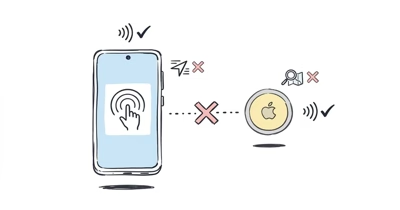
No. The Moto Tag 2 can’t be paired from an iPhone because setup runs entirely through Google Fast Pair, and Fast Pair has no equivalent on iOS. The Moto Tag 2 launch announcement confirms that the tracker is certified to Google’s Find Hub accessory requirements and registers to a Google account, not an Apple ID.
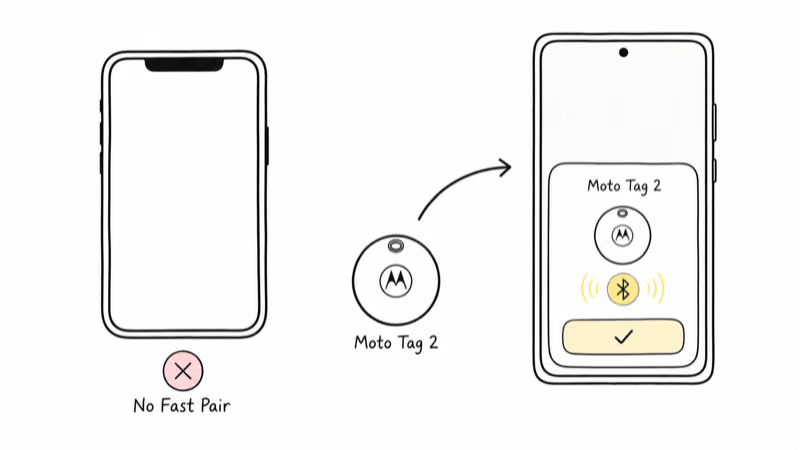
Place a Moto Tag 2 next to an iPhone and iOS never offers a pairing prompt, because there is no Fast Pair listener running on the phone.
The setup chain has three Android dependencies, and an iPhone satisfies none of them.
First is the pairing protocol. Google Fast Pair surfaces a setup card the moment a new tag wakes up near an Android phone, then walks you through naming the tag and adding it to your account in a few taps. There is no Fast Pair stack on iOS, so the tag never announces itself to an iPhone and the setup card simply never appears.
Second is the account. A Moto Tag 2 binds to your Google account so the tag lands in Find Hub. An iPhone owner has no Find Hub workspace to bind to.
Third is the network. Google’s support page on getting ready to find a lost Android device explains that the Find Hub network needs an Android phone signed in to a Google account to relay a lost tracker. The crowd is Android-only; an iPhone never contributes to it.
Why the Find Hub Network Locks Out iOS
A Bluetooth tracker is only as useful as the crowd-finding network behind it, and the Moto Tag 2 rides Google Find Hub. Your own phone holds a Bluetooth link of only about 100 to 120 meters in the open. Past that range, the tag goes quiet unless a stranger’s phone happens to walk by, notice it in the background, and quietly relay its location back to you without either of you doing anything.
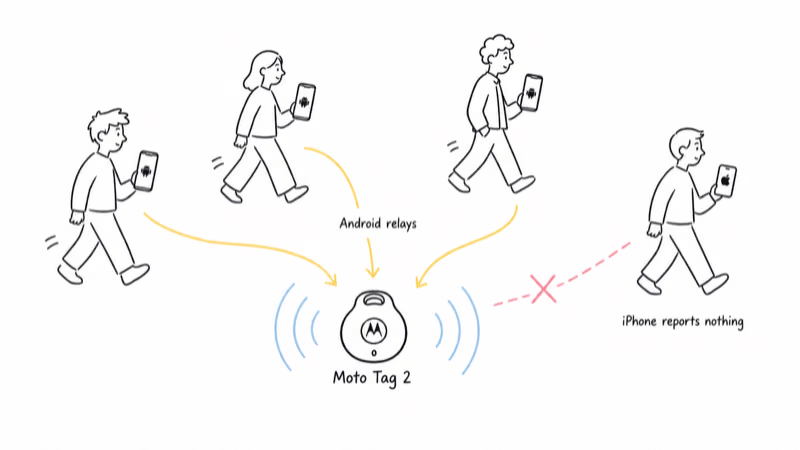
For the Moto Tag 2, that crowd is built from Android phones running Find Hub. A passing Android phone can relay a lost Moto Tag 2’s position. A passing iPhone reports nothing, because iOS has no background process listening for Find Hub trackers. That is the structural wall: even if an iPhone owner could somehow read the tag, the network that finds it skips every iPhone it passes.
Motorola rates its CR2032 and states that it lasts over 600 days; precision still requires compatible Android hardware.
That feature isn’t merely absent on iPhone, it’s absent on most Android phones too. The Moto Tag 2 is engineered for the newest Android hardware, and the iPhone sits outside that world entirely.
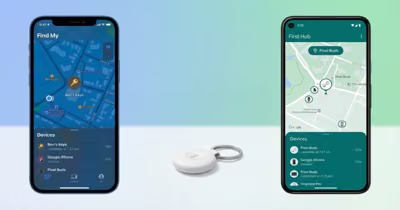
If you want the longer view of how Google’s network compares to Apple’s, our Find Hub versus Find My breakdown lays the two systems side by side.
What an iPhone Can Actually Do With a Moto Tag 2
There is exactly one thing an iPhone can do with a Moto Tag 2, and it isn’t tracking. An iPhone can detect a Moto Tag 2 that doesn’t belong to you, as an anti-stalking safety measure. Apple’s support page on unwanted tracking detection describes the cross-industry standard Apple and Google built so a phone can alert you when an unknown Bluetooth tracker is traveling with you over time.
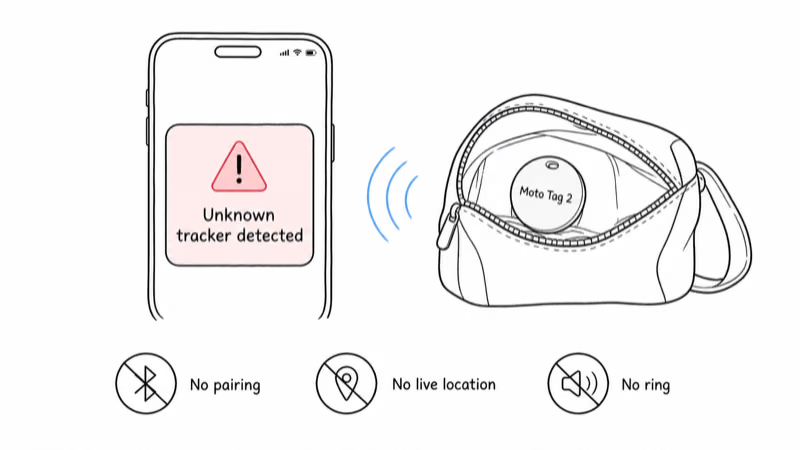
So if someone slipped a Moto Tag 2 into your bag, your iPhone could warn you and help you find it to disable it. That is detection for your safety, not ownership of the device.
What an iPhone can’t do is the entire list of things you’d actually want: it can’t pair the tag, can’t see its live location, can’t ring it from the Find Hub app, and can’t get Precision Finding to walk you to it. Detection protects you from someone else’s tag, but does nothing to help you track your own keys.
This is the same pattern Samsung’s tracker shows on iOS. Our guide on using a Samsung SmartTag2 with an iPhone reaches the same conclusion for the same structural reason: a tracker built for one phone platform exposes only a safety layer to the other.
What Should iPhone Users Buy Instead?
If you carry an iPhone, the Apple AirTag is the direct answer for everything the Moto Tag 2 promises an Android user. It costs $29, sets up in seconds because the Find My app is already on your iPhone, and it rides Apple’s finding network instead of an Android-only one. For an iPhone owner, the AirTag does on iOS exactly what the Moto Tag 2 does on Android.
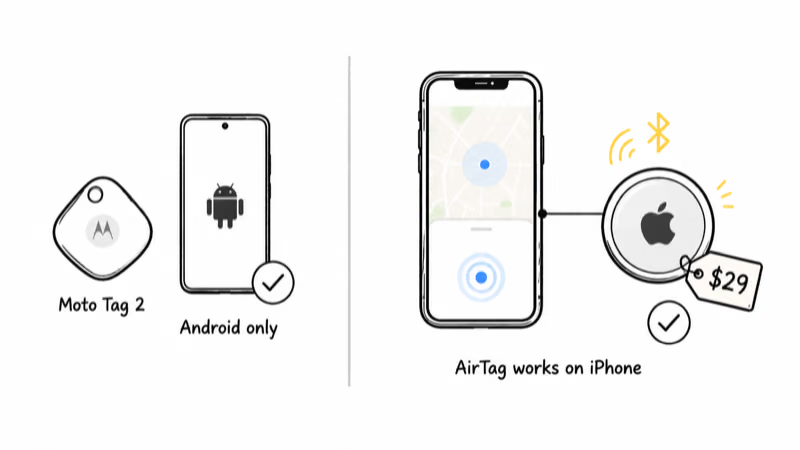
The AirTag’s Precision Finding guides an iPhone to a bag, and the Moto Tag 2 does the same on a Pixel, but neither tag crosses platforms.
Our full Apple AirTag review covers setup, range, and battery in detail.
The Moto Tag 2 is a strong tracker, just not for you if you own an iPhone. Our Moto Tag 2 review makes the Android-side case, and if you want the full picture of Google’s tracker ecosystem, the Find Hub hub gathers our coverage of every Find Hub tag.
What to Do If You Switch Between iPhone and Android
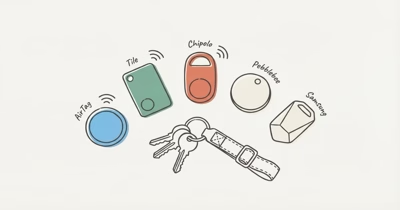
If you bounce between an iPhone and an Android phone, the platform wall cuts both ways, and a single-network tracker leaves one of your phones useless. A dual-network tracker like the Chipolo Pop sidesteps that problem because it joins both Apple Find My and Google Find Hub. You pick one network per tag at setup, but whichever phone you carry can still run it.
This is the practical fix for a mixed-device household. You won’t get the Moto Tag 2’s Bluetooth 6.0 precision, but you also won’t strand a $40 tracker the moment you switch phones.
Who the Moto Tag 2 Is Actually For
The Moto Tag 2 is for an Android owner, ideally one with a recent phone. Motorola positions it as a Find Hub tracker with more than 600 days of battery life, an IP68 rating, and UWB plus Channel Sounding precision finding on compatible hardware. None of that matters to an iPhone owner, because none of it reaches iOS.
If you own a Pixel or a current Galaxy-class Android phone, the Moto Tag 2 is one of the strongest non-Samsung trackers you can buy, and you may want the registered Android-side pick below. If you own an iPhone, treat the Moto Tag 2 the way you’d treat any Android-only accessory: interesting, well-built, and not for your phone.
Bottom Line
You can’t use the Moto Tag 2 with an iPhone. It pairs only through Google Fast Pair and Find Hub, both of which are Android-only, so an iPhone can’t set it up, see its location, or manage it. The single thing iOS does is detect a stranger’s Moto Tag 2 as an unknown tracker for your safety.
If you carry an iPhone, buy an Apple AirTag at $29 and use the Find My app already on your device. If you switch between an iPhone and an Android phone, a dual-network tracker like the Chipolo Pop works on both Apple Find My and Google Find Hub.
FAQ
Can you set up a Moto Tag 2 on an iPhone?
No. Setup runs through Google Fast Pair and binds the tag to a Google account in the Find Hub app. iOS has no Fast Pair stack and no Find Hub app, so an iPhone can’t begin the pairing process. The tag is silent next to an iPhone.
Will an iPhone warn me if a Moto Tag 2 is tracking me?
Yes. Apple and Google built a cross-industry standard so a phone can alert you when an unknown Bluetooth tracker travels with you over time. An iPhone can flag a stranger’s Moto Tag 2 and help you locate it to disable it. This is anti-stalking detection, not a way to track your own tag.
Does the Moto Tag 2 use the iPhone Find My network at all?
No. The Moto Tag 2 reports through Google Find Hub, a network made of Android phones. Apple’s Find My network and Google’s Find Hub are separate systems that don’t share location data, so an iPhone that passes a lost Moto Tag 2 does nothing to help find it.
What phone do you need to use a Moto Tag 2?
You need an Android phone running Android 9 or newer to join the Find Hub network. Basic finding works across most modern Android phones, but the Moto Tag 2’s UWB and Channel Sounding precision finding requires a UWB-equipped phone on Android 16, such as a recent Pixel.
What is the best tracker for an iPhone user?
The Apple AirTag is the strongest pick for iPhone owners. It costs $29, needs no extra app because Find My is already installed, and it uses Apple’s large finding network. Precision Finding then walks you to the item once you are close, which an Android-only tracker can’t do on iOS.
Is there a tracker that works on both iPhone and Android?
Yes. A dual-network tracker like the Chipolo Pop joins both Apple Find My and Google Find Hub, so it works whether you carry an iPhone or an Android phone. You choose which network the tag uses during setup, which makes it a good option for households that mix phone platforms.
Can I borrow an Android phone to set up a Moto Tag 2 for my iPhone?
It won’t give you a usable tracker. Setting the tag up on a borrowed Android phone binds it to that phone’s Google account, and the location and alerts stay on that device. Your iPhone still has no way to view the tag, so you would be depending on someone else’s phone every time you wanted to find your item.