There is no manual update button for an AirTag. Firmware installs automatically over Bluetooth whenever the tag sits near a paired iPhone. To check the version, open Find My, tap Items, select your AirTag, then tap its name to see the firmware number below the serial.
Most AirTag owners hunt for an update button that doesn’t exist. Apple’s AirTag firmware support page confirms firmware installs automatically over Bluetooth, with no manual control on your end.
- AirTag firmware is automatic — it installs silently over Bluetooth, with no button to tap in any Apple app.
- You read the version in Find My — tap Items, select the AirTag, then tap its name to see the number under the serial.
- Rollouts span up to two weeks — the original AirTag staggered releases over roughly 14 days, so two tags can sit on different versions.
- Current AirTag 2 firmware is 3.0.49 — released May 26, 2026, replacing 3.0.45 from late March 2026.
- Proximity is your only lever — keeping the tag near an unlocked iPhone with Bluetooth and Wi-Fi on speeds up a pending update.
How Do AirTag Firmware Updates Actually Work?
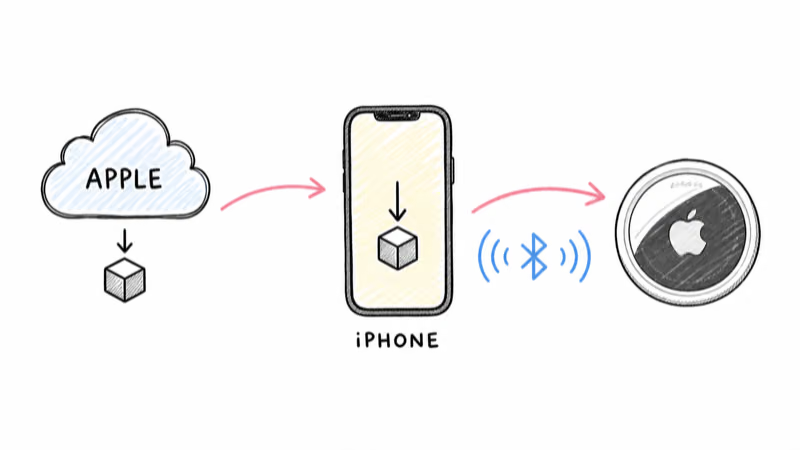
AirTag firmware updates are over-the-air and fully automatic. That one fact spares you from chasing a phantom update button. According to Apple’s firmware support page, “firmware updates are delivered periodically while your AirTag is in Bluetooth range of your iPhone.” There’s no toggle, no download, and no install prompt anywhere in Find My or Settings.
The delivery path matters here. Your iPhone receives the firmware package through normal iOS background activity, then relays it to the AirTag during a routine Bluetooth handshake. The tag is a coin-cell device with no screen and no internet of its own, so the phone does all the work and the AirTag simply accepts the payload when it’s in range.
Rollouts are gradual, not instant. MacRumors reported that Apple staggered the original AirTag firmware across roughly 14 days on a rolling basis.
Because the rollout is staggered, two first-generation tags sitting side by side in the same drawer can show different version strings for days before they finally match. AirTag 2 appears to push faster, with Apple sending the May 2026 release to all units at roughly the same time, but the two-week window is still the safe expectation.
This runs on the same Find My plumbing that powers location relays. If you’ve read our AirTag setup guide, the update flow uses infrastructure you already configured during pairing.
How Do You Check Your AirTag Firmware Version?
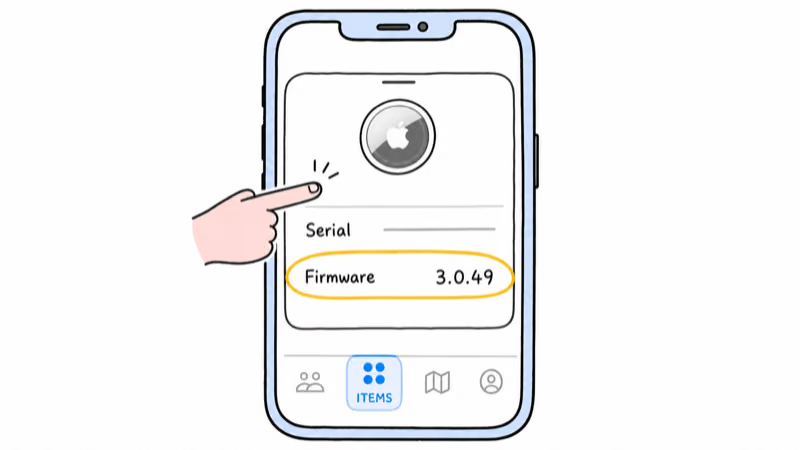
Checking the installed version takes about ten seconds and lives entirely inside the Find My app. Apple’s Find My user guide documents the same Items-tab navigation we use below.
1. Open the Find My app on your iPhone, iPad, or Mac.
2. Tap the Items tab at the bottom of the screen.
3. Select the AirTag you want to inspect from the list.
4. Tap the AirTag’s name at the top of the detail card to expand it.
5. Read the firmware version shown directly beneath the serial number.
The number follows Apple’s Major.Minor.Patch format, such as 3.0.49. If your tag shows an older number than the current release, that’s normal mid-rollout and not a fault. There’s no progress bar and no “update available” badge, so the version string is your only status indicator. The firmware line sometimes won’t appear until the tag has synced with Find My — if it’s missing, bring the AirTag near your iPhone for a minute, then reopen the card.
The Recent AirTag Firmware History
Knowing the current baseline helps you judge whether your tag is actually behind, so it’s worth a quick look at the release timeline.
The most recent AirTag 2 firmware is version 3.0.49, released May 26, 2026. 9to5Mac confirmed Apple began rolling it out to users that day, replacing 3.0.45, the first AirTag 2 firmware from late March 2026.
Apple’s published notes for these releases are deliberately sparse, typically listing only “bug fixes and other improvements” rather than a feature changelog.
| AirTag 2 firmware | Released | Notes |
|---|---|---|
| 3.0.49 | May 26, 2026 | Bug fixes and improvements |
| 3.0.45 | Late March 2026 | First AirTag 2 firmware |
The original first-generation AirTag tracks a separate, older 2.x version line and never shared numbers with the 2026 hardware. If you own a mix of generations, expect their strings to differ. Owners weighing an upgrade can compare both generations in our AirTag review before deciding whether firmware alone justifies staying on an older tag.
Speeding Up a Stuck AirTag Update
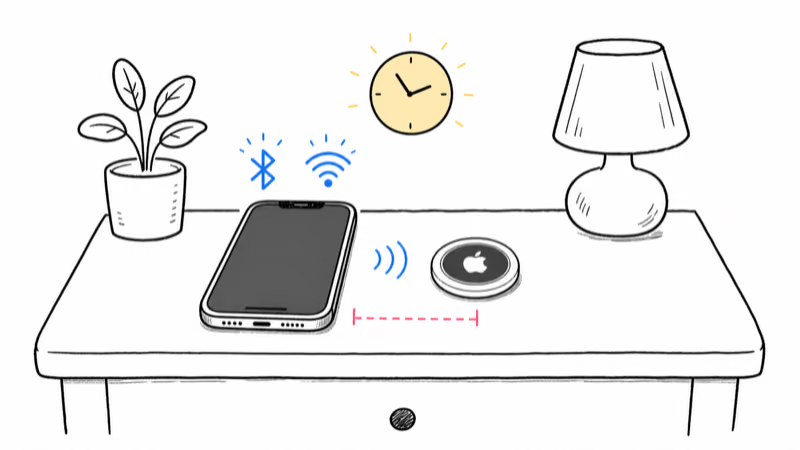
Because the update is push-only, your influence is limited to creating ideal conditions and waiting. No command triggers an install, but a few habits measurably shorten the wait.
Keep the AirTag within a few feet of a paired iPhone for an extended stretch — overnight is ideal. The handshake that carries firmware happens opportunistically, so more contact time means more chances for the transfer to land. Confirm the iPhone has Bluetooth and Wi-Fi both on and is signed in to the Apple Account that owns the tag, since firmware reaches your phone over the network first.
Don’t reset your AirTag to force an update. A reset removes the tag from your account and restarts pairing — it won’t pull new firmware any faster, and you’ll lose your item history. Save resets for genuine pairing problems, not version lag.
When a Stuck Update Never Arrives
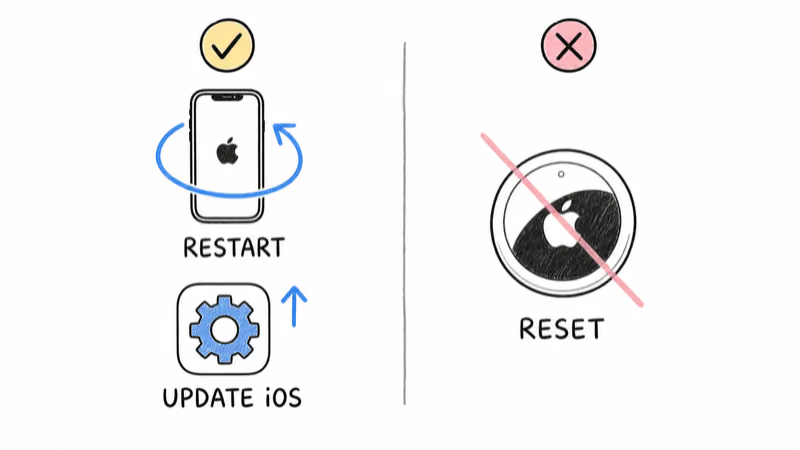
If a version still won’t move after two weeks, restart the host iPhone and confirm it’s on a current iOS build, since the phone’s OS carries the firmware payloads. Persistent location problems are usually unrelated to firmware. Our guide on why an AirTag location goes outdated covers the network and proximity causes that masquerade as update failures, and our AirTag reset walkthrough is the correct last resort for a tag that misbehaves after every check.
Whether AirTag Firmware Is Worth Tracking
For most people, the honest answer is no. Firmware ships in the background, carries no user-facing settings, and rarely changes how the tag behaves day to day. The version number is useful mainly as a diagnostic when something feels wrong, not as a thing to actively manage.
The exception is anti-stalking and safety logic, which Apple has refined through firmware before. Keeping a tag near your iPhone so it stays current is a low-effort way to ensure it carries the latest detection behavior. If you’re buying new, the AirTag 2 ships on the current firmware line out of the box, so there’s nothing to update on day one.
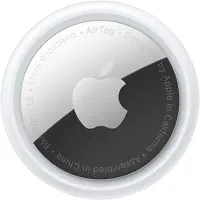 Top Pick
Bottom Line
AirTag firmware takes care of itself. There’s no manual update path, so the only productive moves are checking your version in Find My and keeping the tag near an active iPhone so pending releases can transfer. If your number trails the current 3.0.49 baseline, give it up to two weeks before treating it as a problem.
Spend your energy on the things you can control — pairing, proximity, and battery health — and let the firmware update itself in the background, the way Apple designed it to.
FAQ
Can you manually update an AirTag?
No. There is no manual update button anywhere in the Find My app or iOS Settings. Apple states that firmware is delivered periodically while the AirTag is in Bluetooth range of your iPhone, which means the only way to receive an update is to keep the tag near a paired phone and wait for the automatic transfer.
Where do you see the firmware version in Find My?
Open the Find My app, tap the Items tab, select your AirTag, then tap its name at the top of the detail card. The firmware version appears directly beneath the serial number. The line only shows after Find My has recently synced with the tag, so bring it close to your iPhone first if the field is missing.
What is the latest AirTag firmware version?
The current AirTag 2 firmware is version 3.0.49, which Apple released on May 26, 2026. It replaced 3.0.45, the first AirTag 2 firmware from late March 2026. First-generation AirTags use a separate, older 2.x version line, so the two generations are not meant to show matching numbers.
How long does an AirTag firmware update take to install?
The actual transfer takes seconds, but the rollout window is long. Apple distributed original AirTag firmware on a rolling basis over about two weeks, so your tag may show an older version for several days even when a release is live. AirTag 2 updates appear to push faster, but two weeks is still the safe expectation.
Why is my AirTag firmware out of date?
A lagging version is almost always the normal rollout window rather than a fault. Updates reach tags gradually, and your specific AirTag may not have received the package yet. Keep it within a few feet of an unlocked iPhone that has Bluetooth and Wi-Fi enabled, and the pending firmware should transfer within a day or two.
Does resetting an AirTag update its firmware?
No. Resetting removes the AirTag from your Apple Account and restarts pairing, but it does not pull firmware any faster. You would lose your item history for no benefit. Save resets for genuine pairing problems, and rely on proximity to a paired iPhone for firmware delivery.
Do I need the latest firmware for safety features to work?
Apple has refined anti-stalking and detection behavior through firmware in the past, so staying current is a sensible low-effort habit. Keeping the tag near your iPhone ensures it carries the latest logic. That said, core location and safety alerts function across recent versions, so a brief version lag during a rollout is not a safety gap.