Switching ecosystems is not a factory-reset exercise. A physical Tile, its account ownership, and a paid Tile subscription are three separate things.
Move one item at a time. Keep its Tile active until the replacement is paired, attached, named, and tested.
- Don’t delete the Tile account first. Tile says untransferred trackers can become permanently unusable when an account is deleted.
- Transfer a Tile you want to sell or give away. Physical Tiles are transferred to the recipient’s Tile account rather than generically factory-reset.
- Cancel Premium through the original billing channel. Removing hardware or uninstalling an app doesn’t cancel renewal.
- AirTag 2 needs current Apple software. Apple’s current setup page requires iOS or iPadOS 26.2.1 or later for the second generation.
- Plan around the shape. AirTag fits existing AirTag accessories, but it doesn’t replace a Tile Slim card without a different wallet tracker.
What Changes When You Move from Tile to AirTag?
Tile and AirTag use different accounts and crowd networks. Tile says its network receives updates from phones running the Tile or Life360 app, while AirTag reports through Apple’s Find My network.
No crowd network guarantees a timely location update.
Apple announced that AirTag 2 costs $29 for one or $99 for four. Its January 2026 announcement also lists a second-generation UWB chip, expanded Precision Finding, a longer Bluetooth range, and a louder speaker.
AirTag is designed for personal items, not tracking people or pets. Compare the ecosystems in our AirTag vs Tile guide before moving a household that depends on Android access.
Decide What to Do with Each Tile
Keeping a Tile requires no ownership change.
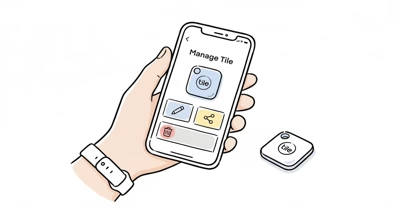
For a sale or gift, use Tile’s official transfer workflow: select the Tile, open More Options, choose Transfer Tile, and enter the recipient’s Tile-account email.
Don’t substitute account deletion for transfer. Tile’s account-deletion warning says physical Tiles can be activated only once and must be transferred before deletion or they become unusable.
Partner products use their manufacturer’s separate reset process.
Cancel Tile Premium Separately
Subscription billing doesn’t follow the hardware. Tile states that uninstalling the app doesn’t cancel Premium or Premium Protect.
Use the billing channel where you subscribed:
- On iPhone, open Settings > your name > Subscriptions > Tile.
- On Android, open Google Play > profile > Payments & subscriptions > Subscriptions.
- For direct billing, sign in at Tile.com and open Billing & Premium.
Tile’s current cancellation guide states that access continues through the paid monthly or annual period. Its US pricing page lists Premium at $2.99 monthly or $29.99 yearly as of July 24, 2026.
Save the confirmation and check the next renewal date. Our Tile account management guide covers the surrounding account controls.
Match Each Tile Form Factor to a Replacement
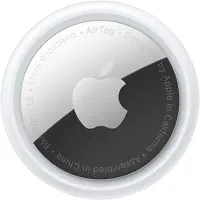
According to Apple’s current specifications, AirTag 2 measures 31.9 mm across, 8.0 mm high, and weighs 11.8 g.
| Current Tile use | Replacement path | What changes |
|---|---|---|
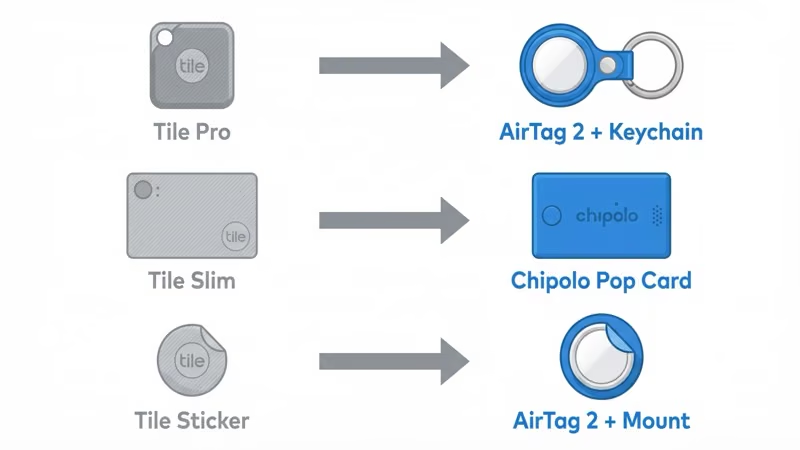
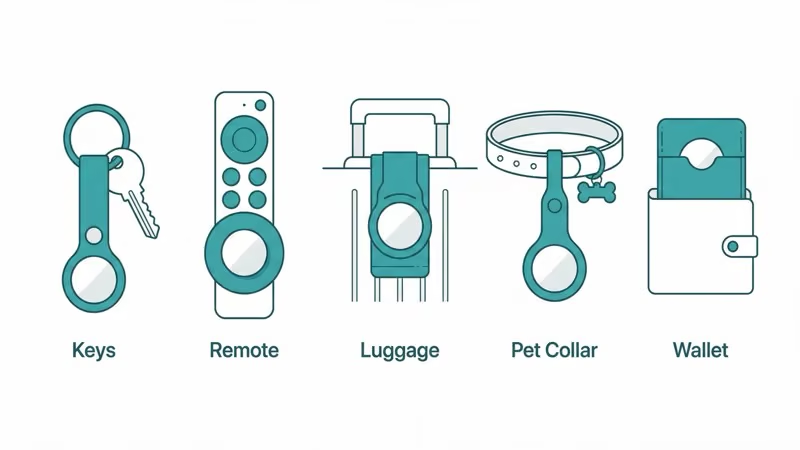
| Tile Pro or Mate on keys and bags | AirTag 2 plus a key ring or loop holder | AirTag has no built-in attachment hole |
| Tile Slim in a wallet | Find My card tracker | A card-shaped body replaces the round AirTag |
| Tile Sticker on a remote or hard surface | AirTag 2 plus a fitted adhesive mount | The mount must match the surface and removal plan |
| Shared household item | Keep Tile or choose by the primary phone ecosystem | AirTag ownership remains Apple-centered |
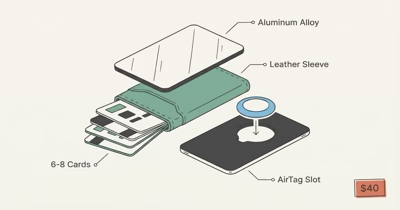
For wallets, don’t use Chipolo POP as a card replacement; POP is a key finder. Chipolo’s current CARD is the card-shaped model and can be configured for Apple Find My or Google Find Hub, one network at a time.
Compare wallet trackers and AirTag holders before buying.
Set Up AirTag 2
Apple’s current setup instructions require iOS or iPadOS 26.2.1 or later for AirTag 2. Update first, then confirm Bluetooth, Location Services, Find My access, iCloud Keychain, and a completed Apple Account setup.
- Hold one AirTag near the unlocked iPhone or iPad.
- Tap Connect when the setup card appears.
- Choose a category and name that identifies the physical item.
- Agree to link it to the Apple Account, then tap Done.
Bring only one unpaired AirTag close during setup.
Move and Test One Item at a Time
Attach AirTag to one item and leave the existing Tile in place for the first test. Confirm the AirTag appears under Items, plays a sound, reports a timestamp, and opens Find Nearby on supported hardware.
Test map location, sound, and Precision Finding separately.
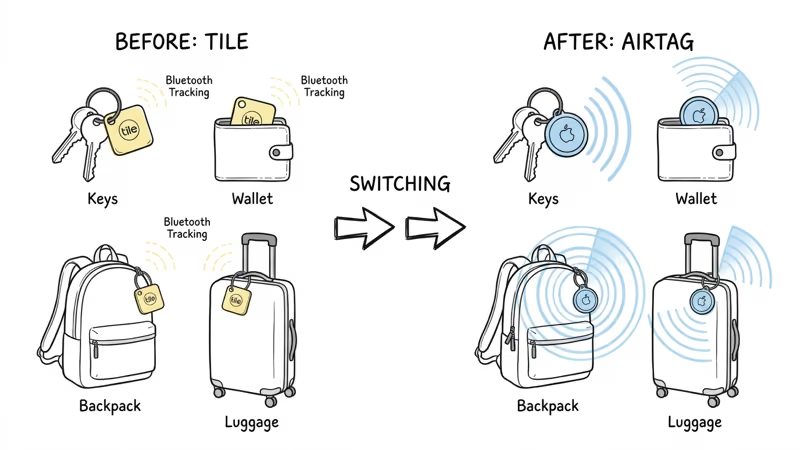
Then test the physical attachment.
Retire the Tile only after the replacement passes.
Can Tile and AirTag Run Together?
Yes. They can overlap during migration.
Keeping one Tile can make sense for an item used by an Android owner. AirTag has cross-platform unwanted-tracking alerts, but Android doesn’t provide the owner-facing AirTag setup and Find My experience.
Don’t attach two trackers to another person or their property without informed permission. These products are for authorized personal-item tracking, and AirTag is not designed for people or pets.
Bottom Line
Use this order: pair, test, transfer, then cancel billing.
AirTag 2 is the direct replacement for keys, bags, and luggage in an Apple household. Tile Slim users need a card-shaped tracker, while mixed-phone households should make the network decision before buying replacements.
Keep Verification pending until the independent Evidence Audit checks the current workflows on real accounts and hardware. This migration corrects the article’s structure and current-source claims; it doesn’t claim field verification.
FAQ
Do I need to remove Tile before pairing AirTag?
No. The systems are independent, so you can pair and test AirTag while the Tile remains active. Transfer or retire the Tile only after the replacement works.
How do I give a physical Tile to another person?
Use Transfer Tile in the Tile app. Select the tracker, open More Options, choose Transfer Tile, and enter the recipient’s Tile-account email. The transfer removes it from your account.
Does deleting my Tile account reset the trackers?
No. Tile warns that physical trackers must be transferred before account deletion or they can become permanently unusable. Reset instructions apply separately to partner products with embedded Tile technology.
Does removing Tile hardware cancel Tile Premium?
No. Cancel Premium through Apple Subscriptions, Google Play, or Tile.com, depending on the original billing channel. Access continues until the current paid period ends.
Can an Android owner set up and locate AirTag 2?
No. AirTag 2’s owner-facing setup and location experience requires Apple’s Find My ecosystem. Android supports unwanted-tracker protections, not a companion app for owning and locating an AirTag.
What replaces Tile Slim in a wallet?
Use a card-shaped tracker that supports the network you need. AirTag is a 31.9 mm round disc, while products such as Chipolo CARD and Pebblebee Card 5 are designed for wallet slots.
Can I keep Tile and AirTag active on the same item?
Yes. They operate independently, so a short overlap is useful while testing the replacement. Remove one later if the extra bulk or duplicate notifications become unnecessary.