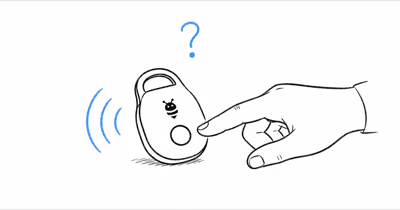
A Samsung Galaxy SmartTag that won't stop chirping is rarely broken. The SmartTag 2 has one speaker and five distinct sound triggers, so identifying which one is firing turns a frustrating mystery into a quick fix. Here's every cause, what it sounds like, and how to silence it.
- Most unexplained SmartTag beeping is a low-battery alert; the SmartTag 2 chirps once the CR2032 voltage drops past the firmware's low-battery threshold.
- SmartTag 2 lasts about 500 days in standard mode and up to 700 days in Power Saving, so beeping inside the first year usually means a button-press, not a worn battery.
- Anyone with shared SmartThings Find access can trigger Ring; check the app first before swapping batteries.
- Unknown Tag alerts can fire if a SmartTag separated from its owner travels with another Galaxy phone for hours: the chirp is a privacy feature, not a fault.
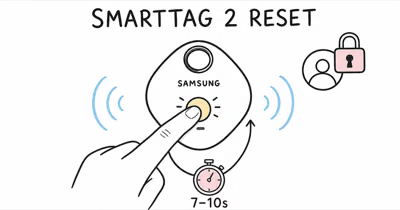
- A 7-second button hold during battery reseat triggers factory reset. If you hear a long tone, that's normal — the tag is wiping its pairing state.
The 5 Reasons Your Samsung SmartTag Keeps Beeping
Samsung SmartTags emit several distinct sounds, each tied to a different trigger. Low battery and manual Ring cover the bulk of cases owners write in about, but the other three are worth ruling out before you dismiss the tag as faulty.
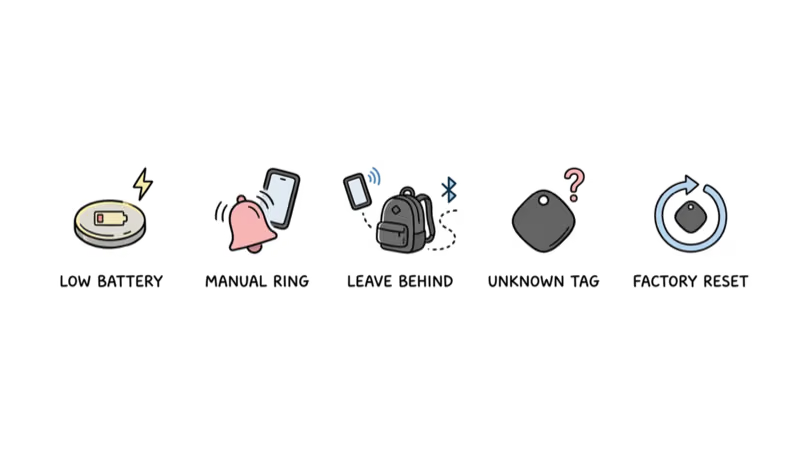
1. Low CR2032 Battery (Most Common)
The Samsung SmartTag 2 runs on a single CR2032 lithium coin cell. When voltage drops past the firmware's low-battery threshold, the tag fires periodic chirps and pushes a low-battery banner to SmartThings. Samsung's Galaxy SmartTag 2 product page states that the cell lasts up to 700 days with Power Saving enabled and 500 days in standard mode, so a chirp inside the first year almost certainly isn't a worn battery.
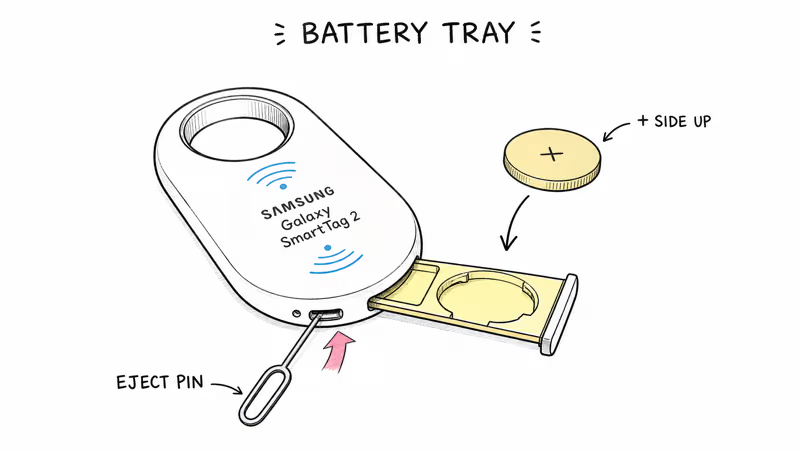
To swap the cell, use the supplied ejection pin to push the tray out from the bottom of the tag, drop in a fresh CR2032 with the + side facing up, and slide the tray back until it clicks. A healthy CR2032 holds well above the SmartTag's low-battery chirp threshold for many months, so a tag that starts beeping soon after a fresh cell usually points to a different cause.
Battery life by SmartTag model:
| Model | Battery | Standard Life | Replaceable? |
|---|---|---|---|
| SmartTag 2 (2023) | CR2032 | ~500 days (700 with Power Saving) | ✅ Yes (eject tray) |
| SmartTag+ (2021) | CR2032 | ~165 days | ✅ Yes (rear cover) |
| SmartTag (2021) | CR2032 | ~280 days | ✅ Yes (rear cover) |
2. Someone Pressed Ring in SmartThings Find
The second most frequent cause is a manual Ring command. Anyone signed in to your Samsung account on a phone, tablet, or watch can open SmartThings Find, tap your SmartTag, and trigger a continuous ring that keeps playing until someone stops it from the app or single-presses the tag's center button. Open SmartThings Find on your phone first; if a Ring banner is active, tap Stop and the noise ends instantly.
Shared family accounts and the SmartTag's optional remote-control feature in SmartThings make accidental Ring far more common than most owners expect. In household setups where several devices share one Samsung account, an accidental ring triggered from someone else's logged-in phone is a frequent explanation for what sounds like a faulty tag.
3. Leave-Behind Alert (Configurable)
SmartThings Find offers a Leave-Behind Alert that fires when the tag separates from your phone in an unfamiliar location. The alert pushes a notification to your phone and, on some firmware builds, a short chirp on the tag itself as a reinforcement. The feature is opt-in by default and stays silent at any of the 3 to 5 home or office locations you mark as known.
To turn it off for a specific tag, open SmartThings Find → tap the SmartTag → Leave-Behind Alert → toggle off. On a bag or backpack you carry through varied locations, this alert can fire often enough during normal movement that disabling it for that tag is the practical fix.
4. Unknown Tag Privacy Alert
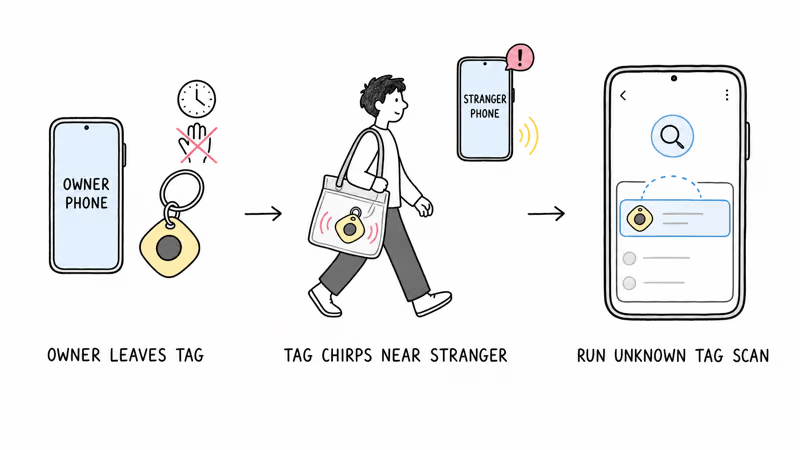
If a SmartTag separated from its owner travels for several hours with someone else's Galaxy phone or iPhone, Samsung's anti-stalking system asks the tag to chirp so the carrier can locate it. This works as the Galaxy equivalent of the cross-platform unwanted-tracker detection that Apple and Google built into iOS and Android.
Samsung's Unknown Tag Search documentation confirms that the alert can fire after the tag has been away from its owner for up to 24 hours. The carrier opens SmartThings Find, taps Unknown Tag Search, scans for the tag, then follows the on-screen instructions to disable it.
If your own SmartTag is doing this around you, it usually means the tag is registered to a different Samsung account than the one signed in on your current phone. Re-register it on your own account or remove the registration from the other account to stop the alerts.
5. Factory Reset Tone or Stuck Firmware
The SmartTag 2 plays a confirmation tone during factory reset. The procedure is to eject the tray, remove the battery, press and hold the center button while reseating the tray, and continue holding for seven seconds. Hearing a long tone in the middle of a battery swap means you accidentally triggered the reset sequence; the tag is wiping its pairing state and you'll need to re-add it in SmartThings.
Rare but real: a stuck firmware state can cause irregular beep patterns that don't match any of the four causes above. A clean factory reset clears almost every case. The full procedure lives in our Samsung SmartTag general troubleshooting guide.
How Do You Stop Your Samsung SmartTag from Beeping?
Work through these steps in order. Most cases resolve at step 1 or 2.
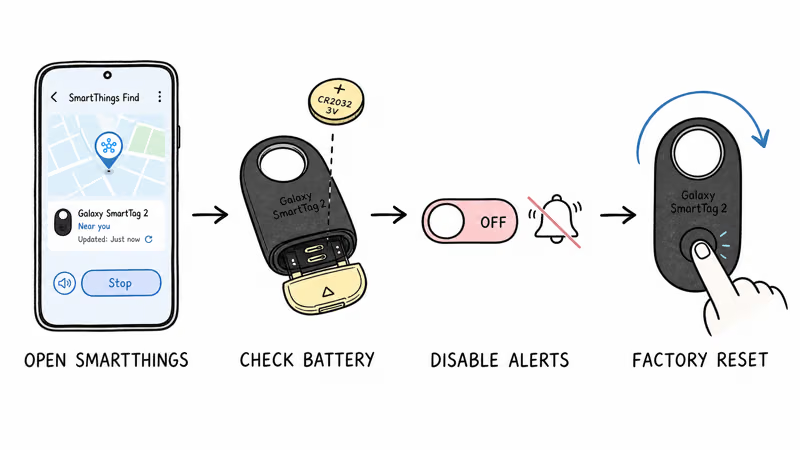
- Open SmartThings Find and stop any active Ring. If a Ring banner is active for your tag, tap Stop. The chirp ends within a second.
- Check the SmartTag battery indicator. SmartThings shows a battery percentage on each tag's detail page. A low percentage with a chirp pattern means it's time to replace the CR2032.
- Replace the CR2032. Use the ejection pin to push out the tray, swap in a fresh cell with + facing up, and slide the tray home. The tag reconnects within a minute. Samsung recommends fresh name-brand cells for consistent performance.
- Disable Leave-Behind Alerts on noisy tags. SmartThings Find → tag → Leave-Behind Alert → toggle off, especially for tags you carry through interference-heavy areas.
- Run an Unknown Tag scan. SmartThings Find → menu → Unknown Tag Search. If your phone finds a tag that isn't yours, follow the disable workflow on screen.
- Factory reset the tag. Eject the tray, remove the battery, press and hold the center button, slide the tray back with battery + up, and keep holding for seven seconds until the confirmation tone plays. Re-pair in SmartThings afterward.
- Contact Samsung warranty. If a fresh CR2032 and a clean reset don't end the chirp, the speaker or board is faulty. Samsung covers SmartTag 2 for one year, so contact Samsung Support for replacement.
What Does Each SmartTag Sound Mean?
The five sounds map cleanly to five triggers, and matching the pattern to the cause skips most of the troubleshooting list above.
| Sound Pattern | What It Means | Action |
|---|---|---|
| Continuous melody / ringtone | Active Ring from SmartThings Find | Tap Stop in app or single-press tag button |
| Periodic chirp on a fixed cadence | Low CR2032 battery | Replace battery (+ side up) |
| Single chirp + phone notification | Leave-behind alert | Toggle off in SmartThings Find |
| Repeated chirp after 8+ hours of separation | Unknown Tag privacy alert | Run Unknown Tag Search to identify owner |
| One long tone during battery reseat | Factory reset confirmation | Re-pair in SmartThings (intended behavior) |
SmartTag Speaker Loudness Compared to AirTag and Tile
Samsung's SmartTag 2 ships with a small piezo speaker tuned to a higher pitch than AirTag's lower-frequency tone. Samsung doesn't publish a decibel figure for SmartTag 2, while Tile Pro is rated at 110 dB, so treat cross-brand loudness comparisons as approximate.
Apple describes the AirTag 2 speaker as louder than the previous generation, without publishing a dB figure. The pitch matters: SmartTag's higher frequency cuts through ambient noise indoors, but it travels poorly through fabric or thick padding.
If your SmartTag sounds quieter than expected, two things to check: confirm Power Saving is off, and check whether the speaker grille is blocked by a case or holder. Samsung's product documentation does not publish an exact decibel rating, so focus on placement and obstruction before assuming the speaker failed.
When SmartTag Beeping Is Working as Intended
Two patterns sound like faults but are actually correct behavior:
- The pairing chime when adding a tag in SmartThings. A short two-tone confirmation when registration completes is intentional. No action needed.
- The Unknown Tag chirp around someone else's Galaxy. If you handed a SmartTag to a friend for a luggage trip, their phone will eventually trigger the chirp on your tag. Add the friend to SmartThings sharing or remove the tag from your account before transferring it.
Persistent beeping that survives a fresh battery and a factory reset usually points to a hardware fault. Samsung's warranty workflow is the right next step rather than another reset round.
Considering a Different Tracker? Alternatives in 2026
If your SmartTag has been through multiple resets, fresh batteries, and still chirps unpredictably, the device may be at the end of its useful life. This is especially common on the original 2021 SmartTag with its 280-day battery rating. The current generation closes most of the issues that drive users to switch.
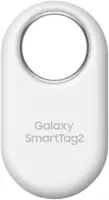
If you're staying in the Galaxy ecosystem, the Samsung Galaxy SmartTag 2 is still the strongest option for SmartThings Find users, with a 700-day battery in Power Saving mode, IP67 rating, and UWB Precision Finding through compatible Galaxy phones.
If you want cross-platform Galaxy + iPhone reach, a tracker like the Chipolo Pop is worth considering: the same Pop hardware can be set up with Apple Find My or Google Find Hub, one network at a time. A household with both ecosystems can stock different units to each side.
Wirecutter's 2026 Bluetooth tracker review recommends SmartTag 2 as the strongest Galaxy-only option but flags Find My or Find Hub trackers as the better long-term bet for mixed households of 2 or more devices.
Our Samsung SmartTag vs Tile guide covers the cross-platform tradeoffs in detail.
For sound-related fixes on other brands, see why your AirTag beeps and Tile beeping causes. Both share the same underlying triggers as SmartTag.
Bottom Line
If your Samsung SmartTag keeps beeping, open SmartThings Find first to clear any active Ring, then check the battery indicator before swapping the CR2032. Most chirps trace to either an accidental Ring from a shared account or a low battery, and both are quick to check.
If a fresh battery and a clean factory reset don't end the noise, the speaker hardware is the most likely cause and Samsung's one-year warranty is the right next step.
Frequently Asked Questions
Why is my Galaxy SmartTag beeping randomly at night?
Overnight chirping usually traces to one of two causes: a low-battery alert that fires on a regular cadence, or a Leave-Behind Alert triggered when your phone moves to a different room and Bluetooth range drops. Open SmartThings, check the battery percentage, and disable Leave-Behind Alerts on the tag if you don't actively need them. If the noise continues after both, run a factory reset.
How do I turn off my SmartTag's beep?
You can't disable the speaker entirely; it's required for Ring, Unknown Tag privacy alerts, and reset confirmation. You can stop an active Ring by tapping Stop in SmartThings Find or single-pressing the tag's center button, and you can disable Leave-Behind Alerts in the tag's settings. Low-battery beeps end only when you replace the CR2032.
Does SmartTag 2 beep when the battery is low?
Yes. SmartTag 2 fires periodic chirps and a SmartThings notification once the CR2032 voltage falls past the firmware's low-battery threshold. The chirp continues on a regular cadence until you replace the battery. According to Samsung's official product page, the CR2032 cell lasts up to 500 days in standard mode and up to 700 days with Power Saving turned on.
Will my SmartTag beep if someone else carries it?
Possibly. Samsung's anti-stalking Unknown Tag system can trigger a chirp on a SmartTag that has been separated from its owner and traveling with another person's phone for several hours. The carrier can run an Unknown Tag Search in SmartThings Find or the Tracker Detect app on iPhone to locate and disable the tag. If you intentionally handed a tag to someone, share the tag in SmartThings or remove it from your account first to prevent the chirp.
How do I factory reset a SmartTag 2 that won't stop beeping?
Use the supplied ejection pin to push the battery tray out from the bottom of the tag, remove the CR2032, then press and hold the center button while sliding the tray back in (with the + side of the battery up). Continue holding for seven seconds until you hear a long confirmation tone. Release the button. The tag is now reset, and you'll need to re-pair it in SmartThings.
Why does my SmartTag chirp once when I plug in the battery?
A short single tone when you reseat the battery is normal pairing-state confirmation. The tag is signaling that it has power and is ready for SmartThings to register or reconnect it. The same tone plays after a successful factory reset. Persistent chirping that continues for minutes after battery insertion is a different problem; check Ring status and battery level next.
Can cold weather make my SmartTag beep?
Yes, indirectly. CR2032 cells lose capacity in sub-freezing temperatures, so a healthy battery in a cold car can read low to the SmartTag's firmware and trigger the chirp. Bring the tag back to room temperature before deciding the battery is fully depleted. If the chirp continues after warming, replace the battery.
My old SmartTag (2021) chirps after every battery swap, what now?
The original 2021 SmartTag has a much shorter rated battery life than SmartTag 2 and is more likely to develop intermittent speaker-circuit issues after three or more years. If a fresh CR2032 and a factory reset don't end the chirp, the unit is near end of life. Upgrading to SmartTag 2 gives you 700 days of battery life, IP67 rating, and UWB Precision Finding on supported Galaxy phones.