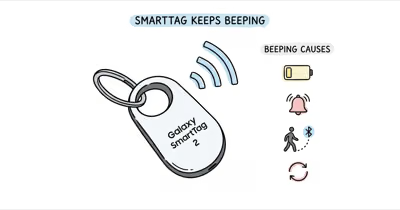
A Chipolo tracker is one of the loudest Bluetooth tags on the market: the Pop is rated around 120 dB at the speaker, louder than most mainstream trackers. That's great when you're hunting for missing keys, but unwanted beeping from a Chipolo gets loud and stays loud. The good news: every cause has a quick, documented fix.
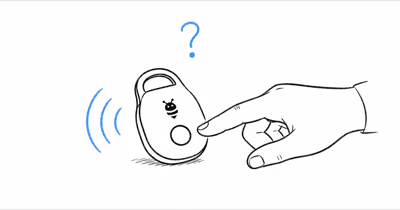
- Press the Chipolo button once to stop an active ring on any Spot model. No app required.
- Card Spot in a wallet beeps when you sit down because body weight presses the button. Reseat it in a card sleeve.
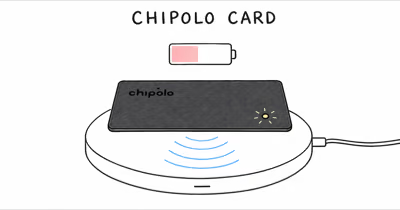
- Chipolo Pop runs on a replaceable CR2032 rated up to 12 months; ONE Point uses a CR2025; Card Spot is sealed and handled via Chipolo's renewal program.
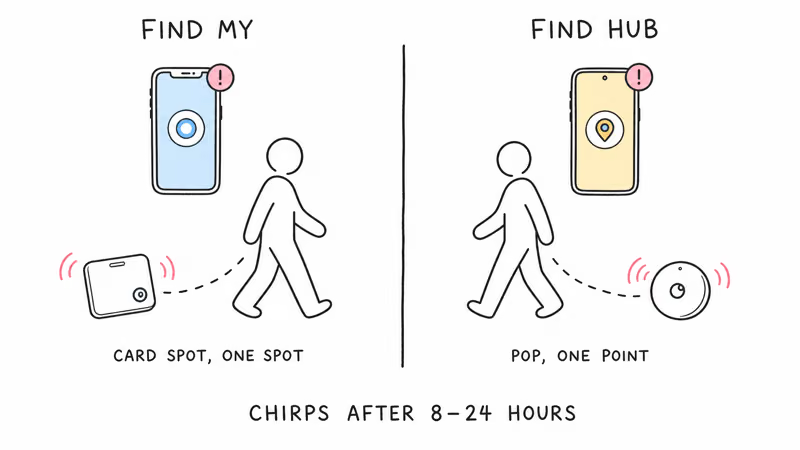
- Anti-stalking alarms can fire after 8–24 hours of separation from the owner, both on Find My and Find Hub-compatible Chipolos.
- Hold the button until the 5th beep on Pop (or 10th on LOOP) to factory reset a Chipolo that won't stop chirping.
Why Your Chipolo Keeps Beeping: 5 Causes
Chipolo's lineup has three sound sources: the speaker on Pop, ONE Point, and Card Spot, each driven by a slightly different firmware. The five trigger patterns below cover the common unexpected beeping paths.
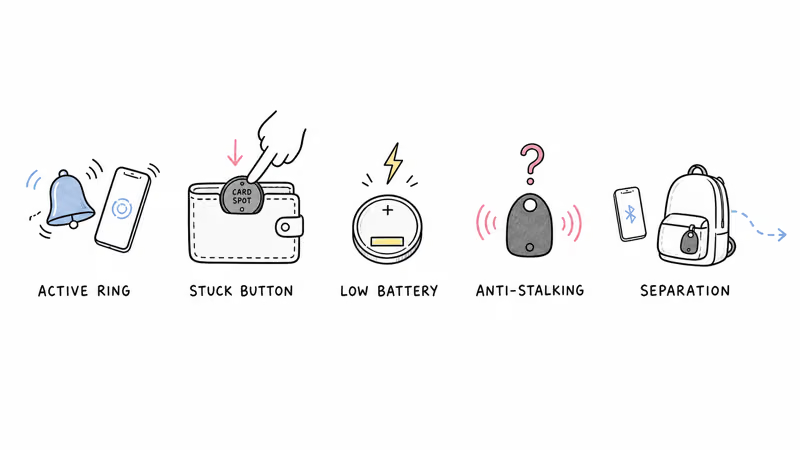
1. Active Ring from Find My or Find Hub
The most common cause is an active Ring command someone sent through Find My, Google Find Hub, or the Chipolo app. Chipolo's official Spot guide confirms that a single press of the tag's center button silences any active ring locally on Spot models, even before you open the app.
If you didn't trigger the ring yourself, check who has access to your account. Shared family Find My or Find Hub setups make accidental Ring more common than people expect. In shared-account households, a ring triggered by another family member tapping the button in the app is a routine reason owners think their tag is "broken."
2. Stuck Physical Button (Card Spot in Wallet)
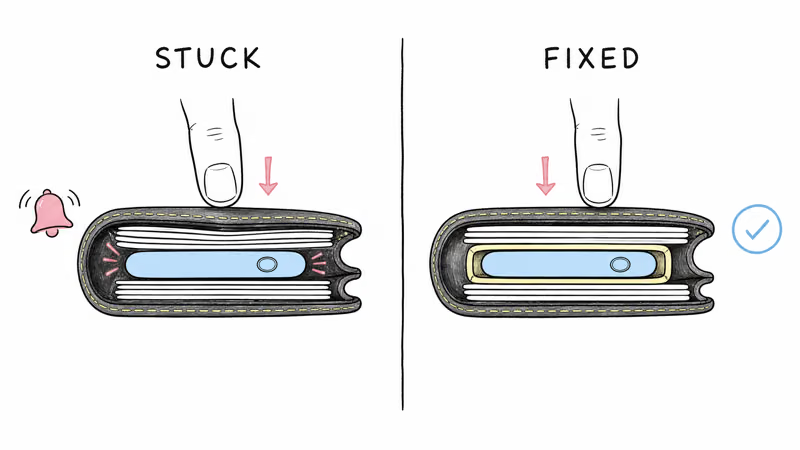
The Chipolo Card Spot is a sealed credit-card-shaped tracker with the button on the front face. When the card sits in a wallet pocket and you sit down, your body weight presses the button repeatedly and triggers the speaker. A r/Chipolo user reported that "anytime I sit down, the card starts beeping," which confirms this is a recurring failure mode tied to wallet placement.
The fix is mechanical: move the Card Spot to a wallet pocket where it can't be pressed by sitting weight, slip it into a rigid card sleeve, or place it inside the dollar-bill slot rather than a card slot. None of the firmware fixes will help if the button is being depressed continuously.
3. Low CR2032 or CR2025 Battery
Chipolo Pop uses a replaceable CR2032 cell rated for up to 12 months of use, per Chipolo's official Pop product page. ONE Point uses a CR2025 with comparable life. Both fire a low-battery chirp pattern plus a Chipolo app notification when voltage drops past the firmware threshold. Chipolo's battery support article states that the in-app low-battery indicator gives owners about 2 weeks of notice before the cell fully dies.
Card Spot is the exception: it ships with a sealed multi-year battery and can't be replaced at home. When the Card Spot battery dies, Chipolo's renewal program ships a discounted replacement. The low-battery pattern is the same on all three models: periodic single beeps that continue until the battery is replaced or the card is renewed.
Battery details by Chipolo model:
| Model | Battery | Rated Life | Replaceable? |
|---|---|---|---|
| Chipolo Pop | CR2032 | Up to 12 months | ✅ Yes (twist back cover) |
| Chipolo ONE Point | CR2025 | Up to ~12 months | ✅ Yes |
| Chipolo Card Spot | Sealed lithium | Multi-year (renewal eligible) | ❌ No (renewal program) |
| Chipolo Card Point | Sealed lithium | Multi-year | ❌ No |
4. Unwanted Tracking Protection (Anti-Stalking)
Chipolo's Find My-compatible trackers (Card Spot, ONE Spot) participate in Apple's anti-stalking detection, and Find Hub-compatible trackers (Pop, ONE Point) participate in Google's parallel system. Apple's cross-platform tracker detection standard confirms that an unknown tag traveling with someone triggers a notification on both iPhone and Android. Separately, an AirTag away from its owner is reported to beep within 8 to 24 hours. Chipolo's own anti-stalking page documents which models support the alert.
If you intentionally handed a Chipolo to a friend or family member, the easiest fix is to share the tag through Find My's "Share My Location" feature or remove it from your account before passing it along. Without that step, the tag will eventually chirp on the carrier even though you both know it's there.
5. Separation Alert Configured in the App
The Chipolo app and Find My / Find Hub each offer a separation alert that notifies your phone when the tag moves out of Bluetooth range. On some firmware builds, the tag also fires a short chirp as a reinforcement. The Chipolo app calls this Out-of-Range Alert; Find My calls it Notify When Left Behind.
To turn it off, open the Chipolo app (or Find My / Find Hub for Spot models), select your tag, and toggle the alert off. On a tag carried in a backpack through mixed indoor spaces, separation chirps can fire often enough during normal use that disabling the feature is the practical fix.
How Do You Stop a Chipolo from Beeping?
Work through these steps in order. The first three resolve most cases.
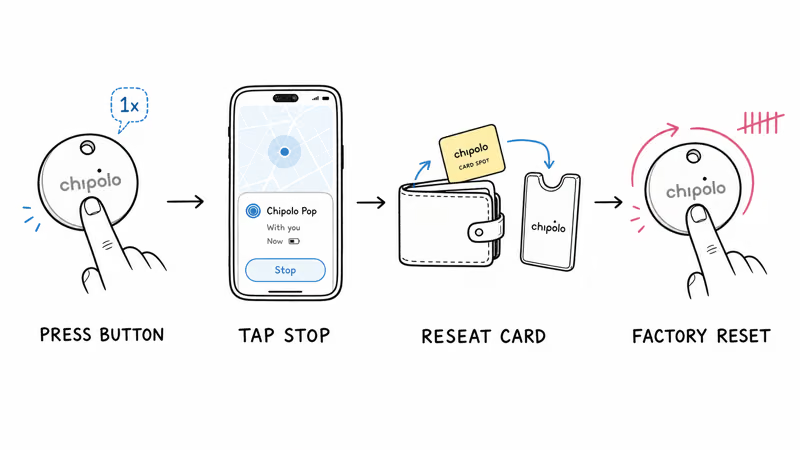
- Single-press the Chipolo button. On any Spot model, one press of the center button silences an active ring instantly, even if the tag is in someone else's hand far from your phone.
- Open Find My or Find Hub and stop the ring. If the button press doesn't help, check whether a Ring command is active in the app and tap Stop.
- Reposition a Card Spot in your wallet. Move it to a slot where sitting weight can't press the button; a rigid card sleeve usually solves it.
- Replace the CR2032 (Pop) or CR2025 (ONE Point). Twist the back cover counter-clockwise, swap in a fresh cell with the + side up, and twist back. The tag reconnects within a minute.
- Toggle off separation alerts. Chipolo app or Find My / Find Hub → tag settings → disable Out-of-Range / Notify When Left Behind.
- Run an Unknown Tracker scan. If the tag isn't yours, follow Apple's Tracker Detect or Google's Unknown Tracker Alert workflow to identify the owner and disable it.
- Factory reset the tag. On Pop, press once and then hold the button about 10 seconds, releasing after the 5th beep. The procedure is documented in Chipolo's Pop disable guide. ONE Point and LOOP have model-specific beep counts.
What Does Each Chipolo Sound Mean?
The five sound patterns map directly to the five causes above, so identifying the pattern usually points to the fix in seconds.
| Sound Pattern | What It Means | Action |
|---|---|---|
| Loud continuous melody | Active Ring from app | Press button once or tap Stop in Find My / Find Hub |
| Repeated short bursts when seated | Stuck button (Card Spot in wallet) | Reposition card or use a rigid sleeve |
| Periodic single low-battery chirp | Low battery | Replace CR2032 (Pop) / CR2025 (ONE Point), or renew Card Spot |
| Loud alarm after 8–24 hours of separation | Anti-stalking alert | Run Unknown Tracker scan, identify owner, disable |
| Single chirp on Bluetooth disconnect | Separation alert configured | Toggle off in app |
Why Chipolo Sounds Louder Than AirTag and Tile
Chipolo Pop's published 120 dB rating is among the loudest in the mainstream Bluetooth tracker market. Tile Pro is rated at 110 dB, while Apple describes AirTag 2's speaker as louder than the original without publishing a decibel figure. On paper, Pop is the loud-speaker option in this group.
The Pop's louder speaker also affects battery drain during sustained ringing. If a Pop sounds quieter than expected, check whether it's slotted inside a thick keyring case; silicone, rubber, and fabric can muffle the speaker path.
When Chipolo Beeping Is Working as Intended
Two patterns sound like faults but are actually correct behavior:
- The setup confirmation chime when pairing. A short two-tone confirmation when you add the tag in the Chipolo app or Find My is intentional. No action needed.
- The reset confirmation pattern. The 5-beep sequence on Pop or 10-beep sequence on LOOP marks a successful factory reset; you'll need to re-pair the tag in the app.
Persistent beeping that survives a fresh battery, a factory reset, and a wallet reposition usually points to a hardware fault. Chipolo's reset and reconnection procedure covers the diagnostic path before contacting support for warranty replacement.
Is It Time to Switch from Chipolo? Tracker Options in 2026
If your Chipolo has been through a fresh battery, a factory reset, and a wallet reposition without ending the chirp, the device may be at the end of its useful life. Card Spot in particular ships with a sealed multi-year cell, so persistent beeping near the end of its rated life usually means the battery is depleted and the unit is renewal-eligible.
If you want the same loud-speaker positioning, the Chipolo Pop is still among the loudest mainstream trackers in 2026. The same Pop hardware can be set up with Apple Find My or Google Find Hub, one network at a time, per Chipolo's official Pop product page; switching networks requires resetting and re-registering the tag. Its CR2032 battery is replaceable, so the unit lasts well past the sealed-battery limits of Card Spot.
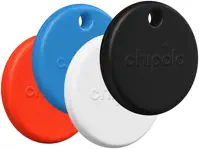
For a deeper look at how Chipolo compares to the other major brands, see our three-way AirTag vs Pop vs Tile Pro comparison.
If you're already familiar with another tracker brand and want to cross-reference the same beeping symptoms, our AirTag beeping guide and Tile beeping guide share most of the same trigger logic.
Bottom Line
If your Chipolo keeps beeping, press the center button once first; it silences any active ring on the spot. If that doesn't help, check the battery indicator in the Chipolo app, reposition Card Spots in your wallet, and disable separation alerts on tags you carry through interference-heavy environments.
If a fresh battery and a factory reset don't solve it, the speaker hardware is the most likely cause and Chipolo's warranty workflow is the right next step.
Frequently Asked Questions
Why does my Chipolo keep beeping when I sit down?
This is the most common Card Spot complaint: the card sits in a wallet pocket where your body weight depresses the button repeatedly when you sit. The tag interprets each press as a manual command and chirps. Move the Card Spot to a slot where it can't be pressed, slip it into a rigid card sleeve, or place it in the dollar-bill compartment instead. No firmware fix will help if the button is being mechanically activated.
How do I stop my Chipolo from ringing?
On any Chipolo Spot model, press the center button once. The ring stops immediately, even if you don't have your phone on you. If the tag is far from you, open Find My (Card Spot, ONE Spot) or Google Find Hub (Pop, ONE Point) and tap Stop on the active ring. The Chipolo app handles ring control for older non-Spot models.
Why is my Chipolo Pop beeping randomly?
Random Pop beeping usually traces to one of three things: a low-battery chirp once the CR2032 dips past the firmware threshold, an active Ring you didn't trigger because someone with shared Find Hub access tapped Ring, or a separation alert configured in the Chipolo app. Check the battery percentage first, then look for an active Ring banner in the app, then disable the separation alert if you don't need it.
Does Chipolo Card Spot beep when the battery dies?
Yes. Card Spot fires the same low-battery chirp pattern as Pop and ONE Point, plus a Chipolo app notification, before the sealed cell fully dies. Because the battery is non-replaceable on Card Spot, the only fix is the Chipolo renewal program: a discounted replacement Card Spot ships once you submit the old one. The renewal cost is lower than buying a new Card Spot at retail.
Will my Chipolo beep when carried by a stranger?
Yes. Find My-compatible Chipolos (Card Spot, ONE Spot) participate in Apple's anti-stalking detection; Find Hub-compatible Chipolos (Pop, ONE Point) participate in Google's parallel system. A tag separated from its owner and traveling with another person's phone for 8 to 24 hours triggers a chirp on the tag itself plus a notification on the carrier's phone. The carrier can run Unknown Tracker Alert (iOS) or Tracker Detect (Android) to identify and disable the tag.
How do I factory reset a Chipolo Pop that won't stop beeping?
Press the Pop's button once, then press and hold for about 10 seconds. Release after you hear the 5th beep. The tag is now reset and you'll need to re-add it through Find My or Google Find Hub. ONE Point uses the same press-and-hold pattern but releases on a different beep count; LOOP releases on the 10th beep. Each model's exact procedure is documented in Chipolo's official support articles.
Why does my Chipolo beep every minute?
A periodic single chirp is the low-battery alert pattern. Pop owners can replace the CR2032; ONE Point owners can replace the CR2025; Card Spot and Card Point owners must use the renewal program because the battery is sealed. The chirp continues until the battery is replaced or fully dies, so swap the cell as soon as you notice the pattern.
Can I disable the Chipolo speaker permanently?
No. The speaker is required for Ring, anti-stalking alerts, and reset confirmation; Chipolo doesn't ship a firmware mode that mutes it entirely. You can disable separation alerts and out-of-range chirps in the app to remove non-essential sounds, and you can press the button to silence an active Ring on Spot models, but low-battery and anti-stalking chirps will fire regardless of app settings.