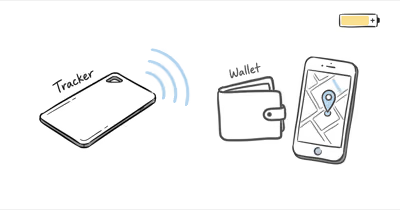
Put the Pebblebee Card 5 on your phone’s Qi pad. No LED blink. App still shows Low Battery hours later.
Not all Qi pads are equal for ultra-thin cards, and the Card 5 is one of the thinnest trackers on the market. Below are the fixes that recover reliable charging on most problem pads, ordered by how often they solve the issue.
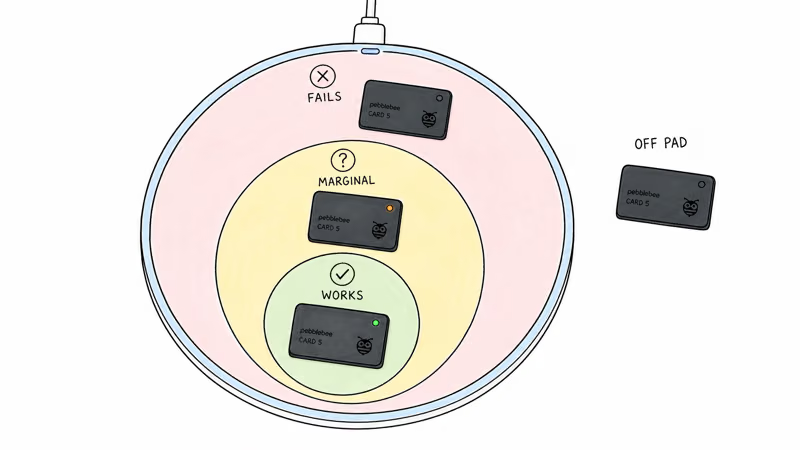
- Card 5 needs a Qi pad with solid center-aligned delivery. Many generic Qi pads only deliver their best output at the center; the Card 5 is too thin to tolerate much off-center placement.
- MagSafe pads work but cost more. MagSafe magnets align the Card 5 automatically, removing the placement problem. Examples include the Belkin MagSafe 3-in-1 (around $150) and Apple MagSafe Duo (around $129).
- Remove all wallet cases before charging. Thick leather, especially with metal RFID shields, can block Qi induction.
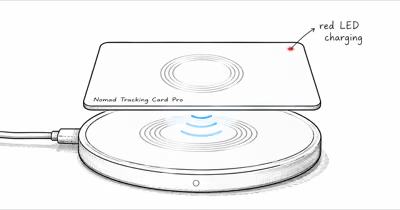
- LED blink confirms charge contact. If the Card 5's LED doesn't blink after placement, the charger may not be delivering steady power. Re-align or switch pads.
- Slow or stalled charging usually points to weak contact. Re-align the card before assuming the cell has failed.
Why Does Pebblebee Card 5 Charging Fail?
The Card 5 is 1.8mm thick. That’s roughly half the thickness of a standard wallet card. Qi charging works by inducing current through a coil; the coil in the Card 5 is necessarily small and the receiving area is narrow.
Pebblebee’s own Card 5 support page states that the tracker has “wireless charging that lasts up to 18 months on a single charge” and lists compatible Qi pads, but it does not publish a minimum-wattage figure. Because the receiver is so small, charging tends to hold steady only when the pad delivers steady power right at the Card 5’s center.
Most consumer Qi pads market themselves with peak ratings, but those numbers depend on precise coil alignment. Place a Card 5 off-center, and the actual delivered power can drop below what the tiny receiver needs.
The problem compounds when the Card 5 sits inside a wallet during charging. Leather, polycarbonate, and especially metal RFID-blocking layers add separation between the Qi coil and the receiver, which can weaken induction enough to stop charging.
If the card is new, set its network before debugging charging; the Pebblebee Card 5 network choice guide covers Find My vs Find Hub setup.
Three Most Common Card 5 Charging Failures
Three patterns explain the bulk of charging failures. Recognize these before assuming a hardware fault.
Misalignment. The Card 5’s receiving coil sits near the center of the card’s surface. On a generic Qi pad, the Card 5 has only a narrow tolerance before charging stops. Place the card so the Pebblebee logo aligns with the pad’s center indicator; even a small offset can be enough to drop the connection on a generic pad.
Wallet case interference. Card 5 inside any wallet case adds separation. RFID-shielding wallets add metallic interference on top of distance. A thin single-card sleeve may still charge, but most multi-card wallets can block induction entirely.
Insufficient pad power. Cheap Qi pads under $20 often deliver well below their rated power. PCMag’s wireless charger testing found that real-world output frequently trails the number printed on budget pads. A weak generic pad can be borderline for a receiver as small as the Card 5’s. Established brands such as Anker, Belkin, Apple, and Samsung are more likely to hit their rated power.
5 Fixes for Pebblebee Card 5 Charging Problems
Ordered from highest impact to lowest. Most users only need the first two.
Fix 1: Remove the Card 5 from any wallet case before charging. The single biggest gain. Strip the wallet down to bare card, place on pad, and watch for the charging LED.
Fix 2: Center-align the card on the Qi pad. Use the pad’s coil indicator (usually a small dot or LED). The Pebblebee logo should align with that point. Off-center placement is the #2 cause of failure.
Fix 3: Switch to a MagSafe Qi pad. Apple’s MagSafe Charger guide confirms that the design “provides optimal magnetic alignment for faster, more efficient charging.” The Card 5 has no MagSafe magnets of its own, but on a MagSafe pad the strong center magnet still pulls the card toward the coil, so you rarely have to fuss with placement.
Fix 4: Try a card-specific charging dock. Pebblebee sells a Card 5 charging dock ($25) designed specifically for the thin form factor. It cradles the card at the exact spot the coil expects, so you skip the alignment trial-and-error entirely.
Fix 5: Reset the Card 5 if charging starts but doesn’t complete. Press and hold the button for 10 seconds. The LED flashes red twice. Re-pair in the app, then re-attempt charging. This clears any partial-charge state that can prevent full recharge.
Card 5 vs Chipolo CARD Spot: Charging Approach
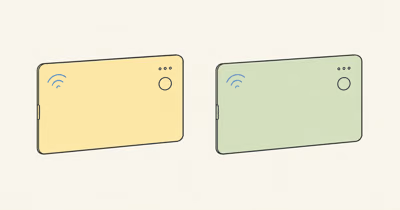
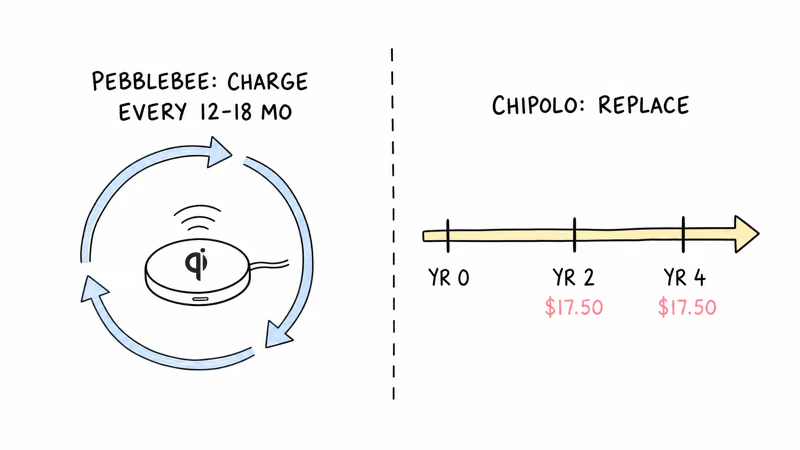
The Card 5’s Qi-rechargeable design contrasts directly with the Chipolo CARD Spot’s sealed 2-year battery. Both ship in 2.4mm or thinner. Different trade-offs, which our Chipolo vs Pebblebee comparison breaks down in full. For buyers, the choice is maintenance style: recharge one card occasionally, or replace a sealed card when its fixed battery is done.
Card 5: recharge instead of replace. Chipolo CARD Spot: zero charging effort, but replace the entire unit every 2 years via Chipolo Renew at $17.50. The Card 5 reduces replacement waste; the CARD Spot removes charging from your routine.
Qi Chargers That Work Best for Card 5
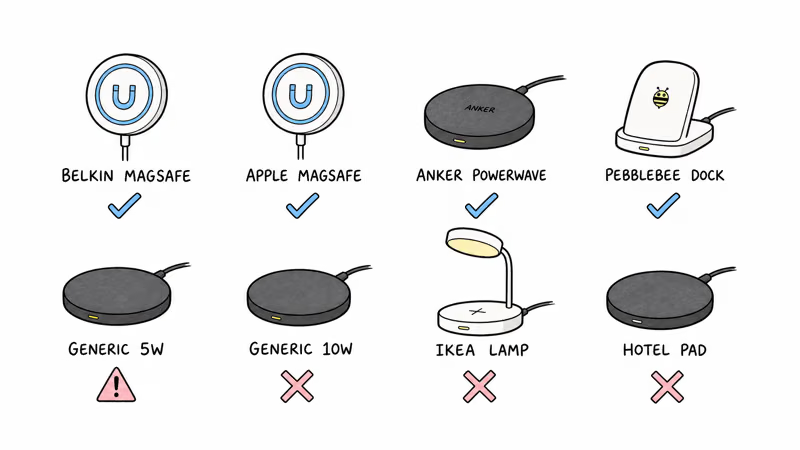
The chargers most likely to give the Card 5 a reliable connection are the ones that solve alignment: MagSafe pads and the card-specific dock. Generic budget pads are the most common source of trouble.
| Charger type | Typical price | Reliability for Card 5 | Why |
|---|---|---|---|
| Belkin MagSafe 3-in-1 | ~$150 | High | MagSafe magnet handles alignment |
| Apple MagSafe Duo | ~$129 | High | Same MagSafe advantage |
| Anker PowerWave 10W | ~$25 | Good with care | Works once precisely centered |
| Pebblebee Card Dock | ~$25 | High | Designed for the card form factor |
| Generic 5W pad | ~$12 | Intermittent | Off-center placement fails |
| Generic 10W pad | ~$18 | Often fails | Frequently underpowered in practice |
| Qi desk-lamp / furniture pad | varies | Often fails | Coil rarely positioned for a thin card |
| Hotel nightstand pad | varies | Often fails | Typically underpowered |
For Card 5-only use, the Pebblebee dock at $25 is the best value. For multi-device charging, MagSafe pads cost more but eliminate alignment.
When Is Charging Failure a Hardware Problem?
A Card 5 that won’t charge on any of the four reliable pads listed above probably has hardware failure. The cell or the charging coil is dead.
Three signs the hardware is the problem. First, the LED never blinks regardless of pad or placement. Second, the app shows full battery briefly after placement, then drops back to Low immediately. Third, the card physically heats up during placement.
Pebblebee’s standard 1-year warranty covers manufacturing defects, so a card showing these signs gets replaced free if it’s still in the warranty window. Past warranty, the Card 5 is sealed and not user-repairable, and a replacement costs the same as a new $50 unit. Our full Pebblebee Card 5 review covers durability and long-term battery behavior in more detail.
Pebblebee Card 5
Bottom Line
Pebblebee Card 5 charging fails most often because of misalignment on Qi pads not designed for thin cards. The two-step fix is: remove the wallet case, then center-align the card on a reliable Qi pad.
For long-term reliability, the $25 Pebblebee Card Dock or any MagSafe pad eliminates the alignment problem entirely. Skip cheap generic Qi pads if they make the LED behavior inconsistent.
FAQ
Why won't my Pebblebee Card 5 charge on my iPhone MagSafe pad?
It should. If it doesn't, the most likely cause is the Card 5 being too far off-center. MagSafe pads designed for iPhones have the magnet array aligned for iPhone position, not card position. Manually center the Card 5 over the magnet ring rather than placing it where the iPhone would sit.
Does Pebblebee Card 5 work with any standard Qi charger?
In theory yes, but in practice only Qi chargers with steady center-aligned output work reliably. Many generic Qi pads deliver their best output at the dead center, leaving the thin Card 5 hard to align.
How long should a full charge take on Pebblebee Card 5?
Pebblebee lists Qi wireless charging for the Card 5, but charge time depends on pad alignment and charger output. If charging stalls or the LED behaves inconsistently, re-align the card or switch to a MagSafe or Pebblebee dock charger.
Can I charge the Card 5 through a wallet?
Generally no. Most wallets add separation between the Qi coil and the Card 5 receiver, which can drop induction efficiency below the threshold. Remove the card from the wallet for charging. Thin single-card sleeves may work; multi-card wallets are more likely to block induction.
What does the Pebblebee Card 5 LED indicate during charging?
A green blink every few seconds means active charging. Solid green means fully charged. No LED activity means no charging is happening; re-position the card. A red blink during charging means the cell is in a fault state; reset the device by holding the button for 10 seconds.
Does cold weather affect Pebblebee Card 5 charging?
Yes. Lithium-polymer cells like the Card 5's lose charging efficiency below freezing. Let the card warm to room temperature before charging for best results, especially after winter outdoor use.
Will frequent charging shorten Pebblebee Card 5 battery life?
Frequent charging can shorten any sealed lithium-polymer battery over time, but the Card 5's long advertised runtime means normal top-ups should be occasional rather than weekly. Avoid unnecessary repeated charging sessions and follow low-battery alerts.
What if my Card 5 charges but the app still shows Low Battery?
Force-quit and reopen the Pebblebee app. Battery indicators can lag behind actual charge state. If the app still shows Low Battery after confirmed charging, reset the card by holding the button for 10 seconds and re-pair.