ICRT’s 14-tracker test gave locating scores of 1.5–2.0 out of 5 and measured 3–5 minute left-behind alerts. Its public pages don't publish a meter table.
Hong Kong’s Consumer Council joined ICRT’s first 14-model Bluetooth tracker test. This digest uses the Council's public overview and result files; HotAirTag didn't buy, open, or re-test the samples.
- The test covered 14 tracker samples in 5 locating scenarios, with equal weight for each scene.
- Locating scores clustered at 1.5–2.0 out of 5, while overall scores were 3.0–3.5.
- Left-behind notifications took about 3–5 minutes on every sample except the one without that feature.
- Every sample showed a last location and time after disconnecting, according to the public results page.
- The report ranks effective Bluetooth distance only qualitatively and publishes no meter figures.
What Did the Lab Test?
The Consumer Council results page found that all 14 entries scored between 1.5 and 2.0 out of 5 for locating across 5 equal-weight scenes.
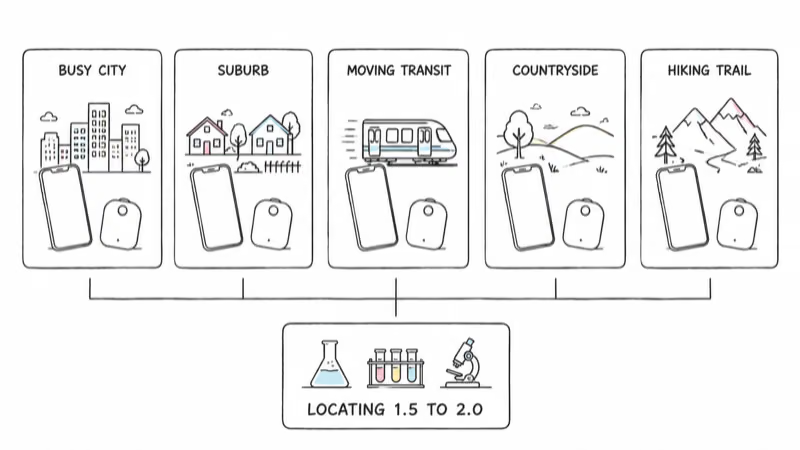
Table 2 states that locating contributes 22% of the total.
Other weights are 22%, 39%, and 17%; overall scores reached 3.0–3.5.
The Council lists environment, app, same-OS finder density, distribution, and movement as variables.
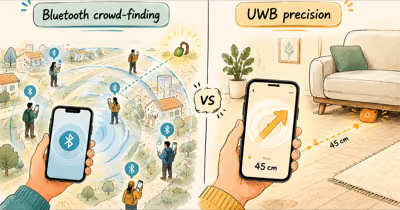
Busy-city results were comparatively better when the item remained still. Rural areas, hiking trails, and moving public transport produced weaker locating and sparser updates. That is a crowd-network result, not a GPS accuracy measurement.
Why Did Left-Behind Alerts Take Minutes?
All samples except G2 offered a left-behind warning. Notifications arrived in roughly 3–5 minutes.
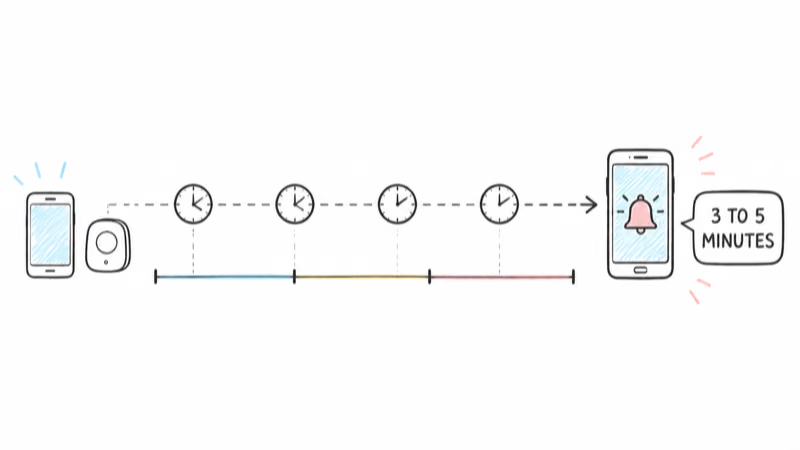
That number is a report result, not a promise for every current app version. The Council warns that apps change and the tested functions may differ after updates. This article therefore keeps the timing attached to the ICRT test.
Every sample still displayed a last location and timestamp after disconnecting. Lost Mode also let owners enter a phone number or email. During the test, every sample except Samsung Galaxy SmartTag2 could play a sound in Lost Mode.
Sound can attract either a helper or a taker, the report warns.
ICRT’s Published Distance Boundary
Public HTML doesn’t render Table 1. The available Table 2 PDF publishes model data and four score columns.
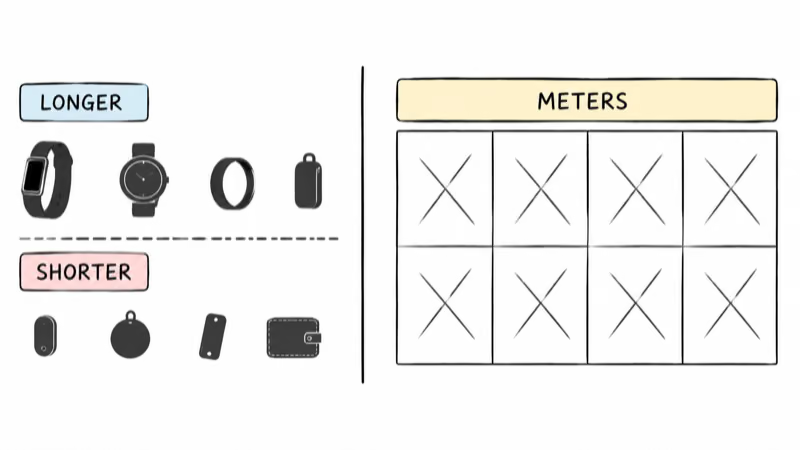
Its text ranks A1 and S1 longer, and A13 shorter. No meters or feet.
That boundary rules out a meter-by-meter range table, an “accurate to X meters” figure, a live-update interval in seconds, and GPS-style accuracy. Don’t attribute any of them to ICRT.
Use our range ledger for advertised and named measurements.
Public Scores and Prices
| Code | Model | Network in test | HK$ | Locating | Overall |
|---|---|---|---|---|---|
| A1 | Boompods Boomcard | Find My | 268 | 2.0 | 3.5 |
| A2 | Momax PinBuzz | Find My | 149 | 2.0 | 3.5 |
| A3/G1 | Chipolo POP | Find My / Find Hub | 580 | 2.0 | 3.5 |
| A4/G2 | MiLi MiTag Duo | Find My / Find Hub | 129 | 2.0 | 3.5 |
| A5 | AirTag (2nd gen) | Find My | 249 | 2.0 | 3.5 |
| A6 | Verbatim My Finder Card | Find My | 118 | 2.0 | 3.0 |
| A7 | Momax PinCard Ultra | Find My | 239 | 2.0 | 3.0 |
| A8 | AirTag (1st gen) | Find My | 199 | 2.0 | 3.0 |
| A9 | Xpower Tag Coin | Find My | 78 | 2.0 | 3.0 |
| A10 | Ugreen FineTrack | Find My | 98 | 2.0 | 3.0 |
| A11 | Verbatim My Finder | Find My | 78 | 2.0 | 3.0 |
| A12 | Chipolo Card Spot | Find My | 580 | 2.0 | 3.0 |
| A13 | GP eTag | Find My | 89 | 2.0 | 3.0 |
| S1 | Galaxy SmartTag2 | SmartThings | 238 | 1.5 | 3.0 |
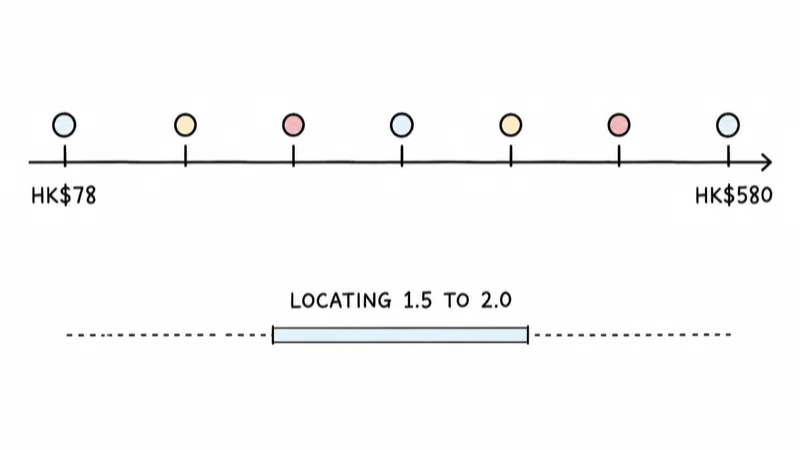
The price footnote says one-tag figures came from suppliers or a March 2026 Hong Kong market check. The table doesn’t support a broader price-to-performance claim.
The sample page confirms that 11 used Find My and 2 were dual-network.
Usability ranged from 3.5 to 4.5. Both AirTag generations needed a holder for attachment; GP eTag and SmartTag2 were less convenient for battery changes.
The App Security Snapshot
The lab checked 6 apps from 5 brands, all with encrypted transmission.
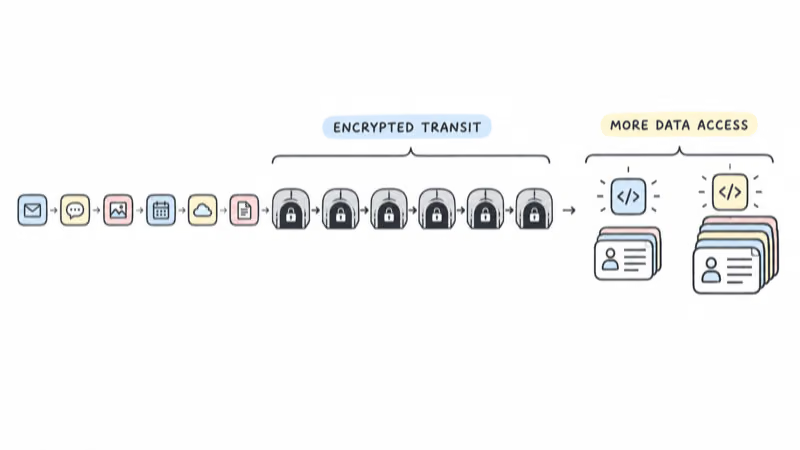
APP1 and APP3 accessed more data. The public HTML doesn’t map those codes to named brands, so this digest doesn’t guess.
Apps can change after updates. This is a snapshot, not a permanent security grade.
The English report in The Standard repeats the 14-model scope and 1.5–2.0 locating band. It doesn’t add a meter table.
How to Use This Test
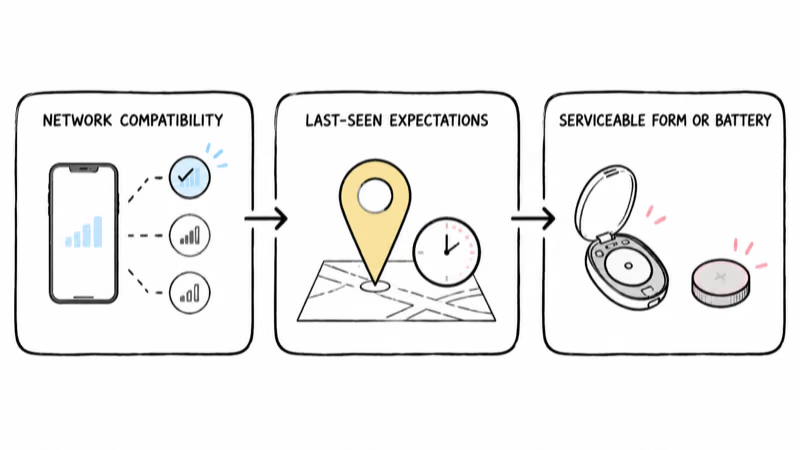
First, choose a compatible network. A Find My tracker, Find Hub tracker, and SmartThings tracker depend on different nearby device pools.
Google’s Find Hub privacy page states that its default busy-places mode waits for reports from multiple Android devices. That mechanism is network-specific, not an ICRT distance result.
Second, treat the map as a last-seen report. The test found better results for still items in busy cities and weaker results for moving items or thin crowds. Our Find Hub update-limit explainer covers separate rate-limit evidence.
Third, choose a serviceable form and battery. The specs-versus-reality guide covers radio claims. ICRT supports decisions about compatibility, delay, battery design, and usability, not a meter shootout.
Bottom Line
ICRT’s first Bluetooth tracker test found a narrow locating band across 14 samples: 1.5–2.0 out of 5. Busy, stationary scenes worked better than rural, moving ones, and left-behind alerts took about 3–5 minutes. The public evidence publishes scores and qualitative distance rankings, not meter figures.
FAQ
Did ICRT publish Bluetooth range in meters?
No public Consumer Council page or Table 2 PDF gives meter figures. The text only says two samples measured a longer effective Bluetooth distance and one measured a shorter distance. Those are qualitative rankings. Any exact meter result needs a different source.
Why did most trackers get the same locating score?
Thirteen entries scored 2.0 for locating, while Galaxy SmartTag2 scored 1.5. The report says locating depends on environment, app, same-OS finder density, distribution, and movement. It doesn't publish a brand-specific causal diagnosis. This digest doesn't invent one.
Is a 3–5 minute left-behind alert a defect?
The Council called that measured speed rather slow. It's the result for the tested app versions, not a universal promise or failure threshold. Apps can change after updates. Use the alert as a delayed backstop, not an instant door sensor.
Does this mean Bluetooth trackers are useless?
No. The report says every sample showed a last location and timestamp, and all were fairly convenient to use. Locating worked better in busy cities when the item remained still. Performance weakened in rural, trail, and moving-transit scenes. That boundary defines the useful case.
Did AirTag 2 beat cheap Find My tags on locating?
Not in the published locating column. AirTag 2 and the listed Find My samples scored 2.0 for locating. Overall scores differed because other categories carried separate weights. The table doesn't prove equal performance outside the tested scenes.
Why does a moving tag look worse than a still one?
The Council says movement is one factor affecting locating and found sparser updates on moving public transport. A crowdsourced pin comes from a nearby phone's recorded report, not GPS inside the tag. A moving item can leave that report behind quickly. The test doesn't publish a universal lag distance.