A child location device can provide a conditional signal or a way to contact help. It can’t prove safety, replace responsible adults, guarantee a response, or substitute for school procedures, emergency services, or a missing-child response.
This guide replaces an obsolete eight-device ranking that prescribed products by age, encouraged hidden wear, mixed retired watch models with fixed prices, and treated incompatible help paths as equivalent.
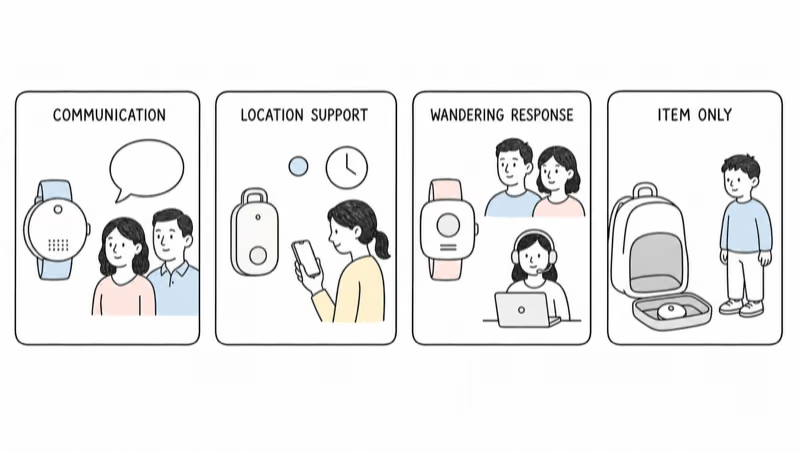
- Define the family job first. Communication, location-only support, wandering-specific response, and finding an item are different problems.
- The whole system matters. Device, child, caregivers, accounts, service, permissions, school rules, wearing method, charging, privacy, and response plan work together.
- Every location is conditional. Power, signal, positioning method, settings, boundaries, timestamps, app delivery, placement, and separation from the child affect the result.
- SOS labels are not interchangeable. A child button, caregiver app, monitoring service, configured contact, and public emergency service can be different paths.
- Use a reversible, consent-aware trial. Test normal life, failure cases, account recovery, access removal, service cancellation, and offboarding before relying on the system.
Four Family Location and Response Jobs
It compares family location and response systems, not safety scores.
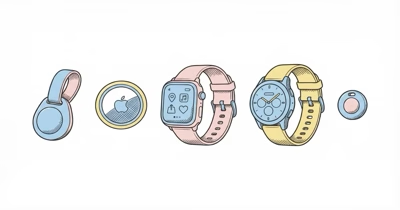
The current choices fall into four jobs. According to Life360, a manual Jiobit Trusted Place boundary spans 100 to 800 feet; that range shows why even a named “place” is a device rule, not a building wall or proof of supervision.
- A managed kids smartwatch supports approved calls or messages alongside location and a caregiver help control.
- A small location wearable emphasizes Care Team access, Trusted Places, and on-demand location without becoming an ordinary communication watch.
- A wandering-specific system adds specialized wearing options, automated boundaries, voice, response tools, and caregiver workflows.
- An item tag helps find an agreed backpack or possession. It’s not a child communication or emergency system.
A device is only one part of the setup.
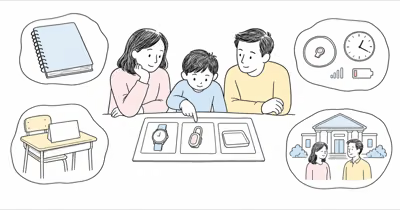
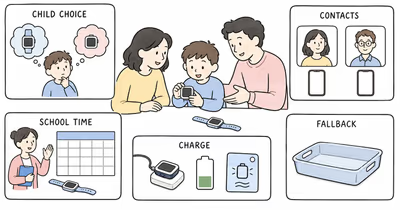
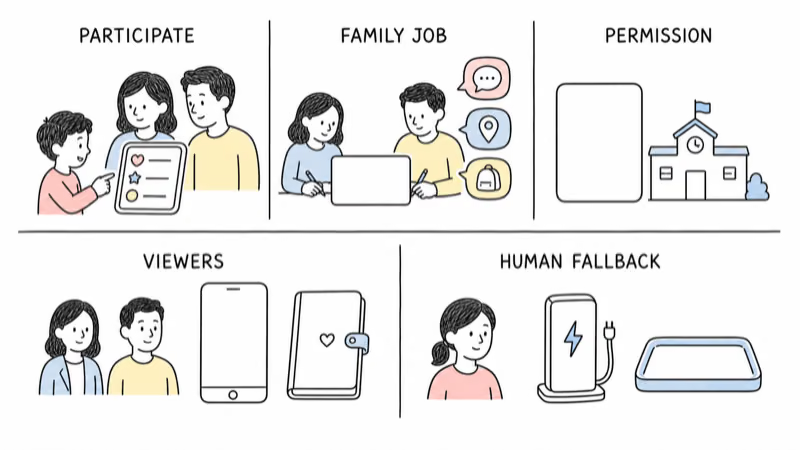
The complete system also includes the child, caregivers, necessary contacts, companion app, accounts, service, location viewers, help recipients, school or care-setting rules, wearing method, charging routine, data boundaries, and a human fallback.
Don’t choose from an age label alone. A younger child may clearly use a simple watch control; an older child may reject any wearable; a child with sensory needs may require a different attachment, communication method, or no device at all.
Define the Family Job Before Comparing Devices
Write one sentence describing the job and the response.
For example: “During the walk home, our child can call two approved caregivers, and those caregivers may check the device’s latest timestamped location if the child is late.” Or: “A consented wearable alerts the response team if it leaves an agreed care-setting boundary, and the team follows the written escalation plan.”
List the child, primary and backup caregivers, ordinary contacts, location viewers, help recipients, public-emergency fallback, school or care-setting permission, wearing method, charging owner, review date, and stop conditions.
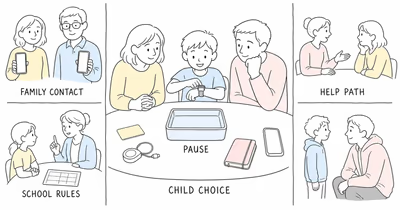
Involve the child in rules they can understand. Don’t hide the device on the child, describe non-removable wear as universally appropriate, or expand location review beyond the agreed purpose. Confirm legal authority and any required consent for the child, school, care setting, and other people whose voices or locations could be captured.
Current Kids Location Paths at a Glance
Use this table to choose what to test, not what to buy.
| Family job | Current path | What it can support | Critical boundary | Trial focus |
|---|---|---|---|---|
| Approved child communication | Managed kids smartwatch | Calls or messages, caregiver app, conditional location, school controls, help control | Models differ; SOS, Assistance, caregiver calls, and 911 are not the same | Contacts, school permission, location timing, help recipients, service, charging |
| Small location wearable | Current Jiobit service | Care Team, Trusted Places, timeline, Live Mode, caregiver-app SOS with eligible plans | Confirm new-device availability and account eligibility; Live Mode and alerts are conditional | Placement, boundaries, signal, app access, SOS setup, battery, cancellation, deletion |
| Wandering-specific response | AngelSense GPS4 or Watch | Guardians, automated geofencing, Runner Mode, voice, location sharing, specialized wearing options | Call Request, Call Direct, first-responder tools, and local public-emergency action require exact setup | Wear tolerance, roles, service area, alert chain, voice, response drill, charging |
| Find an agreed backpack | AirTag 2 or another item tag | Item-network location, sound, close-range finding on supported devices | Designed for belongings, not people; no child call, message, or dedicated response plan | Item sharing, separation, network coverage, unwanted-tracker protections, removal |
This isn’t an exhaustive shopping list. A general-purpose GPS locator, phone, medical alert service, school procedure, or no device may fit another job. Confirm the current model and support status rather than buying from an old ranking or marketplace listing; the family location and communication guide covers the broader boundary.
Managed Kids Smartwatches for Approved Communication
Choose a watch when approved communication is part of the job.
Current systems such as TickTalk 5, Gabb Watch 3e, Gizmo Watch 4, Garmin Bounce 2, and Xplora X6Play combine different contact roles, calls or messages, school restrictions, location tools, help controls, service arrangements, and charging routines.
They’re not interchangeable. One system may preserve selected caregiver calls during a school restriction; another may leave Assistance available; a third may offer a separately configured direct-911 path in a supported region. A camera can help one family communicate and conflict with another school’s policy.
Use the current kids GPS smartwatch family-system guide for the model-level comparison. This broader guide does not repeat a watch leaderboard.
Test every necessary contact, a missed call, a delayed message, weak signal, School Mode or Focus Mode, the displayed location and timestamp, a planned non-emergency help drill, charging, account recovery, and contact removal.
The Current Jiobit Location-and-Response Service
Treat Jiobit as a supported location-and-response account, not a silent object hidden on a child.
Life360’s current Jiobit help center documents Trusted Places, Care Teams, timeline, Live Mode, battery behavior, subscription plans, app-based SOS, cancellation, and account deletion. Before buying, confirm whether a new device is currently available for the intended user and whether the account and plan are eligible; current support documentation doesn’t by itself prove marketplace inventory or future support duration.
Trusted Places reduce power use and can send arrival or departure notifications, but they’re geofences rather than building walls. Life360 notes that boundaries can generate delayed or false notifications depending on size, Wi-Fi, movement, and signal.
Live Mode provides on-demand near-real-time updates when the device is away from a Trusted Place or Care Team connection. It may be unavailable while the device is at a Trusted Place, in power-save mode, connected to a Care Team member, uncharged, or unable to establish a connection. Outside a Trusted Place, ordinary timeline pins aren’t a continuous route.
Life360 reports a wide 2–30 day battery range for third-generation Jiobit users because placement, signal, Bluetooth, Wi-Fi, Trusted Places, movement, and Live Mode change power use. Test the actual routine rather than promising a fixed number of days.
Jiobit SOS is initiated in the caregiver app. Life360 says eligible current plans connect the account holder with Noonlight, which can relay location and emergency details and coordinate with 911. That’s not the same as a child speaking through an ordinary watch SOS button. Configure emergency details and test only through the documented, announced non-emergency process.
AngelSense for a Specialized Wandering-Response Job
Evaluate AngelSense when the job requires specialized wear, wandering alerts, voice, and a documented response workflow.
AngelSense currently documents GPS4 and Watch hardware.
The system includes guardians, automated geofencing, Runner Mode, first-responder group tools, live location sharing, an alarm, one- and two-way voice, and wearing options that range from removable to lockable or non-removable.
Those features need careful role and consent decisions.
- Confirm sensory tolerance, skin and pressure risks.
- Define who may listen or speak and when.
- Obtain school or care-setting permission.
- Record when the device comes off and who holds any key.
- Give the child or responsible adult a clear way to report distress.
The consent-aware autism GPS guide covers that planning boundary in more depth.
The GPS4 and Watch are different hardware. AngelSense says GPS4 can last up to 24 hours and the Watch up to 16 hours depending on use. Power-saving modes trade update frequency or transit features for runtime; Runner Mode returns the Watch to standard behavior. Test the exact device, service area, ordinary route, weak-signal area, charger, low-battery warning, and shutdown fallback.
On the Watch, AngelSense says a configured three-second SOS press starts either Call Request or Call Direct. First-responder alerts, location sharing, voice, local 911, and the family’s human escalation plan are related but distinct steps. Confirm who receives each action and what happens when nobody answers.
Is AirTag a Child Tracker or an Item Tool?
Use AirTag only for an agreed belonging such as a backpack.
Apple describes AirTag 2 as an item finder.
Its current features include expanded finding range, a louder speaker, and Precision Finding on supported devices. Apple states that AirTag is designed exclusively for tracking objects and shouldn’t be used to track people.
An AirTag has no child call, message, watch help control, caregiver dispatch service, or guaranteed real-time path. The backpack can be separated from the child. A point for the item is not proof of the child’s location, route, intent, or safety.
Current iPhone and Android systems support unwanted-tracker alerts.
A separated tracker may notify a person moving with it or make a sound. Those protections are expected safety behavior, not a feature to disable or evade.
If the family agrees to tag an item, document who owns it, who may view it, how it’s shared, when it’s removed, and how to respond to an unknown-tracker alert. Never hide it on a child or someone else’s property.
Treat Every Location and Boundary Alert as Conditional
A map point is a device observation with a timestamp.
GPS, cellular, Wi-Fi, Bluetooth, nearby network devices, buildings, vehicles, terrain, weather, battery, power-saving modes, update intervals, app permissions, server delivery, placement, and whether the device remains with the child can all affect the result.
Read the timestamp and the type of observation first.
Then distinguish a current request, last known location, boundary event, route approximation, or item-network report. Request one refresh when appropriate and contact the child, school, caregiver, or responsible adult through the agreed channel.
Don’t infer a specific room, exact route, attendance, supervision, intent, or safety from a dot. Don’t wait for another update when the written response plan or circumstances require human or official action.
Separate Child Help, Caregiver SOS, Monitoring, and 911
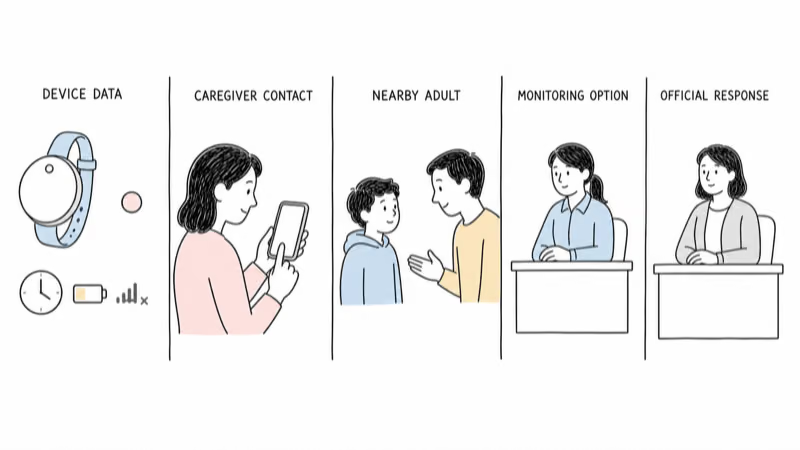
Identify the person or service that actually receives each action.
A managed watch may call a caregiver, send an Assistance alert, or expose a separately configured public-emergency path. Jiobit’s current SOS starts in the caregiver app and uses Noonlight under eligible plans. AngelSense can use Call Request or Call Direct on the Watch and offers separate first-responder and location-sharing tools. AirTag has none of these response functions.
For each system, write the initiating person, exact control, required service and signal, first recipient, backup recipient, cancellation behavior, information shared, and what happens if nobody answers.
Teach the child a nearby-adult fallback and the applicable public-emergency process. Run only a planned non-emergency drill with every recipient informed. A test must not create a false emergency call.
If a child is missing, the National Center for Missing & Exploited Children says to act immediately and call local law enforcement; after reporting, U.S. families can contact NCMEC. Don’t delay that process while waiting for a consumer device to refresh.
Review Participation, School Rules, and Data Boundaries
Location access should be necessary, explained, limited, and reviewable.
Tell the child what the device does, who can see location, who can listen or speak, when checks happen, what the school or care setting allows, and how to report discomfort or misuse. Use only the viewers and features required for the agreed job.
Review access before each trial and on a set schedule.
Check caregiver and guardian roles, Care Team members, trusted contacts, emergency details, voice access, location history, boundaries, alerts, app permissions, account recovery, retention, deletion, and service cancellation. Remove former caregivers and obsolete contacts promptly.
Pause if the child objects, wear causes distress, the purpose changes, school rules conflict, a microphone or camera creates an unacceptable boundary, alerts become coercive, or adults start checking location without an agreed reason.
Don’t use covert placement, audio, location, or account access. Laws and consent requirements vary; obtain qualified local guidance when the situation is unclear.
What Does a Reversible Family Trial Include?
Trial the complete system before depending on it.
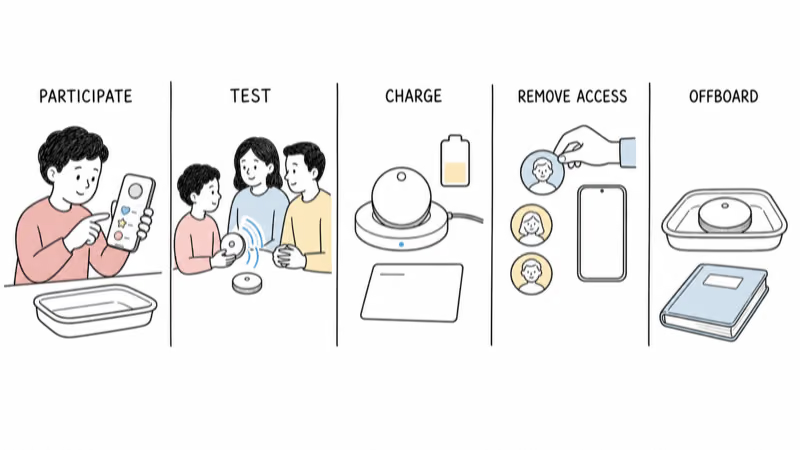
- Confirm the exact current device, support status, service area, plan, return terms, and app requirements.
- Explain the purpose and involve the child in the wearing and privacy rules they can understand.
- Add only the necessary caregivers, guardians, Care Team members, or contacts.
- Test the ordinary job: call, message, location request, boundary, or item finding.
- Check timestamps and compare one consented route with responsible-adult knowledge.
- Run one announced, non-emergency help drill without placing a false public-emergency call.
- Observe fit, attachment, heat, alerts, signal, charging, and battery during normal days.
- Replace or sign out of a caregiver phone and confirm account recovery.
- Remove a viewer or contact and verify access is revoked.
- Practice pausing service, canceling, resetting, returning, and deleting unneeded data.
Write failure and emergency fallbacks before the trial:
- No signal or a flat battery.
- A lost or removed device.
- A failed app or unavailable caregiver.
- A school removal request or unwanted-tracker alert.
- Immediate danger or a missing child.
Bottom Line
There is no responsible universal “best GPS tracker for kids.” A managed smartwatch, Jiobit account, AngelSense system, and AirTag solve different jobs and create different response, consent, privacy, service, and failure conditions.
Define the job, confirm the current system, involve the child, obtain school or care-setting permission, limit access, identify the actual help recipient, test conditional location and charging, keep an official emergency fallback, and run a reversible trial.
Short on time? Tracker Finder narrows the category; the smartwatch article above handles communication-first models.
FAQ
What is the best GPS tracker for a child?
There is no universal winner. Choose by the agreed family job, child participation, caregiver roles, communication need, conditional location, response path, school or care-setting rules, service, charging, privacy, and fallback. Trial the complete system rather than relying on age labels or rankings.
Can I hide a GPS tracker on my child?
Don’t use covert placement as the default. Explain the purpose in a way the child can understand, confirm legal authority and applicable consent, obtain school or care-setting permission, and use an attachment the child can tolerate safely. Stop if wear causes distress or the purpose changes.
Can an AirTag track a child?
AirTag is designed for belongings, not people. It may help locate an agreed backpack, but it has no child call, message, help control, or dedicated response service. The item can separate from the child, and its location is not proof of the child’s safety.
Does Jiobit have SOS?
Life360 documents an app-based Jiobit SOS for eligible current plans. The caregiver starts it in the Jiobit app, and Noonlight can coordinate location and emergency details with 911. Confirm current plan eligibility, setup, recipients, and service before relying on it; it’s not the same as a child making an ordinary watch call.
What is the difference between Jiobit and AngelSense?
Both are location systems, but the workflows differ. Jiobit centers Care Teams, Trusted Places, timeline, Live Mode, and caregiver-app SOS. AngelSense adds GPS4 and Watch options, specialized wearing accessories, automated geofencing, Runner Mode, voice, and multiple response tools. Test the exact current system and fit.
Are kids GPS trackers accurate indoors?
No device is always precise indoors. Buildings, placement, power, signal, Wi-Fi, Bluetooth, positioning method, boundaries, update timing, and app delivery affect the result. Read the timestamp and treat the location as a conditional device observation, not proof of a room or safety.
What should I do if my child is missing?
Act immediately and follow the applicable official process. In the United States, NCMEC says to call local law enforcement immediately and then contact NCMEC after reporting. Don’t delay official action while waiting for a tracker or app to refresh.