The old review treated Ace LTE as a fixed-price winner for a fixed age band. This revision judges the current watch by the family job it can perform reliably.
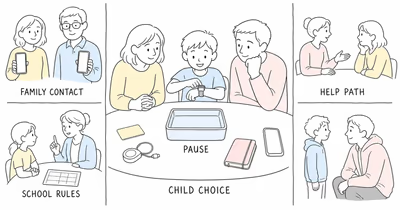
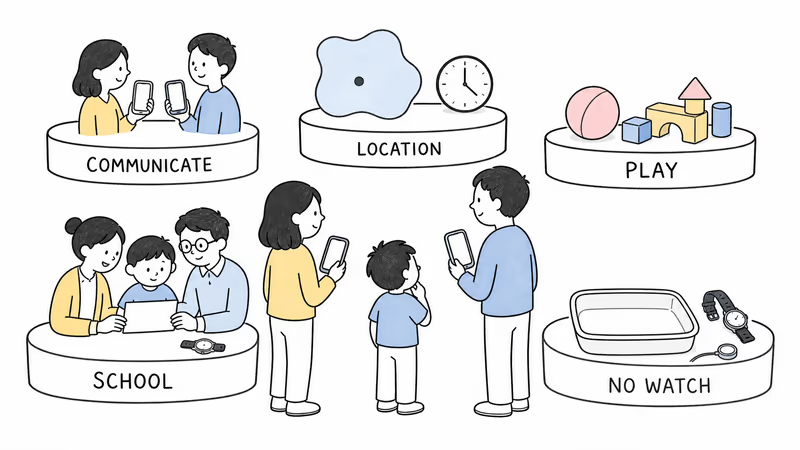
- It’s a family system. A compatible parent phone, Google account structure, Ace Pass, contacts, coverage, watch, charger, and human response all matter.
- Location describes the watch. Power, internet, GPS, off-wrist state, settings, and last-update time affect what the app can show.
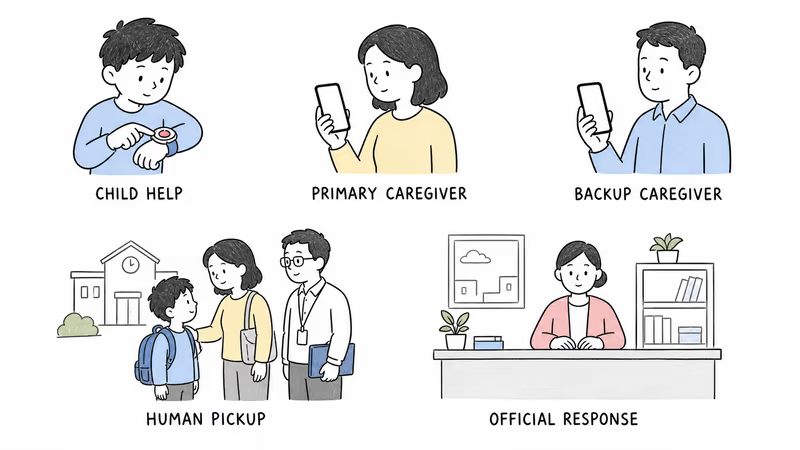
- Call for Help calls configured people. Google explicitly says it does not call emergency services.
- School Time changes communication. It restricts games and silences notifications and incoming calls, while the child can still contact a parent.
- Activity design is not a promised outcome. Games require movement to progress, but motivation and fit must be observed in the actual child.
Define the Family Job Before Setup
Name the job and responder in one sentence.
Decide whether the goal is approved communication, location context, activity play, or a combination, then name who responds to a missed call, stale location, low battery, School Time conflict, or removed watch. Involve the child and let them test wrist pressure, band texture, sound, light, vibration, games, calls, and charging. Obtain the actual school’s or care setting’s permission. A diagnosis or age doesn’t replace participation, capacity, legal authority, or a setting-specific decision.
What Does the Current Ace LTE System Require?
Google states that Ace LTE supports calls and messages for up to 20 contacts in its current specifications. The same page lists a 16-plus-hour provider battery estimate, built-in LTE, GPS location, activity tracking, Fitbit Arcade, and School Time. Setup and core functions require current compatibility, Wi-Fi, an account, and an active Ace Pass.
Those numbers aren’t our test results. Confirm the current plan and service area instead of preserving a price or subscription total from an old review.
Contacts, Calls, Messages, and Call for Help
Limit access by role. Contacts need the Fitbit Ace app or their own compatible Ace device. Keep the list to people with a real communication or response job, review it with the child, and remove access when that job ends.
Google’s Call for Help guide confirms that a long press starts a countdown, then attempts configured parents and an emergency contact in order. It doesn’t call emergency services. Power, software, plan, network, contact setup, phone availability, notifications, and human pickup remain separate dependencies.
Practice through an announced, non-emergency drill. Record who sees the notification, who answers, who contacts the school or another adult, and when the family uses the applicable official process.
How Should Families Read Ace LTE Location?
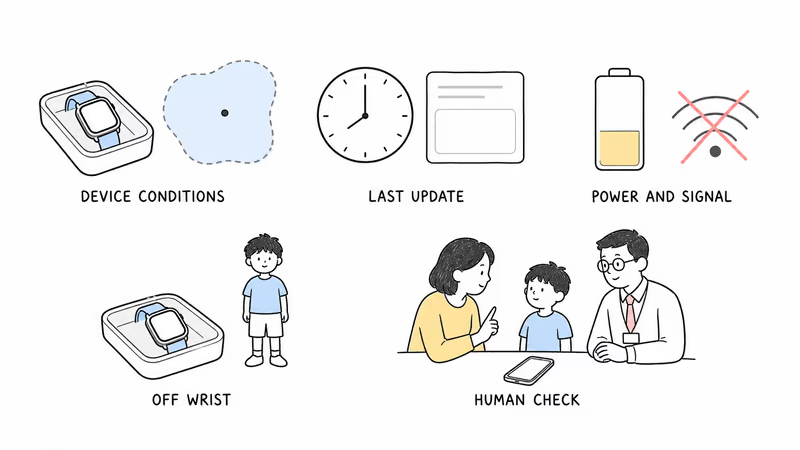
According to Google’s location-sharing guidance, the app reports the watch’s last located time and battery at that update, not a promise of continuous child location. An active Ace Pass, supervised account, enabled settings, power, internet, and usable signal all remain prerequisites. That makes freshness and accuracy part of every reading.
Low accuracy can appear as an area rather than a precise point. A powered-off, disconnected, low-signal, or long-off-wrist watch may show only a last known location. The watch can also be separated from the child.
Read the conditions before the dot. Check time, accuracy, battery, connectivity, and off-wrist state, then confirm context with the child, school, transport provider, or responsible adult.
Never delay official action, enter private property, or confront anyone because of a consumer-device map.
School Time Is a Schedule, Not a Safety Lock
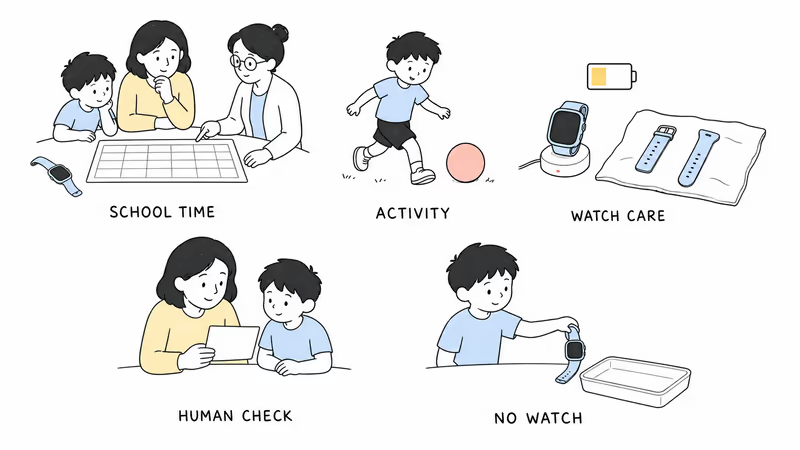
Google says School Time restricts games and Bit Valley and silences notifications, incoming calls, and message alerts. The child can still call or message a parent; parents may need to contact the school directly while incoming calling is disabled.
Test the schedule with the school. Agree on breaks, urgent communication, removal, charging, storage, staff roles, and time zone. Don’t call School Time a complete lock or assume a silent notification was seen.
Activity, Battery, Water, and Daily Fit
Treat activity as an invitation, not treatment. Fitbit Arcade uses movement to progress games, but that design doesn’t prove a specific child will move more, enjoy the system, or avoid unhealthy pressure. Let the child stop, adjust goals, or leave the trial, and distinguish a game metric from a health outcome.
The 16-plus-hour battery is a provider estimate. Test the real day, weak coverage, calls, location requests, games, School Time, charging time, low-battery alerts, forgotten charger, and overnight routine. The plan needs a no-watch fallback.
Water resistance can diminish. Follow Google’s current care instructions, dry the watch and band after water, and don’t treat a depth rating as permission for every activity.
Participation, Privacy, and Offboarding
Google’s child and teen privacy guide states that parents can control location, contacts, movement data, friends, payments, and settings. Explain those powers accessibly, use the minimum contacts and permissions, and review friends and payment features with the child. Decide who can view information, how incident notes or screenshots will be handled, and when access ends.
Offboarding belongs in the setup plan. Stop or redesign for objection, discomfort, school refusal, repeated connection failure, unreliable charging, excessive viewing, or use of location as proof of safety.
When the purpose ends, remove contacts, erase the eSIM and factory-reset through current Google instructions, cancel Ace Pass where appropriate, and delete records no longer needed.
Run a Reversible Family Trial
Use an ordinary week, not a staged emergency. Test setup recovery, wrist tolerance, school schedule, incoming and outgoing contact behavior, Call for Help recipients, location age and accuracy, off-wrist state, weak signal, battery, charging, wet-band care, a lost parent phone, and the human fallback. Record which conditions are repeatable and which failures need a different plan.
Record observed behavior without turning it into a universal claim. The current kids smartwatch guide helps compare other family systems, while the location-system guide separates communication watches from specialized wandering-response tools.
Bottom Line
Fitbit Ace LTE may fit a child who wants approved communication and activity play, provided the family can maintain the account, service, contacts, school plan, charge, privacy, and fallback. It’s not a universal age pick, behavior treatment, or emergency service. Choose it only when the child participates, the setting permits it, and the family can prove the complete routine works during a reversible trial.
If a child is missing or in immediate danger, follow the applicable official process immediately. Don’t wait for the watch, app, contact chain, or another location refresh.
FAQ
Does Fitbit Ace LTE need a phone?
The watch has its own LTE connection, but the family system still requires compatible setup, a Google account structure, the Fitbit Ace app on caregiver phones, Wi-Fi for setup, an active Ace Pass, configured contacts, and supported service.
Does Call for Help contact emergency services?
No. Google says Call for Help attempts configured parents and an emergency contact; it doesn't call emergency services. Confirm software, plan, network, recipients, notification behavior, and the family's separate official-response procedure.
Is Fitbit Ace LTE location real time?
Treat it as conditional device location. The app shows the watch's last located time, accuracy context, and battery at that update. Power, internet, GPS, settings, signal, off-wrist state, and separation from the child can prevent a current point.
What happens during School Time?
Google says School Time restricts games and Bit Valley and silences notifications, incoming calls, and message alerts. The child can still contact a parent. Confirm the actual schedule and school procedure rather than treating it as a complete lock.
How long does the battery last?
Google specifies more than 16 hours under its test conditions, but actual runtime depends on coverage, configuration, calls, location, games, battery age, temperature, and use. Test the real routine and keep a no-watch fallback.
Is Fitbit Ace LTE waterproof?
It's water resistant, not permanently waterproof. Resistance can diminish with wear or damage. Follow current Google care instructions, dry the watch and band after water, and avoid unsupported prolonged or high-impact water exposure.
Is Fitbit Ace LTE the best watch for every child?
No. Age and diagnosis don't establish fit. Evaluate child participation, wrist and sensory tolerance, communication needs, account and coverage compatibility, school rules, charging, privacy, response roles, and a reversible trial.