Both AirTag generations use the same user-replaceable CR2032 battery. The important details are orientation, secure cover alignment, and choosing packaging that states compatibility with AirTag.
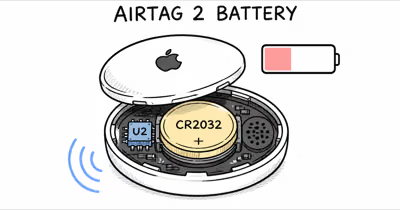
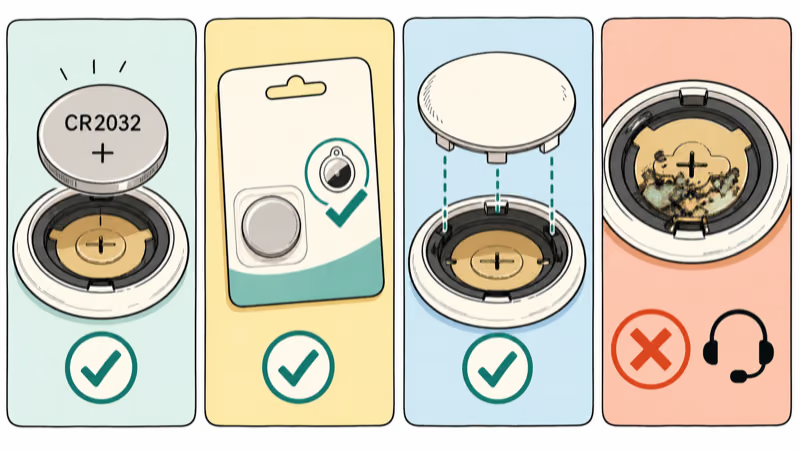
- Use a CR2032 lithium 3V coin cell — Apple lists this battery for the original AirTag and AirTag 2.
- Install the positive side up — the connection sound confirms that the battery made contact.
- Check the packaging — Apple notes that some bitterant-coated CR2032 cells may not work with AirTag.
- Don’t reset during a normal swap — replacing the battery once is different from the five-sound reset sequence.
- Keep loose parts away from children — the battery, cover, and AirTag can present a choking hazard.
Which CR2032 Battery Works in AirTag?
Apple specifies a CR2032 lithium 3V coin battery for both generations. Its original AirTag specifications and AirTag 2 specifications list the same user-replaceable cell.
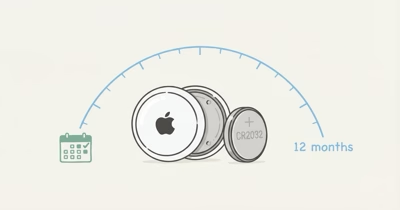
Apple states that both models use one CR2032 3V coin cell. Battery life still varies with usage, environment, and replacement manufacturer, so the label matters more than a promised calendar interval.
Don’t turn a brand recommendation into a compatibility guarantee. Apple’s current battery guide recommends looking for packaging that states compatibility with AirTag.
Apple also notes that some CR2032 batteries with bitterant coatings may not work with AirTag or other battery-powered products. That is a compatibility caveat, not a reason to remove a child-safety coating.
Keep the loose battery, cover, and AirTag away from small children. Don’t scrape, sand, or chemically strip a battery coating.
Replace the AirTag Battery
- Place the AirTag with its polished stainless steel cover facing up.
- Press down on the cover and rotate it counterclockwise until it stops.
- Remove the cover and old battery.
- Insert a new compatible CR2032 with the positive side facing up.
- Listen for the sound that confirms the battery is connected.
- Align the three cover tabs with the three slots in the AirTag.
- Press the cover down and rotate clockwise until it stops.
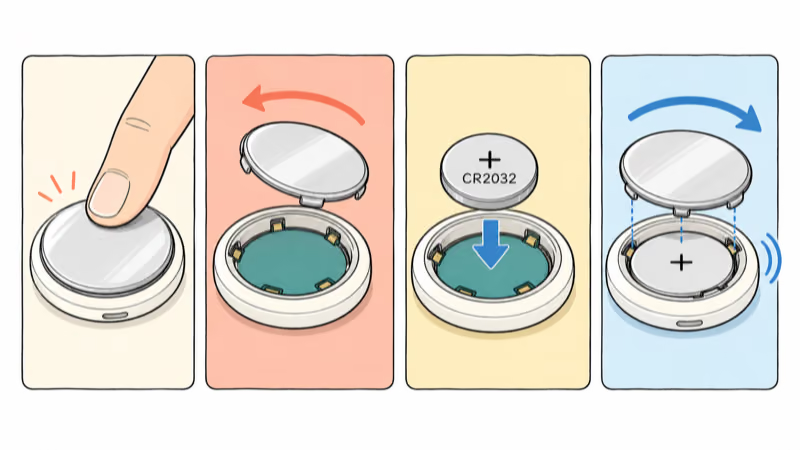
A normal battery replacement does not require re-pairing. If the AirTag still appears under the same owner in Find My, it should remain associated after the new cell makes contact.
What If the New Battery Does Not Work?
Check orientation first. The positive side must face up. Remove the cell and reinstall it rather than forcing the cover.
Check the package. If the battery has a bitterant coating and no AirTag compatibility statement, try a different CR2032 package that explicitly states compatibility.
Confirm the connection sound. No sound means the AirTag did not confirm electrical contact. Reseat the battery once and inspect the tray for visible debris or corrosion.
Inspect the cover. All three tabs must align with the slots before the cover turns clockwise. Stop if the cover binds; forcing it can damage the lock points.
Escalate damaged hardware. If multiple compatible batteries fail, or the contacts show corrosion or deformation, contact Apple Support. Don’t improvise repairs to the battery contacts.
Check the Low Battery Indicator
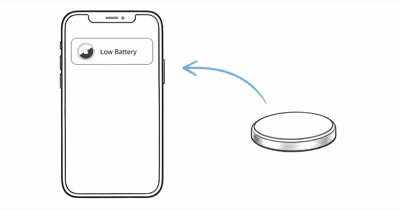
Open Find My, tap Items, then select the AirTag. Apple says Low Battery appears under the item’s name when replacement is needed, and the iPhone also displays a low-battery notification.
Find My does not provide a precise battery percentage in Apple’s current instructions. Replace the cell when the Low Battery indicator appears rather than relying on an unpublished voltage threshold or promised number of remaining weeks.
For lifespan context without invented countdowns, see how AirTag battery life varies. If the tracker remains offline after a confirmed connection sound, use the AirTag connection checklist.
Battery life varies with usage, environmental conditions, and replacement-battery manufacturer. Those variables are listed in Apple’s technical-specification footnotes, so a fixed calendar schedule is only a reminder, not proof that every battery is depleted.
Battery Replacement vs AirTag Reset
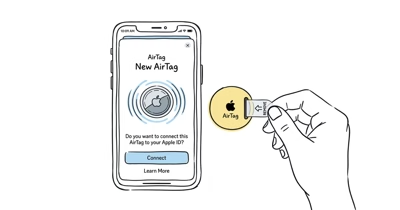
A one-time battery swap restores power without intentionally resetting the AirTag. A reset is a separate five-sound sequence used for specific pairing and ownership cases.
The replacement steps are the same for both AirTag generations, but the reset procedures are not. AirTag 2 adds longer presses and 12-second waits, as detailed in Apple’s current reset guide.
Use our generation-specific AirTag reset guide only when a reset is actually required. Repeating reset cycles is not a substitute for checking a new battery’s orientation and compatibility.
When AirTag Hardware Needs Replacement
Replace the CR2032 before replacing the tracker. The battery is the normal service part, while the AirTag remains tied to the owner’s Find My account through an ordinary swap.
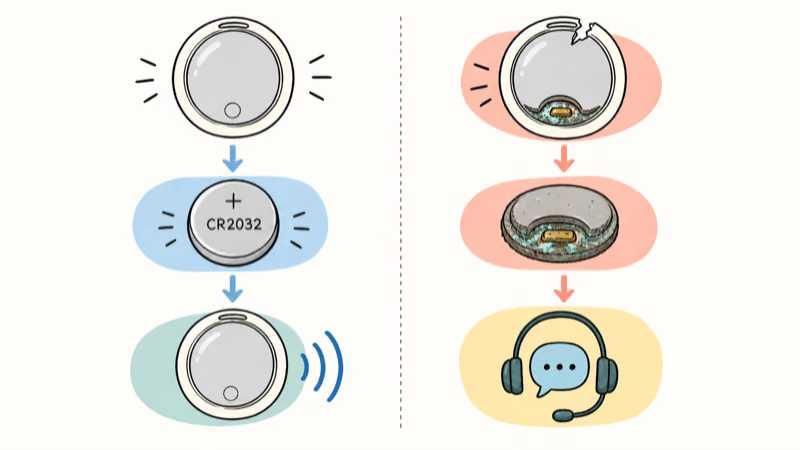
Consider replacing the device only when known-compatible batteries still fail, the cover won’t lock, the contacts are damaged, or the enclosure no longer seals correctly. A new tracker shouldn’t be the first response to a Low Battery notification.
Bottom Line
AirTag battery replacement is a short mechanical task: open the cover, install a compatible CR2032 positive-side up, confirm the sound, and lock the cover.
If the new cell does not work, check orientation, packaging, contact, and cover alignment. Keep reset troubleshooting separate, especially because AirTag 2 now uses different reset timing.
FAQ
What battery does an AirTag use?
Both AirTag generations use a user-replaceable CR2032 lithium 3V coin battery. Choose packaging that states compatibility with AirTag and install the positive side facing up.
How do I replace an AirTag battery?
Press and rotate the steel cover counterclockwise, remove the old cell, install a compatible CR2032 positive-side up, align the three cover tabs, then rotate clockwise until the cover stops.
Why does my AirTag not work with a new battery?
Check that the positive side faces up and listen for the connection sound. Apple notes that some bitterant-coated CR2032 cells may not work, so try packaging that explicitly states AirTag compatibility.
Is AirTag 2 battery replacement different?
No. AirTag 2 uses the same CR2032 and cover procedure as the original. Its factory-reset timing is different, but that does not change an ordinary one-time battery replacement.
Does replacing the battery reset an AirTag?
No. A normal battery replacement isn’t the five-sound reset sequence. The AirTag remains associated with the same owner unless it’s separately removed from Find My.
How does Find My show a low AirTag battery?
Your iPhone displays a low-battery notification, and Find My shows Low Battery under the AirTag’s name. Apple’s current instructions don’t provide a precise percentage or remaining-runtime estimate.
Should I remove a bitter coating from a CR2032?
No. Don’t scrape, sand, or chemically strip a child-safety coating. If a coated battery doesn’t work, use another CR2032 package that states compatibility with AirTag.