The UAG Metropolis Tracker Card is built for one specific problem: adding a finding network to a wallet without inserting a round tracker and holder.
- 3.0 mm card profile — the published footprint is 85.8 × 53.6 × 3.0 mm.
- One finding network at a time — pair with Apple Find My or Android Find Hub, not both simultaneously.
- Rechargeable design — UAG rates the 110 mAh battery for up to 5–6 months per charge.
- IPX4 water resistance — suitable for splashes, but not rated for submersion.
- No hands-on score yet — fit, runtime, ringer output and water resistance remain independently untested by HotAirTag.
This review separates those published specifications from the things that still need a real wallet and charge-cycle test. The card is a sensible format choice, but the source record does not justify calling it the strongest tracker in every category.
What Makes the UAG Card Different in a Wallet?
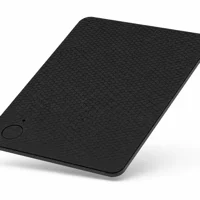
The physical advantage is clear. UAG states that the card measures 85.8 × 53.6 × 3.0 mm, so it follows a card-shaped footprint instead of concentrating thickness in a round disc. That makes it easier to place in a normal card slot, although the 3 mm body is still thicker than a single payment card.
UAG’s current product page states that the card supports Qi and MagSafe charging plus Apple Find My or Android Find Hub.
The shell is polycarbonate and includes a built-in ringer. UAG publishes a 95 dB speaker rating and up to 65 ft (20 m) of Bluetooth range. Those are manufacturer figures; walls, wallet materials, phone hardware and background noise can change what you actually hear.
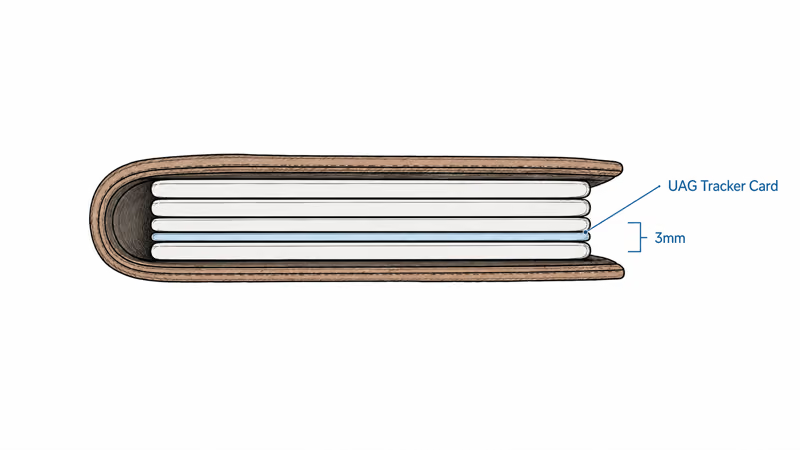
A rigid card tracker should not be treated like a flexible bank card. Keep it in a slot where it stays flat, and avoid using the product page’s dimensions as proof that every minimalist wallet will close without added pressure.
Battery and Wireless Charging
UAG states that the rechargeable 110 mAh battery lasts up to 5–6 months on a full charge and supports up to 300 charge cycles. Charging works on Qi or MagSafe-compatible pads, and the indicator light stays on during charging before turning off when the cycle completes.
The rating is useful for planning, not a promise of identical runtime. Ringing the card, connection conditions, firmware and the chosen finding network can change consumption. HotAirTag has not completed an independent full-discharge test, so the evidence label remains Verification pending.
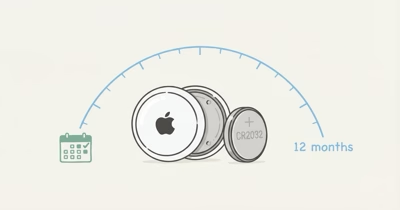
A rechargeable card removes the CR2032 replacement step, but it introduces a charging habit. If you prefer a replaceable battery and can accept a thicker wallet setup, our AirTag wallet guide covers holder-based alternatives.
Apple Find My and Android Find Hub Support
UAG describes the card as compatible with Apple Find My or Android Find Hub. The choice is exclusive: the card can’t stay paired to both ecosystems at the same time. Buy for the phone platform you actually use rather than treating dual compatibility as simultaneous cross-platform tracking.
On iPhone, setup follows Apple’s process for a supported third-party item in the Items tab. Apple’s third-party item setup guide explains registration and setup, plus why a previous owner must remove an item before reassignment.
The product page mentions proximity alerts, sound playback and Lost Mode. Those behaviors still depend on the selected network, a compatible account and current software. For other card-shaped options, compare the UAG with the models in our wallet tracker roundup.
Water Resistance and Durability Limits
The published rating is IPX4. That supports resistance to splashing water, but it’s not a submersion rating. Keep the card out of washing machines, pools and situations where a soaked wallet may stay underwater.
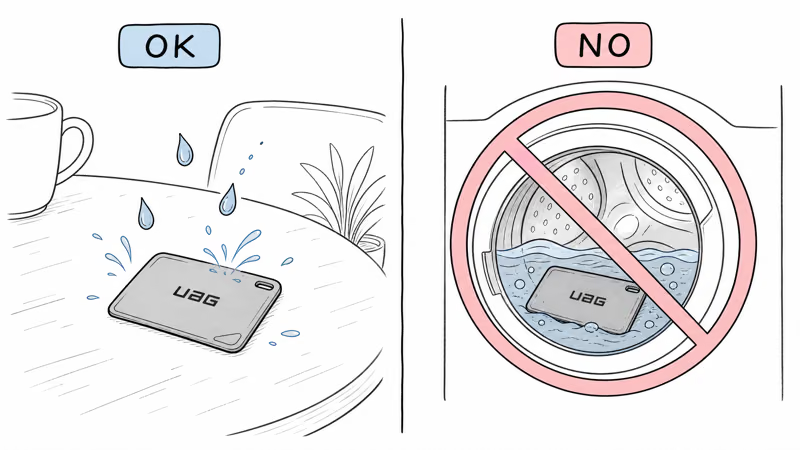
Apple lists the current AirTag at IP67 under controlled laboratory conditions on its official AirTag page. That gives the AirTag a stronger published ingress rating, although water resistance on any device can diminish with wear and damage.
The UAG card’s advantage is shape, not a claim of superior sealing. Choose a drier wallet position or another tracker if regular submersion is a realistic risk.
UAG Metropolis Tracker Card Versus AirTag
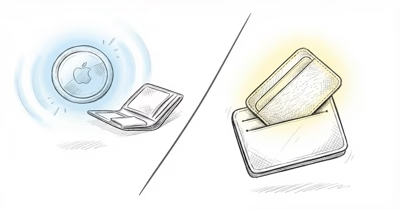
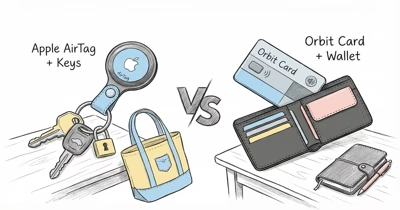
The UAG card wins on flat placement and wireless recharging. A round AirTag needs a wallet holder or a pocket designed around its shape, while the UAG unit occupies a card slot and charges without opening the shell.
AirTag wins on its published water rating and adds Apple’s close-range Precision Finding on supported iPhones. The UAG page advertises Bluetooth ranging and a ringer, but it does not list Ultra Wideband hardware or Precision Finding.
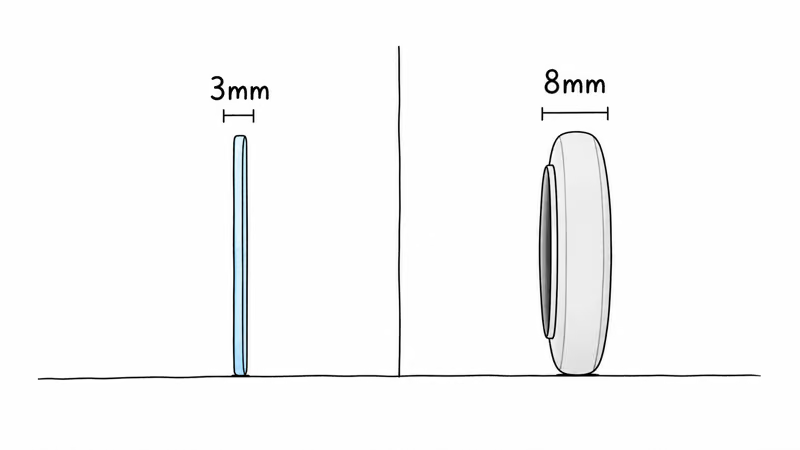
Neither form factor is universally better. Pick the card when wallet fit is the deciding constraint; pick AirTag when its battery, water rating and close-range finding better match your priorities.
Who Should Buy the UAG Metropolis Tracker Card?
Choose it if you want a rechargeable tracker that sits in a wallet slot and you use either Apple Find My or Android Find Hub. It’s especially relevant when a round tag and holder make the wallet too bulky.
Skip it if you need a tracker rated for submersion, simultaneous Apple and Android operation, or independently proven five-month runtime. The source audit supports the product’s format and published specifications, not a hands-on durability verdict.
For another rechargeable card design, see our Chipolo CARD review. Compare the exact network, charging method and water rating rather than choosing from shape alone.
Bottom Line
The UAG Metropolis Tracker Card is a credible format choice for a slim wallet: 3.0 mm thick, rechargeable over Qi or MagSafe, and compatible with Apple Find My or Android Find Hub. Its limitation is equally clear: IPX4 covers splashes, not submersion. Until independent runtime and fit testing is complete, treat the 5–6 month battery figure and ringer performance as manufacturer ratings.
FAQ
Does the UAG Metropolis Tracker Card work with Apple Find My?
Yes. UAG lists Apple Find My support, and the card can instead pair with Android Find Hub. It can’t remain paired to both finding networks at the same time.
How thick is the UAG tracker card?
UAG lists the full card at 85.8 x 53.6 x 3.0 mm. The 3.0 mm thickness is designed for a wallet slot, but it’s still thicker than a single payment card.
Does the UAG card use a replaceable battery?
No. It has a 110 mAh rechargeable battery and charges on compatible Qi or MagSafe pads. UAG rates it for up to 5-6 months per charge and up to 300 charge cycles.
Is the UAG Metropolis Tracker Card waterproof?
No. Its published IPX4 rating covers splashing water, not submersion. Keep it out of washing machines, pools and other situations where the wallet could stay underwater.
How does it compare with an AirTag in a wallet?
The UAG card fits a wallet slot and recharges wirelessly. AirTag is round and usually needs a holder, but it has a stronger published IP67 water rating and Precision Finding on supported iPhones.
Can I charge it with my iPhone MagSafe charger?
UAG says the card supports both Qi and MagSafe wireless charging. The indicator light stays on during charging and turns off when the charging cycle is complete.