The TKSTAR TK905 APN settings are the one fix most owners miss when the tracker replies to SMS with a correct location but the app keeps showing it offline. According to a reference overview of the Access Point Name, an APN is “the name of a gateway between a mobile network (GSM, GPRS, 3G, 4G and 5G) and another computer network.”
This split is normal when SMS still works but packet data has no valid route. The TK905 can answer WHERE# with a Google Maps pin while the app stays offline because the server path depends on the stored APN.
- SMS works but the app is offline because the TK905 sends text over a different bearer than the one that needs an APN to reach the server.
- The APN is a single SMS command sent to the tracker’s own SIM number, not a setting buried in the app.
- Each carrier uses a different APN string — Mint and most T-Mobile MVNOs use
fast.t-mobile.com, US Mobile usespwg, Tello useswholesale. - A SIM swap or carrier change wipes the stored APN, which is the most common trigger for a tracker that worked yesterday and is offline today.
- Reconnect is not instant after a correct APN command, and the
statusreply confirms whether the data link came back.
Why Does the TK905 Show Offline When SMS Still Works?
The TK905 talks to the world two ways, and they fail independently. A correct SMS reply confirms only that the SIM is active, registered to a tower, and has working text service. Wikipedia’s overview of GPRS states that the standard offered “theoretical data rates of 56–114 kbit/s” over packet-switched channels. That packet path, not SMS, is what the app status depends on.
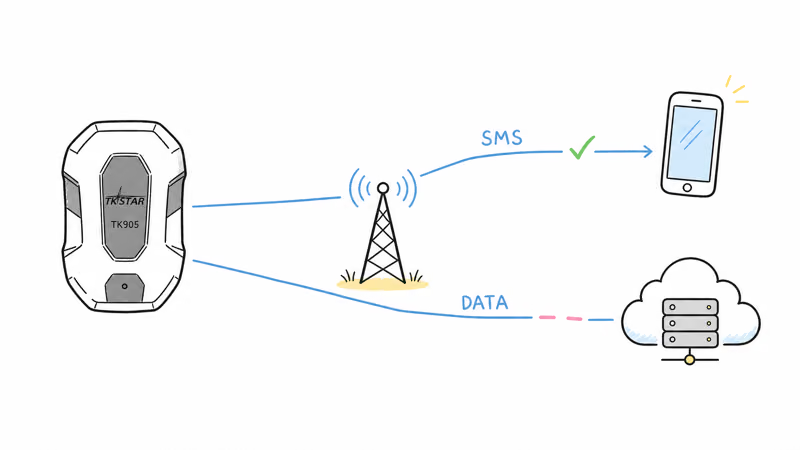
So the device can hold a strong signal, answer your texts, and still be invisible in the app. Your text to the TK905 travels over the network’s signaling channel. The server connection is a separate data session that needs a valid APN to route packets to the internet. A blank APN stops that session cold.
If the APN is missing, wrong, or stale, the data session never completes. The tracker has a position, a network, and text service. It just has nowhere to send the ping.
That is the offline state, and it explains a tracker that worked before and then suddenly dropped. The hardware didn’t break. The stored APN stopped matching the SIM after a swap. If you’re still choosing a carrier, our guide to the best SIM card for the TK905 compares four prepaid plans, and the bring-your-own-SIM design is also what keeps the TK905 on our list of GPS trackers with no monthly fee.
What Is an APN and Where Does the TK905 Store It?
An APN is a short text string your carrier publishes so devices know which gateway to use for mobile data. Your phone fills it in automatically because the SIM carries a carrier profile the phone reads. The TK905 has no such profile reader. It stores one APN value in its own firmware memory, and it only knows what value you texted it.
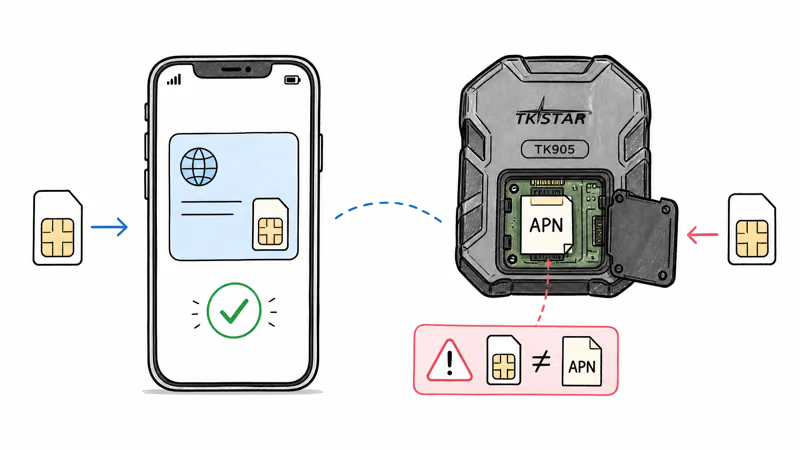
That stored string is fragile: factory resets, battery-drain quirks, SIM swaps, and carrier ports can all leave the tracker pointed at the wrong gateway.
The result is a mismatch the tracker can’t self-correct. T-Mobile’s device support documentation confirms that data settings are device-specific and sometimes need manual entry, which is precisely the situation a bare-bones tracker like the TK905 lands in.
A phone hides this from you because it reads the SIM’s carrier profile and fills the APN in silently. The TK905 has no such reader, so you are the carrier profile reader: you set the APN once by SMS during setup, you re-send it after a factory reset, and you re-send it again any time the SIM or the carrier changes underneath the device.
TKSTAR TK905 APN Settings by Carrier
Here are the published APN values for the US prepaid carriers most TK905 owners use, plus a few common international ones. Always confirm the current value on your carrier’s support page before you send the command, because carriers do revise APN strings.
| Carrier | Host network | APN value | Username / password |
|---|---|---|---|
| Mint Mobile | T-Mobile | fast.t-mobile.com | None needed |
| T-Mobile prepaid | T-Mobile | fast.t-mobile.com | None needed |
| US Mobile (Warp / GSM) | Verizon / T-Mobile | pwg | None needed |
| Tello | T-Mobile | wholesale | None needed |
| SpeedTalk Mobile | T-Mobile | wholesale | None needed |
| AT&T prepaid | AT&T | nxtgenphone | None needed |
| Vodafone (UK / EU) | Vodafone | internet | web / web |
| EE (UK) | EE | everywhere | eesecure / secure |
A few patterns are worth knowing. Most T-Mobile-based MVNOs share fast.t-mobile.com, so Mint, Tello, and SpeedTalk often work with similar strings even though Tello and SpeedTalk also accept the older wholesale value. US Mobile is the main outlier on US prepaid with pwg. Tom’s Guide’s best prepaid phone plans guide recommends Mint, US Mobile, and Tello among its top low-cost picks, which lines up with the carriers TK905 owners report using most.
International SIMs more often require an APN username and password, so don’t skip those fields on a Vodafone or EE SIM.
How to Set the APN on a TK905 by SMS
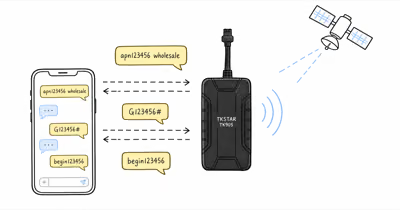
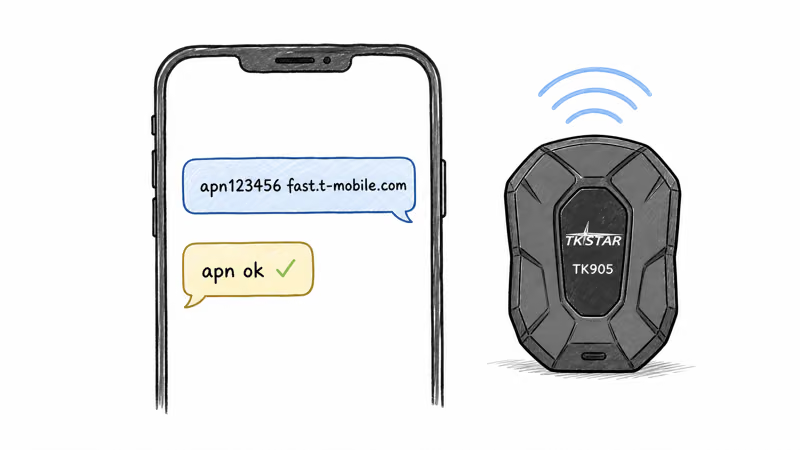
The APN is set with one text message sent from any phone to the TK905’s own SIM phone number. The TKSTAR firmware accepts the command in this form:
- Confirm the SIM is active. Put the SIM in a phone first, send and receive one test text, and note the SIM’s phone number. You’ll text the tracker at that number.
- Power the TK905 on outdoors and wait for the cellular search to finish. A green or steady LED means the network registered.
- Send the APN command. Text
apn123456 fast.t-mobile.comto the tracker, replacingfast.t-mobile.comwith your carrier’s value from the table above. The digits123456are the default device password. - Wait for the confirmation reply. A correctly formatted command returns a short text such as
apn ok. - If your carrier needs a username and password, send the GPRS account command next:
user123456 web web(replace with your carrier’s values). Most US prepaid SIMs skip this step.
On a Mint Mobile SIM, sending apn123456 fast.t-mobile.com gives the TK905 the APN value it needs to open a mobile data session and return to the TKSTAR portal without a restart. The command syntax varies slightly across TKSTAR firmware revisions, so if apn ok never arrives, check the TKSTAR TK905 product page for the exact command list shipped with your unit.
One mistake stands out: the wrong password. If you changed the default 123456 during setup, the APN command must carry your new password. Use the old one and the tracker silently ignores the whole command, with no error reply to tell you why.
How to Verify the TK905 Reconnected
Don’t assume the fix worked because the confirmation text arrived. The apn ok reply only means the tracker accepted the string, not that the data session reached the server.
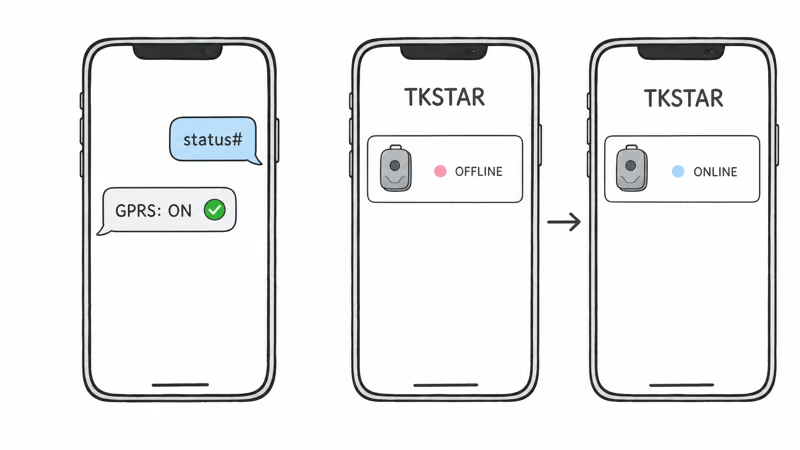
Verify in two places. First, open the TKSTAR app or web portal and watch the device status flip from offline to online. That can take several upload cycles after a correct APN command, once the tracker pushes its first data packet.
Second, text status# to the tracker. The reply reports GSM signal strength and GPRS state, and a line showing GPRS: ON (wording varies by firmware) confirms the data session is live.
What if the portal still shows offline but status# reports GPRS as on? Give it one more ping cycle. The server can lag the device by a full upload interval. If status# instead reports GPRS off, the APN value is wrong for that SIM, so re-send it with the carrier value double-checked.
APN Set Correctly but Still Offline? Next Steps
If you have confirmed the right APN value and the tracker still won’t connect, work through these in order.
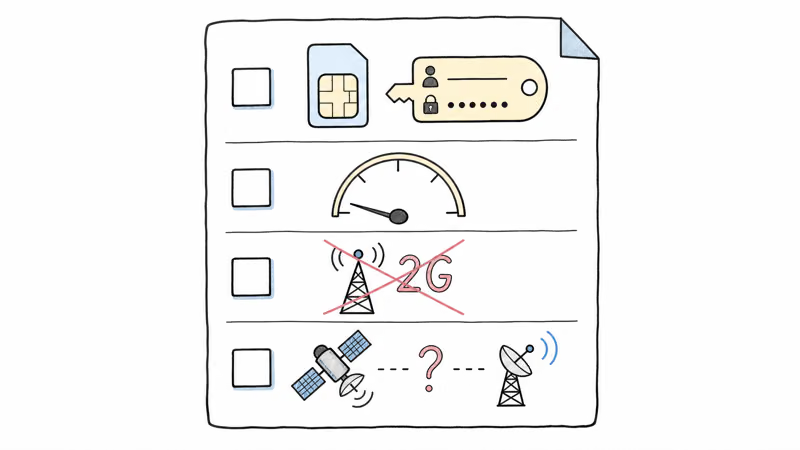
Check the APN username and password. Some carriers, especially international SIMs, reject a data session without them. Send the GPRS account command with the carrier’s values.
Confirm the SIM actually has a data allowance. A text-only plan, an exhausted prepaid balance, or a SIM with mobile data disabled in the carrier portal will all pass the SMS test and fail the data session. The TK905 needs roughly 50 MB of monthly data.
Rule out a 2G-only device on a dead network. Older TK905 units shipped as 2G-only hardware. US carriers have shut down 2G and 3G, so a 2G-only TK905 will never hold a data session no matter how perfect the APN is. The 4G model is the only one worth running today.
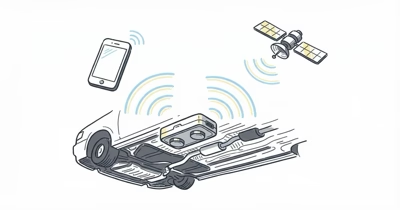
Separate this from a GPS problem. APN settings fix the connection to the server, not the position itself. If the app is online but the location is wrong or missing, that is a satellite-fix issue.
Our TK905 signal troubleshooting guide covers window placement and the indoor GPS-lock delays that have nothing to do with the cellular data path described here.
Still stuck? The SIM may be IoT-blocked by the carrier, or the firmware may need a server-address reset. A swap to a known-good T-Mobile MVNO SIM is the fastest way to isolate the cause, and our TKSTAR TK905 review documents the third-party platform options worth using if the official server keeps misbehaving.
TKSTAR TK905 4G GPS Tracker
 Top Pick
Bottom Line
If your TKSTAR TK905 answers SMS with a correct location but shows offline in the app, the data APN is almost always the cause. Text apn123456 followed by your carrier’s APN value to the tracker’s SIM number, then confirm with status# that GPRS came on.
For most readers on a T-Mobile-based prepaid SIM, fast.t-mobile.com is the value that gets the TK905 back online. Reset the APN any time you swap SIMs. That swap is what breaks it most often.
FAQ
Why does my TK905 reply with GPS coordinates by SMS but show offline in the app?
SMS and mobile data travel separate paths on a cellular network. A correct SMS reply only proves the SIM is active and registered to a tower. The app status depends on a data session that needs a valid APN to reach the TKSTAR server. If the APN is blank or wrong, the tracker has a location but no way to upload it.
What APN do I use for the TK905 on Mint Mobile?
Mint Mobile runs on T-Mobile's network, so the TK905 uses fast.t-mobile.com. Send apn123456 fast.t-mobile.com by SMS to the tracker's SIM number. No APN username or password is needed for Mint, and the tracker should reconnect after it accepts the new APN and pushes fresh data.
What is the SMS command to change the APN on a TK905?
Text apn123456 [your APN value] to the TK905's own SIM phone number from any phone. The 123456 is the default device password, so use your custom password instead if you changed it. A correctly formatted command returns a short confirmation reply such as apn ok.
How long does the TK905 take to reconnect after I set the APN?
Plan for a short delay. The confirmation text only proves the tracker accepted the command; the app or web portal flips to online once the tracker pushes its first data packet through the new APN. If it still shows offline after a few upload cycles, text status# to check whether GPRS is on.
Does removing or swapping the SIM card erase the TK905 APN?
The stored APN value stays in firmware, but it stops matching once you insert a SIM from a different carrier. That mismatch is the most common reason a tracker that worked yesterday is offline today. Re-send the apn command with the new carrier's value every time you swap SIMs.
Do I need an APN username and password for the TK905?
Most US prepaid carriers, including Mint, T-Mobile, US Mobile, and Tello, need only the APN name. Some international SIMs such as Vodafone or EE also require a username and password. If a correct APN value still fails, send the GPRS account command with your carrier's username and password.
The APN is set but the tracker is still offline, what now?
Confirm the SIM has an active data allowance, not a text-only plan or an exhausted balance. Check that mobile data is enabled in the carrier portal. Rule out a 2G-only TK905 on a network that has shut down 2G. If the app is online but the location is wrong, that is a GPS-fix problem, not an APN problem.
Will the TK905 work on a 2G-only prepaid plan?
Only an older 2G-only TK905 would even try, and US carriers have decommissioned their 2G networks. A 2G-only unit will never hold a data session regardless of the APN. Buy and run the 4G LTE version of the TK905, which is the model sold today.