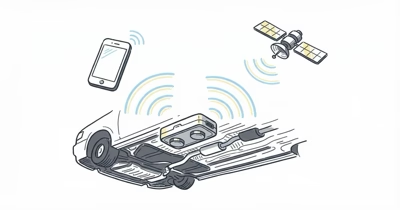
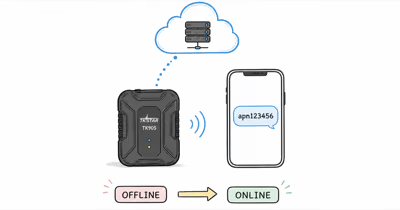
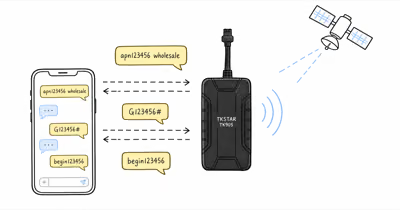
You powered on the TKSTAR TK905. The LED is solid green (cellular OK) but the TKSTAR app still shows “No GPS fix.” According to a reference overview of Assisted GPS, A-GPS speeds up positioning by downloading satellite almanac and ephemeris data over a cellular or WiFi connection instead of waiting for the slow broadcast from satellites. That download barely happens indoors, which is why the TK905 can stall at “No GPS fix” on a cold start.
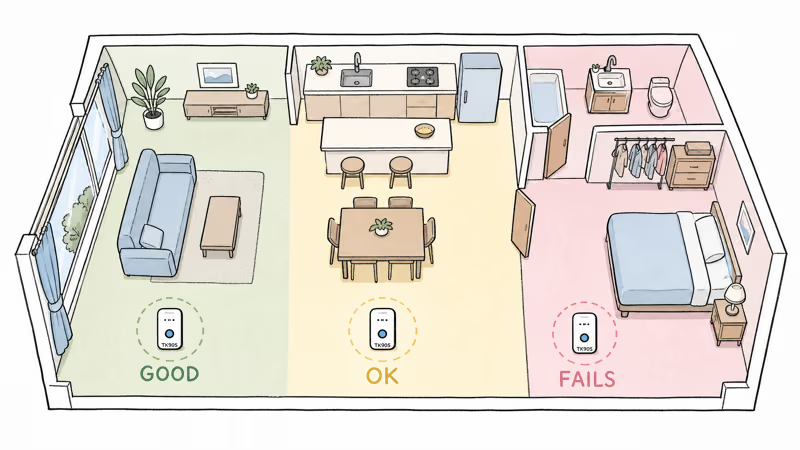
Cold-start behavior depends almost entirely on how much open sky the device can see. Outdoors with a clear view, a TK905 has a much easier job; the harder the sky view, the longer it stalls.
Window-adjacent placement usually improves the odds. Deep indoor placements like basements and parking garages may never get a usable fix. Below are the fixes that work.
- Cold-start indoors fails because GPS needs sky view. The TK905's A-GPS download is supposed to help but only works in 4G coverage areas.
- Window placement improves cold-start odds. Any window facing outdoor helps; the angle matters less than the line-of-sight to sky.
- Step outdoors briefly to seed the almanac. Once GPS locks once, the TK905 has a much easier time reacquiring later.
- Check 4G signal first. Without LTE, A-GPS download fails, and the tracker falls back to slower pure GPS searching.
- Avoid metal-roof buildings entirely. Steel-frame warehouses, parking garages, and metal-sided buildings act as Faraday cages.
Why Does the TK905 Have No Signal Indoors?
GPS signals are weak. According to the FCC’s overview of GPS, each satellite broadcasts 50 watts from 12,500 miles up — about as strong as a TV remote at 2 feet by the time it reaches you. Building materials, especially metal and concrete, absorb most of what makes it through, which is why indoor placement struggles for cold-start acquisition.
TKSTAR rates the TK905 at -162 dBm tracking, -147 dBm cold-start. Good outdoors, marginal indoors near walls. A-GPS (Assisted GPS) was supposed to fix this by pre-loading the almanac via cellular data; PCMag’s GPS fundamentals guide explains the protocol.
The TK905’s A-GPS implementation is the weakness. The device downloads almanac data on demand when GPS searching, but if the LTE signal is also weak indoors, the download fails. The result is the worst case: no GPS, no A-GPS, and a TK905 sitting at “No fix” forever.
4 Fixes for TK905 Indoor Signal Loss
Ordered by speed-to-fix. Start with the placement changes before assuming the hardware failed.
Fix 1: Place near a window with sky view. Any window facing outdoor improves the cold-start conditions. Skylights work best. East- or south-facing windows in the northern hemisphere often see more satellites.
Fix 2: Take the TK905 outdoors briefly. Open sky lets the tracker seed satellite data before you move it back toward the vehicle.
Fix 3: Verify LTE signal before trusting A-GPS. Send the SMS command STATUS# to the TK905. The reply includes cellular signal strength.
If signal is weak, A-GPS won’t download reliably; move toward a window or outdoor location for both GPS and LTE. Our TK905 text command reference lists every status and configuration command you can send by SMS.
If the carrier itself is suspect, validate the TK905 SIM plan.
Fix 4: Wait it out. Pure GPS cold-start without A-GPS can be slow indoors near a window. The TK905 will keep searching until it acquires enough satellites. Patience is free.
Cold Start vs Warm Start Explained
The TK905 has three GPS acquisition modes. Understanding them helps you predict signal behavior.
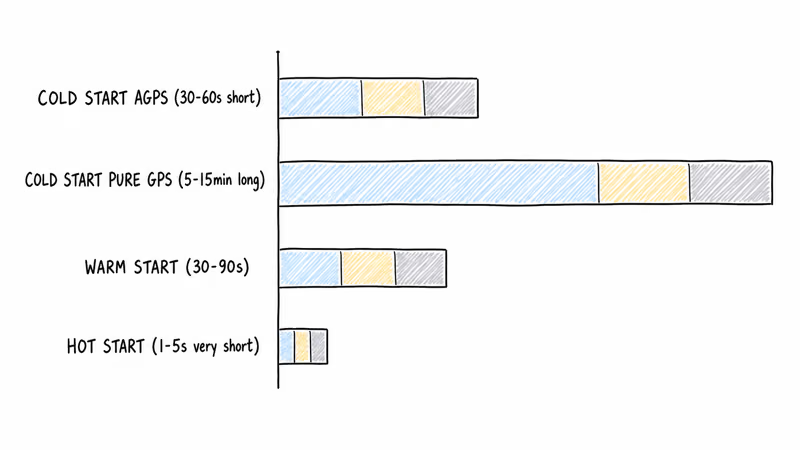
Cold start: TK905 has no useful satellite almanac. It must download new almanac data from satellites or via A-GPS over cellular. This is the slowest acquisition mode and commonly follows long power-off gaps or a factory reset.
Warm start: TK905 has recent almanac data but lost its last fix. It reacquires faster in open sky than a true cold start.
Hot start: Brief tracking signal loss while the tracker still has fresh satellite context. This is the fastest recovery mode.
The slow scenarios are all cold starts. Avoid them by keeping the TK905 powered on continuously, or by seeding fresh satellite data before moving the tracker back into a weak-sky location.
Which Indoor Environments Block TK905 Signal?
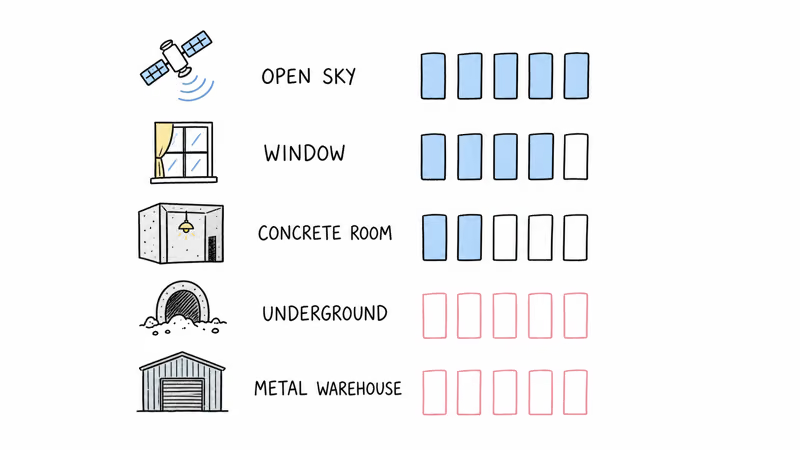
Five environment types completely block GPS. Recognize these before troubleshooting.
| Environment | GPS Signal | Reason |
|---|---|---|
| Open sky outdoor | Excellent | Direct line-of-sight to satellites |
| Window-adjacent indoor | Good | Reflected signals + line-of-sight |
| Concrete-walled room | Poor | Concrete absorbs 50-70% of signal |
| Underground parking garage | None | Earth blocks all signal |
| Metal-roofed warehouse | None | Metal acts as Faraday cage |
For underground or metal-roofed locations, no troubleshooting helps. The TK905 can’t get GPS there. The device will report the last known location until it moves back into signal range, then catch up with delayed pings.
A-GPS vs Pure GPS Acquisition Timing
A-GPS shortcuts the cold-start process by downloading the satellite almanac via cellular data instead of receiving it from satellites directly. The TK905 supports A-GPS but only if LTE is reachable when it boots.
In 4G coverage, A-GPS shortens the cold-start process by pulling satellite assistance data over the cellular link. Out of 4G coverage, A-GPS fails silently and the TK905 falls back to pure GPS searching. The TKSTAR app gives no obvious signal that this fallback happened; you just see the longer cold-start behavior.
Hardware Fault vs Environment Issue
Three signs tell you it’s the hardware, not the environment.
No GPS lock even outdoors in open sky after a long wait. If a clean open-sky attempt fails after the tracker has cellular service and a healthy battery, the GPS antenna or chip may have failed.
LTE signal works but GPS doesn’t, in identical placements. If the TKSTAR app shows continuous LTE updates but GPS fixes never arrive, the two radios are diverging. Cellular working confirms placement isn’t the problem; GPS failing means antenna damage.
Recent physical damage to the TK905. Drops, water past IP65, or magnetic slips can crack the GPS antenna trace.
If any of these apply, the TK905 needs replacement. TKSTAR confirms that the 1-year warranty covers GPS hardware failures; past warranty, the $35-50 replacement is cheaper than diagnostic repair. At that point, more APN edits or placement changes just burn time because the failure has moved from signal path to hardware.
TKSTAR TK905 4G GPS Tracker

Bottom Line
TKSTAR TK905 no-signal-indoors is almost always an environment problem, not a hardware fault. Move toward a window with sky view, or step outside briefly to seed the satellite almanac before returning to the install location.
Underground or metal-roofed environments are unfixable. The TK905 can’t work there regardless of settings. Plan TK905 placement for vehicles that spend time outdoors; expect signal gaps for vehicles parked deep in covered parking.
FAQ
Why does my TKSTAR TK905 show "No GPS fix" when it's brand new?
The TK905 ships without useful local satellite context. The first cold start indoors can be slow or fail outright. Power on the device near a window or outdoors before installing it. Once it has its first fix, subsequent acquisitions are usually faster.
How long should GPS lock take outdoors?
Open sky with 4G coverage is the fastest case because the cellular connection can download A-GPS data to seed the satellite search. Without 4G, cold start relies on satellite data alone and can take longer.
Will the TK905 work in a parking garage?
No, not while underground. The TK905 will report the last fix it had before entering and resume normal tracking when the vehicle returns to surface level. Brief garage entries don't cause data loss; multi-hour parking does.
Does it help to point the TK905 antenna up?
Slightly. The internal GPS antenna is omnidirectional but still benefits from a cleaner sky-facing orientation. Mounting the TK905 with the label-side up can help, but placement and building materials matter more.
What's the difference between GPS fix and cellular fix on TK905?
GPS fix uses satellite triangulation for the TK905's manufacturer-listed 10m accuracy. Cellular fix uses tower-based positioning and is much less precise. The TK905 falls back to cellular fix when GPS is unavailable, and the app's precision indicator helps separate the two modes.
Does cold weather affect GPS signal acquisition?
Indirectly. Cold weather can reduce battery output and make weak-signal acquisition harder. Warm the device to room temperature before installation in winter for a better initial lock.
Can I use the TK905 in airplane luggage?
The cellular radio shuts off during flight (aviation rules), so the TK905 reports no signal during the flight. It resumes normal tracking when the plane lands. GPS itself works on planes (no cellular needed), but most TK905 owners turn the device off entirely during flights to preserve battery for arrival.
Why does the signal work outdoors but fail at home in the garage?
Most home garages have either concrete walls or aluminum doors, both of which block GPS. The TK905 needs sky view. If your garage has windows or a glass section, place the TK905 near them. If not, accept that the TK905 won't report location until the vehicle drives outdoors.