Fitbit Ace LTE and Apple Watch SE 3 aren’t age brackets or safety grades. They’re current family systems with different caregiver devices, accounts, contacts, apps, service paths, and emergency behavior.
This comparison reconciles current documentation. It isn’t hands-on evidence, a child-safety guarantee, legal advice, or a recommendation to buy.
Use either watch openly, involve the child at an age-appropriate level, and follow school and care-setting rules.
- The current Apple model is Apple Watch SE 3. The old article’s generic SE claims and fixed price no longer define the current family setup.
- Apple Watch For Your Kids is controlled, not simply open. It supports Ask to Buy, Screen Time, communication limits, Schooltime, and app controls while retaining a broader ecosystem.
- Emergency paths differ. Ace LTE tries parents and one designated contact; Apple Watch tries to call local public emergency services, subject to model, location, connection, carrier, region, and settings.
- Fall Detection isn’t a general child feature. Apple says Fall Detection on an Apple Watch set up with Apple Watch For Your Kids is available to users 18 and older.
- Location and response remain conditional. Neither watch proves a child’s route or replaces confirmation, an official missing-child process, dispatch, or arrival.
⇄ Head-to-head
Fitbit Ace LTE vs Apple Watch SE 3
GOOGLE FITBIT
Fitbit Ace LTE
APPLE
Apple Watch SE 3 GPS + Cellular
- +Parents plus up to 20 app-based trusted contacts are documented
- +Movement games, activity tracking, School time, and GPS location are integrated
- +Compatible caregiver phones can run current Android or iOS under stated requirements
- +Call for help tries parents before one designated non-parent contact
- +Apple Watch For Your Kids supports calls, messages, location, Schooltime, and managed apps
- +Ask to Buy, Screen Time, communication limits, and content controls are documented
- +Emergency SOS can try to call local public emergency services under stated conditions
- +SE 3 documents Crash Detection, 50m water resistance, and current Apple ecosystem support
- −Ace Pass, supervised Google accounts, compatible phones, and app participation are required
- −Trusted contacts must use the Fitbit Ace app
- −School time prevents incoming calls until the schedule is changed
- −Call for help doesn't call public emergency services
- −Initial family setup requires a compatible organizer or parent iPhone and separate Apple Accounts
- −The GPS + Cellular model, supported region, carrier, account, and service determine independent use
- −Some Apple Watch features aren't available in the family setup; Fall Detection is 18-plus there
- −Emergency calls, contact notifications, location, and apps remain conditional
- ·Consider when movement games and the compact Google family system match the agreed job
- ·Confirm accounts, contacts, School time, location, help-call order, coverage, charging, and privacy
- ·Keep a separate communication and emergency fallback
- ·Consider when the iPhone-managed Apple family system matches the agreed job
- ·Confirm organizer, accounts, carrier, controls, Schooltime, location, Emergency SOS, charging, and privacy
- ·Keep a separate communication and emergency fallback
Define the Family Job Before Comparing Features
Write the smallest agreed task.
List the child, organizer or caregiver, other contacts, school permission, normal communication, location viewers, intended help path, service, charging owner, privacy limits, fallback, and stop conditions. A longer app list doesn’t replace a clear job.
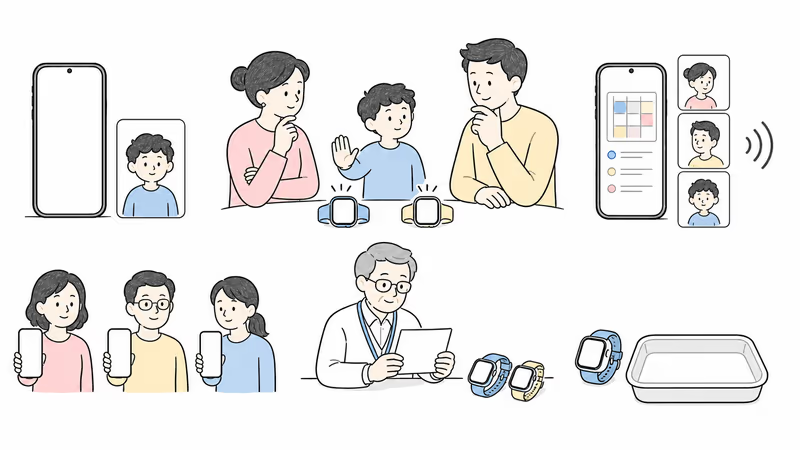
According to Google’s Ace LTE communication guide, parents and up to 20 trusted contacts use the Fitbit Ace app. Apple’s Apple Watch For Your Kids setup guide requires a family organizer or parent role, separate Apple Accounts, Family Sharing, and a compatible iPhone for initial setup.
Use the family location and communication guide to separate ordinary coordination from emergency response.
Which Current Models and Setups Are Being Compared?
The old article compared Ace LTE with an unspecified Apple Watch SE and treated launch details as permanent.
Google’s current Ace LTE specifications document built-in 4G LTE with Ace Pass, up to 20 contacts, GPS location, activity tracking, Fitbit Arcade, School time, an OLED display, 16-plus-hour maximum battery guidance, fast charging, and 5ATM resistance under stated conditions.
Apple’s current SE 3 specifications document GPS and GPS + Cellular configurations, Emergency SOS, international emergency calling, Crash Detection, Fall Detection, 50m water resistance, and current connectivity. Apple Watch For Your Kids requires the cellular-capable model even though a cellular plan isn’t required for initial setup; some functions still require supported service.
Save the exact model, size, software, account roles, region, carrier, plan, charger, band, warranty, return terms, and promised features.
Caregiver Phones, Accounts, and Service
The child doesn’t need a personal iPhone for either setup, but caregiver requirements differ.
Ace LTE setup requires a compatible Android or iOS caregiver phone, the Fitbit Ace app, a Google family structure, a supervised child account, Wi-Fi, and Ace Pass. Calling, messaging, location, and games depend on the active plan and current connectivity.
Apple Watch For Your Kids requires a compatible organizer or parent iPhone for setup, separate Apple Accounts with two-factor authentication, Family Sharing, and an eligible role. Independent cellular use requires a supported GPS + Cellular watch, region, carrier, plan, account, and coverage. Apple’s current carrier list states that availability and supported cities vary.
Test the actual caregiver phones, account recovery, carrier eligibility, home, school, care, transit, and activity locations before relying on either system.
How Do Contacts, Apps, and Activity Differ?
Ace LTE is narrower; Apple Watch SE 3 is more configurable. Neither label decides fit.
According to Google, Ace LTE supports parents and up to 20 trusted contacts through the Fitbit Ace app. Its built-in Fitbit Arcade, movement goals, and Bit Valley shape the activity experience without a third-party app store. The Ace LTE vs Gabb Watch 3e guide shows how that compact contact model differs from another current managed watch.
Apple Watch For Your Kids supports managed calls, messages, contacts, location, activity, and apps. Ask to Buy can require approval for downloads or purchases, while Screen Time can limit contacts, communication apps, content, purchases, location information, and time. Some Apple Watch apps and health features aren’t available in family setup.
Test every intended contact, a blocked contact, app request, purchase request, communication limit, account recovery, and offboarding. Grant the minimum access that completes the family job.
What Do School Time and Schooltime Actually Change?
Neither marketing name overrides school policy.
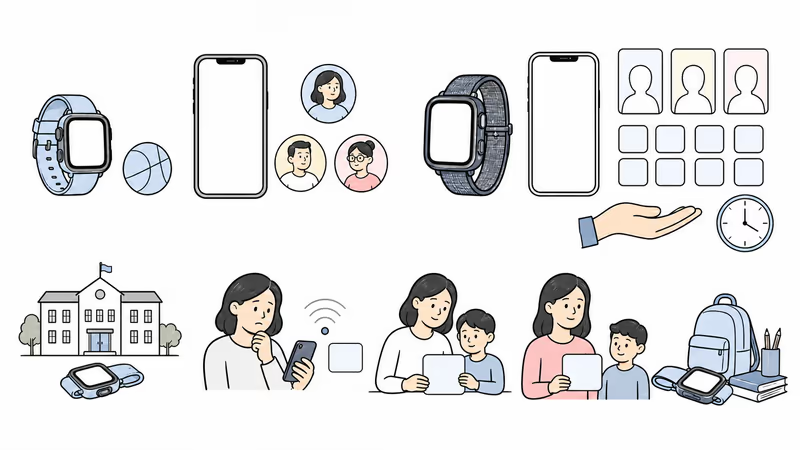
Google’s Ace School time guide says the mode restricts games and Bit Valley, silences notifications, and prevents incoming calls. The child can still initiate calls and messages.
Apple Schooltime limits features and shows a distinctive watch face during scheduled hours. Screen Time can add communication, app, content, purchase, and location controls. Confirm which calls, messages, apps, emergency controls, location behavior, and exceptions remain available on the exact current setup.
Ask the school what may be worn, used, silenced, stored, photographed, recorded, purchased, or location-shared. Test the schedule and remaining functions before relying on either mode.
Treat Every Location Point as Conditional
A watch location is a device observation, not proof of the child’s route, attendance, intent, or safety.
Google’s location guide says Ace LTE location can fail when the watch is off, has low GPS signal, lacks internet, or has been off wrist long enough to sleep. The app shows an updated time and can display a low-accuracy area.
Apple family location depends on Location Services, Find My settings, account state, permissions, wear, power, connection, carrier, software, region, and the displayed time. A broader ecosystem doesn’t make every point current or precise.
Confirm with the child or another responsible person. For immediate danger, contact local responders and follow the applicable official process.
The Emergency Paths Are Fundamentally Different
Ace LTE contacts selected people; Apple Watch can attempt local public emergency services.
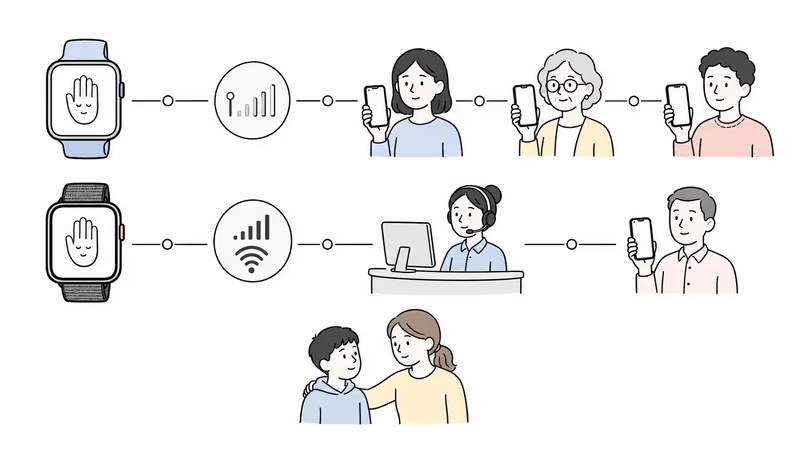
Google’s Call for help guide says Ace LTE starts a five-second cancelable timer, then tries the family manager, other listed parent, and one designated non-parent emergency contact in sequence. It notifies parents and doesn’t call public emergency services.
Apple’s Emergency SOS guide says the watch attempts local emergency services through cellular or Wi-Fi calling under current model, location, network, region, and service conditions. After a call, it can notify emergency contacts and share location under stated messaging and settings conditions.
Don’t substitute Fall Detection for a child plan. Apple says that feature is available only to users 18 and older when the watch is set up through Apple Watch For Your Kids; even when available, Apple warns it can’t detect every fall. That age boundary removes Fall Detection from the ordinary comparison for younger children, while a public emergency call still needs a working control, connection, service path, and responder handoff.
Teach the intended controls and accidental-call response without staging an emergency. Keep a no-watch path to a nearby responsible adult and the official process.
Test Fit, Charging, Coverage, and Water Guidance
A watch that is uncomfortable, offline, or uncharged can’t complete a communication job.
Google calls Ace LTE’s 16-plus-hour figure a maximum that varies with features, usage, environment, battery age, and other factors. Its fast-charge figures require stated cable and power conditions. Apple battery and charging behavior also vary by configuration, use, network, settings, condition, and adapter. Record actual routine results in the current Ace LTE review checklist rather than treating a published maximum as a household guarantee.
Test both at actual permitted locations. Check band fit, safe removal, controls, display, speaker, microphone, sensory load, charger, daily routine, low-power behavior, and the no-watch fallback.
Both publish 50m water-resistance guidance under stated conditions, not a permanent waterproof promise. Follow each current care guide and inspect the watch after wear, damage, repair, or liquid exposure.
Review Child Data and Access Together
A managed watch still handles sensitive family data.
Review Google and Apple accounts, organizer and caregiver roles, contacts, voice messages, location access, activity, games, apps, purchases, Screen Time, health data, photos, payments, backups, analytics, recovery, and deletion. Confirm who can see what after a caregiver changes phones or leaves the family role.
The FTC’s kids and cell phones guidance recommends reviewing location sharing, media and camera access, limited contacts, privacy settings, and parental controls. Apply the minimum-access principle to every caregiver, app, backup, account, carrier, and school context.
If the agreed job doesn’t require a feature or viewer, leave it off.
Verify the Full Current Setup and Terms
The fixed prices and three-year totals in the old article are removed.
For Ace LTE, get a dated quote for the exact watch, Ace Pass option, taxes, shipping, bands, protection, replacement, warranty, return, cancellation, renewal, promotion end, compatible caregiver phone, Google account, and app requirements.
For Apple Watch SE 3, get the same details for the exact size and GPS + Cellular configuration, supported carrier and plan, activation, eligible organizer account, accessories, warranty, return, cancellation, and promotion end.
Don’t let a temporary device promotion hide recurring service, compatible-phone, account, or app obligations. Compare renewal dates, cancellation steps, replacement conditions, carrier eligibility, and the cost of maintaining the required caregiver phone and family accounts. Keep the quote only after setup, contacts, school, emergency, coverage, charging, privacy, and fallback checks pass.
Run a Reversible Family Trial
Use the same acceptance checklist for both platforms.
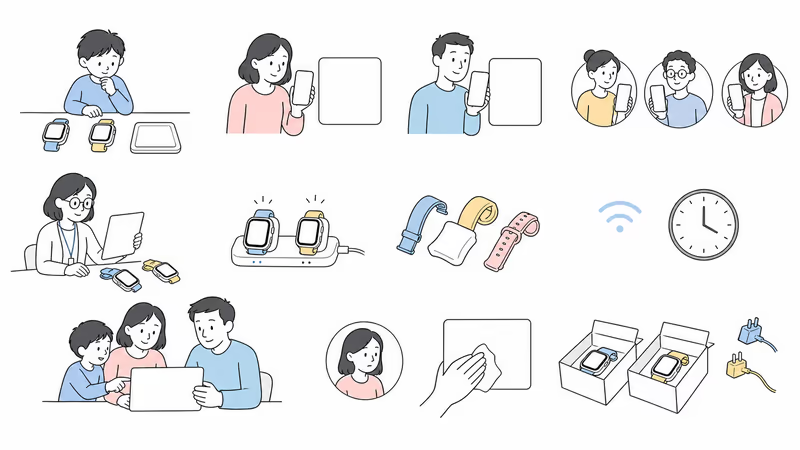
Record the model, software, caregiver phone, service, account owner, administrators, contacts, apps, school controls, location expectations, emergency recipient or service path, coverage, charging owner, privacy permissions, fallback, review date, and stop conditions.
Test normal communication, one location request, weak signal, charging, school controls, app or purchase controls where applicable, lost-watch handling, and account recovery. Don’t simulate a public emergency call.
Ask the child what helped, what distracted, what felt intrusive, and what failed. Repeat that conversation after school days, travel, weak-signal use, app requests, and routine charging rather than treating one successful setup session as proof. If the setup should stop, remove viewers, export or delete data where supported, erase or return the watch, cancel service where applicable, and confirm billing.
Bottom Line
Fitbit Ace LTE is narrower and routes help through selected people. Apple Watch SE 3 is more configurable and can try to call local public emergency services under current conditions. Neither is safer by default.
Choose only after the exact current setup completes the agreed family job and passes child participation, caregiver-phone and account requirements, contacts, apps, school policy, location limits, emergency-path understanding, coverage, fit, charging, privacy, total-cost, fallback, and offboarding checks.
For another current Apple family-system comparison, see Gabb Watch 3e vs Apple Watch SE 3.
FAQ
Is Fitbit Ace LTE or Apple Watch SE 3 safer for a child?
Neither is safer by default or by age. Ace LTE is narrower and routes help through selected people; Apple Watch SE 3 is more configurable and can attempt local public emergency services. Compare child participation, setup, contacts, school rules, location limits, service, charging, privacy, fallback, and trial results.
Does Apple Watch SE 3 need an iPhone for a child?
The child doesn’t need a personal iPhone, but Apple Watch For Your Kids requires a compatible organizer or parent iPhone for initial setup, separate Apple Accounts, Family Sharing, and an eligible organizer or parent role. Independent cellular use also depends on a supported watch, region, carrier, plan, account, and coverage.
Can Fitbit Ace LTE call public emergency services?
No. Google’s current Call for help guide says the watch tries the family manager, other listed parent, and then one designated non-parent contact. It notifies parents but doesn’t call public emergency services. Confirm the call order, connection, cancellation behavior, and separate official emergency plan.
Can Apple Watch SE 3 call public emergency services?
It can attempt to call local public emergency services through cellular or Wi-Fi calling under current model, location, network, region, settings, and service conditions. A completed connection, responder contact, location transfer, emergency-contact notification, dispatch, and arrival are separate conditional stages.
Does Fall Detection work for children using Apple Watch For Your Kids?
Apple says Fall Detection is available to users 18 and older when an Apple Watch is set up through Apple Watch For Your Kids. It therefore shouldn’t be presented as a general child feature. Even when available, Apple says the watch can’t detect every fall.
Can Apple Watch apps and contacts be managed for a child?
Yes. Apple documents Ask to Buy, Screen Time, communication limits, content and purchase controls, Schooltime, and managed family settings. Some apps and health features aren’t available in Apple Watch For Your Kids. Test the exact software and grant only the access the family job requires.
Which watch gives more accurate child location?
The current official materials don’t establish a universal accuracy winner. Both depend on wear, power, signal, internet or cellular service, settings, software, app and account state, indoor conditions, refresh behavior, and timestamp. A watch point isn’t continuous route proof or an emergency plan.