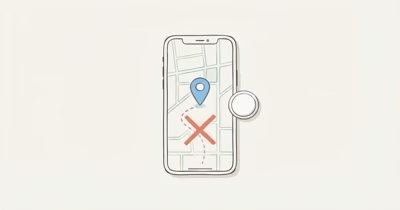
AirTags don’t have a documented microphone. Apple’s original AirTag specifications list radios, a speaker, a battery, and an accelerometer instead. Location tracking remains the separate privacy issue.
- Both AirTag generations omit a microphone from their official specifications. Apple lists one speaker and one accelerometer instead.
- The speaker only plays sound. AirTag 2 is rated 50 percent louder, but Apple publishes no decibel figure.
- Find My can still relay location. Nearby network devices detect the tag’s Bluetooth signal and report an approximate position.
- Safety alerts depend on conditions, not a fixed timer. Apple describes movement over time and separation for a period of time.
- Android 6.0 and later can detect compatible unknown trackers. If you feel unsafe, move to a public place and contact law enforcement.
What Does Apple Actually List Inside an AirTag?
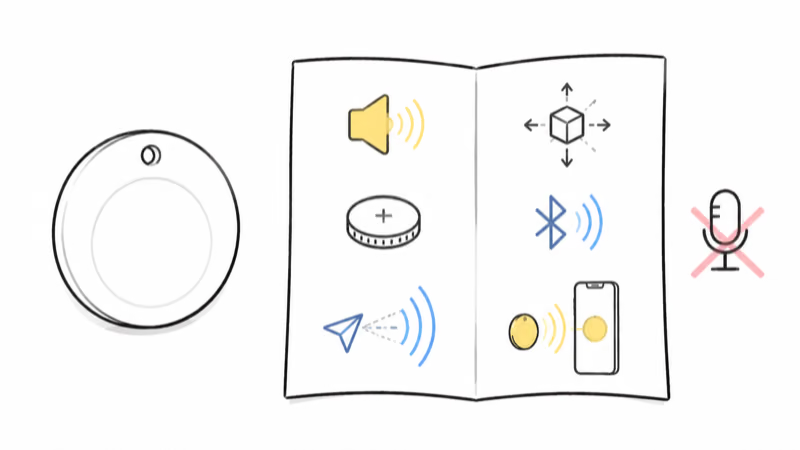
Apple publishes separate specification sheets. The first lists Bluetooth, U1 Ultra Wideband, NFC, a speaker, a CR2032 battery, and an accelerometer. The second-generation specifications name a newer Ultra Wideband chip, plus one speaker and one accelerometer.
Neither sheet lists a microphone, so the conclusion stays limited to Apple’s documented parts and Find My controls.
The Speaker Plays Sound Instead of Recording It
Apple states that “A built-in speaker plays sounds to help locate AirTag” in its 2021 AirTag announcement. Its current guide likewise treats audio as playback, not recording.
Apple announced that AirTag 2 is 50 percent louder in its 2026 model announcement. It publishes no decibel rating, and the comparison doesn’t turn the speaker into an input device.
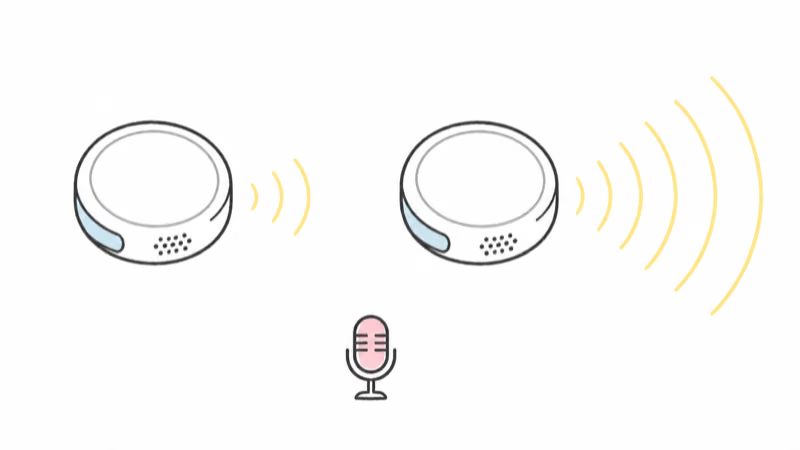
A separated tag can emit a warning sound when moved. That is still playback; Apple documents no conversation-listening function.
What Can an AirTag Sense?
An AirTag doesn’t hear a room, but its documented radios and motion sensor still support finding and safety functions.
- Bluetooth. The specs list Bluetooth for proximity finding, and Apple’s product page says nearby Find My devices can detect the tag’s secure Bluetooth signal and relay its location.
- Ultra Wideband. A supported iPhone can use Precision Finding for nearby distance and direction. That path can also help someone locate an unknown AirTag after an unwanted-tracking alert.
- NFC. An NFC phone can open the found-item page with the tag’s serial number and the last four digits of the registered phone number. Lost Mode may also expose owner-supplied contact information.
- Accelerometer. Both spec sheets name it. Motion can activate a documented safety sound; Apple publishes no speech-capture path.
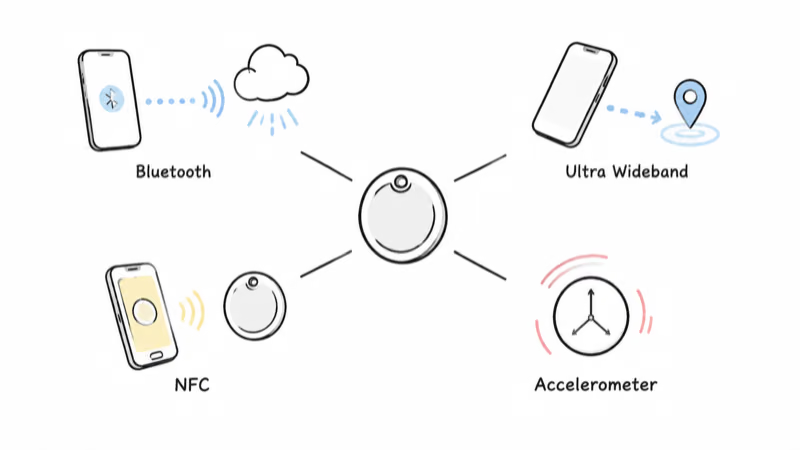
No live audio path is documented.
What an AirTag Can’t Do
Apple publishes no AirTag feature for recording conversations, streaming sound, or acting as a remote microphone. The official hardware list names no microphone, and Find My exposes no listen-in, live-audio, or room-recording control.
Apple says no location history is stored on the disc; nearby devices relay positions instead. The specifications list no camera.
The Real Risk Is Location Tracking, Not Eavesdropping
No listed microphone doesn’t mean no misuse. A planted AirTag can show where a bag, keys, vehicle, or person carrying those items has been detected. Location tracking doesn’t need a conversation to expose a movement pattern.
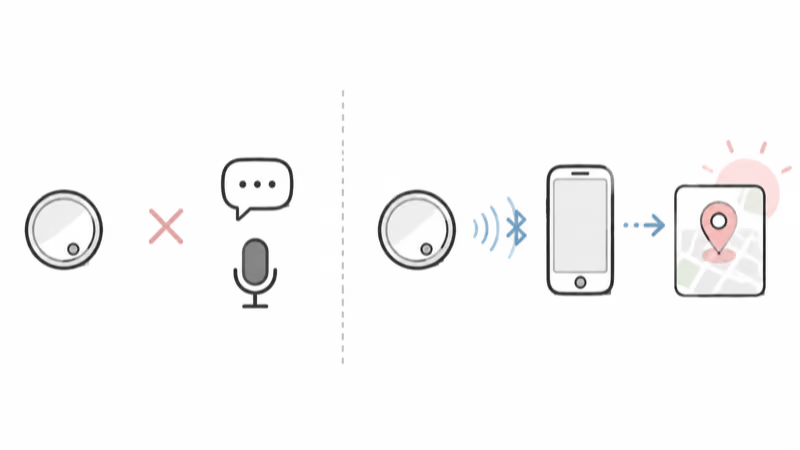
Apple’s current unwanted-tracker guide states that AirTag is for personal belongings, not people or property that doesn’t belong to the user. It also says non-consensual tracking is a crime in many countries and regions.
This guide stays with hardware and published safety mechanisms. Alleged alert failures and court claims belong in the Michigan AirTag stalking-alert lawsuit explainer.
How Apple Tries to Limit Unwanted Tracking
Apple documents several layers, but none promises an immediate warning in every setting.
- Changing Bluetooth identifiers. Apple says the identifiers rotate frequently to make unwanted location tracking harder.
- Phone alerts. If a compatible tracker is separated from its owner and seen moving with someone over time, a phone notification, a device sound, or both can warn that person.
- A moved-item sound. A separated AirTag can emit a sound when moved after a period of time. Apple gives no fixed alert time for every case.
- Find Nearby and Play Sound. A supported iPhone can guide someone toward an unknown AirTag, then play its sound once within Bluetooth range.
- NFC and disable instructions. The tap-to-read page shows identifying details and leads into the steps that stop the owner from receiving new location updates.
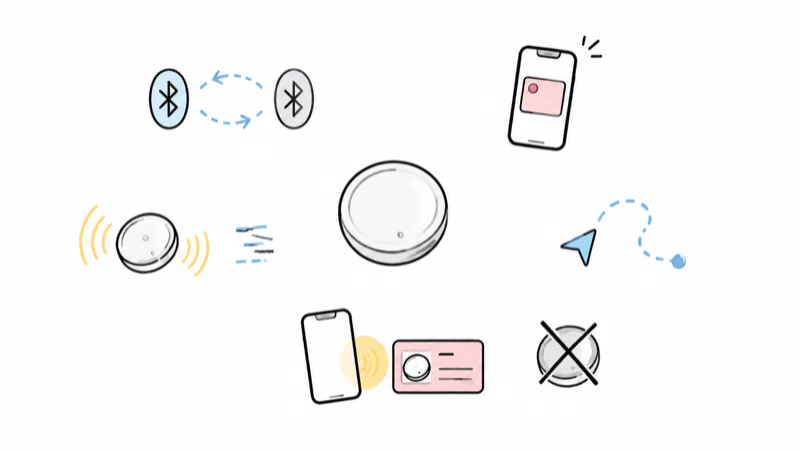
The same current guide says these products can warn through a phone notification, a device sound, or both when the documented conditions are met.
The checked Apple and Google guidance confirms automatic alerts and manual scanning on Android 6 and later, including for AirTags. The AirTags-on-Android breakdown explains how detection differs from ownership.
If You Think an Unknown AirTag Is With You
Start with the phone rather than a confrontation. On iPhone or iPad, check:
- the operating system supports tracking notifications
- Location Services and Significant Locations are on
- Bluetooth is on
- Tracking Notifications are allowed
- Airplane Mode is off
Open any alert and save what it shows. Use Play Sound or Find Nearby only where you can search safely. If you find the tag, save the NFC page with its serial number and partial registered phone number before disabling it.
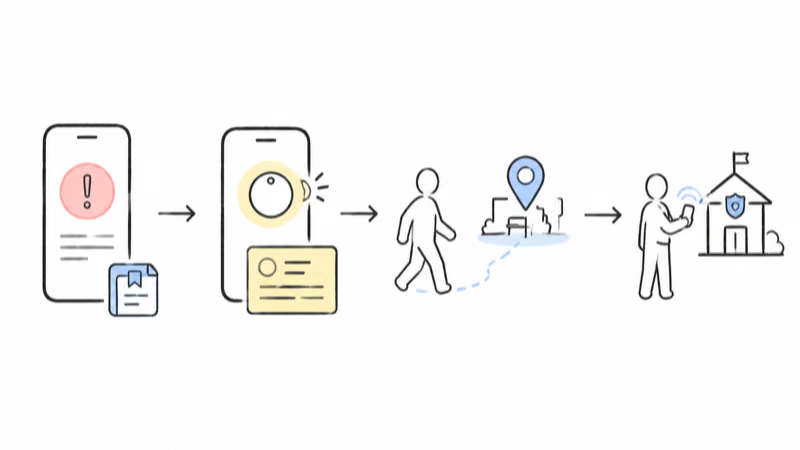
If you feel at risk, go to a safe public location and contact local law enforcement.
Turning off Bluetooth, Location Services, or Find My on your own phone doesn’t stop the tag’s owner from seeing its location. The tag itself must be disabled, or police must take over.
AirTag vs AirTag 2: Still No Microphone
The second-generation specification doesn’t add a listed listening sensor. Apple names a newer Ultra Wideband chip, longer Bluetooth finding range, a 50 percent louder speaker, and Precision Finding on supported Apple Watch models. Its specification sheet still lists one speaker and one accelerometer.
For a side-by-side hardware comparison, use the AirTag 2 vs AirTag 1 spec guide. Neither model’s specification lists a microphone.
Bottom Line
Apple documents AirTag as a locator, not an audio bug. Its published hardware can play sound, detect movement, and exchange finding signals, while the specifications list no microphone and Find My offers no listening control. Keep unknown-tracker alerts on, treat an unexpected moving-with-you warning as a location-safety signal, and involve law enforcement from a safe place if you feel at risk.
FAQ
Do AirTags have microphones?
Based on Apple’s published hardware lists and Find My controls, there is no documented microphone in either AirTag generation. The first-generation and second-generation specification sheets name a built-in speaker, an accelerometer, Bluetooth, Ultra Wideband, and NFC, while Find My exposes finding and safety sounds rather than recording or live-audio controls. Apple does not publish a sentence literally saying that AirTag has no microphone, so the conclusion is deliberately limited to documented parts and features instead of a teardown claim. Nothing in the published controls gives an owner a way to hear, record, stream, or transcribe sound through the tag. That evidence supports the practical answer: AirTag is a locator with audio output, not a documented listening device.
Can an AirTag record conversations or listen to a room?
Apple publishes no AirTag feature for recording a conversation, listening to a room, streaming audio, or producing a transcript. The documented audio component is a built-in speaker, and Apple describes it as playing finding chimes and unwanted-tracking safety sounds. Those are one-way playback functions: the owner can ask the tag to make noise, and a separated tag can make a warning sound when the documented conditions are met. The official specifications list no microphone, and Find My has no listen-in or recording control. The evidence therefore supports treating AirTag as a location-reporting device with sound output, while keeping the separate location-privacy risk in view.
Can someone use an AirTag to spy on me?
Apple publishes no microphone, listening control, camera, or recording feature for AirTag, so the documented concern is location rather than captured audio or video. A planted tag can still be misused because nearby Find My network devices can relay where the tag is detected, revealing a movement pattern for the bag, keys, vehicle, or other item carrying it. Apple says AirTag is for personal belongings rather than tracking people or property that doesn’t belong to the user. It also warns that non-consensual tracking is a crime in many countries and regions. Treat an unexpected moving-with-you alert as a location-safety signal even though the published hardware offers no listening path.
How would I know if an unknown AirTag is near me?
An iPhone or iPad can show an AirTag Found Moving With You alert when the documented separation and movement conditions are met. A separated AirTag can also emit a warning sound when moved after a period of time, but Apple doesn’t publish one fixed alert delay that applies in every case. On supported iPhones, the alert can offer Find Nearby or Play Sound to help locate the tag, while an NFC tap can reveal the serial number and partial registered phone number. Android 6.0 and later can show compatible unknown-tracker alerts and run a manual scan. None of these layers guarantees an immediate warning, so remain aware of your surroundings and act from a safe place.
Does AirTag 2 add a microphone?
No listed microphone appears in Apple’s second-generation AirTag specification. Apple names a second-generation Ultra Wideband chip, expanded finding connectivity, a built-in speaker, an accelerometer, Bluetooth, NFC, and support for Precision Finding on compatible Apple Watch models. The company also says the new speaker is 50 percent louder than the previous generation, but that remains an audio-output comparison rather than a recording capability or published decibel measurement. Find My still provides finding sounds and location controls, not live audio, listening, or transcription. The practical boundary is unchanged: AirTag 2 improves finding hardware while its published specification and controls document no microphone feature.
What should I do if I find an unknown AirTag?
Open the phone alert and save what it shows before changing anything, provided you can do so safely. Use Play Sound or Find Nearby only in a place where searching won’t expose you to confrontation, and tap the found tag with an NFC phone to preserve its serial number and partial registered phone number. If you feel at risk, move to a safe public location and contact local law enforcement instead of confronting anyone. Turning off Bluetooth, Location Services, or Find My on your own phone doesn’t stop the tag’s owner from receiving new location reports. Follow the on-screen disable instructions only after saving useful details, unless law enforcement asks you to preserve the device.